


 Purtroppo il tuo carrello è vuoto


 Restituzioni
 Chatta con Noi
 Chi Siamo
 I miei ordini

 Twitter
 LinkedIn
 Meta
Meta


 93,87 £
215,30 £
93,87 £
215,30 £



 Prima di acquistare, leggi queste informazioni importanti
Altri venditori su Mr Key Shop
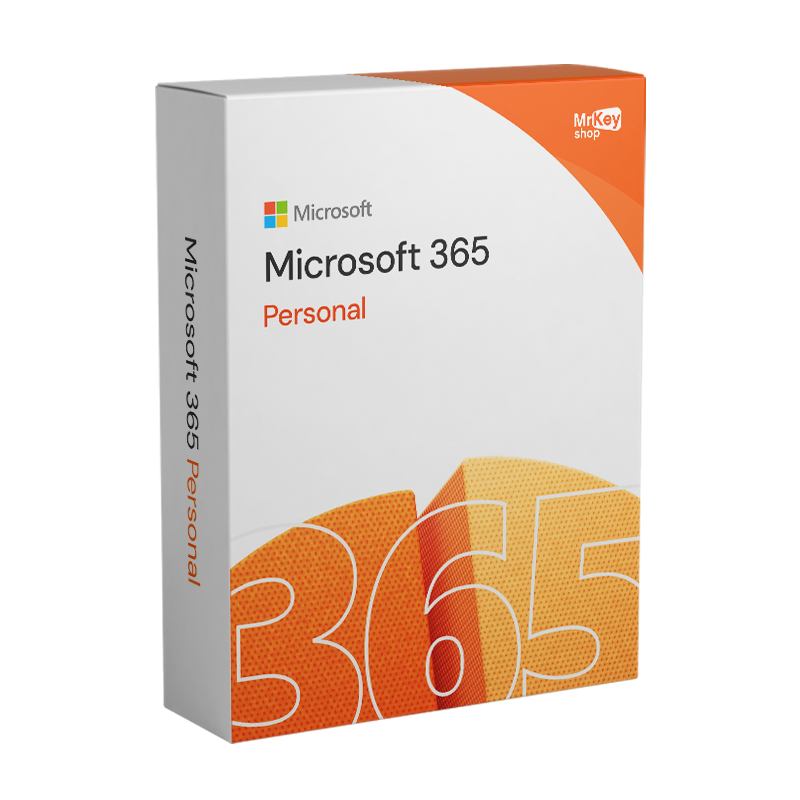
Microsoft 365 Personal è l’abbonamento ufficiale di Microsoft pensato per chi desidera lavorare, studiare e gestire i propri progetti con strumenti sempre aggiornati e sicuri. Con una durata di 12 mesi, Microsoft 365 Personal ti garantisce accesso completo a tutte le applicazioni Office nella loro versione premium, tra cui Word, Excel, PowerPoint, Outlook e OneNote, oltre a 1 TB di archiviazione su OneDrive per salvare e condividere file in totale sicurezza. È la soluzione ideale per studenti, professionisti e chiunque abbia bisogno di strumenti affidabili disponibili su più dispositivi, ovunque e in qualsiasi momento.
Nota importante sull’attivazione: per questo prodotto sono disponibili due modalità di attivazione➤ Invito ➤ Product Key
In entrambi i casi, il supporto tecnico gratuito è sempre garantito. Seleziona dalla tendina in alto il prodotto che vuoi ricevere. |
Microsoft 365 Personal offre una vasta gamma di caratteristiche e funzionalità pensate per utenti singoli che desiderano strumenti avanzati di produttività, creatività e sicurezza digitale.
Altre funzionalità innovative
Sicurezza e privacy
Queste funzionalità rendono Microsoft 365 Personal una suite completa, ideale per gestire attività quotidiane, semplificare il lavoro da remoto, proteggere i dati personali e stimolare la creatività digitale.
Microsoft 365 Personal offre una vasta gamma di applicazioni e funzionalità progettate per migliorare la tua produttività e semplificare la tua vita digitale. Ecco un elenco delle app e delle funzionalità incluse:
Con Microsoft 365 Personal, avrai a disposizione tutte queste app e funzionalità per ottimizzare la tua esperienza digitale e rendere ogni giorno più produttivo e organizzato.
La presenza delle app mobili implica anche la presenza di uno spazio di archiviazione: Microsoft 365 Personal offre 1 TB di cloud storage su OneDrive per archiviare documenti, foto e altri file in modo sicuro e accedere a essi da qualsiasi dispositivo.
Come le ultime versioni di Office, anche Microsoft Personal 365 punta tutto sulla collaborazione: potrai condividere facilmente documenti con altre persone e collaborare con loro in tempo reale tramite la funzionalità di coautore in Office. Mentre, in termini di sicurezza, Microsoft 365 Personal offre una protezione avanzata contro virus, malware e altre minacce online, oltre a strumenti per gestire e proteggere i dati personali.
Se ti interessa l'integrazione con Active Directory, il supporto per la gestione dei dispositivi mobili e strumenti per la protezione dei dati aziendali, visita la pagina di Microsoft 365 Business (Office 365 Business), la soluzione ideale per la tua impresa.
Su Mr Key Shop puoi acquistare e scaricare Microsoft 365 Personal in offerta.
Grazie a Mr Key Shop, puoi scaricare Microsoft 365 Personal entro pochi secondi dal tuo acquisto sicuro.
Completa la transazione tracciata scegliendo uno dei provider di servizi di pagamento supportati, come PayPal, Stripe, Amazon/Apple/Google Pay, oppure paga con carta di credito o debito. Al termine del tuo acquisto, ricevi la tua mail di riepilogo con tutto quello che ti occorre per accedere al tuo abbonamento a Microsoft 365 Personal (Office 365 Personal).
Inoltre, il tuo acquisto è coperto dalla nostra garanzia completa soddisfatti o rimborsati e potrai sempre contare sul supporto tecnico gratuito. Nulla è lasciato al caso con Mr Key Shop!
Sistemi compatibili con Microsoft Office 365 Personal: Mac, Windows, iOS e Android.
Installa Microsoft 365 Personal, trasforma la tua esperienza digitale e porta la tua produttività a nuovi livelli! Sei qui per ordinare Microsoft 365 Personal, ma probabilmente ti starai chiedendo perché abbiamo messo tra parentesi Office 365. Il motivo è che Microsoft Office 365 è stato rinominato in Microsoft 365 nel marzo 2020. Questo cambiamento di nome riflette la trasformazione di Office 365 da una semplice suite di produttività a un pacchetto di software e servizi più ampio e completo, con una maggiore integrazione tra le varie applicazioni e funzionalità aggiuntive.
Microsoft 365 include le stesse app desktop di Office, come Word, Excel e PowerPoint, ma offre anche una vasta gamma di nuovi strumenti e funzionalità. Ad esempio, Microsoft 365 include l'integrazione con OneDrive per archiviare e condividere i file in modo sicuro, l'accesso a Teams per la collaborazione in tempo reale, l'uso di funzionalità di sicurezza avanzate e l'intelligenza artificiale per semplificare le attività quotidiane.
Se decidi di effettuare il tuo abbonamento a Microsoft 365 Personal (Office 365 Personal) tramite Mr Key Shop, risparmierai anche sul prezzo ufficiale, attraverso un servizio professionale che da oltre 18 anni soddisfa clienti in tutto il mondo. Questo è dimostrato dal nostro rating medio di Eccezionale (4.9 | 5 stelle su 5) ottenuto su TrustPilot, dove più di 35002.000 recensioni positive confermano l’elevata qualità del nostro store.
E da noi risparmierai fino al 70% sull’intero catalogo rispetto ai listini prezzi ufficiali. Ad esempio, potrai acquistare Windows 11 Pro a una frazione del prezzo ufficiale, oppure ordinare e installare Office 2021 Professional Plus e Office per Mac in tempo reale. Ti offriamo anche una vasta gamma di funzioni di sicurezza che includono i migliori antivirus per Windows 11 e 10 e le migliori VPN sul mercato, mentre i tool dedicati ai professionisti spaziano da Windows Server a Microsoft Windows Storage Server.
Mr Key Shop è il tuo punto di riferimento sul mercato digitale!
Porta il tuo business a un livello superiore con un partner solido e riconosciuto nel settore delle licenze software originali. Con Mr Key Shop accedi a listini esclusivi dedicati ai reseller, condizioni riservate e supporto professionale gratuito per te e per i tuoi clienti.
In più, con MrKeyWallet puoi ottenere crediti extra su ogni ricarica e aumentare ulteriormente i tuoi margini: più investi, più guadagni. Un sistema pensato per chi vuole scalare davvero. Entra ora nel programma per rivenditori MKreseller e scopri tutti i vantaggi riservati ai partner.
Per utilizzare al meglio Microsoft 365 Personal è necessario che i tuoi dispositivi rispettino i requisiti minimi previsti da Microsoft.
Windows
macOS
Tablet e smartphone
Browser supportati
Dopo l’acquisto su Mr Key Shop riceverai via email la licenza Microsoft 365 Personal 1 anno e le istruzioni ufficiali. Prima di scaricare, registra la licenza sul tuo account Microsoft dall’area di setup indicata nelle istruzioni; quindi accedi alla tua area personale Microsoft e seleziona Scarica per ottenere il pacchetto delle app Office premium. Con la consegna digitale immediata puoi prepararti all’installazione in pochi minuti.
Avvia il file di setup e segui i passaggi a schermo: l’installazione di Microsoft 365 Personal è semplice, guidata e compatibile con PC, Mac, tablet e smartphone. Al termine avrai Word, Excel, PowerPoint, Outlook e OneNote pronti all’uso. In qualunque momento puoi contare sul supporto tecnico gratuito di Mr Key Shop in italiano e inglese.
Apri una delle app Office e accedi con l’account Microsoft su cui hai registrato la licenza: l’attivazione dell’abbonamento si completa automaticamente e sblocca tutte le funzionalità premium e 1 TB di OneDrive. Da qui puoi gestire installazioni, rinnovo e dispositivi direttamente dal tuo profilo Microsoft.
1. Cos'è Microsoft 365 Personal?
Microsoft 365 Personal è un abbonamento pensato per un singolo utente che include applicazioni come Word, Excel, PowerPoint e Outlook, oltre a funzionalità avanzate e aggiornamenti costanti.
2. Su quali dispositivi posso utilizzare Microsoft 365 Personal?
Puoi installarlo su PC, Mac, tablet e smartphone. È compatibile con Windows, macOS, iOS e Android.
3. Posso utilizzare Microsoft 365 Personal offline?
Sì, puoi lavorare offline. Tuttavia, è necessaria una connessione a internet per l'attivazione iniziale, l'installazione e il salvataggio automatico dei documenti nel cloud (se desiderato).
4. Quanta capacità di archiviazione cloud offre Microsoft 365 Personal?
Microsoft 365 Personal include 1 TB di spazio su OneDrive per archiviare e condividere file in modo sicuro.
5. È possibile condividere Microsoft 365 Personal con altri utenti?
No, l'abbonamento è individuale e può essere utilizzato da un solo utente.
6. Cosa succede se non rinnovo l'abbonamento a Microsoft 365 Personal?
Se non rinnovi, potrai accedere ai file salvati ma perderai la possibilità di modificare o creare nuovi documenti con le app di Microsoft 365.
7. Posso utilizzare Microsoft Teams con Microsoft 365 Personal?
Sì, Microsoft Teams è incluso per uso personale. Puoi organizzare videochiamate, chat e collaborare con amici e familiari.
8. Che differenza c'è tra Office 2024 e Microsoft 365 Personal?
9. Microsoft 365 Personal include funzionalità di sicurezza?
Sì, include funzionalità come:


 93,87 £
215,30 £
93,87 £
215,30 £
 76,64 £
107,65 £
76,64 £
107,65 £
 53,39 £
93,87 £
53,39 £
93,87 £
 241,14 £
258,36 £
241,14 £
258,36 £
 68,03 £
107,65 £
68,03 £
107,65 £

 Chatta con noi
 Ita
Ita
 Eng
Eng
 Deu
Deu
 Esp
Esp
 Fra
Fra