


 Malheureusement, votre panier est vide.


 Politique de retour
 Chat avec nous
 À Propos de Nous
 Mes commandes

 Twitter
 LinkedIn
 Meta
Meta

 94,73 £
416,83 £
94,73 £
416,83 £


Become proficient in Microsoft Word: from formatting text to managing sections, inserting tables and images, and even revising, referencing, and mail merging. A comprehensive course for creating professional documents.
 Set up and format your document
Insert elements
Design the layout and make revisions
 Level: Basic
 Total Video: 47
 Total Duration: 6 Hours
 Languages: Italian
 12 months unlimited access
 Progress dashboard
 Test and certificate for your CV
 AI tutor (optional)
The Microsoft Word Video Course by Learning365®, exclusively with Mr Key Shop, is the definitive guide to learning how to use Microsoft Word in a comprehensive, productive, and professional manner. In 64 video lessons spread over more than 6 hours and 40 minutes of content, you will discover how to create, format, review, and share complex documents using every available feature, from the basics to automation via macros.
Learning365® offers clear and practical training courses on applications such as Word, PowerPoint, OneNote, and Outlook, which are essential for anyone working in an office or remotely. The lessons, which are available on demand, are designed to take users from a basic level to operational autonomy. Each course can be followed with the support of the optional AI Intelligent Tutor, which provides explanations, examples, and contextual guidance in real time. Company managers can manage and monitor the entire training process through an intuitive monitoring dashboard with tracking, export, and reporting features.
The course is divided into 64 video lessons, for a total duration of 6h 43m, organized into thematic modules. Each lesson takes a practical approach to a single topic, with guided examples, real exercises, and explanatory animations. The modules include:
The course is completed with intermediate quizzes, a final test and the award of an official Learning365® certificate.
This course is designed for:
At the end of the course, upon passing the final test, you will receive an official Learning365® certificate, applicable for your CV, training dossier, professional development, and company or government reporting.
For any technical or educational needs, Learning365® offers free support in English. The course can be purchased directly on the official Learning365® website, securely and immediately.
While studying, you can activate the AI Intelligent Tutor: an interactive support tool that allows you to ask questions in real time and receive personalized answers about the lesson content. Ideal for quick clarifications and practical insights.
Is the course updated to the latest version of Word?
Yes, all lessons are based on the latest version of Microsoft Word included in the Microsoft 365 suite.
Is prior knowledge required?
No, the course starts from scratch and gradually guides you through to advanced features.
Does the course also cover Word for Mac?
The course is based on the Windows version, but most features are also available in Word for Mac. If necessary, you can purchase Microsoft Word as a standalone app or as part of one of the versions of Microsoft Office available on Mr Key Shop at very competitive prices. Alternatively, you can purchase a subscription to Microsoft 365.
Is it also useful for academic writing?
Yes. The module on references, bibliographies, indexes, and structure is perfect for theses and scientific documentation.
Does the course include practical exercises?
Each lesson includes practical examples and activities that can be applied immediately in your work environment.
Can I request a free demo before purchasing?
Of course, you can do so directly from the Learning365® website.


 94,73 £
416,83 £
94,73 £
416,83 £
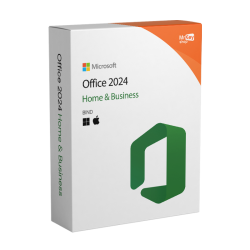 241,14 £
258,36 £
241,14 £
258,36 £


 Chat avec nous
 Ita
Ita
 Eng
Eng
 Deu
Deu
 Esp
Esp
 Fra
Fra