


 Unfortunately your shopping cart is empty


 Returns
 Chat with Us
 About Us
 My Orders

 Twitter
 LinkedIn
 Meta
Meta



 $117.23
$515.84
$117.23
$515.84

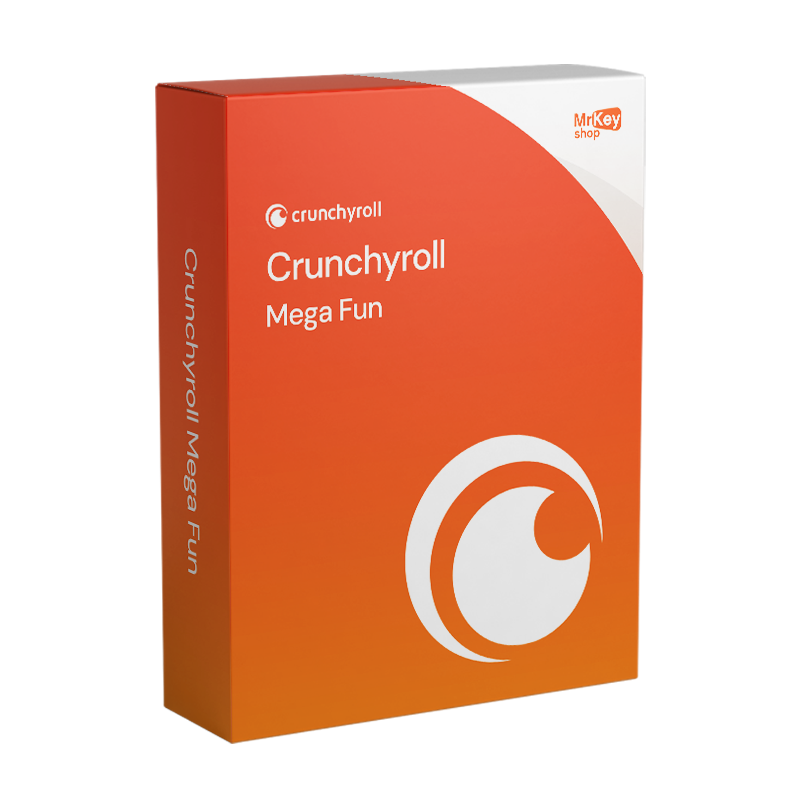




Important information before purchasingThis product consists of a pre-configured Crunchyroll account with an active 12-month Mega Fan subscription. This is not a key, an activation code or a gift card, and cannot be used to upgrade an existing Crunchyroll account. What will you receive after purchase?After purchase, you will receive the following via email:
What to do after delivery?
Important: complete the personalisation immediately after delivery. The PIN protects your individual profile, but does not replace your account password. Subscription durationThe Crunchyroll Mega Fan subscription is valid for 12 months. Delivery timesUsually within 10–30 minutes of placing your order. Any verification checks by Crunchyroll may extend delivery times. |
With the 1-year Crunchyroll Mega Fan subscription, you can watch series, films and new anime episodes without ad breaks on the platform.
The plan includes streaming on four devices simultaneously, the ability to download episodes to watch offline, and access to the Crunchyroll Game Vault.
It’s designed for those who watch anime frequently and want a Premium subscription with greater flexibility than the Fan plan.
|
Feature |
Details |
|
Product |
Crunchyroll Mega Fan |
|
Plan |
Premium Mega Fan |
|
Duration |
12 months |
|
Simultaneous streams |
Up to 4 |
|
Personalised profiles |
Up to 5 |
|
Offline viewing |
Included on supported devices |
|
Advertising |
None |
|
Catalogue |
Full access to the Crunchyroll anime library |
|
Simulcast |
Included. New episodes immediately after they air in Japan |
|
Crunchyroll Game Vault |
Included (premium mobile games without adverts) |
|
Subtitles and dubbing |
Subject to title availability |
|
Delivery method |
Pre-configured account (not an activation code) |
|
Delivery |
Digital via email |
|
Support |
Free in English |
|
Region |
Global |
The main difference between the two subscriptions concerns simultaneous streaming and additional features.
|
Features |
Fan |
Mega Fan |
|
Ad-free streaming |
Yes |
Yes |
|
Access to the Premium catalogue |
Yes |
Yes |
|
Simultaneous streams |
1 |
4 |
|
Personalised profiles |
Up to 5 |
Up to 5 |
|
Offline viewing |
Depends on plan and region |
Yes |
|
Crunchyroll Game Vault |
No |
Yes |
|
New simulcast episodes |
Yes |
Yes |
The Fan plan is best suited for those who mainly watch anime on one device at a time.
Mega Fan is better suited to those who want to switch between their Smart TV and smartphone, use multiple screens at the same time, or make the most of the Game Vault.
What’s more, up to five profiles allow you to keep the viewing preferences of household members separate.
The Mega Fan subscription can be used on Crunchyroll-compatible devices.
|
Device |
How to use |
|
PlayStation 4 and 5 |
Crunchyroll app |
|
Xbox One and Series X/S |
Crunchyroll app |
|
Compatible Samsung and LG Smart TVs |
Crunchyroll app |
|
Android TV and Google TV |
Crunchyroll app |
|
Amazon Fire TV |
Crunchyroll app |
|
Apple TV |
Crunchyroll app |
|
Nintendo Switch |
Crunchyroll app |
|
Android smartphones and iPhones |
Crunchyroll app |
|
Windows and Mac PCs |
Compatible browser or app, where available |
App availability and compatibility may vary depending on the model and operating system version.
Yes. You can use the Mega Fan plan on PlayStation 4 and PlayStation 5 via the Crunchyroll app.
Once you’ve installed the app, log in with your account details. If a code appears on the screen to link your device, follow Crunchyroll’s activation procedure.
This code is used solely to link your console: it is not a subscription key that needs to be purchased separately.
With Crunchyroll Mega Fan, you can download supported episodes and watch them without an active internet connection.
This feature is available on supported apps for smartphones, tablets and Nintendo Switch. It is not currently available for downloading content on a PC.
Downloads are temporary and may require a new internet connection to renew or check availability.
Every Crunchyroll subscription distributed by Mr Key Shop is genuine and verified: the guarantee of authenticity is the foundation of every licence we offer, alongside support in English at every stage of activation. Payments are protected by SSL encryption via PayPal (payable in 3 interest-free instalments), Stripe, Amazon Pay, Apple Pay, Google Pay, and credit and debit cards. For those who combine anime streaming with an up-to-date workstation, the Windows 11 Pro licence guarantees the latest hardware optimisations. For environments requiring proven stability, the Windows 10 Pro licence offers long-term operational continuity. For day-to-day productivity combined with entertainment, the Office 2024 Home & Business licence covers Word, Excel, PowerPoint and Outlook in a single purchase. For those who prefer apps that are always up to date with integrated cloud storage, the Microsoft 365 Family subscription is the solution for multiple users. To browse and stream from any network without geographical restrictions, the CyberGhost VPN licence protects your connection on all devices. To record scenes, clips or content from your screen, the AWZ Screen Recorder Pro product key captures high-quality video and audio. To convert and manage PDF documents, the Swifdoo PDF licence is the compact tool for everyday use. To keep your PC running smoothly over time, the CCleaner Professional licence removes unnecessary files and optimises start-up. Do you love music? Then you can’t miss out on the Spotify Premium subscription!
Once your purchase is complete, you’ll receive an email with everything you need to access your account:
Windows Operating Systems: Windows 11 - Windows 10 - Windows 8 - Windows 7
Microsoft Office packages: Office 2024 - Office 2021 - Office 2019 - Office 2016 - Office 2013 - Office 2010 - Office for MAC - Microsoft 365 - Office App - Visual Studio - Project - Access - Visio - Outlook - Word - Excel - PowerPoint
Antivirus: Kaspersky - ESET - McAfee - Avast -Bitdefender - Norton - AVG - Acronis - Surfshark- IObit - Watchdog - Panda - Server Antivirus
VPN: HMA VPN - NordVPN - Surfshark - Cyberghost
Microsoft Server: Server 2025 - Server 2022 - Server 2019 - Server 2016 - Server 2012 - Storage Server 2016 - Storage Server 2012 - Server CAL - RDS CAL Server - SQL Server
Utilities: PDF converters - Disk Cleanup - Data Management - Screen Recorder - Invoicing Software - Backup Software - Data Recovery - Disk Partitioning - Deployment - 3D Modeling - Remote Desktop - Editing -Video Converter - Virtualization - Graphics
CAD: Autodesk - ZWSOFT – Rhino 3D - Ashampoo
Bundle: Software for Creators - Software for Gamers - Software for the Family - Software for Smart Working - Software Bundle for SMEs & Startups - Software bundle for students
Take your business to the next level with a solid and recognized partner in the original software licensing industry. With Mr Key Shop, you get access to exclusive price lists for resellers, special terms, and free professional support for you and your customers.
What's more, with MrKeyWallet, you can get extra credits on every top-up and further increase your margins: the more you invest, the more you earn. A system designed for those who really want to scale up.
Join the MKreseller programnow and discover all the benefits reserved for partners.
|
Requirement |
Details |
|
iOS |
16.0 or later |
|
Android |
8.0 or later |
|
Windows |
10 or later |
|
macOS |
10.13 or later |
|
Web browsers |
Chrome, Firefox, Edge, Safari (up-to-date versions) |
|
Smart TVs |
Samsung, LG, Android TV, Apple TV and others with the Crunchyroll app |
|
Consoles |
PlayStation 4/5, Xbox One/Series |
|
Internet connection |
Required for streaming; not required for offline downloaded content |
|
Crunchyroll account |
Included with purchase (pre-configured account) |
After purchasing from Mr Key Shop, you’ll receive two sets of login details via email: those for your Crunchyroll account with the active Mega Fan plan, and those for the associated email address. Check your inbox within a few minutes of completing your order; everything is delivered digitally, with no need for any preliminary downloads.
Your Mega Fan subscription is automatically recognised on all devices where you log in using your account details.
Once you’ve received your login details by email, follow these steps.
1. Log in to Crunchyroll
Open the official crunchyroll.com website or the Crunchyroll app and enter the email address and password you received.
Check in your settings that your account has the Premium Mega Fan plan.
2. Change your original email address
Go to your account settings and request a change of email address.
Open the email inbox associated with the account, using the login details you received from Mr Key Shop, and follow the confirmation link.
Then enter your personal email address.
3. Verify your email
Complete the confirmation of your new address by following the instructions received from Crunchyroll.
4. Change your password
Update your account password by choosing a personal and secure one.
5. Set up your profile PIN
Open your profile settings and enable a four-digit numeric PIN.
The PIN can help protect access to your profile and viewing history.
The price of the annual subscription available on Mr Key Shop is as shown on the product page. To work out the average monthly cost, you can divide the purchase price by 12.
Crunchyroll Mega Fan is Crunchyroll’s mid-tier subscription plan, positioned between Fan and Ultimate Fan. It provides ad-free access to the entire anime library, with episodes simulcast immediately after they air in Japan, up to four simultaneous streams, offline downloads on four devices, access to the Game Vault and a 10% discount in the store. The 1-year version is valid for 12 months from activation.
No. This product is a pre-configured account, not an activation code: it cannot be applied to an existing account. You will receive the login details for an account dedicated exclusively to you, with the Mega Fan plan already active for 12 months.
The login details must be used within 10 days of delivery, unless otherwise agreed with the customer at the time of ordering.
Yes. The Mega Fan plan supports up to four active streams simultaneously on the same account. You can also download episodes for offline viewing on up to four devices.
Yes. Access to the Crunchyroll Game Vault, the premium mobile games library with no adverts or microtransactions, is included in the Mega Fan plan at no extra cost.
The plan allows you to watch content on up to four devices simultaneously. This does not mean that the account can be freely shared with people outside your household.
You can have up to five personalised profiles within the same Premium account. Each profile can have separate preferences, lists and viewing history.
No. The product sold on this page is not a key or a redemption code, but a pre-configured account. It does not allow you to add 12 months of Premium to an existing account.
Yes. The Mega Fan plan includes ad-free streaming for Premium content available on the platform.
Yes. The plan includes offline viewing on supported devices. Downloaded content is available for a limited time and must be played via the official apps.
Yes. Download the Crunchyroll app on your PS5 and log in using your account details.
Fan allows streaming on one device at a time. Mega Fan allows four simultaneous streams and includes access to the Game Vault. Both allow you to watch Premium anime without adverts.
Yes. Access to the games included in the Crunchyroll Game Vault is a feature of the Mega Fan plan. The availability of individual games may change over time.
The Crunchyroll interface supports Italian. However, for individual anime, the availability of dubbing and subtitles depends on the title and distribution rights.
Please also check your Spam and Junk Mail folders. If you cannot find the email or are having trouble logging in, please contact Mr Key Shop support.


 $117.23
$515.84
$117.23
$515.84
 $213.15
$255.78
$213.15
$255.78
 $84.19
$159.86
$84.19
$159.86
 $298.41
$319.73
$298.41
$319.73
 $95.91
$106.57
$95.91
$106.57

 Chat with us
 Ita
Ita
 Eng
Eng
 Deu
Deu
 Esp
Esp
 Fra
Fra