


 Purtroppo il tuo carrello è vuoto


 Restituzioni
 Chatta con Noi
 Chi Siamo
 I miei ordini

 Twitter
 LinkedIn
 Meta
Meta



 93,87 £
215,30 £
93,87 £
215,30 £



|
Informazione sulla consegna Il product key Stellar Repair for Excel verrà recapitato via email entro 6/12 ore dall'acquisto, con le istruzioni complete per il download e l'attivazione. |
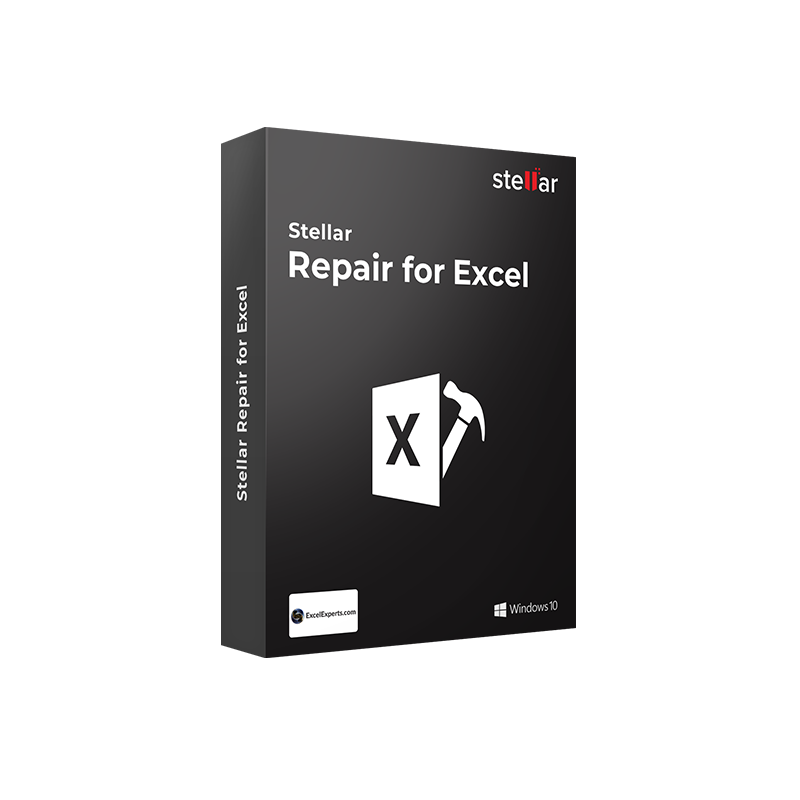
Una licenza Stellar Repair for Excel significa lavorare con più serenità. Sì, perché un messaggio di errore all'apertura di Excel non è solo un inconveniente tecnico. Quando il file contiene il budget trimestrale, un modello finanziario con centinaia di formule interconnesse, o i dati di progetto su cui si lavora da settimane, la corruzione del file diventa un problema operativo concreto. La funzione nativa "Apri e ripara" di Excel modifica il file originale e spesso fallisce sui danni più gravi. Stellar Repair for Excel interviene dove Excel si ferma: analizza il file corrotto oggetto per oggetto, isola la corruzione, ripara il danno e restituisce il file in un nuovo documento privo di errori, senza toccare il file originale.
Il software recupera tutti gli elementi del foglio di lavoro: tabelle e dati numerici, tabelle pivot, grafici e fogli grafico, commenti alle celle, immagini, formule ingegneristiche, funzioni di ordinamento e filtro, fogli e colonne nascoste, formattazione condizionale, subtotali e gruppi, hyperlink e proprietà del foglio di lavoro. Supporta i formati XLS, XLSX, XLSM, XLTM e XLTX e tutte le versioni di Microsoft Excel dalla 2000 alla 2021 e Microsoft 365, su Windows XP, Vista, 7, 8, 8.1, 10 e 11.
|
Area |
Funzionalità |
|
Formati supportati |
XLS, XLSX, XLSM, XLTM, XLTX |
|
Versioni Excel |
Excel 2000, 2003, 2007, 2010, 2013, 2016, 2019, 2021, Microsoft 365 |
|
Elementi recuperati |
Tabelle e dati numerici, tabelle pivot, grafici, fogli grafico, commenti celle, immagini, formule ingegneristiche, funzioni di ordinamento e filtro, fogli e colonne nascoste, formattazione condizionale, subtotali, gruppi, hyperlink |
|
Formattazione preservata |
Colori, forme, bordi, formattazione celle, proprietà del foglio di lavoro, integrità del database mantenuta al 100% |
|
Riparazione batch |
Riparazione simultanea di più file Excel in un unico processo |
|
Ricerca file |
Localizzazione automatica di tutti i file Excel sul disco tramite le funzioni Trova file, Cerca file e Cerca cartella |
|
Anteprima pre-salvataggio |
Visualizzazione del file Excel riparato con tutti i suoi oggetti prima del salvataggio |
|
Salvataggio in nuovo file |
Il file riparato viene salvato come nuovo documento, il file originale resta intatto |
|
Salvataggio parziale |
Possibilità di salvare dati parziali o completi dalla finestra di anteprima |
|
Non distruttivo |
Nessuna modifica al file originale durante il processo di riparazione |
Scegliere Mr Key Shop significa acquistare una licenza software originale con la certezza che sia autentica, attivabile dai canali ufficiali Stellar, e supportata da assistenza tecnica gratuita in italiano, dall'acquisto all'utilizzo. Il product key Stellar Repair for Excel arriva via email entro 6/12 ore dall'ordine. Puoi pagare con i principali circuiti digitali, PayPal rateizzabile in 3 rate senza interessi, carte di credito e debito, Stripe, Amazon Pay, Apple Pay e Google Pay, tutti con crittografia SSL. La certificazione Trusted Shops e la valutazione "Eccellente" su Trustpilot confermano l'affidabilità del servizio con protezione acquisto fino a 2.500 euro per ordine.
Stellar Repair for Excel è lo strumento che interviene quando il foglio di lavoro smette di aprirsi, vale la pena costruire intorno a questo un ambiente di lavoro stabile. La licenza Windows 11 Pro porta sulle postazioni aziendali le ottimizzazioni di sicurezza hardware, Secure Boot, TPM 2.0, Windows Defender aggiornato, che riducono concretamente il rischio di corruzione dei file per attacchi malware o arresti anomali del sistema. Per le workstation su Windows 10 ancora operative, il product key Windows 10 Pro offre una piattaforma longeva e consolidata, pienamente compatibile con tutte le versioni di Stellar Repair for Excel. La licenza Office 2024 Professional Plus include Excel 2024, la versione più recente del foglio di calcolo che Stellar Repair for Excel è in grado di riparare, insieme a Word, PowerPoint, Outlook e Access per la suite completa di produttività aziendale. Per team che lavorano su cartelle di lavoro condivise in cloud, l'abbonamento Microsoft 365 Business Standard aggiunge Excel Online, Teams e SharePoint, con 1 TB di OneDrive su cui archiviare i file riparati e i backup delle versioni precedenti. La privacy dei dati aziendali contenuti nei fogli Excel, bilanci, proiezioni, dati di clienti, è tutelata da CyberGhost VPN, che cifra il traffico su reti non sicure durante la condivisione di file sensibili. Chi lavora con flussi di dati estratti dai fogli Excel riparati troverà in Power BI Premium la piattaforma Microsoft per trasformare i dati recuperati in dashboard e report operativi. Per la documentazione tecnica e i report di analisi in PDF, AWZ Screen Recorder Pro permette di registrare sessioni di lavoro su schermo Windows o creare tutorial operativi. I professionisti tecnici che affiancano alla gestione dati la progettazione CAD troveranno in Autodesk AutoCAD LT Commercial lo strumento per il disegno tecnico 2D, con i file di progetto e i dati associati da mantenere integri con la stessa cura riservata ai fogli Excel. Zero logistica, zero attese: acquisti, ricevi il product key via email, attivi.
Porta il tuo business a un livello superiore con un partner solido e riconosciuto nel settore delle licenze software originali. Con Mr Key Shop accedi a listini esclusivi dedicati ai reseller, condizioni riservate e supporto professionale gratuito per te e per i tuoi clienti.
In più, con MrKeyWallet puoi ottenere crediti extra su ogni ricarica e aumentare ulteriormente i tuoi margini: più investi, più guadagni. Un sistema pensato per chi vuole scalare davvero. Entra ora nel programma per rivenditori MKreseller e scopri tutti i vantaggi riservati ai partner.
|
Requisito |
Specifiche |
|
Sistema operativo |
Windows 11, 10, 8.1, 8, 7, Vista, XP (32 e 64 bit) |
|
Processore |
Intel compatibile (x86, x64) |
|
RAM |
1 GB minimo (2 GB consigliati per file di grandi dimensioni) |
|
Spazio su disco |
5,7 MB per l'installazione; spazio aggiuntivo per i file Excel riparati |
|
Microsoft Excel |
Excel 2000, 2003, 2007, 2010, 2013, 2016, 2019, 2021, Microsoft 365 |
|
Connessione Internet |
Necessaria per attivazione e aggiornamenti |
|
Note |
Il file originale non viene modificato durante la riparazione. Il file riparato viene salvato come nuovo documento in una posizione scelta dall'utente |
Stellar Repair for Excel è disponibile per il download diretto dal sito ufficial. Il software è compatibile con Windows XP, Vista, 7, 8, 8.1, 10 e 11, sia 32 che 64 bit, e supporta tutte le versioni di Microsoft Excel dalla 2000 alla 2021 e Microsoft 365. Il file di installazione occupa circa 5,7 MB.
Per installare Stellar Repair for Excel su Windows:
All'avvio il software presenta le opzioni di selezione del file Excel, singolo file, ricerca su disco o selezione di una cartella, e avvia automaticamente la scansione.
Per attivare Stellar Repair for Excel:
Con la licenza attiva sono disponibili senza limitazioni: riparazione batch di più file, salvataggio completo dei dati riparati in un nuovo file Excel e accesso a tutti gli oggetti recuperati nell'anteprima. Annota il product key: servirà in caso di reinstallazione o cambio di postazione.
Stellar Repair for Excel è uno strumento dedicato alla riparazione di file XLS, XLSX, XLSM, XLTM e XLTX corrotti o danneggiati su Windows. Recupera tabelle, tabelle pivot, grafici, formule, fogli nascosti, formattazione condizionale e tutti gli altri oggetti del foglio di lavoro, salvando il risultato in un nuovo file Excel senza modificare l'originale. Supporta Excel 2000-2021 e Microsoft 365.
La funzione nativa di Excel modifica il file originale durante il tentativo di riparazione, se il processo fallisce o produce risultati parziali, il file originale è compromesso. Stellar Repair for Excel analizza il file originale senza modificarlo, isola la corruzione oggetto per oggetto e salva il risultato in un nuovo file, senza rischio di perdere ulteriori dati.
Sì. Le tabelle pivot sono tra gli elementi recuperati dal software, insieme a grafici, fogli grafico, formule ingegneristiche, funzioni di ordinamento e filtro, formattazione condizionale, subtotali e gruppi.
Sì. Stellar Repair for Excel ripara e recupera tutti i fogli nascosti e le colonne nascoste presenti nel file originale, mantenendo la struttura del documento come nell'originale.
Sì. Il software supporta i file Excel creati con Microsoft 365 nei formati XLSX, XLSM, XLTM e XLTX.
Sì. La funzione di riparazione batch permette di selezionare più file, anche in formati diversi tra XLS e XLSX, e avviarne la riparazione in un unico processo.
No. Il software lavora in modo non distruttivo: il file originale resta intatto durante tutta la scansione e la riparazione. Il file riparato viene salvato come nuovo documento in una posizione scelta dall'utente.
Se il file Excel è stato cancellato o è scomparso dal disco, serve uno strumento di recupero dati come Stellar Data Recovery. Stellar Repair for Excel interviene solo su file presenti ma inaccessibili o corrotti. Se hai bisogno di riparare anche file Word, PowerPoint e PDF oltre a Excel, considera Stellar Toolkit for File Repair che include Stellar Repair for Excel insieme agli altri strumenti di riparazione Office.
|
Criterio |
Stellar Repair for Excel |
Kernel for Excel |
DataNumen Excel Repair |
|
Formati XLS e XLSX |
✅ Sì |
✅ Sì |
✅ Sì |
|
Tabelle pivot |
✅ Sì |
✅ Sì |
✅ Sì |
|
Grafici e fogli grafico |
✅ Sì |
✅ Sì |
Parziale |
|
Fogli e colonne nascoste |
✅ Sì |
✅ Sì |
✅ Sì |
|
Formattazione condizionale |
✅ Sì |
Parziale |
Parziale |
|
Anteprima pre-salvataggio |
✅ Sì |
✅ Sì |
❌ |
|
Non distruttivo |
✅ Sì |
✅ Sì |
✅ Sì |
|
Riparazione batch |
✅ Sì |
✅ Sì |
✅ Sì |
|
Interfaccia in italiano |
✅ Sì |
Parziale |
❌ |


 93,87 £
215,30 £
93,87 £
215,30 £
 76,64 £
107,65 £
76,64 £
107,65 £
 53,39 £
93,87 £
53,39 £
93,87 £
 241,14 £
258,36 £
241,14 £
258,36 £
 68,03 £
107,65 £
68,03 £
107,65 £

 Chatta con noi
 Ita
Ita
 Eng
Eng
 Deu
Deu
 Esp
Esp
 Fra
Fra