


 Leider ist Ihr Warenkorb leer.


 Rückgabe
 Chatten Sie mit Uns
 Über Uns
 Meine Befehle

 Twitter
 LinkedIn
 Meta
Meta



 138,54 $
515,84 $
138,54 $
515,84 $

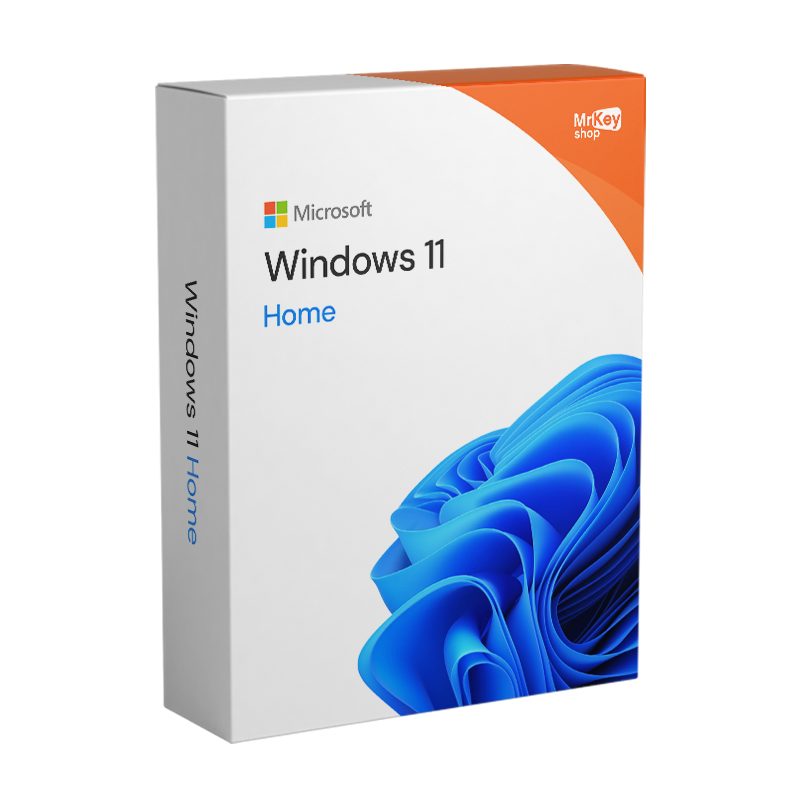



Kaufen Sie eine Lizenz für Windows 11 Home bei Mr Key Shop und sparen Sie dabei! Hier ist die brandneue Version des beliebtesten Betriebssystems von Microsoft. Windows 11 wurde sowohl optisch als auch funktional überarbeitet und bietet seinen Nutzern modernste Funktionen zur Optimierung der PC-Ressourcen und für ein maximales Spielerlebnis, auch dank der verbesserten Integration mit den Diensten Microsoft Xbox Game Pass. Unterhaltung, Erstellung von Inhalten und sogar professionelle Aktivitäten auf höchstem Niveau: Nutzen Sie die Leistungsfähigkeit neuer Hardwaretechnologien wie DirectStorage, um das Laden und die Leistung Ihrer Lieblingsspiele zu optimieren, und genießen Sie die vollständige Kompatibilität mit dem neuen Office Home & Student 2021, um auch Ihre Produktivität zu optimieren! Auch in der Version für Privatanwender, Windows 11 Home, hat Microsoft in puncto Sicherheit keine Abstriche gemacht und nutzt auch das TPM moderner Motherboards.
Windows 11 Home hat sich als die ultimative Wahl für Privatanwender, Studenten und Gamer etabliert, die ein schnelles, sicheres und tief in die künstliche Intelligenz integriertes System suchen.
Hier sind die technischen Gründe, warum Sie noch heute eine Windows 11 Home-Lizenz kaufen sollten:
Im Jahr 2026 ist Windows 11 Home nicht mehr nur ein App-Container, sondern ein aktiver Assistent. Dank neuer KI-Funktionen:
Für Gamer ist Windows 11 Home unverzichtbar geworden. Mit den Updates von 2026 hat Microsoft Folgendes eingeführt:
Im Gegensatz zu raubkopierten oder veralteten Versionen umfasst Windows 11 Home:
Windows 11 Home ist die Edition für den privaten und persönlichen Gebrauch und enthält alle wichtigen Neuerungen von Windows 11 in Bezug auf Grafik, Produktivität, Sicherheit und Unterhaltung.
Benutzeroberfläche und tägliche Nutzung
Produktivität und Zusammenarbeit
Gaming und Unterhaltung
Sicherheit und Zugriff
Weitere erweiterte Funktionen
Hyper-V ist unter Windows 11 Home nicht nativ als Virtualisierungsoption verfügbar. Benutzer der Home-Version, die Virtualisierung nutzen möchten, können auf Alternativen wie VirtualBox oder VMware Workstation Player zurückgreifen, die ähnliche Funktionen bieten. Um auf Hyper-V zugreifen zu können, müssen Sie auf eine höherwertige Version von Windows 11 aktualisieren, z. B. Windows 11 Pro oder Enterprise, die diese Funktion zusammen mit anderen Funktionen für den professionellen und geschäftlichen Bereich enthalten.
Mit dem Kauf des Windows 11 Home-Schlüssels erhalten Sie ein Betriebssystem, das sich auf Dienste konzentriert und Ihre Benutzererfahrung optimiert, mit mehr Sicherheit und Funktionen, die immer auf dem neuesten Stand der Technik sind . Wir empfehlen Ihnen außerdem die Installation eines der besten Antivirus für Windows 11 zum Schutz Ihres Geräts. Wenn Sie ein Upgrade Ihres Betriebssystems von Windows 10 auf Windows 11 planen, verwenden Sie eine Backup-Software für Windows 11, die mit beiden Versionen kompatibel ist. Damit können Sie Backups und Wiederherstellungen durchführen und Probleme während des Aktualisierungsvorgangs vermeiden.
|
Funktion |
Windows 11 Home (2026) |
Windows 10 Home |
|
Sicherheitsunterstützung |
✅ Vollständig und aktualisiert |
⚠️ Wird eingestellt (Oktober 2025) |
|
KI (Copilot) |
✅ Nativ und tiefgreifend |
❌ Begrenzt / Nicht vorhanden |
|
Gaming-Optimierung |
✅ DirectStorage / Auto HDR |
❌ Nicht vorhanden |
|
Benutzeroberfläche |
Modern und anpassbar |
Traditionell und statisch |
|
Batterieeffizienz |
✅ Optimiert für Laptops 2026 |
❌ Höherer Verbrauch |
Kaufen Sie Windows 11 Home bei Mr Key Shop und Sie erhalten garantiert einen günstigen Preis. So können Sie die neuesten technologischen Innovationen nutzen, ohne ein Vermögen ausgeben zu müssen. Darüber hinaus haben Sie dank der zahlreichen exklusiven Angebote und Aktionen von Mr Key Shop die Möglichkeit, Windows 11 Home zu einem noch günstigeren Preis zu finden. Verpassen Sie nicht die Gelegenheit, in ein Betriebssystem zu investieren, das Ihre Benutzererfahrung zu einem erschwinglichen Preis verbessert: Entscheiden Sie sich für Windows 11 Home bei Mr Key Shop und genießen Sie die Zukunft der Technologie mit einem zuverlässigen Service und einem sicheren Einkaufserlebnis.
Sie sparen nicht nur erheblich gegenüber dem Listenpreis eines Windows 11 Home-Produktschlüssels, sondern erhalten auch eine E-Mail mit allem, was Sie zum Herunterladen, Installieren und Aktivieren von Windows 11 Home auf Ihrem PC benötigen.
Bringen Sie Ihr Unternehmen mit einem soliden und anerkannten Partner im Bereich der Original-Softwarelizenzen auf ein neues Niveau. Mit Mr Key Shop erhalten Sie Zugang zu exklusiven Preislisten für Wiederverkäufer, Sonderkonditionen und kostenlosem professionellem Support für Sie und Ihre Kunden.>
Darüber hinaus können Sie mit MrKeyWalletbei jeder Aufladung zusätzliche Gutschriften erhalten und Ihre Margen weiter steigern: Je mehr Sie investieren, desto mehr verdienen Sie. Ein System für alle, die wirklich wachsen wollen.
Treten Sie jetzt dem Programm für Wiederverkäufer MKreseller bei und entdecken Sie alle Vorteile, die Partnern vorbehalten sind.
| Prozessor | 1 GHz oder höher, ab der 8. Generation |
| RAM | 4 GB |
| Speicher | 64 GB |
| Firmware | UEFI, kompatibel mit Secure Boot |
| TPM | Trusted Platform Module 2.0 |
| GPU | DirectX 12 oder höher mit WDDM 2.0 Treiber |
| Anzeige | 720p, 8-Bit, min. 9 Zoll |
| Internet & Microsoft-Konto | Windows 11 Home erfordert eine aktive Internetverbindung und ein Microsoft-Konto, um den Einrichtungsprozess abzuschließen. |
Laden Sie Windows 11 Home innerhalb weniger Sekunden nach dem Kauf herunter, befolgen Sie die Anweisungen und installieren Sie Ihr neues Microsoft-Betriebssystem sofort. Möglich wird dies durch die digitale Lieferung, das Geschäftsmodell von Mr Key Shop, das Ihnen Produkte zu Schnäppchenpreisen, sofortige Lieferung und Aktivierung innerhalb von a wenige Augenblicke von Ihrer Kasse entfernt. Alle Bestellungen werden über sichere und nachverfolgte Zahlungsmethoden abgewickelt, damit Sie beruhigt sein können! Bestellen Sie Ihren Windows 11 Home-Produktschlüssel mit Vertrauen und machen Sie sich keine Sorgen! Sie profitieren außerdem von unserer Geld-zurück-Garantie. Lesen Sie unsere Rückmeldungen, um mehr über die Erfahrung von Mr Key Shop zu erfahren! Da Sie im Vergleich zum UVP sparen, vermeiden Sie auch Wartezeiten oder andere Unannehmlichkeiten: Sie erhalten sofort eine 100 % echte Windows 11 Home-Lizenz mit klare und genaue Anweisungen sowie ein offizieller Download-Link. Im Zweifelsfall oder bei Fragen steht Ihnen Ihr technischer Support immer zur Verfügung, auf Englisch und kostenlos!

Die Installation von Windows 11 Home auf Ihrem PC mithilfe einer digitalen Lizenz ist heute eine ethische Entscheidung. Mr Key Shop ist ein umweltfreundliches Unternehmen und wir glauben fest an die digitale Welt – durch die Kombination dieser beiden Visionen bieten wir Premiumprodukte an wie Windows 11 Home, ohne dass sie physisch geliefert werden müssen. Auf diese Weise profitieren Sie von der Lieferung in Echtzeit und leisten gleichzeitig einen Beitrag zum Schutz der Umwelt. Keine Kuriere, keine Abgase, keine umweltschädlichen Verpackungen. Wir sind ein grünes Unternehmen!
Die Aktivierung von Windows 11 Home ist ein wichtiger Schritt, um sicherzustellen, dass Sie alle Funktionen des Betriebssystems nutzen und Support und Updates von Microsoft erhalten können. Die Aktivierung erfolgt in der Regel automatisch bei der Installation, sofern Sie einen gültigen Windows 11 Home-Produktschlüssel eingeben oder ein Upgrade von einer bereits aktivierten Vorgängerversion von Windows durchführen (dies ist nur von Windows 10 auf Windows 11 möglich). Falls die Aktivierung nicht automatisch erfolgt, können Sie den Produktschlüsselcode manuell über die Windows 11-Einstellungen eingeben. Durch die Aktivierung wird die Authentizität der Software sichergestellt, Sie werden vor möglichen Bedrohungen für die Sicherheit Ihrer Daten geschützt und auf lange Sicht für ein besseres Benutzererlebnis gesorgt. Aktivieren Sie Windows 11 Home und verbessern Sie Ihr Erlebnis, indem ebenfalls Office 2021 herunterladen.
1. Was ist eine digitale Lizenz für Windows 11 Home?
Eine digitale Lizenz, auch als „digitales Nutzungsrecht“ bezeichnet, ermöglicht es Ihnen, Windows 11 zu aktivieren, ohne einen Produktschlüssel manuell eingeben zu müssen. Diese Lizenz ist an die Hardware Ihres Geräts und in einigen Fällen an Ihr Microsoft-Konto gebunden, was zukünftige Neuinstallationen vereinfacht.
2. Wie führe ich ein Upgrade von Windows 11 Home auf Windows 11 Pro durch?
Um von Windows 11 Home auf Pro zu wechseln, führen Sie folgende Schritte aus:
Wenn Sie keinen Lizenzschlüssel haben, können Sie einen aus dem Mr Key Shop-Katalog erwerben.
3. Kann ich meine digitale Windows 11 Home-Lizenz auf einen anderen Computer übertragen?
Digitale Lizenzen sind in der Regel an das Gerät gebunden, auf dem sie ursprünglich aktiviert wurden. Ist die Lizenz jedoch mit Ihrem Microsoft-Konto verknüpft, können Sie sie auf einen anderen Computer übertragen, sofern Sie sie vom vorherigen Gerät entfernen. Bitte beachten Sie, dass OEM-Lizenzen nicht übertragbar sind.
4. Was passiert, wenn ich die Hardware meines PCs ändere?
Wenn Sie wesentliche Änderungen an Ihrer Hardware vornehmen, wie z. B. den Austausch des Motherboards, ist Ihre Lizenz möglicherweise nicht mehr gültig. In solchen Fällen können Sie versuchen, sie mithilfe der Aktivierungs-Fehlerbehebung neu zu aktivieren, die Sie unter Einstellungen > System > Aktivierung finden.
5. Kann ich kostenlos von Windows 10 Home auf Windows 11 Home upgraden?
Ja, wenn Ihr Gerät die Anforderungen erfüllt, können Sie kostenlos auf Windows 11 Home upgraden. Wir empfehlen, die Kompatibilität Ihres PCs zu überprüfen, bevor Sie den Vorgang starten.
6. Wo finde ich den Produktschlüssel für Windows 11 Home?
Wenn Sie eine digitale Lizenz für Windows 11 Home erworben haben, benötigen Sie in der Regel keinen Produktschlüssel, da die Aktivierung automatisch erfolgt, sobald Sie sich mit Ihrem Microsoft-Konto oder Ihrer PC-Hardware verbinden. Sollten Sie den Code dennoch abrufen müssen, gehen Sie wie folgt vor:
E-Mail mit der Kaufbestätigung:
Sehen Sie in der Bestätigungs-E-Mail nach, die Sie nach dem Kauf der Lizenz erhalten haben. Der Produktschlüssel ist direkt in der E-Mail angegeben.
Autorisierter Händler:
Wenn Sie Ihre digitale Lizenz über Mr Key Shop erworben haben, lesen Sie bitte die Anweisungen, die Sie zum Zeitpunkt der Lieferung erhalten haben. Wir senden Ihnen den Code per E-Mail zu und stellen ihn in Ihrem Konto auf unserer Website zur Verfügung.
Auf Ihrem Gerät vorinstallierte Software:
Wenn Windows 11 Home bereits auf Ihrem PC installiert war und Sie über eine digitale Lizenz verfügen, ist der Code möglicherweise nicht sichtbar. In diesem Fall erfolgt die Aktivierung automatisch und Sie müssen ihn nicht manuell eingeben.
Um den Status Ihrer Lizenz zu überprüfen, gehen Sie zu Einstellungen > System > Aktivierung. Wenn die Lizenz aktiv ist, müssen Sie den Produktschlüssel nicht abrufen.
Windows 11 stellt bestimmte Hardwareanforderungen, um maximale Sicherheit zu gewährleisten: einen 64-Bit-Prozessor mit mindestens 1 GHz, 4 GB RAM (empfohlen 16 GB für KI-Funktionen) und vor allem den TPM 2.0-Chip. Wenn Ihr PC weniger als 5–6 Jahre alt ist, ist er wahrscheinlich kompatibel. Sie können dies überprüfen, indem Sie die offizielle PC Health Check-App von Microsoft herunterladen.
Copilot+-PCs sind eine neue Hardwarekategorie, die 2026 eingeführt wurde und mit einer NPU (Neural Processing Unit) ausgestattet ist, um KI lokal auszuführen. Die bei Mr Key Shop erworbene Lizenz ist für diese Geräte uneingeschränkt gültig. Um jedoch erweiterte KI-Funktionen (wie Recall oder Cocreator) freizuschalten, muss Ihre Hardware mindestens 40 TOPS an neuronaler Rechenleistung unterstützen.
Das ist ganz einfach und erfordert keine Formatierung Ihres PCs. Wenn Sie ein Windows 11 Pro-Upgrade bei Mr Key Shop erwerben, gehen Sie einfach zu Einstellungen > System > Aktivierung > Produktschlüssel ändern. Durch die Eingabe des neuen Schlüssels schaltet das System die Pro-Funktionen (wie BitLocker und Remote Desktop) innerhalb weniger Minuten automatisch frei.
Nach der Installation von Windows 11 hast du 10 Tage Zeit, um zu Windows 10 zurückzukehren und dabei deine Dateien und Apps zu behalten (über die Wiederherstellungsfunktion). Davon wird jedoch dringend abgeraten: Windows 10 erhält seit 2025 keine kritischen Sicherheitsupdates mehr, wodurch Ihr PC Schwachstellen ausgesetzt ist, die Hacker täglich ausnutzen.
Nicht unbedingt. Wenn Ihr PC die Mindestanforderungen erfüllt, können Sie ein „In-Place“-Upgrade durchführen, bei dem alle Ihre Dokumente, Fotos und Programme erhalten bleiben. Mr Key Shop stellt Ihnen eine detaillierte Anleitung zur Verfügung, in der erklärt wird, wie Sie das Upgrade direkt aus Ihrer aktuellen Windows-Umgebung heraus starten können.
Die Basisinstallation benötigt etwa 64 GB freien Speicherplatz. Dank der neuen Dateisystem-Komprimierungstechnologien von 2026 ist der tatsächliche Speicherbedarf jedoch mit dem des Vorgängers vergleichbar. Für ein optimales Erlebnis mit KI-Funktionen empfehlen wir die Verwendung einer NVMe-SSD.
13. Ist ein günstiger Windows 11 Home-Schlüssel echt?
Das hängt davon ab, was verkauft wird. Eine von einem Unternehmen ausgegebene und weiterverkaufte Original-Lizenz ist legitim und kostet deutlich weniger als eine Lizenz aus erster Hand. Ein Schlüssel, der nur ein paar Dollar kostet, ist in der Regel ein Volumen- oder Bildungsschlüssel, mit dem eine Aktivierung nicht mehr möglich ist. Entscheidend ist, ob der Verkäufer den Lizenztyp angibt, einen offiziellen Microsoft-Download-Link bereitstellt und eine Rechnung ausstellt.
14. Funktionieren generische Windows 11 Home-Schlüssel?
Nicht zur Aktivierung. Generische Schlüssel werden von Microsoft veröffentlicht, damit Techniker eine Installation abschließen oder zwischen Editionen wechseln können, ohne eine Aktivierung durchzuführen. Sie installieren Windows und lassen es unaktiviert, was bedeutet, dass keine regelmäßigen Updates erfolgen und ein dauerhaftes Wasserzeichen angezeigt wird. Jede Seite, die einen kostenlosen Windows 11-Aktivierungsschlüssel anbietet, bietet etwas an, das es nicht gibt.
15. Handelt es sich um einen Windows 11 Home-Schlüssel für den Einzelhandel oder einen OEM-Schlüssel?
Einzelhandels-Schlüssel. Er ist an Ihr Microsoft-Konto und nicht an Ihr Motherboard gebunden, sodass Sie das System unbegrenzt neu installieren und auf einen neuen Computer übertragen können, indem Sie den vorherigen deaktivieren. Ein OEM-Schlüssel, wie er bei den meisten sehr günstigen Angeboten zum Einsatz kommt, bleibt an den ersten Rechner gebunden, auf dem er aktiviert wurde.
Benötigen Sie weitere Informationen? Kontaktieren Sie uns für persönliche Unterstützung!


 138,54 $
515,84 $
138,54 $
515,84 $
 94,85 $
133,21 $
94,85 $
133,21 $


 Chatten Sie mit uns
 Ita
Ita
 Eng
Eng
 Deu
Deu
 Esp
Esp
 Fra
Fra