


 Leider ist Ihr Warenkorb leer.


 Rückgabe
 Chatten Sie mit Uns
 Über Uns
 Meine Befehle

 Twitter
 LinkedIn
 Meta
Meta



 138,54 $
515,84 $
138,54 $
515,84 $

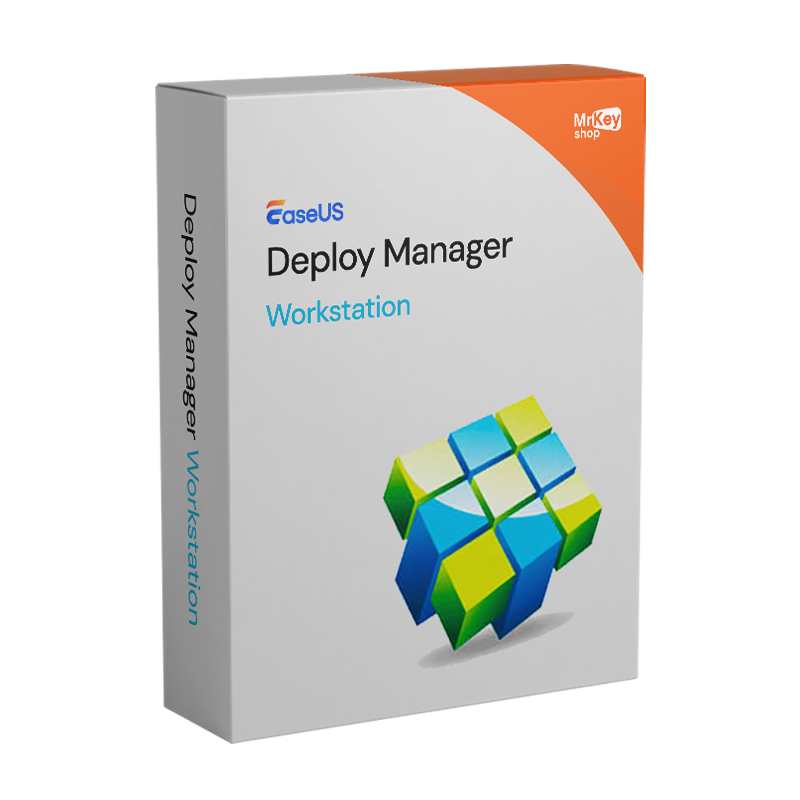


Der Kauf der Lizenz für EaseUS Deploy Manager Workstation ist die erste Wahl für IT-Abteilungen, Systemadministratoren und Unternehmen, die Windows auf Dutzenden oder Hunderten von Workstations bereitstellen oder aktualisieren müssen und es sich nicht leisten können, jeden einzelnen Rechner manuell zu installieren. Das Problem, das damit gelöst wird, ist einfach, hat aber erhebliche betriebliche Auswirkungen: In jeder Organisation, die einen PC-Bestand verwaltet, erfordern die Bereitstellung neuer Rechner, die Neuinstallation defekter Workstations und Massenaktualisierungen des Betriebssystems stundenlange manuelle Arbeit für jedes einzelne Gerät. Multipliziert mit Dutzenden oder Hunderten von Rechnern ergibt dies Wochen an Arbeitsaufwand und ein hohes Risiko für Konfigurationsfehler, die zu uneinheitlichen Umgebungen führen. EaseUS Deploy Manager Workstation automatisiert diesen Prozess: Man konfiguriert einen Master-Rechner mit dem gewünschten Betriebssystem, den Anwendungen, Treibern und Richtlinien, erstellt ein „Golden Image“ dieser Konfiguration und verteilt das Image gleichzeitig über das Netzwerk auf alle Zielrechner, ohne jeden einzelnen Arbeitsplatzrechner physisch anfassen zu müssen. Das Ergebnis ist eine einheitliche, reproduzierbare IT-Umgebung ohne manuelle Konfigurationsfehler.
Die technischen Funktionen von Deploy Manager Workstation decken die wichtigsten Szenarien der Unternehmensbereitstellung ab. Die hardwareunabhängige Wiederherstellung ist das Merkmal, das professionelle Bereitstellungssysteme von einfachen Klon-Tools unterscheidet: Das auf dem Master-Rechner erstellte Image kann auf Workstations mit unterschiedlicher Hardware, unterschiedlichen Prozessoren, Hauptplatinen und Netzwerkkarten verteilt werden, da die Software während des Wiederherstellungsprozesses automatisch die richtigen Treiber einbindet und das Image so an die Zielhardware anpasst. Die Verteilung erfolgt gleichzeitig auf mehreren Rechnern parallel, wodurch die Wartungsfenster und die Gesamtzeit für die Bereitstellung einer Reihe von Workstations auf die für einen einzelnen Rechner erforderliche Zeit reduziert werden. Der integrierte PXE-Server ermöglicht es, die Zielrechner vor der Bereitstellung über das Netzwerk zu starten, ohne dass auf den Zielrechnern ein Betriebssystem vorinstalliert sein muss – was für die Bare-Metal-Bereitstellung neuer PCs unerlässlich ist. Mit Wake-on-LAN lassen sich die Ziel-Workstations von der Verwaltungskonsole aus fernsteuern und einschalten. Die Rechner können in separate Gruppen organisiert werden, um unterschiedliche Images und Konfigurationen zu erhalten – beispielsweise für die Marketingabteilung, die Entwicklungsabteilung oder den Empfang –, wobei für jede Gruppe nur ein einziger Vorgang erforderlich ist. Protokolle und Berichte dokumentieren jeden Bereitstellungsvorgang für Audits und Qualitätskontrollen.
|
Funktion |
Details |
|
Produkt |
EaseUS Deploy Manager Workstation (Version 3.0) |
|
Entwickler |
EaseUS Software Co., Ltd. |
|
Lizenztyp |
Abonnement |
|
Unterstützte Zielsysteme |
Windows 11/10/8/7/Vista/XP, Windows Desktop (kein Windows Server) |
|
„Golden Image“ |
Ja, Betriebssystem, Anwendungen, Treiber und Richtlinien werden vom Master-Rechner erfasst |
|
Gleichzeitige Bereitstellung |
Ja, mehrere Workstations parallel über das Netzwerk im selben Vorgang |
|
Hardwareunabhängige Wiederherstellung |
Ja, Bereitstellung auf anderer Hardware als dem Master-Rechner mit automatischer Treiberverwaltung |
|
Treiberverwaltung |
Ja, automatisches Einbinden der richtigen Treiber während der Bereitstellung |
|
Integrierter PXE-Server |
Ja, Netzwerkstart für Bare-Metal-Bereitstellung ohne vorinstalliertes Betriebssystem |
|
Wake-on-LAN |
Ja, Fernaktivierung der Workstations über die Verwaltungskonsole |
|
Rechnergruppen |
Ja, unterschiedliche Images und Konfigurationen für separate Workstation-Gruppen |
|
Bare-Metal-Bereitstellung |
Ja, Bereitstellung neuer PCs ohne vorinstalliertes Betriebssystem |
|
Bereitstellung auf aktiven Rechnern |
Ja, Bereitstellung auf bereits genutzten Workstations über das Netzwerk |
|
Zentrale Verwaltungskonsole |
Ja, Steuerung und Überwachung aller Vorgänge über eine einzige Oberfläche |
|
Protokolle und Berichte |
Ja, lückenlose Nachverfolgbarkeit für Audits und Qualitätskontrolle |
|
Windows Server als Ziel |
Nicht unterstützt; für die Bereitstellung auf Servern die Server-Edition in Betracht ziehen |
Bei Mr Key Shop ist jede Lizenz authentisch und garantiert: Wenn Sie EaseUS Deploy Manager Workstation kaufen, erhalten Sie einen originalen Produktschlüssel direkt per E-Mail – ohne physischen Versand und ohne Wartezeiten. Kaufen, erhalten und konfigurieren Sie Ihre erste Bereitstellung. Die Zahlungen werden über eine sichere SSL-Verbindung abgewickelt, unter anderem mit PayPal (auch in 3 zinslosen Raten), Stripe, Amazon Pay, Apple Pay, Google Pay sowie Kredit- und Debitkarten. Die Workstations der Flotte, auf denen die Bereitstellung erfolgt, profitieren von der aktuellsten Client-Version: der Windows 11 Pro-Lizenz ist das Betriebssystem, das in das Golden Image für die neuen Arbeitsplätze aufgenommen werden soll. Wer Flotten unter Windows 10 Pro finden eine Plattform, die von der Software vollständig unterstützt wird. Für die Produktivität der IT-Abteilung, die die Bereitstellung verwaltet, bietet die Suite Office 2024 Professional Plus umfasst Word, Excel, PowerPoint und Outlook mit einer unbefristeten Lizenz. Für die Zusammenarbeit im IT-Team bietet das Abonnement Microsoft 365 Business Standard bietet zusätzlich Teams und SharePoint. Für die Verwaltung der Partitionen auf den Arbeitsstationen vor und nach der Bereitstellung EaseUS Partition Master Professional rundet das IT-Toolkit ab. Für die vollständige Sicherung der Master-Rechner vor der Aktualisierung der Golden Images, AOMEI Backupper Workstation gewährleistet Snapshots und eine schnelle Wiederherstellung. Zum Schutz der Fernverbindungen bei der Verwaltung der Bereitstellung von externen Standorten aus NordVPN verschlüsselt den Datenverkehr auf allen Geräten. Für die technische Dokumentation und Bereitstellungsberichte übernimmt Nitro PDF die Erstellung und Kommentierung. Für Abteilungen, die auch CAD-Workstations verwalten, ist die LizenzAutoCAD Commercial im selben Shop erhältlich. Jeder Kauf bei Mr Key Shop ist zu 100 % digital: kein Versand, keine Verpackung, nur Aktivierung per E-Mail.
Bringen Sie Ihr Unternehmen mit einem soliden und anerkannten Partner im Bereich der Original-Softwarelizenzen auf ein neues Niveau. Mit Mr Key Shop erhalten Sie Zugang zu exklusiven Preislisten für Wiederverkäufer, Sonderkonditionen und kostenlosem professionellem Support für Sie und Ihre Kunden.>
Darüber hinaus können Sie mit MrKeyWalletbei jeder Aufladung zusätzliche Gutschriften erhalten und Ihre Margen weiter steigern: Je mehr Sie investieren, desto mehr verdienen Sie. Ein System für alle, die wirklich wachsen wollen.
Treten Sie jetzt dem Programm für Wiederverkäufer MKreseller bei und entdecken Sie alle Vorteile, die Partnern vorbehalten sind.
|
Komponente |
Anforderung |
|
Verwaltungskonsole |
Windows 11/10/8/7, PC, von dem aus die Bereitstellung gesteuert wird |
|
Zielrechner (Workstations) |
Windows 11/10/8/7/Vista/XP, Zielsysteme der Bereitstellung |
|
Netzwerk |
LAN, Konsole und Ziele im selben Netzwerk; empfohlen für die gleichzeitige Bereitstellung |
|
Festplattenspeicher (Konsole) |
~92 MB für die Installation + Speicherplatz für archivierte Golden Images |
|
Berechtigungen |
Administratorrechte auf der Konsole und den Zielrechnern |
|
Internetverbindung |
Anforderung zur Lizenzaktivierung |
Nachdem Sie den Lizenzcode per E-Mail von Mr Key Shop erhalten haben, laden Sie EaseUS Deploy Manager Workstation direkt vom offiziellen Portal auf easeus.com im Download-Bereich des Produkts herunter oder nutzen Sie den in der Bestätigungs-E-Mail enthaltenen Direktlink. Die Installationsdatei ist etwa 92 MB groß. Die Software wird auf dem Rechner installiert, der als Verwaltungskonsole dient und von dem aus alle Bereitstellungsvorgänge gesteuert werden – dies muss nicht unbedingt derselbe Rechner sein, der als Master für die Erstellung des Golden Images verwendet wurde. Stellen Sie sicher, dass sich die Verwaltungskonsole und die Ziel-Workstations im selben lokalen Netzwerk befinden, damit die Bereitstellung über das Netzwerk ordnungsgemäß funktioniert.
Die Installation der Verwaltungskonsole erfolgt über einen Assistenten, der den Vorgang unter Windows in wenigen Minuten abwickelt. Konfigurieren Sie anschließend den Master-Rechner: Richten Sie die Workstation mit dem Betriebssystem, den Anwendungen, den Treibern und den Richtlinien ein, die Sie in der Flotte bereitstellen möchten, und erstellen Sie dann das Golden Image über die Deploy Manager-Konsole. Fügen Sie die Zielrechner zur Konsole hinzu, indem Sie deren MAC-Adressen eingeben oder eine Datei mit der Geräteliste importieren, ordnen Sie sie bei Bedarf in Gruppen ein und konfigurieren Sie den PXE-Server für die Bare-Metal-Bereitstellung von Rechnern ohne vorinstalliertes Betriebssystem.
Die Aktivierung erfolgt durch Eingabe des per E-Mail erhaltenen Lizenzcodes im Registrierungsbildschirm des Programms. Sobald die Lizenz aktiviert ist, stehen alle Bereitstellungsfunktionen uneingeschränkt zur Verfügung. Um die erste Bereitstellung zu starten, wählen Sie das erstellte Golden Image aus, wählen Sie die Zielrechner oder die gewünschte Gruppe aus, starten Sie die Bereitstellung über die Konsole und überwachen Sie den Fortschritt in Echtzeit: Die Software verteilt das Image gleichzeitig auf alle ausgewählten Workstations, mit Echtzeit-Protokollen und Berichten nach Abschluss des Vorgangs.


 138,54 $
515,84 $
138,54 $
515,84 $
 94,85 $
133,21 $
94,85 $
133,21 $


 Chatten Sie mit uns
 Ita
Ita
 Eng
Eng
 Deu
Deu
 Esp
Esp
 Fra
Fra