


 Leider ist Ihr Warenkorb leer.


 Rückgabe
 Chatten Sie mit Uns
 Über Uns
 Meine Befehle

 Twitter
 LinkedIn
 Meta
Meta


 116,16 $
266,44 $
116,16 $
266,44 $





|
Informationen Zustellung des Produktschlüssels per E-Mail. Bei hohem Aufkommen kann die Zustellung an Werktagen bis zu 12 Stunden und am Wochenende bis zu 24 Stunden dauern. |
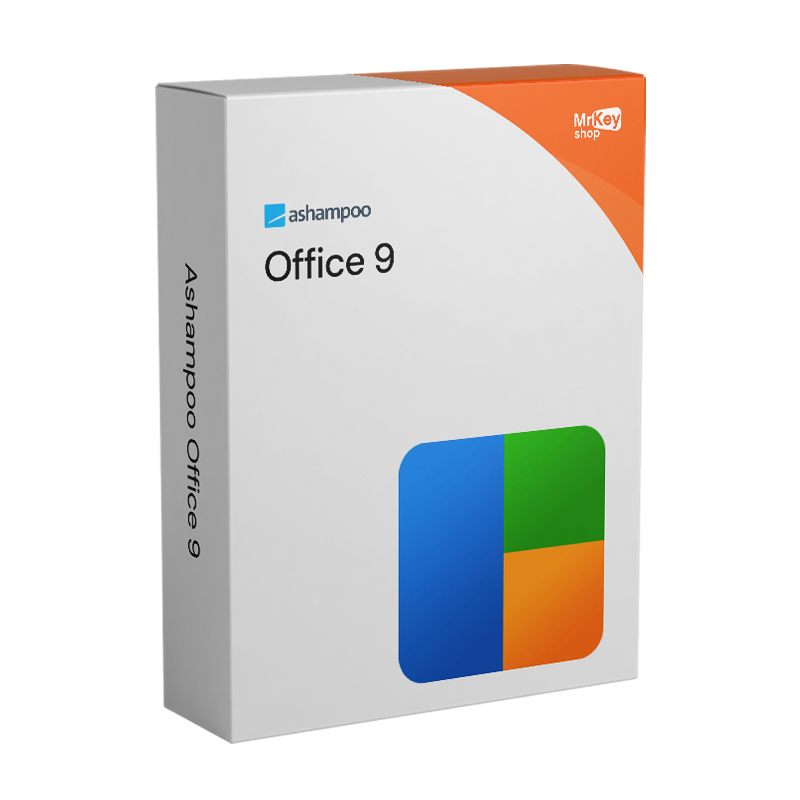
Der Kauf der Lizenz für Ashampoo Office 9 bedeutet, sich für eine umfassende Office-Suite zu entscheiden, die mit den Microsoft-Office-Formaten kompatibel ist – ohne monatliche oder jährliche Gebühren und ohne an einen Cloud-Dienst gebunden zu sein. Die Kompatibilität mit den Formaten DOCX, XLSX und PPTX ist eine der wesentlichen Stärken der Suite: Mit Ashampoo Office 9 erstellte Dokumente lassen sich in Microsoft Word, Excel und PowerPoint ohne Konvertierungsprobleme öffnen und bearbeiten – und umgekehrt. Diese bidirektionale Kompatibilität ist eine unverzichtbare Voraussetzung für alle, die mit Kollegen, Kunden oder Institutionen zusammenarbeiten, die Microsoft Office nutzen: Dateien lassen sich reibungslos austauschen, Formatierungen bleiben erhalten und Präsentationen lassen sich auf jedem PC mit PowerPoint korrekt öffnen. Die Version 9 hat diesen Aspekt durch die Einführung dynamischer Folienübergänge, die speziell auf die Kompatibilität mit PowerPoint ausgelegt sind, sowie durch eine verbesserte mehrsprachige Rechtschreibprüfung, die in allen drei Modulen der Suite einheitlich funktioniert, weiter ausgebaut.
Eines der Merkmale, das Ashampoo Office 9 von den meisten kostenlosen oder Online-Konkurrenten unterscheidet, ist die Entscheidung, Dateien lokal auf dem PC des Benutzers zu speichern, ohne dass ein Cloud-Konto oder eine Internetverbindung erforderlich ist, um damit zu arbeiten. Die Dokumente bleiben unter der direkten Kontrolle des Benutzers, ohne dass er auf Dienste von Drittanbietern angewiesen ist, um darauf zuzugreifen oder sie zu bearbeiten. Die Benutzeroberfläche bietet zwei Arbeitsmodi: die moderne Multifunktionsleiste im Microsoft-Office-Stil für diejenigen, die an diese Navigationslogik gewöhnt sind, und die klassische Benutzeroberfläche mit Menüs und Symbolleisten für diejenigen, die die traditionelle Struktur bevorzugen – beide bieten vollständigen Zugriff auf alle Funktionen der Suite. Die Privatkundenlizenz deckt bis zu 5 PCs mit einem einzigen Aktivierungsschlüssel ab und ist damit die ideale Lösung für Familien, die jedes Gerät mit einer vollständigen Office-Suite ausstatten möchten. Für die gewerbliche Nutzung bezieht sich die Lizenz hingegen auf eine einzelne Installation pro Arbeitsplatz.
|
Merkmal |
Details |
|
Version |
Ashampoo Office 9 |
|
Entwickler |
Ashampoo GmbH & Co. KG |
|
Lizenztyp |
Unbefristet, einmaliger Kauf, keine wiederkehrenden Gebühren |
|
Geräte (privater Gebrauch) |
Bis zu 5 PCs mit einer einzigen Lizenz |
|
Geräte (gewerbliche Nutzung) |
1 PC pro Lizenz |
|
Unterstützte Systeme |
Windows 11, 10 (x64) |
|
Textverarbeitungsmodul |
Write, Alternative zu Microsoft Word, natives DOCX-Format |
|
Tabellenkalkulationsmodul |
Calculate, Alternative zu Microsoft Excel, natives XLSX-Format |
|
Präsentationsmodul |
Present, Alternative zu Microsoft PowerPoint, natives PPTX-Format |
|
Formatkompatibilität |
DOCX, XLSX, PPTX, PDF, ePub, SQLite, dBase, WEBP und weitere |
|
Folienübergänge |
Dynamisch und kompatibel mit PowerPoint (Neu in Version 9) |
|
Rechtschreibprüfung |
Erweiterte Mehrsprachigkeit in allen Modulen (Neu in Version 9) |
|
Dokumentvergleich |
Ja, mit synchronisiertem Bildlauf in Write (Neu in Version 9) |
|
Benutzeroberfläche |
Modernes Ribbon oder klassische Menüleiste, nach Wahl des Benutzers |
|
Speicherung |
Lokal auf dem PC, keine Cloud-Pflicht |
Jede bei Mr Key Shop vertriebene Lizenz ist authentisch und garantiert: Wenn Sie Ashampoo Office 9 kaufen, erhalten Sie eine originale, unbefristete Ashampoo-Lizenz direkt per E-Mail – ohne physischen Versand und ohne Wartezeiten. 100 % digital: Kaufen, per E-Mail erhalten, sofort auf allen Geräten zu Hause aktivieren. Die Zahlungen werden über eine sichere SSL-Verbindung mit PayPal abgewickelt, auch in 3 zinslosen Raten, sowie über Stripe, Amazon Pay, Apple Pay, Google Pay und Kredit- und Debitkarten. Für den Windows-Rechner, auf dem die Suite läuft, ist die Windows 11 Pro-Lizenz garantiert die aktuellste und kompatibelste Basis. Wer auf bewährten Systemen arbeitet, findet unter Windows 10 Pro-Produktschlüssel eine stabile Plattform, die von Ashampoo Office 9 vollständig unterstützt wird. Wer hingegen volle Kompatibilität mit dem Microsoft 365-Ökosystem, stets aktuelle Apps, integriertes OneDrive und Teams benötigt, für den ist das Abonnement Microsoft 365 Personal ist die ideale Lösung. Wer die Microsoft-Suite als Einmal-Lizenz bevorzugt, findet unter Office 2024 Home & Business die Einmal-Lizenzversion für Mac und PC. Für die Verwaltung der von der Suite erstellten PDF-Dokumente bietet Nitro PDF Funktionen zur Konvertierung, Anmerkung und digitalen Signatur. Zum Schutz beim Surfen in ungesicherten Netzwerken während der Remote-Arbeit CyberGhost VPN verschlüsselt den Datenverkehr auf allen Geräten. Für die Sicherung des Systems und der Arbeitsdokumente, AOMEI Backupper Workstation gewährleistet Snapshots und eine schnelle Wiederherstellung. Um Tutorials oder Demonstrationen zur Arbeit mit der Suite aufzuzeichnen, AWZ Screen Recorder Pro nimmt den Bildschirm in hoher Qualität auf. Für Profis, die neben der Büroproduktivität auch Design-Tools nutzen, bietet die Lizenz AutoCAD LT Commercial ist im selben Shop mit denselben Garantien erhältlich.
Nach Abschluss des Kaufs erhalten Sie per E-Mail alles, was Sie benötigen, um sofort mit der Suite arbeiten zu können. Folgendes ist in Ihrer Lizenz enthalten:
Bringen Sie Ihr Unternehmen mit einem soliden und anerkannten Partner im Bereich der Original-Softwarelizenzen auf ein neues Niveau. Mit Mr Key Shop erhalten Sie Zugang zu exklusiven Preislisten für Wiederverkäufer, Sonderkonditionen und kostenlosem professionellem Support für Sie und Ihre Kunden.>
Darüber hinaus können Sie mit MrKeyWalletbei jeder Aufladung zusätzliche Gutschriften erhalten und Ihre Margen weiter steigern: Je mehr Sie investieren, desto mehr verdienen Sie. Ein System für alle, die wirklich wachsen wollen.
Treten Sie jetzt dem Programm für Wiederverkäufer MKreseller bei und entdecken Sie alle Vorteile, die Partnern vorbehalten sind.
|
Komponente |
Anforderung |
|
Betriebssystem |
Windows 11 / 10 (x64) |
|
Systemrechte |
Vollständige Administratorrechte erforderlich |
|
Internetverbindung |
Erforderlich für die Aktivierung und regelmäßige Überprüfung der Lizenz |
Nachdem Sie den Lizenzcode per E-Mail von Mr Key Shop erhalten haben, laden Sie die Installationsdatei für Ashampoo Office 9 direkt vom offiziellen Portal unter ashampoo.com im Download-Bereich des Produkts oder über den in der Bestätigungs-E-Mail enthaltenen Direktlink herunter. Die Datei enthält alle drei Module der Suite – Write, Calculate und Present – in einem einzigen Paket. Ashampoo Office 9 ist auch über den Microsoft Store erhältlich, für diejenigen, die diesen Vertriebskanal bevorzugen.
Die Installation erfolgt über einen Assistenten, der den Vorgang in wenigen Minuten abwickelt, ohne dass besondere technische Konfigurationen erforderlich sind. Nach Abschluss der Installation stehen die drei Module der Suite – Write, Calculate und Present – als separate Anwendungen im Startmenü zur Verfügung. Beim ersten Start jedes Moduls können Sie zwischen der modernen Ribbon-Oberfläche und der klassischen Menüoberfläche wählen: Die Auswahl lässt sich jederzeit in den Programmeinstellungen ändern. Für die Aktivierung sind eine aktive Internetverbindung und vollständige Administratorrechte auf dem System erforderlich.
Die Aktivierung erfolgt durch Eingabe des per E-Mail erhaltenen Lizenzschlüssels im Registrierungsbildschirm beim ersten Start oder über Ihr Konto auf dem Portal ashampoo.com. Durch die Erstellung eines kostenlosen Ashampoo-Kontos können Sie den Schlüssel speichern und bei einer Neuinstallation oder auf einem neuen Gerät wiederherstellen. Die gleiche Lizenz kann auf bis zu 5 PCs für den privaten Gebrauch aktiviert werden: Auf jedem weiteren Rechner reicht es aus, während des Registrierungsvorgangs denselben Aktivierungscode einzugeben. Für den gewerblichen Gebrauch ist für jeden Arbeitsplatz eine separate Lizenz erforderlich. Die Lizenz wird während der Nutzung der Software regelmäßig online überprüft.
|
Funktion |
Ashampoo Office 9 |
Microsoft 365 |
|
Lizenzmodell |
Unbefristet, einmalige Zahlung |
Jahres- oder Monatsabonnement |
|
Geräte im privaten Gebrauch |
Bis zu 5 PCs mit einer Lizenz |
Bis zu 5 oder 6 Geräte (Family-Tarif) |
|
Kompatibilität mit MS-Office-Formaten |
DOCX, XLSX, PPTX, vollständige Kompatibilität |
Nativ |
|
Cloud-Speicher |
Lokal, keine Cloud erforderlich |
Integriertes OneDrive, zentrale Cloud |
|
Zusätzliche Apps |
Write, Calculate, Present |
Word, Excel, PowerPoint, Outlook, Teams, OneNote und mehr |
|
Updates |
In der gekauften Version enthalten |
Immer auf dem neuesten Stand |


 116,16 $
266,44 $
116,16 $
266,44 $
 95,91 $
106,57 $
95,91 $
106,57 $
 138,54 $
515,84 $
138,54 $
515,84 $
 94,85 $
133,21 $
94,85 $
133,21 $
 84,19 $
133,21 $
84,19 $
133,21 $

 Chatten Sie mit uns
 Ita
Ita
 Eng
Eng
 Deu
Deu
 Esp
Esp
 Fra
Fra