


 Unfortunately your shopping cart is empty


 Returns
 Chat with Us
 About Us
 My Orders

 Twitter
 LinkedIn
 Meta
Meta



 $84.19
$133.21
$84.19
$133.21






|
Information Product key delivered via email. During peak periods, delivery may take up to 12 hours on weekdays and up to 24 hours at weekends. |
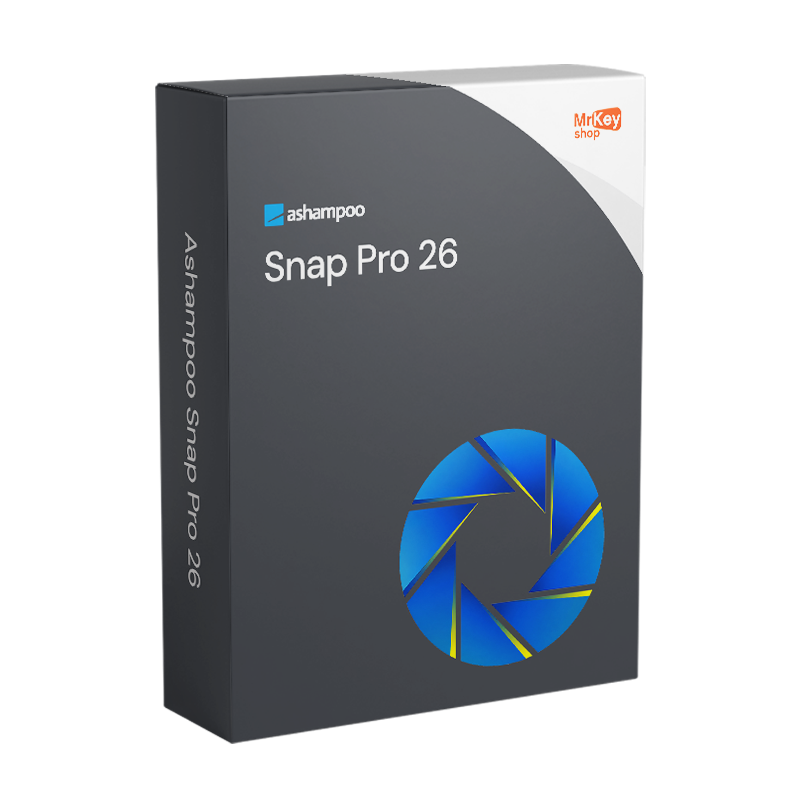
Purchasing a licence for Ashampoo Snap Pro 26 means adopting a completely new approach to creating explanatory screenshots. The main new feature of version 26, released in April 2026, is Live Edit: a function that places a transparent layer, like a sheet of glass, over the desktop, on which you can draw arrows, insert text and highlight areas directly on the content you wish to explain, even before pressing the capture key. The difference compared to traditional screenshot tools is substantial: the screen does not freeze during the annotation process, so you can move windows, scroll through content and frame the perfect shot with the annotations already positioned exactly where they should appear in the final image. The result is a fully explanatory screenshot right from the moment it is captured, often without the need for further editing. For those creating tutorials, technical documentation, user guides or needing to visually explain a process to colleagues, Live Edit transforms the workflow by eliminating the ‘capture–open editor–annotate–save’ cycle and reducing it to a single operation.
Version 26 also marked a major technical overhaul of the Snap platform: the programme starts up faster, responds more smoothly, uses less memory and reduces background processes, whilst maintaining stability even during prolonged work sessions. OCR, optical character recognition for converting captured text into editable text, has been extended to over 180 languages via Windows language packs, making it suitable for documentation in any language. The screen video recording function supports quality levels ranging from ‘Email Small’ to ‘YouTube 4K’, with export speeds boosted by 50% via hardware acceleration. Multi-monitor support handles configurations with mixed resolutions, capturing each display at its native resolution. The capture tools cover all scenarios: windows, full screen, selected areas, scrolling for long web pages, and scheduled capture with a timer. The built-in editor includes drawing tools, blurring, automatic numbering, clipart, stickers and comments.
|
Feature |
Details |
|
Version |
Ashampoo Snap Pro 26 (26.0.2, released April 2026) |
|
Developer |
Ashampoo GmbH & Co. KG |
|
Licence type |
Perpetual, one-off purchase, no recurring fees |
|
Supported systems |
Windows 11, 10 (x64) |
|
Live Edit |
Yes, transparent layer for annotating the desktop before capturing; screen remains active (new in v.26) |
|
Technical platform |
Completely rewritten in v.26: faster start-up, reduced memory usage, smoother response |
|
OCR |
Over 180 languages via Windows language packs; captured text converted to editable text |
|
Video recording |
Yes, from ‘Email Small’ to ‘YouTube 4K’, 50% faster hardware-accelerated export (new in v.26) |
|
Multi-monitor support |
Yes, mixed resolutions; each display captured at its native resolution |
|
Capture modes |
Window, full screen, selected area, scrolling, scheduled timer |
|
Built-in editor |
Arrows, text, blur, automatic numbering, clipart, stickers, comments |
|
Image export formats |
PNG, JPG, WebP, TIFF, BMP, PDF |
|
Video export formats |
MP4, AVI, GIF, WebM |
|
Shortcut keys |
Fully customisable for quick access to all functions |
The authenticity guarantee on every licence distributed by Mr Key Shop means you’ll receive an original Ashampoo product key via email, with no physical delivery or waiting time. Buy it, receive it by email, and activate it straight away. Payments are processed via a secure SSL connection using PayPal (including interest-free instalments in 3 payments), Stripe, Amazon Pay, Apple Pay, Google Pay, and credit and debit cards. For the Windows machine on which Snap Pro 26 runs, the Windows 11 Pro licence ensures the most up-to-date and compatible foundation. Those working on established systems will find that the Windows 10 Pro product key a stable and fully supported platform. For office productivity and the management of technical documentation produced with Snap, the suite Office 2024 Professional Plus includes Word, Excel, PowerPoint and Outlook with a perpetual licence. For those who prefer apps that are always up to date, with cloud storage for archiving and sharing screenshots, the Microsoft 365 Personal the perfect complement. To protect your browsing on unsecured networks, CyberGhost VPN encrypts traffic across all devices. For managing PDFs of manuals, guides and technical documentation created using Snap screenshots,Nitro PDF covers conversion, annotation and digital signing. For system backups prior to critical software updates,AOMEI Backupper Workstation provides snapshots and rapid recovery. For system cleaning and managing software residues, CCleaner Professional keeps your PC in top condition. For creative professionals who combine screen capture with 3D modelling, the licence Autodesk 3ds Max Commercial is available from the same store with the same guarantees.
Once your purchase is complete, you’ll receive an email containing everything you need to start capturing your screen in a whole new way. Here’s what your licence includes:
Take your business to the next level with a solid and recognized partner in the original software licensing industry. With Mr Key Shop, you get access to exclusive price lists for resellers, special terms, and free professional support for you and your customers.
What's more, with MrKeyWallet, you can get extra credits on every top-up and further increase your margins: the more you invest, the more you earn. A system designed for those who really want to scale up.
Join the MKreseller programnow and discover all the benefits reserved for partners.
|
Component |
Requirement |
|
Operating system |
Windows 11 / 10 (x64) |
|
Required runtimes |
.NET 9 runtime + Microsoft Edge WebView2 (automatically installed by the wizard if not present) |
|
System privileges |
Full administrative rights required |
|
Internet connection |
Required for licence activation and periodic verification |
Once you have received the licence code by email from Mr Key Shop, download the Ashampoo Snap Pro 26 installation file directly from the official portal at ashampoo.com in the product’s download section, or via the direct link included in the confirmation email. Before proceeding, check that your system has the .NET 9 runtime and Edge WebView2 installed, as these are required by the new technical platform of version 26: the installation wizard will check for their presence and install them automatically if necessary. An active internet connection and full administrative rights on the system are required for activation.
Installation takes place via a guided wizard that completes the process in a few minutes. Once finished, Snap Pro 26 launches in the Windows taskbar and remains accessible via configurable hotkeys. On first launch, it is advisable to check and customise the shortcut keys for the most frequently used functions – full-screen capture, selected area, active window and launching Live Edit – to ensure an optimal workflow. The new technical platform ensures that the programme is already in memory and ready for use in a fraction of a second from the moment you press the capture key.
Activation is carried out by entering the licence code received via email on the registration screen upon first launch, or via your account on the ashampoo.com portal. Creating a free Ashampoo account allows you to store the code and retrieve it in the event of a reinstallation or a change of device. The licence is verified online at regular intervals whilst the software is in use.






 Chat with us
 Ita
Ita
 Eng
Eng
 Deu
Deu
 Esp
Esp
 Fra
Fra