


 Unfortunately your shopping cart is empty


 Returns
 Chat with Us
 About Us
 My Orders
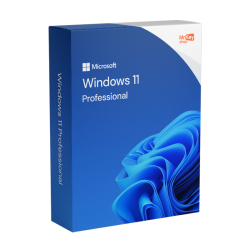
 $62.87
$159.86
$62.87
$159.86


Windows 11 licences are available in Home, Pro, Professional Multidevice and Enterprise editions. Get an authentic digital license with secure payments and a money-back guarantee. The license is delivered instantly via email and free support in English is available.
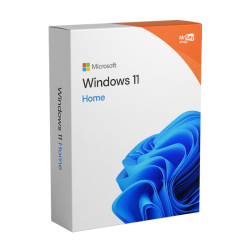 $53.28
$151.33
$53.28
$151.33
 $85.25
$204.62
$85.25
$204.62
 $150.27
$151.33
$150.27
$151.33


Buy a genuine Windows 11 license and get your product key by email within minutes. Every edition above is a perpetual Microsoft license, supplied with the official download link, step-by-step activation instructions and an invoice.
What happens after you buy
Windows 11 comes in several editions, and the right one depends on how you use the machine rather than on how much you want to spend. The short version: choose Home for everyday computing and gaming, Pro if you work on the PC or handle sensitive data, Multidevice if you need to cover more than one workstation.
Home gives you the full Windows 11 experience: the redesigned interface, Snap Layouts for multitasking, Microsoft Defender, Windows Hello sign-in and the gaming features built into the system, including Auto HDR and DirectStorage. It is the sensible choice for a family PC, a student laptop or a gaming rig, and the gaming performance is identical to Pro. Full details and pricing on the Windows 11 Home licence page.
Pro adds everything Home leaves out for work: BitLocker drive encryption, Remote Desktop as a host so you can connect to your PC from elsewhere, Hyper-V virtualisation, Group Policy management and the ability to join a domain or Microsoft Entra ID. If the PC holds client data or you need to reach it remotely, Pro is the edition to buy. See the Windows 11 Pro licence page.
A single purchase that activates Pro on several machines. It is the practical option for a studio, an office or a small firm equipping its computers in one go, with all the Pro features on every workstation. See Windows 11 Professional Multidevice.
If the machine already runs Windows 11 Home or a previous version, the upgrade moves you to Pro without a clean reinstall: your files, applications and settings stay where they are. Details on the upgrade to Windows 11 Pro page.
Enterprise is built for organisations managing devices at scale, with AppLocker, Credential Guard and long-term servicing options. Most home users and small businesses do not need it. See Windows 11 Enterprise.
|
Feature |
Windows 11 Home |
Windows 11 Pro |
Windows 11 Enterprise |
|
Best suited to |
Home users, students, gamers |
Freelancers, professionals, SMEs |
Large organisations, IT teams |
|
BitLocker drive encryption |
Not available |
Yes |
Yes |
|
Remote Desktop |
Client only. You can connect out, but not in |
Host and client |
Host and client |
|
Virtualisation (Hyper-V) |
Not available |
Yes |
Yes |
|
Domain / Microsoft Entra ID join |
Not available |
Yes |
Yes |
|
Device management |
Local settings only |
Group Policy, Intune |
Full enterprise management |
|
Advanced security |
Microsoft Defender, Windows Hello |
Defender plus BitLocker management |
AppLocker, Credential Guard |
|
Update channel |
Windows Update |
Windows Update for Business |
Long-term servicing options |
Windows 11 Home: the trade-off.
It is the most affordable edition and it holds nothing back on the everyday experience or on gaming. What it lacks is professional: no BitLocker, no domain join, and no way to receive a Remote Desktop connection.
Windows 11 Pro: the trade-off.
The professional standard, with encryption, remote access, virtualisation and controlled updates that will not restart the machine mid-task. It costs a little more, and a purely home user will never touch half of what it adds.
Windows 11 Enterprise: the trade-off.
Maximum control and the longest servicing cycles, at the cost of some consumer features: the long-term servicing version ships without the Microsoft Store or Xbox Game Pass.
Two Windows 11 keys can look identical in a listing and behave completely differently once you use them. This is the difference that decides whether your purchase is still worth something in three years, and it is the first thing worth checking anywhere you shop.
|
Retail license |
OEM key |
Generic key |
|
|
Tied to |
Your Microsoft account |
The motherboard of the first PC |
Nothing, it does not activate |
|
Reinstall after a format |
Unlimited |
Unlimited on the same board |
Not applicable |
|
Move to a new PC |
Yes, by deactivating the old one |
No |
No |
|
Survives a motherboard failure |
Yes |
No |
No |
|
Typical price |
Mid |
Lowest |
Free |
|
What we sell |
This one |
How much Windows 11 costs depends on the edition you choose and on where you buy it. Bought directly from Microsoft, Windows 11 Home is listed at around $ 139.00/ £ 119.99 / € 145,00 and Windows 11 Pro at around $ 199.99 /£ 219.99/€ 259,00.
Buy a Windows 11 product key here and the same genuine licenses cost considerably less. The reason is not a discount and it is not a lower grade of license: Mr Key Shop deals in perpetual licenses released by businesses that no longer need them, and passes on the difference between a first-hand and a released license. Every one of them is a full Retail license with the rights described in the table above.
Current prices for every edition are shown on the product pages above and are kept up to date, promotions included.
If you have spent any time in forums looking for a Windows 11 key, you will have seen the same question over and over: how do I know this one is legitimate? It is the right question, and it has concrete answers. Before you buy anywhere, check these six things.
Mr Key Shop meets all six, and you can read how we source and check what we sell on the pages about our technical audit and why our licenses are legitimate.
Microsoft ended mainstream support for Windows 10 on 14 October 2025. Machines still running it no longer receive free security updates in the usual way, which leaves them exposed as new vulnerabilities appear.
If your PC meets the hardware requirements, moving to Windows 11 is the straightforward way to stay protected. If you already hold a genuine, activated Windows 10 licence, the upgrade is free through Windows Update and keeps your activation: Home to Home, Pro to Pro. You need to buy a Windows 11 licence when you are building a new PC, starting from a clean installation, or moving up to a higher edition. If you are still on Windows 10 and want to keep it for now, Windows 10 Pro licences remain available.
Interface and productivity. A centred Start menu and taskbar, rounded corners and redesigned icons. Snap Layouts and Snap Groups arrange windows into set layouts so you can return to them later, and virtual desktops keep work and personal use apart. There is a Widgets panel with news, weather and calendar, improved touch, pen and voice input on compatible devices, and Copilot built into the system for AI assistance.
After your order, you receive by email your genuine product key together with the link to download the Windows 11 ISO from Microsoft's own servers. Taking the system image from the official source is what guarantees the file has not been tampered with.
Because these are perpetual Retail licences, activation links to your Microsoft account. You can reinstall as often as you need after a format or a new drive, and transfer the licence to a different PC by deactivating the previous machine first. If anything does not go to plan, our support team will walk you through it.
If a single requirement is missing, the standard installation will not proceed. Microsoft's free PC Health Check app confirms compatibility in one click.
|
Component |
Minimum requirement |
|
Processor |
1 GHz or faster, 2 or more cores, 64-bit. Intel 8th generation or later, AMD Ryzen 2000 series or later |
|
RAM |
4 GB (8 GB is the realistic minimum for comfortable use) |
|
Storage |
64 GB or more; an SSD is strongly recommended |
|
Firmware |
UEFI with Secure Boot support |
|
TPM |
Trusted Platform Module version 2.0 |
|
Graphics |
DirectX 12 compatible with a WDDM 2.0 driver |
|
Display |
720p or higher, larger than 9 inches, 8 bits per colour channel |
TPM 2.0 and Secure Boot are often present but switched off in the BIOS/UEFI. Enabling them is usually all it takes to turn a "not compatible" message into a successful upgrade, and it costs nothing to check before you buy.
Upgrading to Windows 11 is the starting point for a secure, high-performance workstation. The full compatibility of the system with the latest productivity suites lets you maximise efficiency: installing an Office 2024 Pro Plus licence or an Office 2021 Professional Plus licence ensures advanced analysis and document editing tools, enhanced by Microsoft AI integration. For the creative sector,software such as Canva Pro for desktop and CAD software such as the AutoCAD or ZWSOFT benefit from Windows 11’s optimised hardware resource management, ensuring smooth performance even in the most complex projects.
Performance must always be combined with protection: it is therefore important to equip the system with the best antivirus and a VPN for Windows 11 to shield sensitive data. Operational continuity is ensured by disaster recovery solutions such as AOMEI Backupper, useful for backup and recovery software during migration or for securing your archives. Finally, for corporate infrastructures, integration with the Microsoft Server architecture, including the latest release Windows Server 2025, ensures centralised data management and high scalability.
Equipping several PCs? See Windows 11 Professional Multidevice
It depends on the edition. Microsoft lists Windows 11 Home at around $ 139.00/ £ 119.99 / € 145,00 and Windows 11 Pro at around $ 199.99 /£ 219.99/€ 259,00. The same genuine licenses cost considerably less here because they are perpetual licenses released by businesses and resold, not a lower grade of product. Current prices for each edition are shown on the product pages above.
Buy from a seller that tells you exactly what you are getting: whether the license is Retail or OEM, whether it is perpetual, whether the ISO comes from Microsoft's own servers, and whether you get an invoice. Mr Key Shop supplies Retail perpetual licenses with the official download link, an invoice and free support.
It depends entirely on what is being sold. A genuine license released by a business and resold is legitimate and does cost much less than a first-hand one. A key priced at a couple of dollars is usually a volume or educational key that will stop activating. The test is whether the seller will state the license type, provide an official Microsoft download link and issue an invoice.
No, not for activation. Generic keys are published by Microsoft so technicians can complete an installation or switch a system between editions without activating it. They will get Windows installed and leave it unactivated. Any page offering a free Windows 11 activation key is offering something that does not exist.
Yes. They are genuine Microsoft licenses, delivered as a 25-character product key with the official Microsoft download link. They are perpetual Retail licenses released for resale by businesses that no longer need them, and every order comes with an invoice as proof of purchase.
An OEM key is permanently tied to the motherboard of the first PC it activates and cannot be transferred. A Retail license, which is what we supply, can be reinstalled without limit and moved to a new computer by deactivating the previous one. It is the difference between renting the license to one machine and owning it.
Perpetual. You pay once, there is no expiry date and no recurring fee. Because activation links to your Microsoft account, the license survives a system reset and can be moved to a new computer once you deactivate it on the old one.
They are used interchangeably, but they are not identical. The product key is the 25-character code you receive by email, the practical tool. Activation key is the same thing, named for its function. The license is the legal right of use set out in the EULA, and you will see it written "Windows 11 license" in American English and "Windows 11 licence" in British English: same thing, same product. When you buy here you receive a product key which, once entered, becomes a permanent license tied to your account.
Within minutes of your payment clearing, in almost every case. Delivery is fully digital: the email contains your 25-character product key, the official Microsoft download link and the activation instructions. There is no shipping, no delivery window and nothing to sign for.
Often yes. If you hold a genuine activated Windows 10 license and the PC meets the Windows 11 hardware requirements, the upgrade through Windows Update keeps your existing activation, Home to Home and Pro to Pro. You need a new license for a clean build, or if you want to move up to a higher edition.
Home and Pro share the same interface, performance, everyday security and gaming features, including Auto HDR and DirectStorage. Pro adds the professional layer: BitLocker encryption, Remote Desktop as a host, Hyper-V, Group Policy management and domain join. Home suits study, home use and gaming; Pro suits work and sensitive data. Compare the Windows 11 Home licence and the Windows 11 Pro licence in detail on their pages.
Home. Every gaming feature in Windows 11, including Auto HDR, DirectStorage, the Xbox app and Game Pass access, is identical in Home and Pro. Pro's extras (BitLocker, Remote Desktop, management tools) make no difference to frame rates, so Home gives the same gaming experience for less.
Buy Windows 11 Pro, in most cases: BitLocker for data protection, Remote Desktop for hybrid working, Hyper-V and integration with Microsoft Entra ID and Intune for device management. If you need to equip several machines, Windows 11 Professional Multidevice covers multiple workstations with one purchase. Larger organisations managing devices at scale usually choose Enterprise.
Yes, if you hold a genuine activated Windows 10 license and your PC meets the Windows 11 hardware requirements. The upgrade is free through Windows Update and keeps your activation, Home to Home and Pro to Pro. You need to buy a license for a new build, a clean installation, or a move to a higher edition.
In most cases, yes. Microsoft ended mainstream support for Windows 10 on 14 October 2025, so it no longer receives free security updates in the usual way. If your hardware qualifies, upgrading to Windows 11 is the simplest way to keep receiving security protection without interruption.
Download Microsoft's free PC Health Check app, run it and select Check now in the Windows 11 section: it will tell you whether the PC qualifies and, if not, exactly what is missing. You can also check manually. Press Win + R and run tpm.msc to confirm TPM 2.0, then look for Secure Boot and UEFI in your BIOS settings.
Windows 11 officially requires an Intel 8th-generation CPU or an AMD Ryzen 2000-series or newer. Find your model with Ctrl + Shift + Esc under Performance, then check it against Microsoft's published lists. Unofficial workarounds exist but Microsoft advises against them: there is no support and updates may fail. Staying on your current system or upgrading the hardware is the safer route.
Run PC Health Check first to see precisely which requirement fails. Very often the hardware qualifies but TPM 2.0 or Secure Boot are simply switched off in the BIOS/UEFI. Enable them, make sure the system is in UEFI rather than Legacy/CSM mode, restart and check again. If the CPU genuinely is not supported, a hardware upgrade is the realistic option.
Because activation is what keeps the system in a supported state. Only activated copies receive security patches promptly as new threats appear, kernel-level protections work with your antivirus without conflict, and the license links to your Microsoft account so settings and OneDrive files stay in sync. An unactivated Windows 11 is not just a watermark on the desktop. It is an unpatched machine.
Windows 11 requires a drive of at least 64 GB. A clean installation typically occupies 20 to 27 GB, and an in-place upgrade from Windows 10 wants roughly 20 GB of additional free space for temporary files. Allow room for updates and applications: 240 to 256 GB is a sensible minimum for a system drive, and 500 GB or more if you install games or heavy software.


 Chat with us
 Ita
Ita
 Eng
Eng
 Deu
Deu
 Esp
Esp
 Fra
Fra