


 Unfortunately your shopping cart is empty


 Returns
 Chat with Us
 About Us
 My Orders

 $138.54
$515.84
$138.54
$515.84


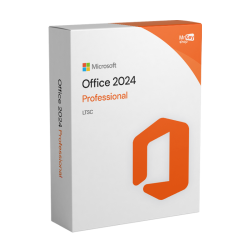
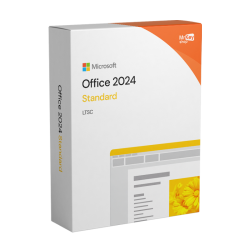
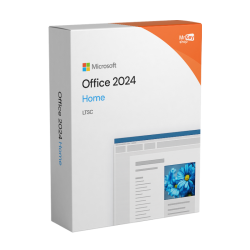
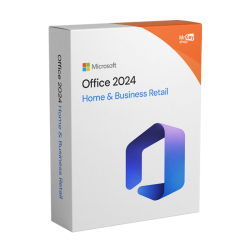
Five editions of Office 2024, one perpetual license each. Home for writing and spreadsheets, Home & Business if you need Outlook, Pro Plus if you need Access. Compare them below, then get your genuine Microsoft key by email within minutes.
 $298.41
$319.73
$298.41
$319.73
 $148.15
$158.80
$148.15
$158.80
 $90.58
$116.16
$90.58
$116.16
 $83.12
$116.16
$83.12
$116.16
 $83.12
$116.16
$83.12
$116.16
 $490.26
$1,475.06
$490.26
$1,475.06
 $350.64
$825.99
$350.64
$825.99
 $362.36
$790.82
$362.36
$790.82
 $297.35
$426.31
$297.35
$426.31
 $83.12
$116.16
$83.12
$116.16
 $83.12
$116.16
$83.12
$116.16
 $127.89
$159.86
$127.89
$159.86


The wait is over! You can finally buy Office 2024 from Mr Key Shop and save on the list price. The popular Microsoft productivity suite has been revamped, bringing exciting new features that will take your work or school activities to the next level!
The Office 2024 license is the digital activation code that allows perpetual use of Microsoft's most advanced productivity suite. This version follows the “one-time” model: you buy it once and use it forever, with no monthly or annual fees.
Here is a table with the main new features introduced in Microsoft Office 2024 apps, highlighting the most innovative features for each application:
|
Office 2024 apps |
Key new features |
|
Word 2024 |
|
|
Excel 2024 |
|
|
PowerPoint 2024 |
|
|
Outlook 2024 |
|
|
OneNote 2024 |
|
|
Access 2024 |
|
Consult this table to choose the version that best suits your needs:
|
Feature |
Office 2024 Professional Plus |
Office 2024 Standard |
Office 2024 Home |
Office 2024 Home & Business |
|
Supported platforms |
Windows only |
Windows only |
Windows and macOS |
Windows and macOS |
|
Word 2024 |
✅ |
✅ |
✅ |
✅ |
|
Excel 2024 |
✅ |
✅ |
✅ |
✅ |
|
PowerPoint 2024 |
✅ |
✅ |
✅ |
✅ |
|
Outlook 2024 |
✅ |
✅ |
❌ |
✅ |
|
Access 2024 (Windows only) |
✅ |
❌ |
❌ |
❌ |
|
OneNote 2024 |
✅ |
✅ |
✅ |
✅ |
When purchasing an Office 2024 license from specialized stores such as Mr Key Shop, you will often be faced with the choice between a standard license and a BIND License. Although the final software is identical, the difference lies in how the license is managed by your Microsoft account and its longevity.
The BIND (from the English to bind) is the most flexible version.
A traditional product key is a one-time license that is activated directly on the device.
Adopting Office 2024 marks a step forward in document management, but true efficiency is achieved by integrating solutions that expand its operational boundaries. The cornerstone of this infrastructure is Windows 11 Pro, providing the ideal native environment for suite stability and complex workload coordination. In technical fields, compatibility between Office files and projects created with the most common CAD software such as REVIT or AutoCAD LT is essential to maintain data consistency between cost estimates and BIM drawings. To ensure this data flow is not disrupted by external threats, adopting Bitdefender becomes a priority, protecting both local workstations and dedicated Windows Server environments used for centralized storage.
Productivity is further enhanced by utilities that optimize file management and system maintenance: tools such as CCleaner Professional for PC ensure consistent performance over time. PDF management is elevated by Nitro PDF 10, allowing precise conversion and revision of Word exports. Finally, using a professional screen recorder enables teams to document workflows and create valuable training assets.
Choosing Office 2024 from Mr Key Shop means relying on a digital market leader with over 18 years of experience. In 2026, the company consolidated its reputation by offering 100% original and perpetual licenses, guaranteeing savings of up to 70% compared to official price lists, without ever compromising on quality or security.
Customer security is our top priority. Every transaction is protected by advanced SSL technology. To offer maximum flexibility, Mr Key Shop integrates the world's most reliable payment providers:
Trust is backed by facts and international certifications:
Mr Key Shop's business model is inherently sustainable. Immediate digital delivery (ESD) completely eliminates the need for physical transport, plastic packaging, and boxes, drastically reducing CO2 emissions. Buying here means making a conscious choice for the environment, contributing to a greener future without sacrificing cutting-edge technology .
Purchasing from Mr Key Shop means no waiting and instant download of Office 2024. Thanks to the instant digital delivery system, you will receive everything you need via email to link the license to your Microsoft account in just a few moments. This process not only guarantees the perpetual validity of the software, but also allows you to manage the installation and any future reinstallations directly from the official Microsoft portal, with maximum simplicity.
Security is the cornerstone of our service:
Enjoy the power of Office 2024 seconds after your transaction, knowing you can count on a leading store that puts your security and productivity first.
The installation of Office 2024 is designed to be immediate and hassle-free. Thanks to Mr Key Shop's digital licensing system, you can get your installer quickly. In your order summary email, you will find a simple and intuitive manual that will guide you through the setup process, making activation a matter of minutes.
Activating Office 2024 is a quick process, but the procedure varies slightly depending on the type of license purchased.
This license is directly linked to your Microsoft Account.
If you have purchased a traditional license, activation takes place directly within the application.
Grow your business with a reliable partner in the original software licensing industry. With Mr Key Shop, you have access to dedicated prices, competitive margins, and free professional support for you and your customers.
Join the Mr Key Shop reseller program now and discover all the benefits reserved for partners.
|
Component |
Specifications for Windows |
Specifications for macOS |
|
Processor |
1.6 GHz or higher, 2-core (8th generation or later processors recommended) |
Intel or Apple Silicon (M1, M2, M3, M4) |
|
Memory (RAM) |
4 GB (but 8 GB is recommended for smooth multitasking) |
4 GB |
|
Storage |
4 GB of available disk space (SSD highly recommended) |
10 GB (HFS+ or APFS format) |
|
Display |
Resolution 1280 x 768 or higher |
Resolution 1280 x 800 or higher |
|
Video Card |
DirectX 9 or later with WDDM 2.0 for hardware acceleration |
No specific requirements other than the operating system |
Microsoft Office 2024 is the evolution of Office 2021: both are perpetual licences (pay once), but Office 2024 offers a more modern interface, better performance and advanced features (including AI) designed for those who want to work faster and collaboratively.
Main differences between Office 2024 and Office 2021
1. Interface and user experience
Office 2021
2. Performance and productivity
Office 2024
Office 2021
3. Smart features and AI
More smart features for:
Office 2021
4. Collaboration and cloud
Office 2024
Office 2021
Choose Office 2024 if:
You use Office every day for intensive work or study
You want:
You are already using or will be switching to Windows 11 and want a suite optimised for the latest environment
You can stay with Office 2021 (or choose Office 2021) if:
You can only purchase original Office 2024 keys from official channels and authorised retailers.
1. Directly from Microsoft
Microsoft Store (online)
You can purchase official versions such as:
The product is linked to your Microsoft account:
2. Trusted digital retailers such as Mr Key Shop
To save money compared to Microsoft's list price without compromising on legality, you can choose a specialised and authorised retailer.
At Mr Key Shop you can purchase:
This solution is ideal if you want to:
Beware of overly cheap ‘lifetime’ offers
If you find:
in most cases, these are:
To be on the safe side:
The main difference is in the licence model and features over time:
Quick comparison: Office 2024 vs Microsoft 365
|
Feature |
Office 2024 |
Microsoft 365 |
|---|---|---|
| Licence type | One-time purchase, perpetual licence | Monthly or annual subscription |
| Updates | Security updates and bug fixes only | New features, improvements and security patches on an ongoing basis |
| Features | Set of features ‘fixed’ at release time | Features always updated, including AI tools such as Copilot |
| Cloud services | No cloud included (OneDrive must be purchased separately) | 1 TB of OneDrive per user and integrated cloud services |
| Devices | Typically for 1 PC or 1 Mac | Installation on PC, Mac, tablet and smartphone (depending on plan) |
| Collaboration | Basic features via shared files | Real-time collaboration via OneDrive, Teams and advanced co-authoring |
| Who it's ideal for | Those who want to pay once and use Office in the traditional way, even offline | Those who always want the latest features, cloud, remote working and multi-device support |
What to choose?
Why buy Office 2024 or Microsoft 365 from Mr Key Shop?
At Mr Key Shop, you will find both Office 2024 and Microsoft 365 with:
At Mr Key Shop, you will find different editions of Microsoft Office 2024 for different needs and devices, including:
All are original Microsoft licences, in digital format, delivered via email.
Microsoft made Microsoft Office 2024 available to consumers on 1 October 2024 as a perpetual licence (one-off) version.
For businesses and professionals using volume versions, Office LTSC 2024 arrived ahead of the consumer release, as is customary for Microsoft products intended for the business sector.
If you want to purchase an original Office 2024 key at a discounted price, you can do so securely through specialised retailers such as Mr Key Shop.
Office 2024 is the direct evolution of Office 2021: it maintains the perpetual licence (pay once) formula, but brings with it a more modern interface, better performance and several new features in Word, Excel, PowerPoint and Outlook.
If you already use Office 2021, with Office 2024 you get a smoother environment, smarter tools and a longer support period.
Quick comparison: Office 2021 vs Office 2024
| Feature | Office 2021 | Office 2024 |
|---|---|---|
| User interface | Classic design, in line with Windows 10. | Updated interface in Windows 11 style (Fluent Design, rounded corners, improved dark mode). |
| Performance | Standard performance. | Faster app launch and smoother handling of complex files, especially in Excel. |
| Excel | Modern functions such as XLOOKUP and basic Dynamic Arrays. | New advanced functions (e.g. TEXTSPLIT, VSTACK, IMAGE), dynamic charts and improved data analysis. |
| PowerPoint | Standard presentation tools. | Advanced features such as Cameo (live video in slides), improved Recording Studio, enhanced subtitles and captions. |
| Word | Basic spell/grammar checking and document recovery. | Improved accessibility checking, smarter writing suggestions and more reliable session recovery after crashes. |
| Outlook | Solid but traditional email management. | Faster search, highlighted inbox and tools to better manage meetings and calendar. |
| Collaboration and cloud | Basic OneDrive integration, limited co-authoring. | Smoother cloud integration, comments with @mentions, and faster synchronisation of changes. |
| Smart features/AI | Basic correction and suggestions. | More intelligent suggestions for text, layout and data analysis (though not as comprehensive as Microsoft 365). |
| Support | Limited time support, ends sooner. | Longer support window (security updates for several years after release date). |
In most cases, yes: Office 2024 is the better choice than Office 2021, especially if you are looking for a modern, long-term solution. However, Office 2021 can still be useful in certain specific scenarios.
What makes Office 2024 better than Office 2021?
1. New features and tools
Office 2024 includes more up-to-date features in apps such as Word, Excel, PowerPoint, and Outlook than Office 2021, for example:
If you work with data, reports or presentations on a daily basis, these improvements are obvious.
2. Better performance and user experience
If your PC is fairly new, Office 2024 simply looks more ‘current’ than 2021.
3. Longer support window
If you purchase a perpetual licence today and want to keep it for a long time, Office 2024 offers you greater security over time.
When does it still make sense to purchase Office 2021?
Quick comparison
| Aspect | Office 2021 | Office 2024 |
|---|---|---|
| Features | Basic toolkit, more ‘classic’ | Newer tools, more modern features |
| Performance | Good for basic use | Better optimisation, faster on new PCs |
| Interface | More traditional and dated appearance | Modern user interface in line with Windows 11 |
| Cloud and workflow | Basic integration | Deeper and smoother integration |
| Support (timing) | Ends sooner | Supported for more years |
| Best for | Users on a budget/basic users | Students and long-term professionals |
No. A classic perpetual licence for Office 2024 (e.g. Office 2024 Professional Plus or Home & Business) is normally valid for one device only.
If you want to use Office on multiple PCs, Macs or mobile devices with a single subscription, you need to use Microsoft 365 instead.
1. One-time purchase licences (Office 2024)
For perpetual/one-time purchase editions of Office 2024 (such as Office 2024 Professional Plus):
When you purchase Office 2024 Professional Plus from Mr Key Shop, you get an original, perpetual licence for one device.
Need it on more than one PC? You will need additional licences/keys.
2. Subscription models – Microsoft 365
If you need Office on multiple devices with a single user licence, Microsoft subscriptions are more flexible:
If your priority is ‘one licence, many devices’, the right tool is a Microsoft 365 plan, not Office 2024.
3. Quick comparison
| Licence type | One licence works on… | Ideal for… |
|---|---|---|
| Office 2024 Professional Plus (perpetual) | ✅ 1 PC/Mac | Users who want a one-time purchase on a single device |
| Microsoft 365 Personal | ✅ Multiple devices (5 active simultaneously) | Single user with PC + laptop + tablet/phone |
| Microsoft 365 Family | ✅ Up to 6 users, each on multiple devices | Families, couples, shared households |


 Chat with us
 Ita
Ita
 Eng
Eng
 Deu
Deu
 Esp
Esp
 Fra
Fra