


 Unfortunately your shopping cart is empty


 Returns
 Chat with Us
 About Us
 My Orders

 Twitter
 LinkedIn
 Meta
Meta



 £53.39
£93.87
£53.39
£93.87

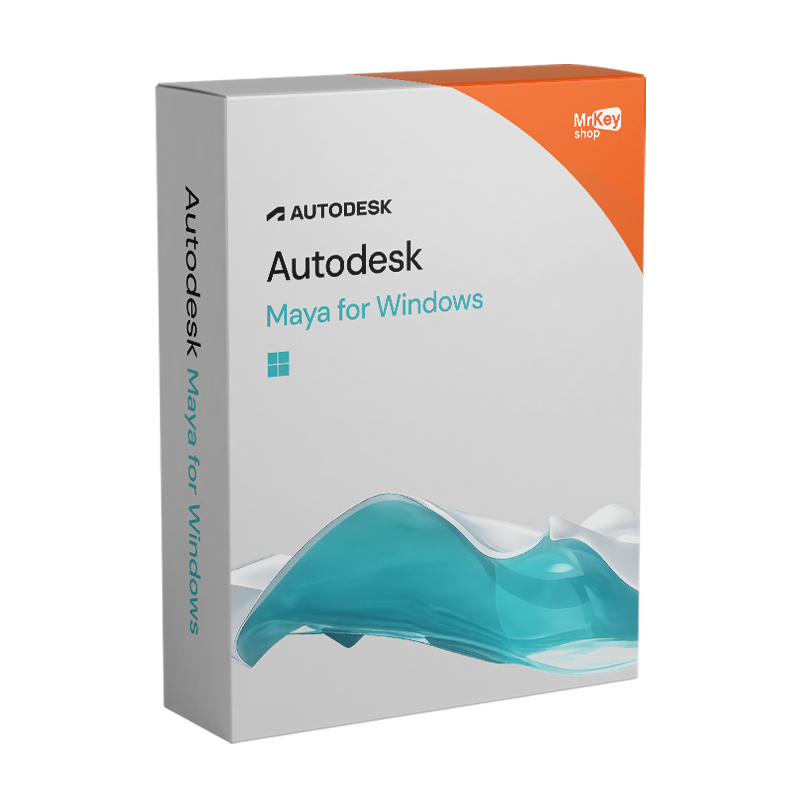






This version of Maya is an Educational version, intended for personal and educational use. It includes all of its features, has no watermarks and no reference to the Personal version in output and rendering files.
|
Important information: Simplified activation: your Autodesk Maya license for Windows will be automatically linked to the email address entered at the time of purchase. Need to use a different email? No problem, write to us and we’ll help you! Delivery times: the software will be activated within a few minutes. During peak periods, delivery may take up to 18 hours on weekdays and up to 48 hours on weekends. |
With an Autodesk Maya license for Windows, you will be able to learn how to use one of the most appreciated tools in the multimedia world.
When VFX studios build their render farms, when 3D artists choose the hardware for their main workstation, when custom tool programmers write plugins for Maya, in the vast majority of cases they are talking about Windows. The Windows version of Autodesk Maya is the industry’s reference platform: it is where NVIDIA and AMD GPU drivers are optimized for Arnold rendering, it is where the most established production workflows run, it is where dedicated workstations explicitly designed for 3D rendering are found.
Maya for Windows fully leverages the hardware ecosystem of Windows PCs and workstations: access to NVIDIA RTX GPUs with CUDA and OptiX for accelerated Arnold rendering, DirectX 12 support for the viewport, compatibility with Autodesk-certified workstations built on Intel Core Ultra and AMD Threadripper processors, access to the entire library of Python/MEL plugins and scripts developed by the community over twenty years. On Windows, Maya is not just software, it is part of a hardware and software ecosystem built around it.
The Personal subscription purchased on Mr Key Shop includes all the complete features of Maya, identical to the Commercial version, with direct download from the Autodesk portal, access to current versions and the previous three, and immediate activation on the Autodesk account associated with the purchase email.
|
Area |
Features |
|
Modeling |
Polygonal, NURBS, subdivision; Boolean Volume mode; cloud AI Flow Retopology; STL with scale units |
|
Animation |
Keyframe, NLA editor, HumanIK retargeting, motion capture; generative AI MotionMaker |
|
Rigging |
Uniform/rigid/indirect skinning; hierarchical skeletons; ML Deformer; modular Bifrost framework |
|
Rendering |
Arnold CPU + GPU (NVIDIA CUDA + OptiX, AMD); real-time Arnold RenderView; OpenPBR default |
|
Simulation |
Bifrost (fluids, fire, smoke, cloth, particles, rigid body); installed by default from 2026.2 |
|
Look dev |
LookdevX for USD shading graph; MaterialX; Arnold standard_surface/toon/distance shaders |
|
Pipeline |
OpenUSD; FBX, OBJ, Alembic; Python and MEL; integration with Unreal Engine, Unity, Houdini |
|
GPU on Windows |
DirectX 12 for viewport; CUDA/OptiX for Arnold GPU on NVIDIA RTX; AMD GPU support |
|
AI / ML |
ML Deformer (40× faster in v2026); generative MotionMaker; generative texture APIs |
|
Plugin ecosystem |
V-Ray, Redshift, RenderMan and hundreds of plugins certified for Windows |
A common question for those who have freedom of choice on the platform. The answer depends on the specific workflow and the hardware available.
|
Criterion |
Maya for Windows |
Maya for Mac |
|
Arnold GPU rendering |
✅ NVIDIA CUDA + OptiX, AMD |
✅ Metal (integrated/dedicated M-series GPU) |
|
Arnold CPU rendering |
✅ Scales with Intel/AMD cores |
✅ Efficient on Apple Silicon |
|
Third-party plugins and renderers |
✅ Broader ecosystem (V-Ray, Redshift, RenderMan) |
✅ Main coverage, some Windows-only plugins |
|
Hardware scalability |
✅ Workstations up to 96+ cores (Threadripper) |
✅ Mac Studio/Mac Pro M-series |
|
Energy efficiency (laptop) |
Medium (depends on hardware) |
✅ MacBook Pro M-series superior |
|
Integration with Unreal Engine / gaming pipeline |
✅ Excellent |
Good |
|
Hardware cost for equivalent performance |
Variable (more flexible) |
✅ Mac Studio cost-effective for performance/watt |
|
Script and community plugin ecosystem |
✅ More extensive (20 years of predominantly Windows development) |
Good |
|
Supported operating systems |
Windows 10 and 11 |
macOS 13, 14, 15 |
Windows is the preferred choice for those who already have Windows workstations dedicated to 3D, for those who use GPU rendering on NVIDIA RTX, for those who work with pipelines that include Windows-only tools (some third-party renderers, compositing effects software such as Nuke in certain environments), and for those who want maximum flexibility in hardware upgrades. Mac is the natural choice for those already in the Apple ecosystem, working on the go with a MacBook Pro M-series or using a Mac Studio as their main workstation.
|
Features / Updates |
Maya 2024 |
Maya 2025 |
Maya 2026 |
Maya 2026.2 |
Maya 2027 |
|
Arnold GPU — NVIDIA CUDA |
✅ CUDA supported |
✅ CUDA + updated OptiX 8 |
✅ CUDA + GPU Cryptomatte (new) |
✅ Updated CUDA |
✅ MtoA 5.6 lightweight USD instances, hair scattering |
|
Arnold GPU — AMD |
✅ OpenCL supported |
✅ Supported |
✅ Supported |
✅ Supported |
✅ Supported |
|
LookdevX |
✅ Introduced (v1.0) |
✅ v1.3 MaterialX support |
✅ v1.7 relative paths, generative AI texture APIs |
✅ External MaterialX doc loading |
✅ v2.0 expanded UV texture menus, portability, archiving |
|
OpenUSD |
✅ USD for Maya 0.24 |
✅ USD for Maya 0.27 bulk load/unload prims |
✅ Multi-USD 22.11/MaterialX 1.38.5 |
✅ Selectable Multi-USD v24.11 and v25.05 |
✅ USD for Maya 0.35 Component Creator, Variant Manager |
|
Arnold Renderer |
MtoA 5.3 |
MtoA 5.4 Global Light Sampling, OptiX 8 |
MtoA 5.5 (Arnold 7.4) OpenPBR default, GPU Cryptomatte, GLS glossiness |
Updated MtoA |
MtoA 5.6 hair scattering, flexible light sampling, USD instances |
|
Default shader |
Autodesk Standard Surface |
Autodesk Standard Surface |
✅ OpenPBR (new default) |
OpenPBR |
OpenPBR |
|
Bifrost |
v2.7 MPM solver, gel simulation |
v2.9 liquid simulation |
v2.13 FLIP solver for liquids |
Minor update |
✅ v3.0 rigid body performance, surface tension; installed by default |
|
Modeling |
Retopologize symmetry; Unsmooth; MikkTSpace; UV/Curve shelf |
Smart Extrude; improved retopology |
Boolean Volume mode; STL scale units; enhanced Flow Retopology |
No major updates |
✅ Non-destructive Smart Bevel post-Boolean bevel on complex geometry |
|
Flow Retopology |
❌ |
✅ Introduced (v2025.1) AI cloud |
✅ Monthly limit increased |
✅ Available |
✅ Available |
|
Animation Graph Editor |
✅ Brush tools for curves; Region Keys; keyframe removal |
✅ Redesigned Dope Sheet; Motion Trail Editor |
Playblast in .webm |
Unchanged |
✅ Modernized Sequencer high-DPI UI, time scaling, color coding, advanced playblast |
|
Rigging and skinning |
Proximity Pin, Proximity Wrap; Evaluation Toolkit |
Workflow updates |
Bifrost modular rigging |
Unchanged |
✅ Integrated ngSkinTools layer-based skinning, masking, mirror tools |
|
ML Deformer |
❌ |
❌ |
✅ Introduced (v2025.2); in 2026: 40× faster, 80% less disk |
Unchanged |
Unchanged |
|
MotionMaker (generative AI animation) |
❌ |
❌ |
✅ Biped and canine |
✅ v2026.2 updated AI model, customizable workflows |
✅ New equine (horse) archetype |
|
Autodesk Assistant (AI chatbot) |
❌ |
❌ |
❌ |
❌ |
✅ Tech Preview |
|
Flow Studio |
❌ |
❌ |
❌ |
❌ |
✅ Launcher button in the Status Line |
|
Windows plugin ecosystem |
Certified V-Ray, Redshift, RenderMan |
Main plugin updates |
Arnold 7.4 breaking change third-party plugins to be recompiled |
Stabilization |
Plugins updated for Arnold 7.5 |
|
Bifrost installed by default |
❌ |
❌ |
❌ |
✅ Yes, from 2026.2 |
✅ Yes |
Mr Key Shop is an authorized reseller of original software licenses with immediate digital delivery. The Maya license for Windows is linked to the Autodesk account associated with the purchase email, with free technical support in Italian and English. Secure payments via PayPal (also in 3 installments), Stripe, Amazon Pay, Apple Pay, Google Pay and credit/debit cards, all with SSL encryption. Mr Key Shop is Trusted Shops certified with an "Excellent" rating on Trustpilot, with purchase protection up to 2,500 euros.
Maya for Windows is installed on a Windows platform, and the quality of the operating system directly affects application stability and access to advanced hardware features. The Windows 11 Pro license offers the most recent operating system with DirectStorage optimizations and hardware security features that maximize Maya’s stability on modern workstations. For workstations with Windows 10, the Windows 10 Pro product key ensures a stable and supported operating system with regular security updates, fully compatible with Maya 2026.
Those who use Maya on Windows often also manage CAD workflows in parallel: the AutoCAD license for Windows integrates naturally with Maya in the same Autodesk account, covering the technical design workflow that in many studios precedes the 3D visualization phase in Maya. In the Autodesk Personal catalog you will find all the Personal versions of other Autodesk software to complete your Windows setup. For managing project documents, client presentations and spreadsheets for production planning, the Office 2024 Professional Plus license is the natural complement for those working in a professional Windows environment. For those who manage rendering output and technical documentation in PDF, drawings, presentation books, technical sheets to send to clients, Swifdoo PDF is the lightweight tool for converting and editing PDF files without burdening workstation resources. Every purchase on Mr Key Shop is 100% digital: no shipping, no packaging, only immediate activation via email.
Take your business to the next level with a solid and recognized partner in the original software licensing industry. With Mr Key Shop, you get access to exclusive price lists for resellers, special terms, and free professional support for you and your customers.
What's more, with MrKeyWallet, you can get extra credits on every top-up and further increase your margins: the more you invest, the more you earn. A system designed for those who really want to scale up.
Join the MKreseller programnow and discover all the benefits reserved for partners.
|
Requirement |
Specifications |
|
Supported Windows |
Windows 10 (version 1809 or later), Windows 11 64-bit |
|
Processor |
64-bit Intel or AMD with SSE4.2 instruction set |
|
Minimum RAM |
8 GB |
|
Recommended RAM |
16 GB (32 GB for complex scenes and Bifrost simulations) |
|
GPU — viewport API |
DirectX 11 or OpenGL 4.5 |
|
GPU — minimum VRAM |
1 GB |
|
GPU — recommended VRAM |
4 GB |
|
Arnold GPU NVIDIA |
✅ CUDA (RTX 20 series or later) |
|
Arnold GPU AMD |
✅ OpenCL |
|
Recommended GPU drivers |
Updated NVIDIA Studio or Game Ready drivers |
|
Disk space |
7–8 GB for installation + additional space for scenes and cache |
|
Recommended storage |
SSD |
|
Screen resolution |
1920×1080 with 16.8 million colors |
|
Internet connection |
Required for activation and updates |
|
Requirement |
Specifications |
|
Supported Windows |
Windows 10 (version 1809 or later), Windows 11 64-bit |
|
Processor |
64-bit Intel or AMD with SSE4.2 instruction set |
|
Minimum RAM |
8 GB |
|
Recommended RAM |
16 GB (32 GB for complex scenes and Bifrost simulations) |
|
GPU — viewport API |
DirectX 11 or OpenGL 4.5 |
|
GPU — minimum VRAM |
4 GB |
|
GPU — recommended VRAM |
4–8 GB |
|
Arnold GPU NVIDIA |
✅ CUDA + OptiX 8 (RTX 20 series or later) |
|
Arnold GPU AMD |
✅ OpenCL |
|
Recommended GPU drivers |
Recommended NVIDIA Studio drivers |
|
Disk space |
7–8 GB for installation + additional space for scenes and cache |
|
Recommended storage |
SSD |
|
Screen resolution |
1920×1080 with 16.8 million colors |
|
Internet connection |
Required for activation and updates |
|
Requirement |
Specifications |
|
Supported Windows |
Windows 10 (version 1809 or later), Windows 11 64-bit |
|
Processor |
64-bit Intel or AMD with SSE4.2 instruction set |
|
Minimum RAM |
8 GB |
|
Recommended RAM |
16 GB (32 GB+ for complex scenes, simulations and rendering) |
|
GPU — viewport API |
DirectX 12 or OpenGL 4.5 |
|
GPU — minimum VRAM |
4 GB |
|
GPU — recommended VRAM |
8 GB+ for Arnold GPU |
|
Arnold GPU NVIDIA |
✅ CUDA + OptiX; GPU Cryptomatte (RTX 20 series or later) |
|
Arnold GPU AMD |
✅ OpenCL |
|
Recommended GPU drivers |
Recommended NVIDIA Studio drivers |
|
Disk space |
10 GB for installation + additional space for scenes, Bifrost cache and render output |
|
Recommended storage |
NVMe SSD |
|
Screen resolution |
1920×1080 with 16.8 million colors |
|
Internet connection |
Required for activation, updates and cloud Flow Retopology |
|
Notes |
Bifrost installed by default from 2026.2; Arnold 7.4 breaking change for third-party plugins; DirectX 12 now required |
|
Requirement |
Specifications |
|
Supported Windows |
⚠️ Windows 11 64-bit only (Windows 10 no longer supported) |
|
Processor |
64-bit Intel or AMD with SSE4.2 instruction set |
|
Minimum RAM |
8 GB |
|
Recommended RAM |
16 GB (32 GB+ for complex scenes, simulations and rendering) |
|
GPU — viewport API |
DirectX 12 or OpenGL 4.5 |
|
GPU — minimum VRAM |
4 GB |
|
GPU — recommended VRAM |
8 GB+ for Arnold GPU (RTX 30 series or later recommended) |
|
Arnold GPU NVIDIA |
✅ Updated CUDA + OptiX (RTX 30 series+ recommended) |
|
Arnold GPU AMD |
✅ OpenCL |
|
Recommended GPU drivers |
Recommended NVIDIA Studio drivers |
|
Disk space |
10 GB for installation + additional space for scenes, Bifrost cache and render output |
|
Recommended storage |
NVMe SSD |
|
Screen resolution |
1920×1080 with 16.8 million colors |
|
Internet connection |
Required for activation, updates, Flow Retopology and Flow Studio |
|
Notes |
⚠️ Windows 10 removed, upgrade to Windows 11 before installation |
Die bei Mr Key Shop erworbene Maya Personal Lizenz wird mit dem Autodesk-Konto verknüpft, das mit der beim Kauf verwendeten E-Mail-Adresse verbunden ist. Die Software wird direkt über das Autodesk-Portal heruntergeladen.
Schritt 1. Erhalt und Aktivierung der Lizenz Die Lizenz wird automatisch dem Autodesk-Konto der beim Kauf angegebenen E-Mail-Adresse zugewiesen. Wenn Sie noch kein Autodesk-Konto haben, erstellen Sie kostenlos eines auf autodesk.com mit derselben E-Mail-Adresse, die Sie für die Bestellung verwendet haben. Die Lizenz ist innerhalb weniger Minuten verfügbar (bis zu 18 Stunden in Stoßzeiten an Werktagen, bis zu 48 Stunden am Wochenende).
Schritt 2. Download der Software Melden Sie sich auf autodesk.com mit Ihrem Konto an. Gehen Sie zu Produkte und Pläne oder Produktverwaltung: Maya wird unter den aktiven Produkten aufgeführt. Wählen Sie Herunterladen, wählen Sie die Windows-Version aus und starten Sie den Download. Autodesk stellt die aktuelle Version sowie die drei zuletzt erschienenen vorherigen Versionen zur Verfügung. Für ältere Versionen kann der Autodesk-Support kontaktiert werden.
Schritt 3. Installation unter Windows Führen Sie die heruntergeladene Installationsdatei aus und folgen Sie dem Assistenten. Während der Installation können Sie auswählen, welche zusätzlichen Komponenten installiert werden sollen: Bifrost ist standardmäßig ab Maya 2026.2 enthalten. Beim ersten Start fordert Maya den Zugriff auf Ihr Autodesk-Konto an, um das Abonnement zu überprüfen: Melden Sie sich mit den Zugangsdaten des Kontos an, auf dem die Lizenz aktiviert wurde. Die Überprüfung erfolgt automatisch und Maya wird in der Vollversion geöffnet.
Schritt 4. GPU-Konfiguration für Arnold Um Arnold GPU Rendering auf NVIDIA zu aktivieren, gehen Sie zu Arnold RenderView → Render-Einstellungen → wählen Sie die GPU als Rendering-Gerät aus. Stellen Sie sicher, dass Sie aktuelle NVIDIA Studio-Treiber installiert haben (für Maya gegenüber Game Ready Treibern empfohlen). Bei AMD prüfen Sie, ob die GPU in der Liste der von Autodesk für Maya zertifizierten Hardware aufgeführt ist.
Wichtig: Die Lizenzen müssen innerhalb von 10 Tagen ab dem Lieferdatum aktiviert werden.
Autodesk Maya is a professional 3D animation, modeling, rendering, and simulation software by Autodesk for Windows 10 and 11. It has won four Academy Awards for technical achievement and is the industry standard in VFX and game development. It supports Arnold GPU rendering on NVIDIA RTX, Bifrost simulations, and OpenUSD-based pipelines.
Yes. The Personal version includes all Maya features, identical to the Commercial version. It has no watermarks or functional limitations. The difference lies in permitted use: personal and educational only, not for paid professional work.
Yes. Arnold on Windows supports GPU rendering via CUDA on NVIDIA GPUs, with OptiX Denoiser for noise reduction. On NVIDIA RTX GPUs, Arnold GPU rendering can be significantly faster than CPU rendering in scenes with complex lighting.
The features are identical. The main difference lies in supported hardware: Windows supports NVIDIA RTX GPUs with CUDA/OptiX and AMD with DirectX 12, and allows high-core-count workstations with Intel Xeon and AMD Threadripper processors. Mac uses Arnold GPU on Metal and leverages the efficiency of Apple Silicon chips. On laptops, MacBook Pro M-series offers better efficiency; on desktop workstations for intensive rendering, Windows with dedicated NVIDIA GPU is often preferred.
Install NVIDIA Studio drivers (not Game Ready) for maximum stability with Maya. In Arnold RenderView, select GPU as the rendering device in the settings. Ensure your GPU is listed among Autodesk-certified hardware for Maya on the official Autodesk website.
The license is automatically linked to the Autodesk account associated with the email used in the order on Mr Key Shop. If you want to use a different email, contact Mr Key Shop support before license assignment.
The Personal subscription is intended for use on one device at a time. You can install it on multiple PCs but cannot use it simultaneously on multiple machines. For multi-seat usage, additional subscriptions are required.
Autodesk provides access to the current version and the three most recent previous versions. For older versions, you need to contact Autodesk support to request ISO files.




 Chat with us
 Ita
Ita
 Eng
Eng
 Deu
Deu
 Esp
Esp
 Fra
Fra