


 Unfortunately your shopping cart is empty


 Returns
 Chat with Us
 About Us
 My Orders

 Twitter
 LinkedIn
 Meta
Meta



 $84.19
$133.21
$84.19
$133.21







|
Delivery information The Stellar Repair for Video for Windows product key will be delivered via email within 6/12 hours after purchase, including complete instructions for download and activation. |
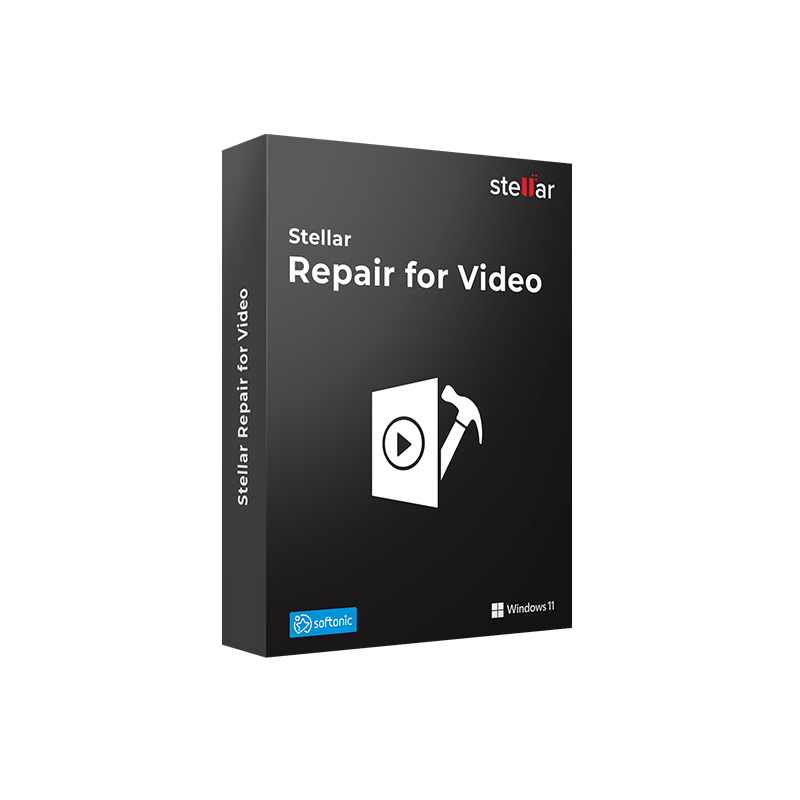
With a Stellar Repair for Video license, you can fix your videos beyond recovery.
There is a category of problem that no data recovery tool can solve: the video file is present on the disk, it takes up space, it is detected by Windows Explorer, but when you try to play it, the player returns an error. "Cannot play the media file." "QuickTime error." "Codec not found." The clip freezes on the first frame, audio plays but the video is stuck, or the image is pixelated and corrupted. In these cases, the issue is not file loss, it is corruption of its internal structure: damaged header, missing frames, broken audio/video synchronization, or unsupported codec.
Stellar Repair for Video for Windows is the tool dedicated exclusively to this scenario. It does not recover deleted files, it repairs existing but inaccessible video files by restoring header, frames, audio track, and container structure so that the video becomes playable again in standard players. It works in batch on multiple files simultaneously, supports all major formats and codecs, handles resolutions up to 4K, 8K, 12K, and VR/360° videos, and includes an Advanced Repair mode with a sample file for severe corruption cases.
|
Area |
Features |
|
Supported video formats |
MP4, MOV, AVI, MKV, AVCHD, MJPEG, WEBM, ASF, WMV, FLV, DIVX, MPEG, MTS, M4V, 3G2, 3GP, F4V |
|
Supported codecs |
H.263, H.264, H.265, HEVC, MPEG4, 3GP, Windows Media 8, QuickTime, JPEG 2000 |
|
Resolutions |
HD, Full HD, UHD, 4K, 8K, 12K, 16K, 360° and VR video |
|
Types of corruption repaired |
Damaged header, missing frames, out-of-sync audio, frozen or choppy video, QuickTime and Media Player playback errors, pixelated or blurred video, truncated video |
|
Batch repair |
Add and repair multiple video files in different formats simultaneously in a single process |
|
Advanced Repair |
For severe corruption: uses a working sample file from the same format and device to guide structural repair |
|
Source devices |
DSLR and mirrorless cameras, drones, GoPro and action cams, smartphones, CCTV, dash cams, HDD, SSD, SD cards, USB drives |
|
Preview before saving |
Preview repaired video before saving to verify results |
|
Progress indicator |
Real-time repair progress percentage with automatic flagging of files requiring Advanced Repair |
|
Security |
Non-destructive process, original file remains unchanged during repair |
Mr Key Shop is an authorized reseller of original software licenses with digital delivery. The Stellar Repair for Video for Windows product key is delivered via email within 6/12 hours after purchase, with full download and activation instructions. Secure payments via PayPal (also in 3 installments), Stripe, Amazon Pay, Apple Pay, Google Pay, and credit/debit cards, all protected by SSL encryption. Mr Key Shop is Trusted Shops certified with an "Excellent" rating on Trustpilot, including buyer protection up to €2,500.
The Windows 11 Pro license is the reference platform for stable video workstations on Windows, with optimizations for handling heavy multimedia files such as 4K and 8K clips processed in batch by Stellar Repair for Video. For systems still running Windows 10, the Windows 10 Pro product key ensures full compatibility with all available software versions. The Office 2024 Home & Business license covers daily productivity needs, Word, Excel, PowerPoint, and Outlook, on the same workstation managing your video workflow. For creative teams working across multiple devices, the Microsoft 365 Family subscription adds 1 TB of OneDrive per user, cloud storage to archive repaired video files ready for editing. NordVPN protects your connection when transferring high-value video content to clients and distribution platforms. AWZ Screen Recorder Pro allows you to record the repair process on your Windows screen, document workflows, or create technical tutorials. For managing video documentation, scripts, storyboards, and production contracts in PDF, Swifdoo PDF offers conversion, annotation, and digital signing on Windows. Professionals in 3D visualization and animation who integrate video rendering into their workflow will find Autodesk 3ds Max Commercial to be a reference tool, with project files and output clips that deserve the same level of protection. Every purchase on Mr Key Shop is 100% digital: no shipping, no packaging, just delivery via email.
Take your business to the next level with a solid and recognized partner in the original software licensing industry. With Mr Key Shop, you get access to exclusive price lists for resellers, special terms, and free professional support for you and your customers.
What's more, with MrKeyWallet, you can get extra credits on every top-up and further increase your margins: the more you invest, the more you earn. A system designed for those who really want to scale up.
Join the MKreseller programnow and discover all the benefits reserved for partners.
|
Requirement |
Specifications |
|
Operating System |
Windows 11, 10, 8.1, 8 (64-bit); Windows Server 2022, 2019, 2016 |
|
Processor |
Intel compatible (x64) |
|
RAM |
4 GB minimum (8 GB recommended for 4K files and large batch processing) |
|
Disk Space |
250 MB for installation; additional space required for repaired video files |
|
Internet Connection |
Required for activation and updates |
|
Notes |
64-bit only. The original file is not modified during repair. Advanced Repair requires a working sample file from the same format and device |
After purchasing on Mr Key Shop, you will receive the product key via email within 6/12 hours, along with the link for direct download from the official Stellar website. The software requires 64-bit Windows, versions 8, 8.1, 10, and 11, and is also compatible with Windows Server 2016, 2019, and 2022.
Download the installation file, double-click it, and follow the setup wizard. The main interface features a three-step structure, Add File, Repair, Preview and Save, designed to be accessible even for users without experience in video repair tools. A progress indicator shows the status of each file being processed and automatically flags those that require Advanced Repair with a sample file.
Open the software, go to the activation section, enter the product key received via email, and complete the online verification. Once activated, all features are fully available without limitations, unlimited batch processing, Advanced Repair, and full saving of repaired files. Keep your product key for future reinstallations.
|
Criteria |
Stellar Repair for Video |
Wondershare Repairit |
EaseUS Fixo |
|
Supported video formats |
✅ 17 formats |
✅ Wide coverage |
✅ Wide coverage |
|
Batch repair |
✅ Yes |
✅ Yes |
✅ Yes |
|
Advanced Repair with sample file |
✅ Yes |
✅ Yes |
✅ Yes |
|
4K, 8K, 12K, VR |
✅ Yes |
✅ Yes |
Partial |
|
Preview before saving |
✅ Yes |
✅ Yes |
✅ Yes |
|
Non-destructive |
✅ Yes |
✅ Yes |
✅ Yes |
|
Windows Server support |
✅ 2016/2019/2022 |
❌ |
❌ |
|
Italian interface |
✅ Yes |
✅ Yes |
Partial |
|
Criteria |
Stellar Repair for Video |
Wondershare Repairit |
EaseUS Fixo |
|
Supported video formats |
✅ 17 formats |
✅ Wide coverage |
✅ Wide coverage |
|
Batch repair |
✅ Yes |
✅ Yes |
✅ Yes |
|
Advanced Repair with sample file |
✅ Yes |
✅ Yes |
✅ Yes |
|
4K, 8K, 12K, VR |
✅ Yes |
✅ Yes |
Partial |
|
Preview before saving |
✅ Yes |
✅ Yes |
✅ Yes |
|
Non-destructive |
✅ Yes |
✅ Yes |
✅ Yes |
|
Windows Server support |
✅ 2016/2019/2022 |
❌ |
❌ |
|
Italian interface |
✅ Yes |
✅ Yes |
Partial |






 Chat with us
 Ita
Ita
 Eng
Eng
 Deu
Deu
 Esp
Esp
 Fra
Fra