


 Unfortunately your shopping cart is empty


 Returns
 Chat with Us
 About Us
 My Orders

 Twitter
 LinkedIn
 Meta
Meta



 €78.99
€124.99
€78.99
€124.99

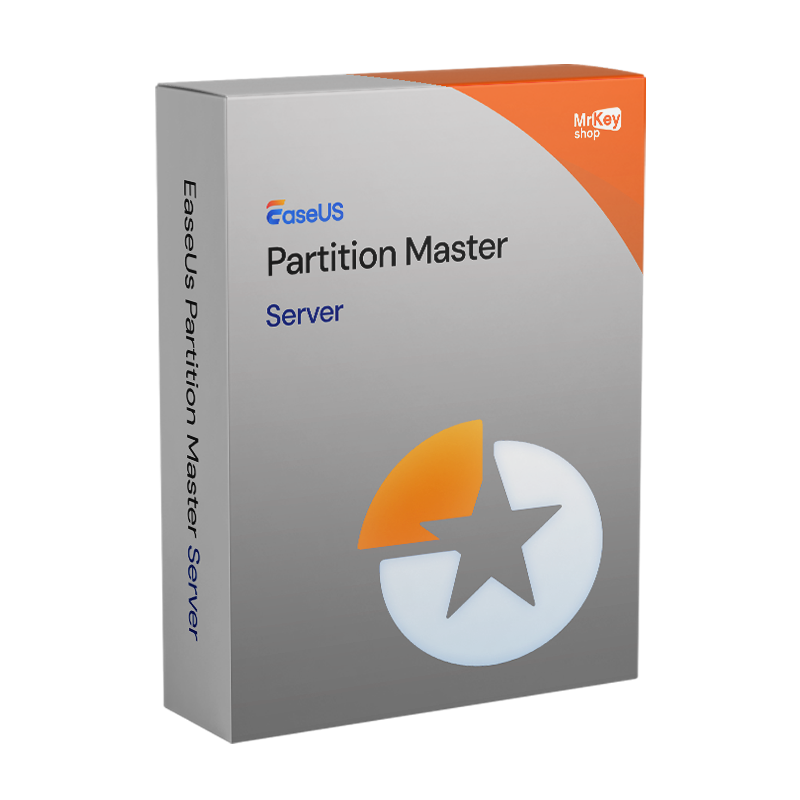






Purchasing a licence for EaseUS Partition Master Server is the choice of IT administrators, system administrators and organisations that manage Windows servers and require a professional tool for partition management in critical environments where downtime has a direct cost. The key difference compared to the Professional edition, which is designed for Windows Desktop on a single PC, lies in operating system compatibility: the Server edition supports Windows Server 2003, 2008, 2012, 2016, 2019 and 2022 as well as all versions of Windows Desktop, covering the entire client-server stack of a Microsoft infrastructure. Windows Server’s native Disk Management has the same limitations as its desktop counterpart: it cannot resize system partitions without restarting the server, it cannot migrate the operating system to new storage without reinstallation, and it cannot convert MBR to GPT without deleting the partitions. In a server environment, these limitations result in hours of downtime and operational risks: EaseUS Partition Master Server resolves these issues with operations that do not require a server restart, power failure protection with automatic rollback, and the ability to preview changes before execution.
Support for hardware RAID is one of the features that sets the Server edition apart: it can manage partitions on hardware RAID arrays – including RAID 0, 1, 5, 10 and others – using the same operations available on individual disks. The OS migration transfers the entire Windows Server installation to new storage – from HDD to NVMe SSD, or from one RAID array to another – without reinstalling the operating system and without losing server configurations, active roles or data. Disk cloning creates an exact, bootable copy of the server on another drive: essential for replacing storage that is nearing the end of its life or for creating a backup server identical to the original. The MBR/GPT conversion without data loss is particularly important for servers that need to manage disks larger than 2 TB – the upper limit of the MBR format – or that need to be upgraded to Windows Server 2022. The bootable WinPE USB stick allows you to perform partitioning operations on the system disk even when Windows Server fails to start. Extending the system partition on a server running out of space on drive C: takes place without a restart and without interrupting running services.
|
Feature |
Details |
|
Product |
EaseUS Partition Master Server |
|
Developer |
EaseUS Software Co., Ltd. |
|
Licence type |
Subscription |
|
Servers/PCs covered |
1 server per licence |
|
Supported systems (Servers) |
Windows Server 2003/2008/2012/2016/2019/2022 (32-bit and 64-bit) |
|
Supported systems (Desktop) |
Windows 11/10/8.1/8/7/Vista/XP (32-bit and 64-bit) |
|
Hardware RAID support |
Yes, RAID 0, 1, 5, 10 and other hardware arrays |
|
Partition resizing |
Yes, without data loss, including the system partition without restarting the server |
|
OS migration |
Yes, transfers Windows Server to new storage without reinstallation |
|
Disk cloning |
Yes, exact and bootable copy of the server to another drive |
|
MBR/GPT conversion |
Yes, without data loss; required for disks >2 TB and Windows Server 2022 |
|
WinPE bootable USB |
Yes, operations on the system disk when Windows Server fails to boot |
|
Partition merging/splitting |
Yes, without data loss |
|
Partition recovery |
Yes, locates and restores deleted or damaged partitions |
|
Power-off protection |
Yes, automatic rollback in the event of a sudden power cut |
|
Operations without restart |
Yes, resize C:, OS migration, cloning and MBR/GPT without restarting |
|
Pre-execution preview |
Yes, view the result before applying changes |
Mr Key Shop’s authenticity guarantee means you receive an original EaseUS product key via email – no physical delivery or waiting involved; simply buy, receive and activate on your server in minutes. Payments are processed via a secure SSL connection using PayPal (including interest-free instalments in 3 payments), Stripe, Amazon Pay, Apple Pay, Google Pay, and credit and debit cards. For the Windows Desktop workstations used by the IT team managing the servers, the Windows 11 Pro licence ensures the client base is kept up to date. Those maintaining established workstations will find that the Windows 10 Pro product key a stable and fully supported platform. For IT department productivity, the suite Office 2024 Professional Plus covers Word, Excel, PowerPoint and Outlook with a perpetual licence. For team collaboration and the sharing of technical documentation, the Microsoft 365 Business Standard subscription adds Teams and SharePoint. For a full server backup prior to partitioning operations – a mandatory step in production environments – AOMEI Backupper Workstation guarantees snapshots and rapid recovery. To secure remote connections during remote operations,NordVPN encrypts traffic on all devices. For managing PDFs of technical documentation and server reports,Nitro PDF covers creation, annotation and digital signatures. For recording training sessions to share with the team,AWZ Screen Recorder Pro captures the screen in high quality. Every purchase from Mr Key Shop is 100% digital: no postage, no packaging, just activation via email.
Take your business to the next level with a solid and recognized partner in the original software licensing industry. With Mr Key Shop, you get access to exclusive price lists for resellers, special terms, and free professional support for you and your customers.
What's more, with MrKeyWallet, you can get extra credits on every top-up and further increase your margins: the more you invest, the more you earn. A system designed for those who really want to scale up.
Join the MKreseller programnow and discover all the benefits reserved for partners.
|
Component |
Requirement |
|
Operating system (Server) |
Windows Server 2022/2019/2016/2012/2008/2003 (32-bit and 64-bit) |
|
Operating system (Desktop) |
Windows 11/10/8.1/8/7/Vista/XP (32-bit and 64-bit) |
|
Processor |
x86 or compatible at 500 MHz or higher |
|
RAM |
512 MB or higher |
|
Disk space |
100 MB for installation |
|
Internet connection |
Required for activation |
|
Important note |
Always perform a full backup before carrying out partitioning operations in server environments |
Once you have received the licence code by email from Mr Key Shop, download EaseUS Partition Master Server from the official portal at easeus.com in the Enterprise products download section, or via the direct link included in the confirmation email. The same installer covers both Windows Desktop and Windows Server: the Server licence automatically unlocks support for all operating systems. Before carrying out any work on a production server, perform a full system backup: in a server environment, a preventative backup is an operational requirement, not an option.
Installation takes place via a wizard that completes the process in a few minutes without requiring the configuration of any additional components. Once complete, Partition Master Server opens with a graphical view of all the server’s disks and partitions, including any hardware RAID arrays recognised by the system. All scheduled operations are queued in the task area and can be modified or cancelled before execution: no changes are applied until you explicitly confirm them. Create the emergency WinPE USB stick immediately after installation on a blank USB drive.
Activation is carried out by entering the licence code received via email on the registration screen within the programme. The Server licence unlocks support for Windows Server operating systems and all advanced features, including hardware RAID, server OS migration and disk cloning. The licence is tied to the individual server on which it is activated: for managing multiple servers or providing partitioning services to clients, the Unlimited or Technician editions of EaseUS Partition Master offer the appropriate coverage.


 €78.99
€124.99
€78.99
€124.99
 €279.99
€299.99
€279.99
€299.99
 €79.99
€191.99
€79.99
€191.99
 €109.99
€483.99
€109.99
€483.99


 Chat with us
 Ita
Ita
 Eng
Eng
 Deu
Deu
 Esp
Esp
 Fra
Fra