


 Unfortunately your shopping cart is empty


 Returns
 Chat with Us
 About Us
 My Orders

 Twitter
 LinkedIn
 Meta
Meta



 £53.39
£93.87
£53.39
£93.87

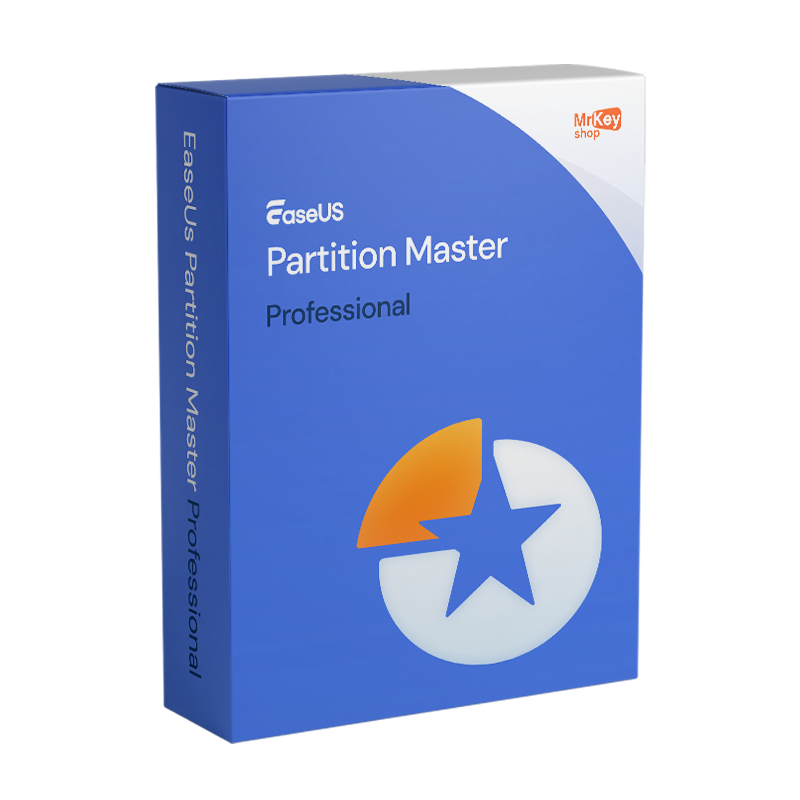






Purchasing a licence for EaseUS Partition Master Professional means adopting the world’s most widely used disk management tool for Windows users – with over 60 million users in more than 220 countries – in its full version for personal use. Windows’ native Disk Management tool allows basic operations but has significant limitations: it cannot merge non-adjacent partitions, it cannot migrate the operating system to a new SSD without reinstalling everything, it cannot convert MBR to GPT without losing data, and it cannot clone disks. EaseUS Partition Master Professional overcomes all these limitations with a visual interface that displays the disk structure in real time, allowing you to plan and preview operations before carrying them out. The pre-execution preview function shows exactly how the disk will be organised after the operation: once you approve it, the software applies the changes. The sudden power-off protection automatically rolls back any operation in progress in the event of a sudden power cut, ensuring data integrity even in the most critical situations. The no-reboot mode completes the most common operations – resizing the C: partition, MBR/GPT conversion, OS migration and disk cloning – without requiring a Windows restart.
The features that distinguish the Professional Edition from the Free version cover the operations most frequently requested by users upgrading their system. OS migration to SSD transfers the entire Windows installation to the new drive without reinstalling the operating system: the new SSD becomes bootable with all programmes and settings intact, and the old drive can be reformatted and reused as additional storage. Disc cloning copies the entire contents of one drive to another, making it bootable: essential for replacing an old HDD with an SSD or for creating a full system backup. Partition merging combines two adjacent partitions into a single one without losing data, a crucial operation for those with oversized D: partitions who wish to expand the C: drive. MBR/GPT conversion without data loss is essential for PCs that need to upgrade to Windows 11, which requires GPT. Creating a bootable WinPE USB stick allows you to perform partitioning operations even on the system drive when Windows won’t start. Recovering lost partitions identifies and restores partitions that have been accidentally deleted or damaged by updates. Advanced support for the exFAT file system, introduced in version 20, offers the same level of control traditionally available only for NTFS.
|
Feature |
Details |
|
Product |
EaseUS Partition Master Professional (version 20.0) |
|
Developer |
EaseUS Software Co., Ltd. |
|
Licence type |
Subscription |
|
Supported systems |
Windows 11/10/8.1/8/7/Vista/XP (32-bit and 64-bit), Windows Desktop only |
|
PCs covered |
1 device per licence |
|
Resize/move partitions |
Yes, without data loss, including the C: drive without restarting |
|
Partition merging |
Yes, Professional only; combines adjacent partitions without data loss |
|
Partition splitting |
Yes, Professional only; splits a partition into two |
|
OS migration to SSD |
Yes, Professional only; transfers Windows without reinstallation |
|
Disk cloning |
Yes, Professional only; bootable target disk |
|
MBR/GPT conversion |
Yes, without data loss; essential for Windows 11 |
|
WinPE bootable USB |
Yes, Professional only; operations on a non-booting system disc |
|
Partition recovery |
Yes, detects and restores deleted or damaged partitions |
|
Power-off protection |
Yes, automatic rollback in the event of a sudden power cut |
|
Operations without restart |
Yes, resizing C:, OS migration, cloning and MBR/GPT without restart |
|
Pre-execution preview |
Yes, displays the result before applying changes |
|
Advanced exFAT management |
Yes, full control (v.20) equivalent to NTFS |
|
Windows Server |
Not supported; for Windows Server, please consider the Server edition |
At Mr Key Shop, every licence is genuine and guaranteed: buying EaseUS Partition Master Professional means receiving an original product key directly via email, with no physical delivery or waiting times. Buy, receive and activate straight away. Payments are processed via a secure SSL connection using PayPal (including interest-free instalments over 3 payments), Stripe, Amazon Pay, Apple Pay, Google Pay, and credit and debit cards. Partition Master manages system disk partitions: the Windows 11 Pro licence is the most up-to-date client base on which the software operates, with Partition Master’s MBR/GPT conversion simplifying the transition to Windows 11 for PCs with legacy-format disks. Those who maintain systems on Windows 10 Pro will find a stable and fully supported platform. For office productivity on an optimised workstation, the suite Office 2024 Home & Business suite covers Word, Excel, PowerPoint and Outlook with a perpetual licence. For those who prefer up-to-date apps with 1 TB of cloud storage, the Microsoft 365 Personal is the natural choice. For a full disk backup prior to partitioning – a step always recommended before making changes to the disk structure –AOMEI Backupper Workstation ensures snapshots and rapid recovery. To protect your browsing on unsecured networks, CyberGhost VPN encrypts traffic on all devices. For managing PDFs of technical documentation, Swifdoo PDF covers conversion and annotation. For system optimisation following disk defragmentation, CCleaner Professional keeps your PC in top condition. For technical professionals managing CAD workstations, the AutoCAD Commercial licence is available from the same store. Every purchase on Mr Key Shop is 100% digital: no postage, no packaging, just activation via email.
Take your business to the next level with a solid and recognized partner in the original software licensing industry. With Mr Key Shop, you get access to exclusive price lists for resellers, special terms, and free professional support for you and your customers.
What's more, with MrKeyWallet, you can get extra credits on every top-up and further increase your margins: the more you invest, the more you earn. A system designed for those who really want to scale up.
Join the MKreseller programnow and discover all the benefits reserved for partners.
|
Component |
Requirement |
|
Operating system |
Windows 11/10/8.1/8/7/Vista/XP (32-bit and 64-bit), Windows Desktop only, not Windows Server |
|
Processor |
x86 or compatible, 500 MHz or higher |
|
RAM |
512 MB or more |
|
Disk space |
100 MB for installation |
|
Internet connection |
Required for activation |
|
Important note |
Always perform a full backup before partitioning |
Once you have received the licence code by email from Mr Key Shop, download EaseUS Partition Master Professional directly from the official portal at easeus.com in the product’s download section, or via the direct link included in the confirmation email. Before performing any partitioning operations on the disk, carry out a full system backup using a dedicated tool: Partition Master includes protection against unexpected shutdowns, but a precautionary backup is always the first line of defence against accidental data loss.
Installation takes place via a guided wizard that completes the process in a few minutes without requiring any special technical configuration. Once complete, Partition Master Professional opens with a graphical view of all the system’s disks and partitions. The interface displays each disk and its partitions to scale: you can select a partition, right-click to view the available operations, or drag the partition’s edges in the graphical view to resize it. All planned operations are displayed in the queue area before being applied: you can add them to the queue, edit them or cancel them before execution.
Activation is carried out by entering the licence code received via email on the registration screen within the programme, accessible from the main menu. Without an active licence, the software functions as the Free version with only basic operations available. Once activated, all Professional features are unlocked: OS migration, disk cloning, partition merging and splitting, bootable WinPE USB and advanced exFAT management. The licence is tied to the specific PC on which it is activated.




 Chat with us
 Ita
Ita
 Eng
Eng
 Deu
Deu
 Esp
Esp
 Fra
Fra