


 Unfortunately your shopping cart is empty


 Returns
 Chat with Us
 About Us
 My Orders

 Twitter
 LinkedIn
 Meta
Meta



 £53.39
£93.87
£53.39
£93.87

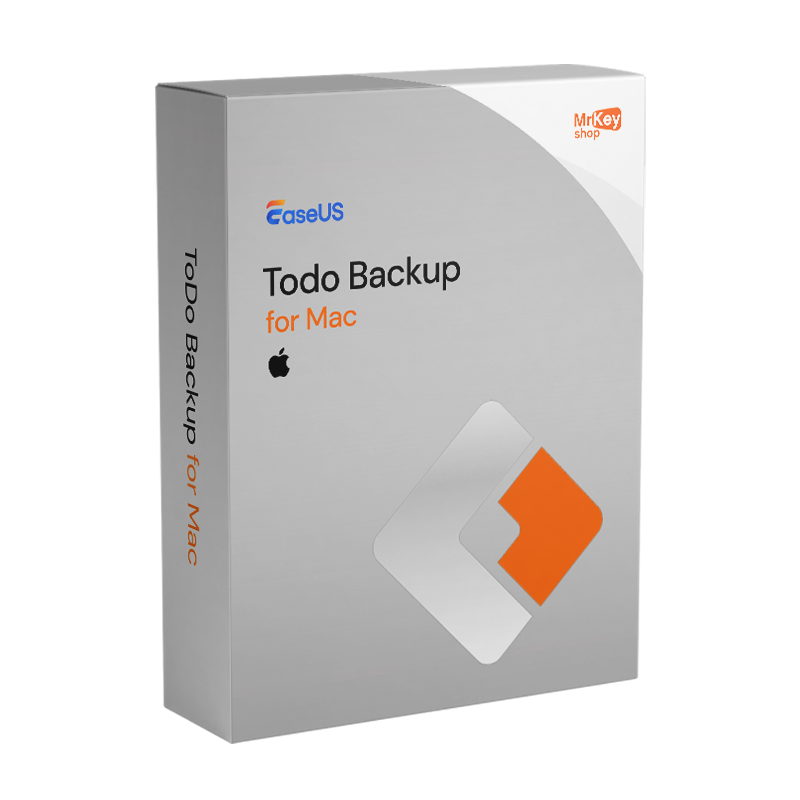






Purchasing a licence for EaseUS Todo Backup for Mac is the choice for Mac users who want to go beyond the capabilities of Time Machine, Apple’s native backup tool, without compromising on ease of use. Time Machine is excellent for local backups to a Time Capsule or a dedicated external hard drive, but it has inherent limitations that become significant in many scenarios: it does not support cloud destinations such as Google Drive, Dropbox or OneDrive; it does not create bootable disk copies from which you can restart immediately if your Mac fails to boot; it does not allow you to customise backup templates for specific categories of Apple files such as the Photos library, contacts or email. EaseUS Todo Backup for Mac is designed as a companion to Time Machine, not as a replacement, covering these specific scenarios: cloud backups, disk cloning with a bootable copy, predefined templates for Apple apps, and scheduling in stealth mode, which runs backups in the background without notifications or interruptions to your work.
The predefined templates in EaseUS Todo Backup for Mac are the feature most geared towards the Apple ecosystem: selecting ‘Photos’ automatically captures the macOS Photos library in its current location; ‘Mail’ includes Mail.app’s mailboxes and rules; ‘Contacts’ saves the system address book; ‘Documents’ includes the Documents folder and its subfolders. These templates eliminate the need to manually navigate system folders to configure backups for each app, which is particularly useful for less tech-savvy users. Disk cloning creates an exact, bootable copy of the macOS volume onto an external drive in APFS or HFS+ format: if your Mac won’t start up, you can connect the cloned drive, boot from it by holding down the Option key at start-up, and carry on working straight away without waiting for a restore. Full, incremental and differential backups can be scheduled automatically at customisable intervals. All archives can be compressed to save space and encrypted to protect your privacy. Granular restore allows you to recover individual files from a backup without having to restore the entire archive.
|
Feature |
Details |
|
Product |
EaseUS Todo Backup for Mac |
|
Developer |
EaseUS Software Co., Ltd. |
|
Licence type |
Subscription |
|
Macs covered |
1 Mac per licence |
|
Supported systems |
macOS 14 Sonoma and earlier versions supported |
|
Predefined Apple templates |
Yes, iTunes, Mail, Contacts, Documents, Photos |
|
File and folder backups |
Yes, either manually selected or via templates |
|
Backup strategies |
Full, incremental, differential with automatic scheduling |
|
Stealth mode |
Yes, background backups without notifications or interruptions |
|
APFS/HFS+ disk cloning |
Yes, bootable copy of the macOS volume to an external disk |
|
Restore from bootable backup |
Yes, immediate restart from a clone when macOS fails to start |
|
Granular restore |
Yes, recovery of individual files without restoring the entire archive |
|
Backup encryption |
Yes, archive password protection |
|
Archive compression |
Yes, reduces storage space |
|
Supported destinations |
External hard drive, NAS, network volumes, CD/DVD, Google Drive, Dropbox, OneDrive |
|
Time Machine Companion |
Yes, complementary to, not a replacement for, Time Machine |
At Mr Key Shop, every licence is genuine and guaranteed: buying EaseUS Todo Backup for Mac means receiving an original product key directly via email, with no physical delivery or waiting times. Buy, receive, and your Mac is protected in just a few minutes. Payments are processed via a secure SSL connection using PayPal (including interest-free instalments in 3 payments), Stripe, Amazon Pay, Apple Pay, Google Pay, and credit and debit cards. For productivity on your Mac, the suite Office 2024 Home & Business, also available for Mac, includes Word, Excel, PowerPoint and Outlook with a perpetual licence. Those who prefer apps that are always up to date with integrated OneDrive – one of the supported cloud backup destinations – will find the subscription Microsoft 365 Personal is the natural complement. For data recovery in the event of a failure or accidental deletion not covered by the latest backup, EaseUS Data Recovery Wizard for Mac recovers files directly from the drive with native APFS support. To protect your browsing on unsecured networks,CyberGhost VPN encrypts traffic on all devices. For managing PDFs of documentation and contracts on a Mac,Swifdoo PDF handles conversion and annotation. Every purchase from Mr Key Shop is 100% digital: no postage, no packaging, just activation via email.
Take your business to the next level with a solid and recognized partner in the original software licensing industry. With Mr Key Shop, you get access to exclusive price lists for resellers, special terms, and free professional support for you and your customers.
What's more, with MrKeyWallet, you can get extra credits on every top-up and further increase your margins: the more you invest, the more you earn. A system designed for those who really want to scale up.
Join the MKreseller programnow and discover all the benefits reserved for partners.
|
Component |
Requirement |
|
Operating system |
macOS 14 Sonoma and supported earlier versions (check macOS 15 compatibility on the EaseUS website) |
|
Processor |
Intel or Apple Silicon |
|
Macs covered |
1 Mac per licence |
|
Required permissions |
Full disk access in macOS Security & Privacy |
|
Backup destinations |
External drive, NAS, network volumes, CD/DVD, Google Drive, Dropbox, OneDrive |
|
Internet connection |
Required for activation and cloud backup |
Once you have received the licence code by email from Mr Key Shop, download EaseUS Todo Backup for Mac from the official portal at easeus.com in the macOS product download section, or via the direct link included in the confirmation email. The software requires full disc access permissions in macOS, which are necessary to read Apple app files and access system folders; these must be granted in System Preferences under Privacy & Security on first launch.
Installation is carried out using the standard macOS DMG package: drag the application into the Applications folder and launch it. On first launch, grant full disk access permissions when prompted; without these permissions, the software cannot access the Photos, Mail and other Apple app libraries. Set up your first backup job by selecting an Apple template or manually selecting files and folders, choose the destination – an external drive, NAS or cloud account – and set the schedule. Enable stealth mode to run backups without interruptions whilst you work. To create a bootable clone, select the disk cloning function, choose the external destination drive and start the process.
Activation is carried out by entering the licence code on the registration screen within the programme. Once the licence is active, premium features are unlocked: incremental and differential backups, advanced automatic scheduling, bootable disk cloning, cloud backups and archive encryption. After activation, run an initial manual backup and check the completion report before relying on automatic scheduling.




 Chat with us
 Ita
Ita
 Eng
Eng
 Deu
Deu
 Esp
Esp
 Fra
Fra