


 Unfortunately your shopping cart is empty


 Returns
 Chat with Us
 About Us
 My Orders

 Twitter
 LinkedIn
 Meta
Meta
 Please enter an email address

 $94.85
$266.44
$94.85
$266.44

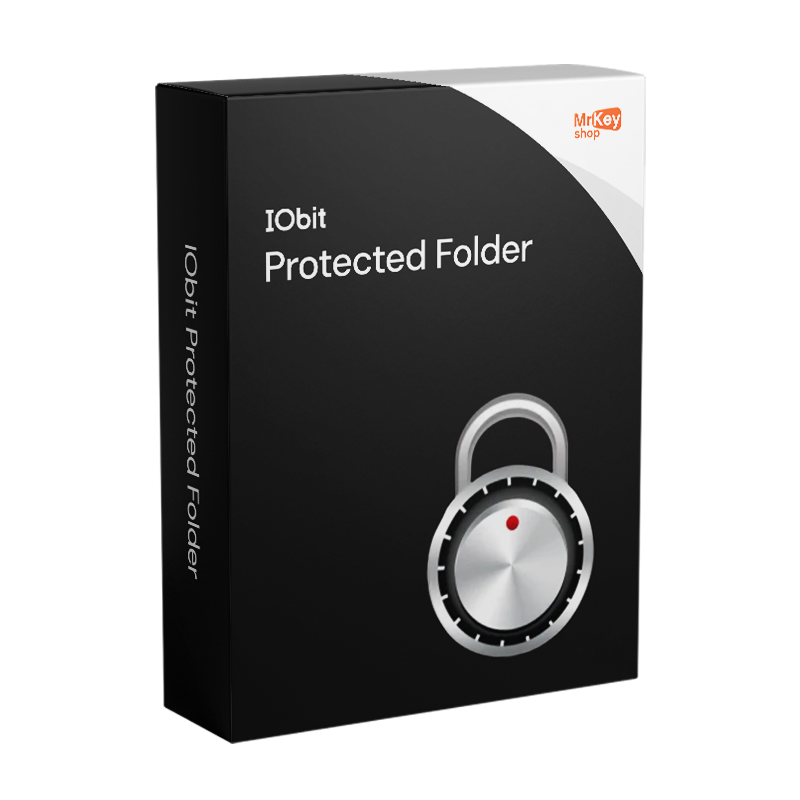





Purchasing the licence for IObit Protected Folder means equipping your Windows PC with a data protection system that goes far beyond the operating system’s native features. Windows does not offer native tools to hide folders from other users, block read access or prevent accidental modifications and deletions: IObit Protected Folder fills this gap with a drag-and-drop interface that allows you to protect any file or folder in seconds. The result is a digital safe accessible only via a password set by the user, invisible to anyone else using the same PC.
The Pro version removes all operational limitations and guarantees protection without adverts, unlimited operations and priority access to support. The software operates on three independently selectable levels of protection: complete concealment from view in File Explorer, blocking of read access, opening, copying and execution of contents, and write protection that makes files immutable and undeletable even in the event of a ransomware or malware attack. This combination of levels makes IObit Protected Folder effective not only against unauthorised human access, but also against automated threats that attempt to encrypt or delete the user’s data.
|
Feature |
Details |
|
Version |
1.3 (build 4.3.0.50) |
|
Developer |
IObit |
|
Licence type |
Annual subscription |
|
Supported systems |
Windows 11, 10, 8.1, 8, 7, Vista, XP (32/64 bit) |
|
Protection levels |
Hide from view, block read access, write protection |
|
Ransomware protection |
Yes – write-protected files resistant to malware encryption |
|
User interface |
Drag & drop, management via master password |
|
Unlimited operations |
Yes – Pro version only |
|
Advertisements |
Not present in the Pro version |
|
Priority support |
Yes – included in the Pro version |
Guarantee of authenticity for every licence distributed: Mr Key Shop is a 100% digital store, with delivery via email and no physical shipments. Buy, receive the product key in your inbox, and activate immediately. Available payment methods include PayPal (including 3 interest-free instalments), credit and debit cards, Apple Pay and Google Pay, all via a secure SSL connection. To complete your system protection, pair IObit Protected Folder with the Windows 11 Pro licence, which includes advanced native security tools, or maintain stability with the Windows 10 Pro product key. For everyday productivity, the Microsoft 365 Personal integrates OneDrive with cloud backup features, whilst Office 2024 Professional Plus meets the needs of office suites with perpetual licences. For secure browsing and protection of network transfers, NordVPN adds a layer of end-to-end encryption across all devices. Those who manage PDF documents professionally will find in Nitro PDF the ideal tool for conversion and editing. For a full system backup before any critical operation, AOMEI Backupper Workstation ensures rapid recovery in the event of an emergency. Finally, for those working in CAD and design, the licence for AutoCAD Commercial is available in the same store with the same guarantees of authenticity.
Take your business to the next level with a solid and recognized partner in the original software licensing industry. With Mr Key Shop, you get access to exclusive price lists for resellers, special terms, and free professional support for you and your customers.
What's more, with MrKeyWallet, you can get extra credits on every top-up and further increase your margins: the more you invest, the more you earn. A system designed for those who really want to scale up.
Join the MKreseller programnow and discover all the benefits reserved for partners.
|
Component |
Requirement |
|
Operating System |
Windows 11 / 10 / 8.1 / 8 / 7 / Vista / XP (32 and 64-bit) |
|
Processor |
Intel or AMD 1 GHz or higher |
|
RAM |
512 MB or higher |
|
Disk Space |
50 MB of free space |
|
Internet Connection |
Required for activation and updates |
Downloading IObit Protected Folder is quick and easy from the official IObit portal. The installation file is lightweight and requires no additional components to run on any supported version of Windows.
Installing IObit Protected Folder requires no technical expertise: the guided wizard completes the entire procedure in less than a minute. On first launch, the programme will ask you to set a master password, which will be the sole access key to all protected content.
Activating IObit Protected Folder Pro requires the product key received via email upon completion of your order on Mr Key Shop. Registration takes place directly from the programme’s main interface.
|
Features |
Free Version |
Pro Version |
|
File and folder hiding |
Yes (limited) |
Unlimited |
|
Read access blocking |
Yes (limited) |
Unlimited |
|
Write protection |
Yes (limited) |
Unlimited |
|
Ad screen |
Present |
Absent |
|
Priority support |
No |
Yes |
|
Future updates included |
No |
Yes |


 $298.41
$319.73
$298.41
$319.73



 Chat with us
 Ita
Ita
 Eng
Eng
 Deu
Deu
 Esp
Esp
 Fra
Fra