


 Unfortunately your shopping cart is empty


 Returns
 Chat with Us
 About Us
 My Orders

 Twitter
 LinkedIn
 Meta
Meta



 $94.85
$266.44
$94.85
$266.44






|
Important note about Kaspersky Small Office Security The licence included is the BASIC version: it is designed for the first activation of the product. Follow the instructions included to complete the activation correctly and set up protection on the covered devices (up to 5) for 12 months. |
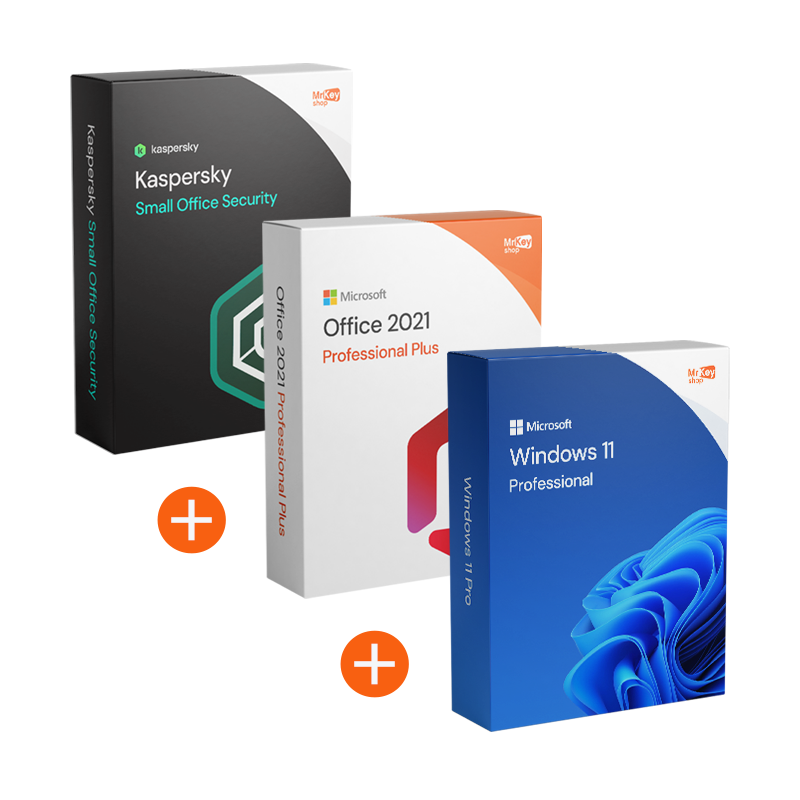
This bundle is designed for those who want a solid, ready-to-use and consistent foundation: Windows 11 Pro for a professional workstation, Office 2021 Pro Plus to manage documents, spreadsheets and communications with a perpetual licence, and Kaspersky Small Office Security BASE to protect up to 5 devices for 1 year. The aim is to reduce friction and unexpected events: fewer fragmented choices, more operational continuity.
At Mr Key Shop, you receive original and guaranteed licences, instructions for secure downloads and a guided installation and activation process. It is a solution suitable for small businesses and new offices that want to get off to a good start, with tools that are actually used every day and active protection on key devices.
In a small business, the priority is to work without interruptions: documents, spreadsheets, emails and deadlines cannot wait. We created this bundle to combine a professional Windows base and a complete Office suite with a perpetual licence, adding protection designed for small businesses: up to 5 devices covered for 12 months.
The result is a more streamlined setup: fewer attempts with tools that don't “talk” to each other, less risk of conflicts and more operational continuity. The note on the BASIC version is important: it is designed for initial activation, so you can get off to a good start and secure your main workstations without unnecessary complications.
The bundle combines productivity and protection with a setup designed for SMEs: a complete main workstation (Windows + Office) and security coverage for up to 5 devices for 12 months. Below is a clear overview of the three components.
|
Software |
What it does |
What you get |
When it is useful to you |
|
Windows 11 Pro |
Professional operating system for PCs and workstations |
|
|
|
Office 2021 Pro Plus |
Complete Office suite for documents, analysis and communication |
|
|
|
Kaspersky Small Office Security BASE (5 devices / 1 year) |
Protection for business devices against common online risks |
|
|
The Windows 11 Pro + Office 2021 Pro Plus + Kaspersky Small Office Security BASE (5/1) bundle is ideal for SMEs, administrative offices and new businesses that want a complete workstation and extended security coverage for their main devices. It is a practical choice if you need a ‘ready-to-use’ work environment and want to reduce risks associated with emails, attachments and downloads on PCs used every day.
Purchasing from Mr Key Shop means choosing a reliable retailer and a shopping experience designed to be clear and secure. You can count on Trusted Shops protection (covering up to £2,500 per order) and verified reviews that confirm the quality of service and support: a real advantage when you need to install and activate without wasting time.
Payments are protected by SSL encryption and you can choose from secure and convenient methods, including PayPal (also in 3 instalments), Klarna, Amazon Pay, Apple Pay, Google Pay and credit/debit cards (depending on the methods available at checkout). Every order is covered by our money-back guarantee policy and includes free technical support in Italian and English, before and after purchase.
With digital delivery, you receive everything via email with clear instructions, secure download instructions and activation guidance. If you want to complete your setup with complementary tools available on Mr Key Shop, you can also consider Windows Server 2025 Standard for more advanced IT scenarios, VMware Workstation Pro 17, Nitro PDF 10 for document workflows and AWZ Screen Recorder Pro: original licences, immediate delivery and support included.
Take your business to the next level with a solid and recognized partner in the original software licensing industry. With Mr Key Shop, you get access to exclusive price lists for resellers, special terms, and free professional support for you and your customers.
What's more, with MrKeyWallet, you can get extra credits on every top-up and further increase your margins: the more you invest, the more you earn. A system designed for those who really want to scale up.
Join the MKreseller programnow and discover all the benefits reserved for partners.
Below is a practical reference. Requirements may vary depending on manufacturer updates: always check compatibility, free space and system updates before installation.
Windows 11 Pro
Office 2021 Pro Plus
Kaspersky Small Office Security BASE
After purchase, you will receive an email with the necessary information to proceed with the download via secure links and reliable instructions. The aim is to avoid unauthorised sources and reduce the risk of incorrect versions or incomplete installations. You will also find useful steps to complete the first activation of the BASE Version of Kaspersky, with clear and verifiable instructions.
The installation is guided and designed to reduce errors and wasted time. For Office, it is recommended to remove trial or incompatible editions before installation. For Kaspersky, it is recommended to uninstall any existing antivirus software and restart your PC to avoid conflicts and slowdowns. If you have any questions, free technical support is available in Italian and English.
For Windows 11 Pro and Office 2021 Pro Plus, activation is performed by entering the product key where indicated, following the steps provided. For Kaspersky Small Office Security BASE, follow the wizard in the instructions: the BASE version is designed for first activation, so you can set up protection correctly and distribute it to the covered devices (up to 5) for 12 months. If something goes wrong, free technical support in Italian and English will help you complete the procedure quickly.
To avoid conflicts and get started smoothly, this is the recommended order:
What do I get when I purchase the bundle from Mr Key Shop?
You will receive the licence details, secure download links and complete instructions for downloading, installing and activating the software by email. Free technical support in Italian and English is included.
How many devices can I activate Kaspersky Small Office Security BASE on?
The licence included covers up to 5 devices for 12 months. For different coverage, you need a licence with the appropriate number of devices/duration.
What does ‘BASE version’ of Kaspersky SOS mean?
It is a version designed for the first activation of the product. Follow the instructions provided to complete the activation correctly and then distribute the protection to the covered devices.
What is the difference between Kaspersky Small Office Security and a ‘consumer’ antivirus?
Kaspersky Small Office Security is designed for small offices and SMEs: the setup aims to protect more devices with management that is more suited to a work environment. If your goal is to reduce risks on workstations used for email, attachments and operational files, the ‘small business’ approach is often more consistent than a home-only antivirus.
Do I need to uninstall the antivirus software already on my PC before installing Kaspersky?
Yes, it is recommended. Two active antivirus programmes can cause conflicts, crashes or slowdowns. Uninstall the existing one, restart your computer and then install Kaspersky by following the steps indicated.
Do I need to uninstall previous versions or trial versions of Office before installing Office 2021 Pro Plus?
Often yes, especially if you have pre-installed trial versions or incompatible editions. Removing them first reduces errors and conflicts during installation and activation.
Is Office 2021 Pro Plus a lifetime or subscription licence?
Office 2021 Pro Plus is a perpetual licence: you pay once and there are no monthly fees. Use and reinstallation depend on the specific licence terms and the manufacturer's rules.
What happens when the 12 months of Kaspersky expire?
Upon expiry, protection is no longer active according to the terms of the licence. To maintain coverage, you must renew or purchase a licence with an appropriate duration.
Can I reinstall Windows and Office if I format my PC or change machines?
It depends on the type of licence and the manufacturer's rules. In general, it is best to keep your order details and follow the correct procedure. If you have a specific case, free technical support can help you set up the right steps.
How do I avoid Office 2021 Pro Plus activation errors?
Ensure that the installed edition matches the licence, remove any trial or incompatible versions, restart after uninstalling, and then reinstall. If the error persists, follow the instructions provided and also check the date/time and internet connection.
How do I choose which devices to activate protection on (5 devices)?
It is usually best to start with the most exposed devices: main PCs, shared workstations, work notebooks, and devices used for email/attachments. Follow the wizard to associate coverage with the selected devices.
Distribution examples (coverage for 5 devices)
To make the most of the coverage, a typical distribution in a small office could be:


 $298.41
$319.73
$298.41
$319.73



 Chat with us
 Ita
Ita
 Eng
Eng
 Deu
Deu
 Esp
Esp
 Fra
Fra