Wondershare Filmora
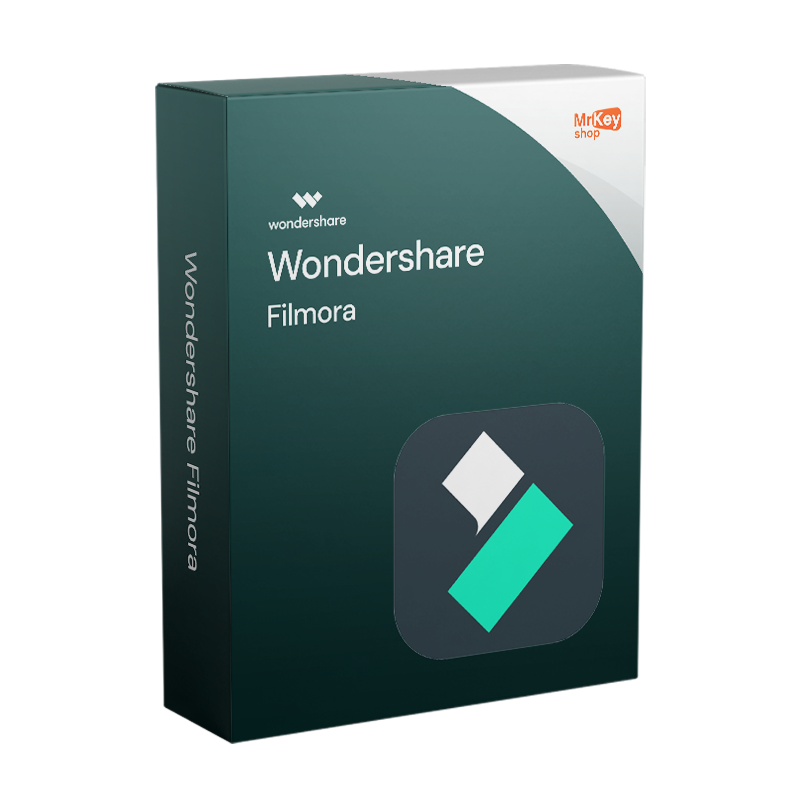
Wondershare Filmora - Original License
Wondershare Filmora
Wondershare Filmora - Original License

Wondershare Filmora - Original License

€52.99
€59.99
Save €7.00

Validity

Platform


Sold by: YouSoftware
Region: 1 year
Region: Windows
Languages: All Languages Included
check Our products are guaranteed up to €2,500
check

Genuine License

check

Secure Payments

check

24/7 Support

check

350K+ Happy Customers

check

Email delivery

check

Money-Back Guarantee

check

Microsoft Partner

check

Certified Licence

Other sellers on Mr Key Shop

Buy your Wondershare Filmora license on Mr Key Shop: original product key, instant delivery, and free technical support in Italian and English

Important note:

This product is intended exclusively for the European market (EU) and cannot be purchased or activated in other regions. During purchase, only the “Europe / EU” option will be available.

Important: The licence will be issued within 48 working hours of payment confirmation.

Buy your Wondershare Filmora license: professional video editing with AI, for every skill level

Buy your Wondershare Filmora license and access one of the most complete and accessible video editing software solutions on the market. Developed by Wondershare, a software company founded in 2003 with over 400 million cumulative users across 150 countries, Filmora is the choice of creators, YouTubers, social media managers, small businesses, and professionals looking for creative power without the complexity of Adobe Premiere Pro or DaVinci Resolve.

Thanks to an intuitive drag-and-drop interface, over 2.9 million included creative assets, effects, transitions, templates, music, and 3D LUTs, along with an ever-expanding ecosystem of AI tools, Wondershare Filmora V15 transforms the editing process from a technical task into a smooth creative experience on Windows, macOS, iOS, and Android.

By choosing Mr Key Shop, you purchase an original license with an authentic product key, instant digital delivery by email, secure payments, and dedicated free technical support: the ideal solution to start creating professional videos without interruptions.

Wondershare Filmora: the AI video editor for creators and professionals, without a steep learning curve

Wondershare Filmora positions itself as the ideal balance in the video editing landscape: more powerful and feature-rich than free editors like iMovie, yet significantly more accessible, both economically and in terms of learning curve, than Adobe Premiere Pro and DaVinci Resolve. Launched in 2015 and reaching version V15 in 2025, Filmora has built a user base of nearly 400 million worldwide thanks to an approach that integrates professional tools into an interface designed for those who want quality results without having to face months of training.

Activating the license through a Wondershare ID unlocks full access to Filmora’s creative ecosystem across all compatible devices, with project synchronization between desktop and mobile. The main areas of application include:

  • Content creation for social media: optimized editing for YouTube, TikTok, Instagram Reels, and other vertical and horizontal formats, with preset templates for every platform;
  • Video marketing and business communication: creation of ads, tutorials, video presentations, and promotional materials with AI tools for automation and speed;
  • Vlogging and storytelling: smooth multi-track timeline, cinematic effects, color correction, and advanced audio tools for personal and professional productions.

Features and benefits of the Wondershare Filmora license

Adopting an original Wondershare Filmora license guarantees access to a complete creative ecosystem, with constant updates and an ever-expanding resource library. Through activation via an official Wondershare ID, creators and professionals benefit from advanced editing tools in an interface designed to maximize productivity:

Professional video editing: timeline, effects, and creative control

  • Multi-track timeline with magnetic snapping: precise organization of video, audio, and graphic clips across multiple layers, with speed control up to 100x (fast-forward) and 0.01x (slow motion) for advanced cinematic effects.
  • Integrated creative asset library: over 2.9 million effects, transitions, templates, animated titles, stickers, filters, cinematic 3D LUTs, and music, with support for professional NewBlue FX and Boris FX plugins for broadcast-level visual effects.
  • Color correction and color grading: advanced tools for color grading, color matching between different clips, and applying 3D LUTs to recreate professional cinematic looks in just a few clicks.
  • Professional audio editing: multi-track audio mixer, sound effects, equalization, noise reduction, and automatic audio ducking to lower music during dialogue.
  • Multi-platform export: direct export to YouTube, TikTok, Vimeo, and other channels, with support for 4K formats and optimized presets for every social platform.

AI Tools: video editing becomes intelligent

  • AI Copilot Editing: an AI assistant that analyzes the project, suggests smart editing improvements, and automates repetitive tasks, from selecting the best clips to optimizing narrative pacing.
  • Text-to-Video and AI Script : transforms texts, prompts, or scripts into editable videos ready for sharing, with automatic generation of coherent visual sequences.
  • AI Subtitle Generator and automatic translation: automatic generation of accurate subtitles with lip-sync synchronization and translation into multiple languages to reach a global audience effortlessly.
  • AI Video Enhancer: automatic improvement of video quality, sharpness, color balance, noise reduction, and upscaling, even for footage recorded in difficult conditions.
  • AI Background Removal: automatic frame-by-frame background removal without a physical green screen, with professional precision on complex subjects.
  • AI Music Generator and Vocal Removal: creation of original copyright-free music suited to every video mood; automatic separation of vocals from background music for remixes and dubbing.
  • Text-to-Speech and Speech-to-Text: generation of realistic voiceovers in multiple languages and automatic transcription of audio into editable text for subtitles and documentation.

Why buy the Wondershare Filmora license: accessible professional creativity, with no mandatory subscriptions

Choosing Wondershare Filmora means investing in a creative tool that combines professional power and economic accessibility. Unlike Adobe Premiere Pro, which requires an ongoing Creative Cloud subscription and a significant learning curve, Filmora offers results of comparable quality at a fraction of the cost, with the option to choose between an annual plan and a lifetime license for those who prefer a one-time payment without recurring fees.

The concrete competitive advantages of the original license include:

  • Immediate accessibility: intuitive drag-and-drop interface with an integrated masterclass of over 50 hours, YouTube tutorials, and an AI chatbot assistant for real-time creative support, ideal for both beginners and experienced editors;
  • Multi-platform ecosystem: the same workflow and the same interface on Windows, macOS, iOS, and Android, with project synchronization between desktop and mobile so you can keep editing anywhere;
  • Continuous updates: Filmora releases updates every two weeks with new AI features, effects, and improvements; subscription plans include all updates during the validity period.

Technical comparison: Filmora Free vs Premium License

The free version of Filmora is an excellent starting point for exploring the features, but it includes a watermark on exported videos and limitations on AI tools. The premium license removes all limitations and unlocks the software’s full creative potential.

Feature

Free / Trial Version

Premium License (Active)

Video export

With Filmora watermark

Without watermark, full quality

AI tools

Limited access with basic credits

AI credits included, unlimited add-on available

Creative asset library

Basic resources

2.9M+ assets, effects, templates, and 3D LUTs

Professional plugins

Not available

NewBlue FX and Boris FX included

4K export

Limited

Full, all formats supported

Updates

Base version

Included for the duration of the plan

Technical support

Community and documentation

Wondershare priority support

Why buy Wondershare Filmora on Mr Key Shop

By purchasing Wondershare Filmora on Mr Key Shop, you choose a secure, convenient, and 100% original solution. The licenses are verified and can be activated immediately thanks to instant digital delivery by email, with no waiting times or hidden costs. You can rely on free technical support in Italian and English to guide you through every stage, from license activation to the software’s day-to-day use.

Payments are secure and traceable thanks to advanced systems with SSL encryption. You can choose from various payment methods, including PayPal (also in 3 installments), Stripe, Amazon Pay, Apple Pay, Google Pay, and credit/debit cards, to purchase with complete peace of mind.

Mr Key Shop is a Trusted Shops certified e-commerce store with an “Excellent” rating on Trustpilot, confirming its reliability and customer satisfaction throughout Europe. Every purchase also includes the option to activate additional protection with reimbursement up to 2,500 euros.

In the catalog, you'll also find complementary software to enhance your creative workflow: from Windows 11 Home Key to Office 2024 Home & Business and theMicrosoft 365 Personal Subscription for productivity, to advanced protection with a Norton 360 Premium Antivirus and safe browsing with a Cyberghost VPN Subscription.

To optimize system performance, you can rely on CCleaner Professional for PC, while for advanced professional needs, Autodesk Commercial licenses are also available, including Autodesk Revit and Canva Pro.

By choosing Mr Key Shop, you also adopt an eco-friendly approach based on digital distribution: no physical shipping, no material media, only instant delivery by email. A sustainable choice aligned with the modern needs of creators and professionals.

What do I get when purchasing Filmora on Mr Key Shop

  • Original license of Wondershare Filmora ready to use
  • Instant delivery by email after purchase
  • Activation code for your Wondershare ID
  • Access to all AI tools and creative assets included in the plan
  • Step-by-step guide for installation and activation
  • Free technical support in Italian and English
  • Purchase invoice

Are you a reseller? Join MKreseller

Take your business to the next level with a solid and recognized partner in the original software licensing industry. With Mr Key Shop, you get access to exclusive price lists for resellers, special terms, and free professional support for you and your customers.

What's more, with MrKeyWallet, you can get extra credits on every top-up and further increase your margins: the more you invest, the more you earn. A system designed for those who really want to scale up.

Join the MKreseller programnow and discover all the benefits reserved for partners.

Wondershare Filmora System Requirements

Windows Requirements

  • Operating System: Windows 11 / Windows 10 (64-bit)
  • Processor: Intel Core i5 or higher, 2GHz+ (Intel 6th Generation or newer recommended)
  • RAM: 8GB (16GB recommended for HD and 4K videos)
  • GPU: Intel HD Graphics 5000 or higher; NVIDIA GeForce GTX 1050 Ti or higher; AMD Radeon RX 500 or better
  • Disk space: At least 10 GB available (SSD recommended for best performance)
  • Internet connection: Required for activation, AI asset downloads, and updates

Mac Requirements

  • Operating system: macOS 10.15 Catalina or later
  • Processor: Intel Core i5 or Apple Silicon (M1, M2, and later)
  • RAM: 8 GB (16 GB recommended for HD and 4K video)
  • GPU: Intel HD Graphics 5000 or better; AMD Radeon RX 500 or better; Metal support for Apple Silicon optimization
  • Disk space: At least 10 GB available (SSD recommended for best performance)
  • Internet connection: Required for activation, AI asset downloads, and updates

Mobile Device Requirements

  • iOS: iPhone or iPad with iOS 13 or later
  • Android: Smartphone or tablet with Android 8.0 or later
  • Wondershare ID account for syncing projects between desktop and mobile

For best performance in 4K editing, advanced AI effects, and rendering complex projects, an upgraded configuration with a dedicated GPU and at least 16 GB of RAM is recommended.

Download Wondershare Filmora: Quick Installation on Windows, Mac, iOS, and Android

Wondershare Filmora is desktop software that requires installation on your device to take full advantage of its video editing power, AI tools, and creative asset library. Once you complete your purchase on Mr Key Shop, you will receive the product key and instructions for downloading the software from Wondershare's official channels via email.

  • Official Download Link: You will receive a direct link to Wondershare's servers to download the correct installer, Windows (.exe) or macOS (.dmg), updated to the latest version available.
  • Mobile App: Filmora for iOS is a desktop software that requires installation on your device to take full advantage of its video editing power, AI tools, and creative asset library. Available on the App Store, for Android on Google Play, same Wondershare ID to sync projects and licenses across all devices.

Installing Filmora: Guided Setup on Windows and Mac

Once you've downloaded the file from the official link, installation is quick and requires no technical skills:

  • Windows: Run the .exe file and follow the wizard. It's recommended to run the installer as an administrator to avoid being blocked by antivirus or firewall programs. You can customize the installation path during setup.
  • Mac: Open the .dmg file, accept the terms, and drag the Filmora icon to the Applications folder. The process takes a few seconds.
  • First Run: Upon opening, Filmora will prompt you to log in with your Wondershare ID to activate the license and unlock all the features. premium.

Activating Wondershare Filmora: Step-by-Step Guide via Wondershare ID

Filmora activation is done via Wondershare ID, the Wondershare cloud account that manages licenses, orders, and authorized devices. The license is linked to the purchase email: you can reinstall Filmora on a new computer with the same operating system simply by logging in with your credentials. Wondershare provides two activation methods.

Method 1. Activation via Wondershare ID (recommended)

If you don't have a Wondershare ID yet, create one for free at accounts.wondershare.com by entering your email, password, and name, and confirming with the verification code sent to your inbox.

  1. Open Filmora and click "Sign In" on the main interface.
  2. Enter the email address used for purchase and click "Next".
  3. Enter your password and click "Sign In".
  4. Activation Complete: Filmora automatically recognizes the license associated with your account and unlocks all the features. Premium features, AI tools, a creative asset library, watermark-free export, and professional plugins.

Note: For security reasons, Wondershare requires a new login if the software has not been opened for more than 30 days. Simply log in with your credentials to immediately restore full functionality. If your account still shows the free plan after logging in, log out and log back in with the same credentials to update the status.

Method 2. Activation via Registration Code

If you received a separate registration code along with your license email, use it to link the license to your Wondershare ID:

  1. Click "Purchase", "Register", or "Login" on the Filmora main interface.
  2. On the registration screen, enter your license email and the registration code you received via email, then click "Register".
  3. Registration Complete: Your license is now associated with your account. All features are available. Premium subscriptions are immediately unlocked.

If you have any questions about the activation process, Mr Key Shop's free technical support in Italian and English is available to guide you through every step.

Frequently Asked Questions about Wondershare Filmora

  • What is Wondershare Filmora and what is it used for?
    Wondershare Filmora is an AI-powered video editing software developed by Wondershare, available for Windows, macOS, iOS, and Android. It is designed for creators, YouTubers, social media managers, and professionals looking for advanced editing tools in an intuitive interface. With over 400 million global users and 2.9 million creative assets included, it is considered one of the best accessible alternatives to Adobe Premiere Pro for those who don't want to face a steep learning curve.
  • Is Wondershare Filmora suitable for beginners?
    Yes. The drag-and-drop interface, preset templates, built-in AI chatbot assistant, and a 50+ hour masterclass make Filmora accessible even to those with no previous video editing experience. Meanwhile, advanced color correction, multi-track audio editing, and AI tools meet the needs of experienced creators.
  • What is the difference between Filmora and Adobe Premiere Pro?
    Filmora is significantly more accessible, both economically and in terms of usability, than Adobe Premiere Pro. Premiere Pro is the professional standard for film and broadcast, but requires an ongoing Creative Cloud subscription and advanced skills. Filmora offers professional-quality results for digital creators, social media, and video marketing with a minimal learning curve and much lower costs. Here's a comparison table:

Features

Wondershare Filmora

Adobe Premiere Pro

Target audience

Digital creators, social media, video marketing

Film and broadcast professionals

Learning curve

Minimal: interface Intuitive drag-and-drop

High: Requires advanced technical skills

Licensing model

Affordable and flexible (often with a perpetual option)

Requires Creative Cloud subscription

System requirements

Optimized for standard hardware and mobile creators

High: Requires high-performance workstations

Tools AI

Native and simplified: Intelligent editing for speed

Advanced: Granular control for post-production

Operating costs

Affordable, ideal for small teams and freelancers

High, based on a recurring monthly/annual fee

  • Does Filmora include AI tools?
    Yes. Filmora V15 integrates over 500 AI features, including AI Copilot Editing, Text-to-Video, AI Subtitle Generator with automatic translation, AI Video Enhancer, AI Background Removal, AI Music Generator, Vocal Removal, Text-to-Speech, and Speech-to-Text. AI credits are included in the premium license; a separate AI Add-on is available for unlimited use.
  • Can I use Filmora on Mac and Windows with the same license? It depends on the plan you choose. Subscription plans (Basic and Advanced) support both Windows and Mac with the same license. The perpetual license is platform-specific: a Windows license only works on Windows devices, a Mac license only on Mac. Please check the specific license details at the time of purchase.
  • Does Filmora support 4K export?
    Yes. Filmora's premium license supports exporting in 4K and all major video formats, with optimized presets for YouTube, TikTok, Instagram, Vimeo, and other social media channels. The free version has export limitations and adds a watermark to exported videos.
  • Does the perpetual license include all future updates?
    The perpetual license includes minor updates to the purchased major version indefinitely. Upgrading to a higher major version, such as from Filmora 15 to Filmora 16, may require an additional purchase. Alternatively, you can continue using the purchased version indefinitely at no additional cost. Subscription plans include all major versions during the subscription period.Validity.
  • How do I activate Wondershare Filmora after purchase?
    Activation is done via Wondershare ID: open Filmora, click "Sign in," and enter the Wondershare account credentials associated with the purchase email. Alternatively, if you received a registration code, enter it on the login screen to link the license to your account. In both cases, activation is immediate.
  • Can I also use Filmora on my smartphone?
    Yes. Filmora is available for iOS (App Store) and Android (Google Play) with the same interface and features as the desktop version. You can sync your projects between devices using the same Wondershare ID to continue editing wherever you are.
thumbs-up
Free Support
Email & Live Chat
smile
350K+
Happy customers
zap
Lightning-fast
Shipping in a few seconds
lock
100%
SSL Secure Payments
sun
18+
Years of success
thumbs-up
Free Support
Email & Live Chat
smile
350K+
Happy Customers
lock
100%
SSL Secure Payments
zap
Lightning-fast
Few seconds shipping
sun
18+
Years of Success
Loading...