


 Unfortunately your shopping cart is empty


 Returns
 Chat with Us
 About Us
 My Orders

 Twitter
 LinkedIn
 Meta
Meta



 $84.19
$133.21
$84.19
$133.21

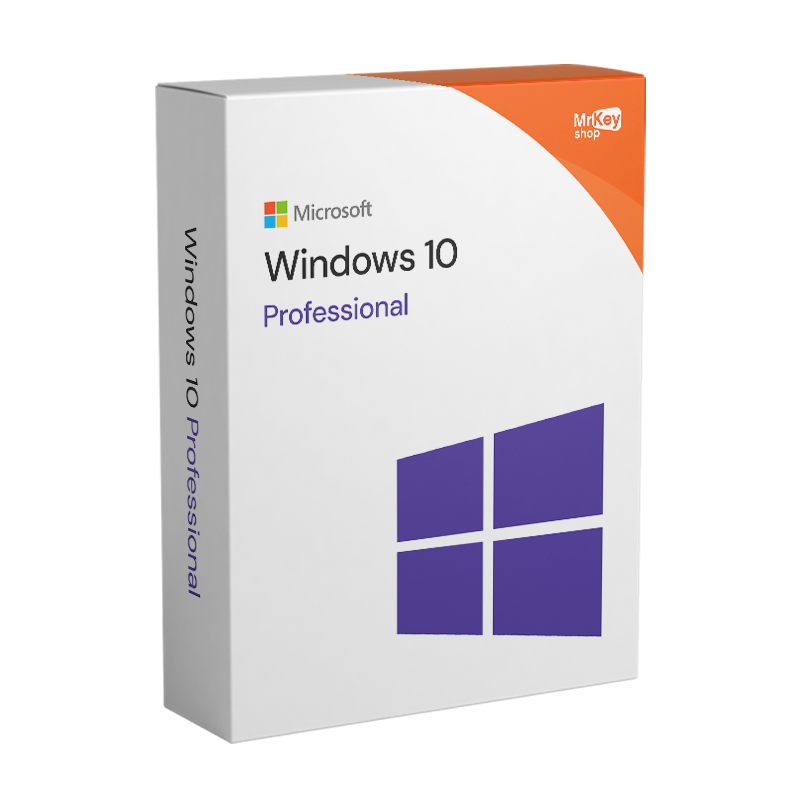






Important note:*Your original license at the right price |
The Windows 10 Professional license, often abbreviated as Windows 10 Pro, is the advanced version of Microsoft's operating system, designed for professionals, small businesses, and experienced users who need more control over their computers. It is not just an “enhanced” version of Home: it is a true professional tool that combines security, flexibility, and productivity in a single platform.
But what makes it special compared to the Home version? A lot, really a lot. With Pro, you get all the basic features of Windows 10, such as the Start menu, Cortana, universal apps, and multitasking. But in addition, powerful tools such as BitLocker for disk encryption, Remote Desktop Access, Hyper-V for virtualization, Group Policy Management, and Updates for Businesses.
So, if you handle sensitive data, work remotely, or simply want total control over your PC, Windows 10 Pro gives you the keys to the kingdom. It's designed to protect your work and make your day more efficient.
In short: if you use your PC for more than just browsing the internet and using Office, and you want professional tools, Windows 10 Pro is the right choice.
Buy Windows 10 Professional and combine it with the latest and most up-to-date package Office 2024 Home or an Office 2021 Professional Plus license. Before starting the installation of Windows 10 Pro, perform a full backup of the operating system and data with software for Windows 10 backup. For the security of your device we always recommend installing one of the best antivirus for Windows 10.
Demand for Windows 10 Professional remains very high. The answer lies in three factors: proven stability, universal hardware compatibility, and total control over system operations.
Windows 10 Pro is considered the most mature operating system ever released by Microsoft. After years of patches and refinements, it offers a work environment free of unexpected bugs.
Choosing the Professional version means protecting your intellectual capital with enterprise-level tools:
Windows 10 Pro is the perfect engine for modern Smart Working:

The switch to the Professional version is not just an “upgrade”; it is a paradigm shift in the management of your digital environment. At Mr Key Shop, we offer this license to provide you with tools that would normally require expensive external software.
In an age where personal and corporate data is the new gold, BitLocker is your safe. If your device is lost, the entire hard drive becomes a pile of unreadable data to anyone without the key. It is the ultimate protection against identity theft and industrial espionage.
The Pro version breaks down physical and hardware barriers:
Management features turn a simple user into a system administrator:
|
Category |
Feature |
Description and Key Benefit |
|
Data Protection |
BitLocker & BitLocker To Go |
Full encryption of internal disks and USB drives. Makes data unreadable if the device is stolen. |
|
Windows Information Protection (WIP) |
Protects company data by preventing accidental leaks through personal or social apps. |
|
|
Accessibility |
Remote Desktop (Host) |
Allows you to control your PC from anywhere in the world with a secure NLA connection and two-factor authentication. |
|
IT Control |
Group Policy Editor |
Centralized system management: block software installation, disable USB ports, and customize the user experience. |
|
Dedicated Systems |
Assigned Access (Kiosk Mode) |
Configure your PC to run only one application, ideal for point of sale, public terminals, or dedicated workstations. |
|
Hardware Security |
Device Guard & Secure Boot |
Blocks unauthorized software from running at the kernel level and protects the system startup from rootkits. |
The real-time protection of Windows Defender combined with cloud intelligence and BitLocker encryption creates an impenetrable defense. If ransomware attempts to encrypt your files, Windows 10 Pro offers native tools to block the action and protect critical folders.
With Zero-Latency Remote Management, Windows 10 Pro Remote Desktop Access is optimized for modern networks. Thanks to gpedit.msc, a small business owner can turn a normal PC into a secure work tool. Disabling the Control Panel or restricting access to network settings prevents accidental errors by employees, dramatically reducing IT maintenance costs.
|
Feature |
Strategic Advantage |
Use in 2026 |
|
Windows Update for Business |
Eliminate forced downtime. |
Schedule restarts outside of business hours and defer critical updates for up to a year. |
|
Hyper-V (Virtualization) |
Create isolated, secure environments. |
Test potentially dangerous software or install Linux without partitioning your disk. |
|
Azure Active Directory |
Centralized cloud management. |
Single sign-on (SSO) for Microsoft 365, Teams, and OneDrive with company credentials. |
Thanks to ring rollout management, an IT administrator or freelancer can test an update on a secondary PC before applying it to the main machine. This prevents system crashes due to last-minute software incompatibilities.
You don't need heavy and expensive third-party software. Hyper-V is built into the Windows 10 Pro kernel and allows you to:
Integration with Azure Active Directory is what makes Windows 10 Pro an “enterprise-ready” choice. It enables Single Sign-On (SSO): a single password to access your PC, email, and shared files on SharePoint, increasing security and reducing password management stress.
Still unsure whether to choose Windows 10 Home or Pro? Take a look at this table and decide for yourself:
|
Features |
Windows 10 Home |
Windows 10 Pro |
|
BitLocker |
❌ |
✅ |
|
Remote Access |
❌ |
✅ |
|
Group Policy Editor |
❌ |
✅ |
|
Hyper-V |
❌ |
✅ |
|
Assigned Access |
❌ |
✅ |
|
Azure AD |
❌ |
✅ |
|
Windows Update for Business |
❌ |
✅ |
The Home version is fine for those who use their PC to browse the web, watch Netflix, or write documents. But if you start working from home, manage multiple devices, or are concerned about security, the limitations of Home become apparent.
Windows 10 Pro, on the other hand, offers you professional tools, advanced security, and freedom of customization. It's an investment, yes, but one that's worth every penny if you really work with your computer.
Purchasing this license is not just an expense, but a strategic investment that gives you access to enterprise-level technology on a very limited budget. Investing in a professional license today means reducing long-term operating costs.& nbsp;
If you decide to replace your business PC, you can deactivate the license from the old device and reactivate it on the new one. You will never have to buy the operating system again.
Thanks to built-in features such as Hyper-V and Remote Desktop, you won't need to pay monthly subscriptions for third-party virtualization or remote control software. With a single initial purchase, you already have all the tools you need to manage a hybrid team or test new software.
The cost of a cyberattack can destroy a small business. The affordable price of Windows 10 Pro includes BitLocker and Windows Defender, providing a protective barrier that saves you from having to purchase additional encryption security suites.
When you purchase Windows 10 Professional 32/64 bit, you will receive the product directly via email within a few seconds, thus avoiding the environmental impact of shipping physical goods. Here's what the email contains:
Take your business to the next level with a solid and recognized partner in the original software licensing industry. With Mr Key Shop, you get access to exclusive price lists for resellers, special terms, and free professional support for you and your customers.
What's more, with MrKeyWallet, you can get extra credits on every top-up and further increase your margins: the more you invest, the more you earn. A system designed for those who really want to scale up.
Join the MKreseller programnow and discover all the benefits reserved for partners.
| Platform | Windows |
| Supported Operating Systems | Windows 10 |
| Processor | 1 GHz or faster processor or SoC |
| RAM | 1 Gb RAM (32-bit) or 2 Gb RAM (64-bit) |
| Hard disk | 16 Gb RAM (32-bit) or 20 Gb RAM (64-bit) |
| Graphic card | DirectX 9 or higher with WDDM 1.0 driver |
If you want to download Windows 10 Pro safely, quickly, and risk-free, buying from Mr Key Shop is the best choice. With your order, you will receive the official Microsoft download link for the operating system and step-by-step instructions to install and activate it without any problems. You can use the Media Creation Tool to create a bootable USB stick or download the official ISO file directly, which is also perfect for use on virtual machines or for burning to DVD. The download is free and completely legal: all you need for activation is a valid Product Key, which you will find included in your purchase. By relying on Mr Key Shop, you are guaranteed to download an authentic and up-to-date version of Windows 10 Pro, avoiding any risk associated with files compromised by viruses or malware from unofficial sites. Follow our quick and easy instructions and, in just a few steps, you'll have Windows 10 Pro ready to use, customized to your needs!

Installing Windows 10 Pro is fairly straightforward, whether you're doing a clean install or upgrading from the Home version. The most important thing? Make a complete backup of your data before you begin.
Here are the steps:
Customize your settings, connect your Microsoft account, and install updates.
In less than an hour (depending on your PC), you'll have a fresh installation of Windows 10 Pro, ready to work, create, and protect your data.
After installing Windows 10 Pro, the next essential step is to activate the system with a valid product key. This license key consists of 25 alphanumeric characters and is used to unlock all Pro features and ensure that the operating system is genuine and compliant. You can enter the key during installation, or afterwards by going to Settings > Update & Security > Activation and clicking on Change Product Key. Once you have entered and confirmed the key, Windows will attempt to activate itself automatically online. If you have upgraded from Home to Pro, the new Pro key will replace the previous one without the need to reinstall everything. Remember: activation is required to receive security updates and advanced features, and the only safe way to get a genuine key is to purchase from Microsoft or certified retailers.
1. What is Windows 10 Pro?
Windows 10 Pro is the advanced version of Microsoft's operating system, designed for professionals and businesses. It includes additional features compared to the Home version, such as network management tools, advanced security, and remote work support.
2. What are the main differences between Windows 10 Pro and Home?
Windows 10 Pro offers additional features such as:
3. Can I upgrade to Windows 10 Pro from the Home version?
Yes, you can upgrade from the Home version to the Pro version by purchasing a Windows 10 Pro product key. The upgrade does not result in any data loss.
4. Is Windows 10 Pro also suitable for home use?
Yes, but it is primarily designed for a professional environment. If you don't need features such as remote access or BitLocker, the Home version may be sufficient for you.
5. Can I use Windows 10 Pro on multiple devices with the same product key?
No, the product key is only valid for one device at a time.
6. How long will Windows 10 Pro be supported?
Microsoft will provide security updates for Windows 10 until October 14, 2025. After that date, it is recommended that you upgrade to a newer version of Windows.
7. Can I upgrade to Windows 10 Home?
No, it is not possible to upgrade directly to Windows 10 Home without completely reinstalling the operating system.
8. Does Windows 10 Pro include Office?
No, Office is not included with Windows 10 Pro. You can purchase an Office license, such as Office 2024 Professional Plus, separately to maximize your productivity.
Need more information? Contact us for personalized assistance!
9. Can I upgrade from Windows 10 Home to Pro without formatting my PC?
Yes, it's very simple. You don't need to reinstall everything: just go to Settings > Update & Security > Activation > Change product key and enter the Windows 10 Pro Product Key purchased from Mr Key Shop. The system will unlock the advanced features and automatically restart as the Pro version.
10. Is the Mr Key Shop license permanent (lifetime)?
Absolutely yes. All our licenses are Retail. This means that the license never expires and is linked to you, not to the hardware. If you change computers in the future, you can transfer your Windows 10 Pro license to the new device. Can I upgrade to Windows 11 Pro for free with this license?
Yes. If your PC meets Microsoft's minimum hardware requirements, the Windows 10 Pro license purchased from Mr Key Shop entitles you to a free upgrade to Windows 11 Pro. It's a great way to get the latest operating system while saving money.
12. What if I have problems with activation?
You will never be alone. Mr Key Shop offers free technical support in Italian. If you encounter an error or have questions about the procedure, our experts can guide you via chat or email until the problem is completely resolved.
13. Why buy Windows 10 Pro from Mr Key Shop today?
|
Advantage |
Details |
|
Savings |
Prices up to 80% lower than the official store. |
|
Reliability |
Over 4,000 excellent reviews on Trustpilot. |
|
Eco-Friendly |
100% digital: zero physical shipments, zero CO2 emissions. |
|
Legality |
Original retail licenses guaranteed in accordance with the law. |






 Chat with us
 Ita
Ita
 Eng
Eng
 Deu
Deu
 Esp
Esp
 Fra
Fra