


 Unfortunately your shopping cart is empty


 FAQs
FAQs
 Returns
 Chat with Us
 About Us

 Twitter
 LinkedIn
 Meta
Meta
 Copy Link


 $95.91
$106.57
$95.91
$106.57
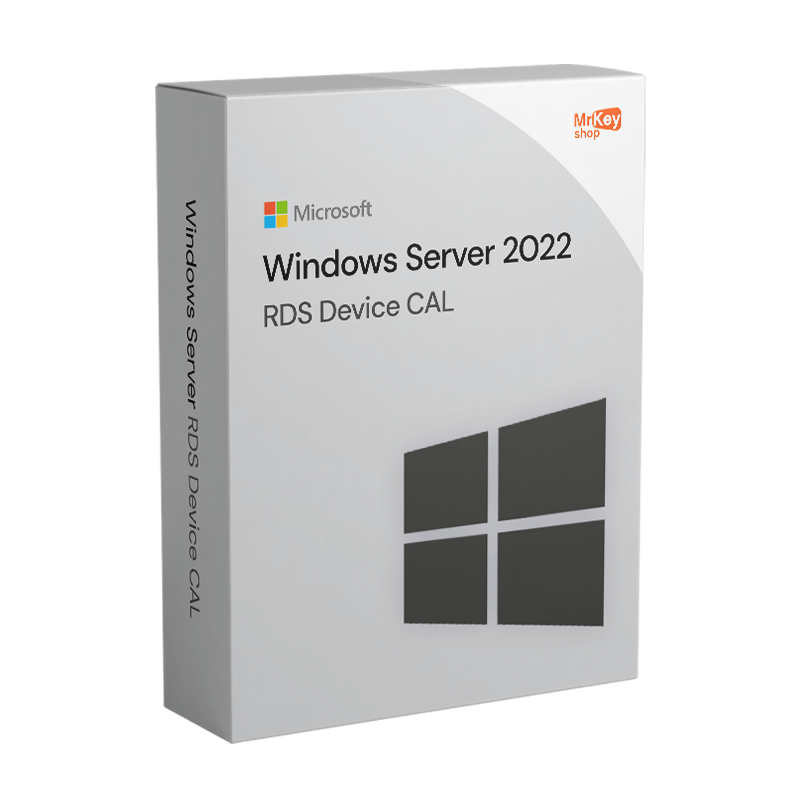





Mr Key Shop now offers Windows Server 2022 RDS DEVICE CAL licenses. Buy our RDS licenses for your business, save over the price list, and activate them right away with our digital delivery system that engages in a few seconds to let you get all you need directly in your inbox. You can immediately authorize your IT team and your customers for access to your remote server desktop via server, by using DEVICE licenses deployable on discrete devices. Your business deserves the best; only Mr Key Shop lets you save over the best digital software products and receive them in no time!
If your company owns a Windows Server 2022 instance running RDS, you can activate your RDS DEVICE CALS on the designed devices right away: place your order, pay via tracked methods with PayPal, Stripe, Amazon Pay, Apple and Google service, and more; right at the end of the transaction, you’ll get your recap email with all you need, namely your RDS license bundle (5, 10, 20, 50 units), clear and accurate instructions on how to activate and deploy them, as well as our full money back warranty. No waiting times! Once you get your email, you can proceed and activate the required licenses in no time, however, you can always count on our free English-speaking Customer Service!
Nowadays, Software Digital Delivery is a consolidated channel. It was not like this 18 years ago, however, when Mr Key Shop started its business focusing 100% on the digital market. We’ve been among the first companies that adopted the Digital Delivery model and our clients have trusted us since day one. Over 350k users have been satisfied with our service, rated "Excellent" on TrustPilot. We’re your best choice for Server 2022 RDS DEVICE CAL products.
With us, you’ll always experience a positive customer journey: a simple checkout process, instant email delivery, and all the warranties only a reliable and professional store can offer. Timeliness and reliability are our keywords and Mr Key Shop’s catalog only includes Premium-grade products, selected for you by our professionals, with 100% genuine and guaranteed licenses, as well as unmatched prices. These are the benefits from Mr Key Shop, your one-stop shop for the digital world.
We know how valuable time can be for your company. This is a rare and precious asset, for this reason, we went all-in with timeliness in our service. Digital distribution allows us to process orders in real-time: once you complete your checkout, you’ll immediately get what you purchased, with no downtime. You’ll be able to activate the required Windows Server 2022 RDS DEVICE CALs in no time. Our team of experts is consistently at work to offer you premium service: from convenient and secure checkout processes to instant delivery, plus a competitive price list and the complete warranty of authenticity and quality for each digital license you can find in Mr Key Shop’s catalog.
You’ll save time and money, but our digital culture is also bound to the ecological ethics that help us achieve a crucial objective: safeguarding the environment. We have ditched the physical transport system since Mr Key Shop’s inception, only relying on digital delivery. Such a model ensures competitive prices and optimal delivery times and, especially, removes pollution and waste from the equation. Mr Key Shop is a 100% Eco-Friendly company.
Once you complete your transaction, you’ll get a recap email for your Windows Server 2022 RDS DEVICE CAL order, including:
Windows Operating Systems: Windows 11 - Windows 10 - Windows 8 - Windows 7
Microsoft Office packages: Office 2024 - Office 2021 - Office 2019 - Office 2016 - Office 2013 - Office 2010 - Office for MAC - Microsoft 365 - Office App - Visual Studio - Project - Access - Visio - Outlook - Word - Excel - PowerPoint
Antivirus: Kaspersky - ESET - McAfee - Avast -Bitdefender - Norton - AVG - Acronis - Surfshark- IObit - Watchdog - Panda - Server Antivirus
VPN: HMA VPN - NordVPN - Surfshark - Cyberghost
Microsoft Server: Server 2025 - Server 2022 - Server 2019 - Server 2016 - Server 2012 - Storage Server 2016 - Storage Server 2012 - Server CAL - RDS CAL Server - SQL Server
Utilities: PDF converters - Disk Cleanup - Data Management - Screen Recorder - Invoicing Software - Backup Software - Data Recovery - Disk Partitioning - Deployment - 3D Modeling - Remote Desktop - Editing -Video Converter - Virtualization - Graphics
CAD: Autodesk - ZWSOFT – Rhino 3D - Ashampoo
Bundle: Software for Creators - Software for Gamers - Software for the Family - Software for Smart Working - Software Bundle for SMEs & Startups - Software bundle for students
Take your business to the next level with a solid and recognized partner in the original software licensing industry. With Mr Key Shop, you get access to exclusive price lists for resellers, special terms, and free professional support for you and your customers.
What's more, with MrKeyWallet, you can get extra credits on every top-up and further increase your margins: the more you invest, the more you earn. A system designed for those who really want to scale up.
Join the MKreseller programnow and discover all the benefits reserved for partners.
|
Requirement |
Details |
|
Compatible server |
Windows Server 2022 with the Remote Desktop Services role enabled |
|
Licence type |
RDS Device CAL: one specific device, unlimited users |
|
Alternative |
RDS User CAL: one named user, unlimited devices |
|
RDS licence server |
Required: the same RDS server or a dedicated server within the infrastructure |
|
Licence server activation |
Prerequisite prior to CAL registration (online or by telephone) |
|
Supported client devices |
Windows, macOS, Linux, iOS, Android with a compatible RDP or RemoteApp client |
|
Assignment period |
The Device CAL remains assigned to the device for 52–89 days before being released |
|
Version compatibility |
RDS Device CAL 2022 provides backwards compatibility for RDS sessions on earlier versions |
|
Support status |
Windows Server 2022 is under extended support until 14 October 2031 |
Windows Server 2022 RDS Device CAL does not require an installation file on the client device: it is a licence that grants a specific machine the right to open Remote Desktop Services sessions on Windows Server 2022, regardless of how many users access it from that terminal. After purchasing from Mr Key Shop, you will receive the product key and documentation via email. Registration takes place on the RDS server via the Remote Desktop Services Licence Manager console; the client device requires no additional configuration.
Before registering the Device CALs, the Remote Desktop Services role must be active on the server and the Remote Desktop Licensing Server must have been activated; it may reside on the same machine that provides the RDS services or on a dedicated server within the infrastructure. Once operational, RDS Device CALs are automatically assigned to client devices upon their first RDS connection, until the number of registered licences is exhausted. Each Device CAL is tied to the device that acquired it: the licence remains assigned to that terminal for a period of 52–89 days before it can be released and reassigned.
In the RDS Licence Manager, launch the licence installation wizard, select the programme type corresponding to your purchase and enter the product key received via email. The wizard registers the CALs on the licence server and immediately updates the counter for authorised devices. File the product key in your organisation’s compliance documentation: it will be required in the event of a licence server replacement, RDS infrastructure migration or an audit. RDS Device CALs for Windows Server 2022 are backwards compatible and cover RDS sessions even on servers running earlier versions of the operating system.
|
Feature |
RDS Device CAL |
RDS User CAL |
|
Authorises |
A specific device |
A named user |
|
Users per licence |
Unlimited |
One |
|
Devices per licence |
One |
Unlimited |
|
Assignment period |
52–89 days prior to issue |
Permanent named assignment |
|
Ideal scenario |
Shared terminals, shift-based workstations |
Users with multiple personal devices |


 $95.91
$106.57
$95.91
$106.57
 $84.19
$133.21
$84.19
$133.21
 $213.15
$255.78
$213.15
$255.78
 $223.81
$266.44
$223.81
$266.44
 $94.85
$133.21
$94.85
$133.21

 Chat with us
 Ita
Ita
 Eng
Eng
 Deu
Deu
 Esp
Esp
 Fra
Fra