


 Unfortunately your shopping cart is empty


 Returns
 Chat with Us
 About Us
 My Orders

 Twitter
 LinkedIn
 Meta
Meta


 £77.50
£86.12
£77.50
£86.12

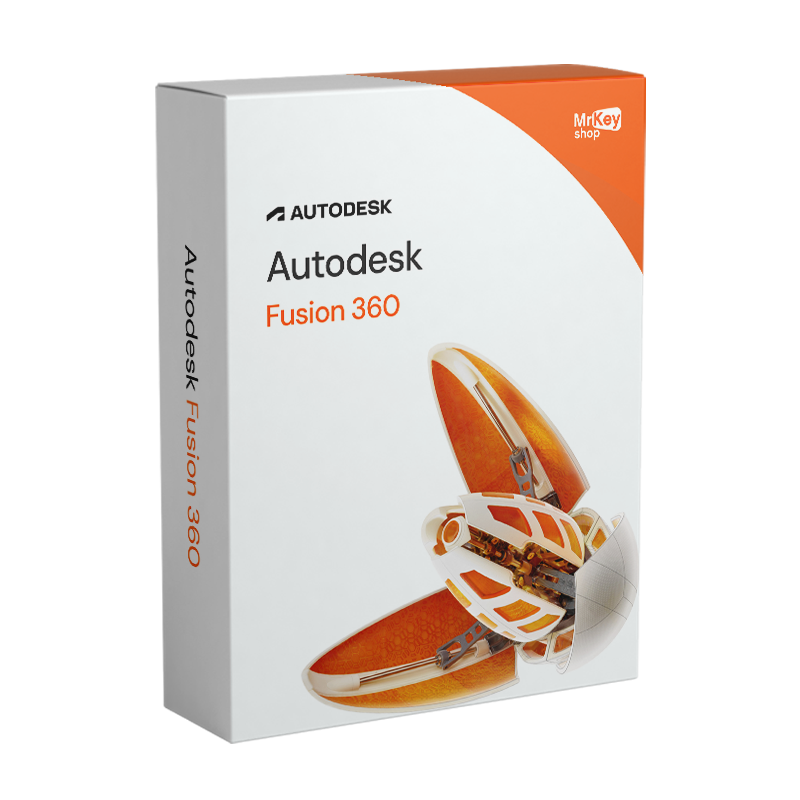





 Before purchasing, please read this important information
Other sellers on Mr Key Shop
Important note:This is an Autodesk Fusion 360 Educational version, which can only be used for educational and personal purposes. It includes all the features of the commercial version, without watermarks or references to “Educational” in exported or printed files.Simplified activation: your Autodesk Fusion 360 will be automatically linked to the email address you entered at the time of purchase. Need to use a different email address? No problem, just write to us and we'll help you! Delivery time: the licence to activate the software will be sent to you within a few minutes. During busy periods, delivery may take up to 18 hours on weekdays and up to 48 hours on weekends. |
Buy your Autodesk Fusion 360 licence for Windows from Mr Key Shop and get access to the full version of the software, ideal for training, teaching and personal learning.
With integrated CAD, CAM and CAE tools, Fusion 360 allows you to explore every stage of design: from initial concept to simulation and production, all in a single environment.
Mr Key Shop offers you secure transactions, immediate digital delivery and free multilingual technical support. What's more, thanks to our money-back guarantee, you can purchase with complete peace of mind, knowing that every licence is 100% original and verified.
Autodesk Fusion 360 offers all the features of the commercial version, allowing you to learn and work in a professional and comprehensive 3D design environment.
Here are some of the features that make this software a benchmark for technical and creative training:
With Fusion 360, you can learn how to manage a real professional workflow, from design to prototyping, developing real skills that you can apply in the workplace.
With Autodesk Fusion 360, you can experience the full software used by engineers, designers and manufacturers around the world, with no feature limitations.
Design, simulate and build complex 3D models in a single cloud platform that combines parametric modelling, surfaces, rendering, simulation and mechanical manufacturing.
Perfect for students and teachers who want to experience 3D design in a realistic way, Fusion 360 allows you to:
Choosing Mr Key Shop for your Autodesk Fusion 360 means relying on a trusted and certified partner with over 18 years of experience in distributing original and guaranteed software. Each licence is verified, secure and delivered quickly directly via email, so you can start working on your projects immediately without waiting or shipping costs.
At Mr Key Shop, you can always shop with complete peace of mind: transactions are protected by advanced security protocols and you can pay in 3 instalments with PayPal, as well as with credit cards, Stripe, Apple Pay and Google Pay. All products are covered by a satisfaction or money-back guarantee and Trusted Shops protection up to £2,500, offering you a completely transparent shopping experience.
If you encounter any difficulties during activation or installation, our free support service is available in Italian and English, ready to guide you step by step, even remotely.
In addition to Fusion 360, you can enhance your setup with complementary solutions such as Microsoft Office 2024 Standard to manage projects and reports, or SwifDoo PDF and AOMEI Backupper Professional to work more efficiently and securely. Furthermore, by choosing Mr Key Shop, you are also contributing to a more sustainable digital consumption model: electronic delivery eliminates unnecessary packaging and transport, reducing environmental impact and promoting the eco-friendly distribution of software.
Take your business to the next level with a solid and recognized partner in the original software licensing industry. With Mr Key Shop, you get access to exclusive price lists for resellers, special terms, and free professional support for you and your customers.
What's more, with MrKeyWallet, you can get extra credits on every top-up and further increase your margins: the more you invest, the more you earn. A system designed for those who really want to scale up.
Join the MKreseller programnow and discover all the benefits reserved for partners.
|
Requirement |
Specification |
|
Operating system |
Windows 10 (64-bit, version 1909 or later), Windows 11 (64-bit) |
|
Processor |
Intel Core i-series or AMD Ryzen, 64-bit, 2.4 GHz or higher |
|
RAM |
Minimum 4 GB (8 GB recommended) |
|
Disk space |
8.5 GB for installation; additional space for project files |
|
Graphics card |
Dedicated GPU with 1 GB VRAM (4 GB recommended); DirectX 11 required |
|
Screen resolution |
1280 × 1024 minimum |
|
Internet connection |
Required for activation, updates and cloud synchronisation |
|
Additional software |
Autodesk Desktop App for managing updates |
After completing your purchase on Mr Key Shop, your Autodesk Fusion 360 Personal licence will be automatically linked to the email address provided during the order.
If you wish to use a different email address, you can contact our free technical support: we will update the details ourselves and assist you through every step of the activation process.
The process is quick and completely digital: no physical media or codes to enter manually are required, and your licence will be ready to use in just a few minutes.
Once your account is activated, you can access your Autodesk personal area and directly download the installation files for Fusion 360.
The software is available for Windows and is easy to install by following the instructions provided during the initial setup.
During busy periods, delivery of the link and activation details may take up to 6 hours on weekdays or 48 hours on weekends, but the licence is always authentic, tracked and verified.
Thanks to digital delivery, you won't have to wait for physical shipments or deal with unnecessary media: a fast, secure and eco-friendly method that reduces environmental impact and allows you to start working right away.
What do I get when I purchase from Mr Key Shop?
When you purchase Autodesk Fusion 360 Personal from Mr Key Shop, you receive an original and verified licence, valid for personal and educational use.
Activation takes place via the email address provided during the order and includes the right to download the complete software directly from the Autodesk personal area. Free technical support in Italian and English is also included for assistance with installation and configuration.
What is the difference between the Personal and Commercial versions?
The Personal version is intended for students, teachers and educational institutions and may only be used for educational and personal purposes, not for professional or productive activities.
It offers the same technical features as the Commercial version, without limitations, watermarks or visible references to the educational version in exported or printed files.
How do I activate Fusion 360 Personal?
After purchase, the licence is automatically linked to the email address provided during the order process.
You will receive instructions on how to access your Autodesk account and complete the activation. If you wish to use a different email address, you can contact Mr Key Shop support to update the details associated with the licence.
Where can I download the installation programme?
The download is available directly from the Autodesk personal area, which can be accessed after verification and activation of the account.
From there, you can download the installation package and install Fusion 360 Personal by following the guided procedure.
How long does the Autodesk Fusion 360 Personal licence last?
Depending on the plan you choose, the licence is valid for 1 year or more from the date of activation. When it expires, you can renew it by purchasing a new Personal licence, keeping your projects and settings saved in the Autodesk cloud.
Can I install Fusion 360 Personal for Windows on multiple devices?
Yes. You can install the software on multiple devices using the same Autodesk account. Your projects will remain synchronised in the cloud, so you can work from anywhere.


 £77.50
£86.12
£77.50
£86.12
 £94.73
£416.83
£94.73
£416.83
 £68.03
£129.18
£68.03
£129.18
 £68.03
£107.65
£68.03
£107.65

 Chat with us
 Ita
Ita
 Eng
Eng
 Deu
Deu
 Esp
Esp
 Fra
Fra