


 Unfortunately your shopping cart is empty


 Returns
 Chat with Us
 About Us
 My Orders

 Twitter
 LinkedIn
 Meta
Meta



 $94.85
$266.44
$94.85
$266.44






```html

|
Delivery Information The Stellar Repair for Excel product key will be delivered via email within 6/12 hours after purchase, with complete instructions for download and activation. |
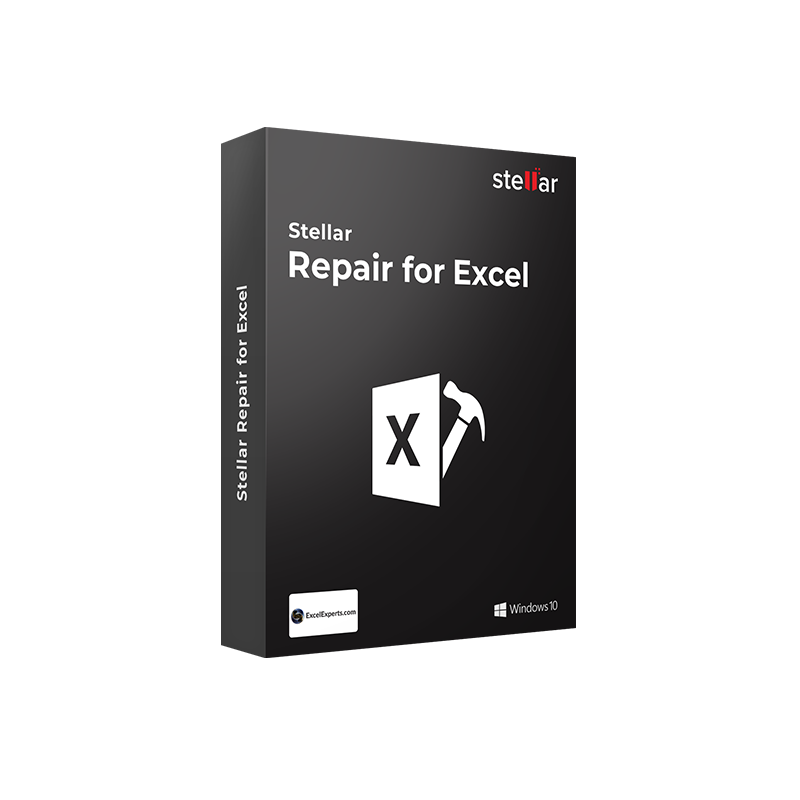
A Stellar Repair for Excel license means working with greater peace of mind. Because an error message when opening Excel is not just a technical inconvenience. When the file contains the quarterly budget, a financial model with hundreds of interconnected formulas, or project data worked on for weeks, file corruption becomes a real operational issue. Excel’s native "Open and Repair" function modifies the original file and often fails on severe damage. Stellar Repair for Excel goes where Excel stops: it analyzes the corrupted file object by object, isolates the corruption, repairs the damage, and returns the file as a new error-free document without altering the original file.
The software recovers all worksheet elements: tables and numeric data, pivot tables, charts and chart sheets, cell comments, images, engineering formulas, sorting and filtering functions, hidden sheets and columns, conditional formatting, subtotals and groups, hyperlinks, and worksheet properties. It supports XLS, XLSX, XLSM, XLTM, and XLTX formats and all Microsoft Excel versions from 2000 to 2021 and Microsoft 365, on Windows XP, Vista, 7, 8, 8.1, 10, and 11.
|
Area |
Features |
|
Supported formats |
XLS, XLSX, XLSM, XLTM, XLTX |
|
Excel versions |
Excel 2000, 2003, 2007, 2010, 2013, 2016, 2019, 2021, Microsoft 365 |
|
Recovered elements |
Tables and numeric data, pivot tables, charts, chart sheets, cell comments, images, engineering formulas, sorting and filtering functions, hidden sheets and columns, conditional formatting, subtotals, groups, hyperlinks |
|
Formatting preserved |
Colors, shapes, borders, cell formatting, worksheet properties, 100% database integrity maintained |
|
Batch repair |
Simultaneous repair of multiple Excel files in a single process |
|
File search |
Automatic location of all Excel files on the disk through Find File, Search File, and Search Folder functions |
|
Preview before saving |
View the repaired Excel file with all its objects before saving |
|
Save as new file |
The repaired file is saved as a new document, the original file remains intact |
|
Partial saving |
Option to save partial or complete data from the preview window |
|
Non-destructive |
No changes to the original file during the repair process |
Choosing Mr Key Shop means purchasing an original software license with the guarantee that it is authentic, activatable through official Stellar channels, and supported by free technical assistance in Italian, from purchase to usage. The Stellar Repair for Excel product key is delivered via email within 6/12 hours after the order. You can pay using major digital payment methods, PayPal (also in 3 interest-free installments), credit and debit cards, Stripe, Amazon Pay, Apple Pay, and Google Pay, all secured with SSL encryption. Trusted Shops certification and an "Excellent" Trustpilot rating confirm the reliability of the service, with purchase protection up to €2,500 per order.
Stellar Repair for Excel is the tool that steps in when a worksheet stops opening, and it is worth building a stable working environment around it. The Windows 11 Pro license brings hardware-level security optimizations to business workstations, Secure Boot, TPM 2.0, and updated Windows Defender, significantly reducing the risk of file corruption caused by malware or system crashes. For workstations still running Windows 10, the Windows 10 Pro product key provides a stable and proven platform, fully compatible with all versions of Stellar Repair for Excel. The Office 2024 Professional Plus license includes Excel 2024, the latest spreadsheet version that Stellar Repair for Excel can repair, along with Word, PowerPoint, Outlook, and Access for a complete business productivity suite. For teams working with shared workbooks in the cloud, the Microsoft 365 Business Standard subscription adds Excel Online, Teams, and SharePoint, with 1 TB of OneDrive storage to archive repaired files and backups of previous versions. The privacy of business data contained in Excel sheets, financial statements, projections, customer data, is protected by CyberGhost VPN, which encrypts traffic on unsecured networks during the sharing of sensitive files. Those working with data extracted from repaired Excel files will find in Power BI Premium the Microsoft platform to transform recovered data into dashboards and operational reports. For technical documentation and analysis reports in PDF, AWZ Screen Recorder Pro allows recording of work sessions on Windows screens or creating operational tutorials. Technical professionals combining data management with CAD design will find in Autodesk AutoCAD LT Commercial the tool for 2D technical drawing, with project files and associated data to be kept intact with the same care as Excel spreadsheets. Zero logistics, zero waiting: purchase, receive the product key via email, activate.
```
Take your business to the next level with a solid and recognized partner in the original software licensing industry. With Mr Key Shop, you get access to exclusive price lists for resellers, special terms, and free professional support for you and your customers.
What's more, with MrKeyWallet, you can get extra credits on every top-up and further increase your margins: the more you invest, the more you earn. A system designed for those who really want to scale up.
Join the MKreseller programnow and discover all the benefits reserved for partners.
|
Requirement |
Specifications |
|
Operating system |
Windows 11, 10, 8.1, 8, 7, Vista, XP (32 and 64 bit) |
|
Processor |
Intel compatible (x86, x64) |
|
RAM |
1 GB minimum (2 GB recommended for large files) |
|
Disk space |
5.7 MB for installation; additional space required for repaired Excel files |
|
Microsoft Excel |
Excel 2000, 2003, 2007, 2010, 2013, 2016, 2019, 2021, Microsoft 365 |
|
Internet connection |
Required for activation and updates |
|
Notes |
The original file is not modified during the repair process. The repaired file is saved as a new document in a user-selected location |
Stellar Repair for Excel is available for direct download from the official website. The software is compatible with Windows XP, Vista, 7, 8, 8.1, 10, and 11, both 32-bit and 64-bit, and supports all Microsoft Excel versions from 2000 to 2021 and Microsoft 365. The installation file size is approximately 5.7 MB.
To install Stellar Repair for Excel on Windows:
At launch, the software presents options to select the Excel file, single file, disk search, or folder selection, and automatically starts the scanning process.
To activate Stellar Repair for Excel:
With an active license, the following features are available without limitations: batch repair of multiple files, full saving of repaired data into a new Excel file, and access to all recovered objects in the preview. Keep the product key noted: it will be required in case of reinstallation or workstation change.
Stellar Repair for Excel is a tool designed to repair corrupted or damaged XLS, XLSX, XLSM, XLTM, and XLTX files on Windows. It recovers tables, pivot tables, charts, formulas, hidden sheets, conditional formatting, and all other worksheet objects, saving the result in a new Excel file without modifying the original. It supports Excel 2000–2021 and Microsoft 365.
Excel’s native feature modifies the original file during the repair attempt; if the process fails or produces partial results, the original file may be compromised. Stellar Repair for Excel analyzes the original file without modifying it, isolates corruption object by object, and saves the result in a new file, eliminating the risk of further data loss.
Yes. Pivot tables are among the elements recovered by the software, along with charts, chart sheets, engineering formulas, sorting and filtering functions, conditional formatting, subtotals, and groups.
Yes. Stellar Repair for Excel repairs and recovers all hidden sheets and columns in the original file, preserving the document structure as it was.
Yes. The software supports Excel files created with Microsoft 365 in XLSX, XLSM, XLTM, and XLTX formats.
Yes. The batch repair feature allows you to select multiple files, even in different formats such as XLS and XLSX, and repair them in a single process.
No. The software works in a non-destructive way: the original file remains intact throughout the scanning and repair process. The repaired file is saved as a new document in a location chosen by the user.
If the Excel file has been deleted or is no longer present on the disk, you need a data recovery tool such as Stellar Data Recovery. Stellar Repair for Excel only works on files that exist but are inaccessible or corrupted. If you also need to repair Word, PowerPoint, and PDF files in addition to Excel, consider Stellar Toolkit for File Repair, which includes Stellar Repair for Excel along with other Office repair tools.
|
Criteria |
Stellar Repair for Excel |
Kernel for Excel |
DataNumen Excel Repair |
|
XLS and XLSX formats |
✅ Yes |
✅ Yes |
✅ Yes |
|
Pivot tables |
✅ Yes |
✅ Yes |
✅ Yes |
|
Charts and chart sheets |
✅ Yes |
✅ Yes |
Partial |
|
Hidden sheets and columns |
✅ Yes |
✅ Yes |
✅ Yes |
|
Conditional formatting |
✅ Yes |
Partial |
Partial |
|
Preview before saving |
✅ Yes |
✅ Yes |
❌ No |
|
Non-destructive |
✅ Yes |
✅ Yes |
✅ Yes |
|
Batch repair |
✅ Yes |
✅ Yes |
✅ Yes |
|
Italian interface |
✅ Yes |
Partial |
❌ No |


 $298.41
$319.73
$298.41
$319.73



 Chat with us
 Ita
Ita
 Eng
Eng
 Deu
Deu
 Esp
Esp
 Fra
Fra