


 Unfortunately your shopping cart is empty


 FAQs
FAQs
 Returns
 Chat with Us
 About Us

 Twitter
 LinkedIn
 Meta
Meta
 Copy Link



 €61.99
€108.99
€61.99
€108.99





|
Information Product key delivered via email. During busy periods, delivery may take up to 12 hours on weekdays and up to 24 hours at weekends. |
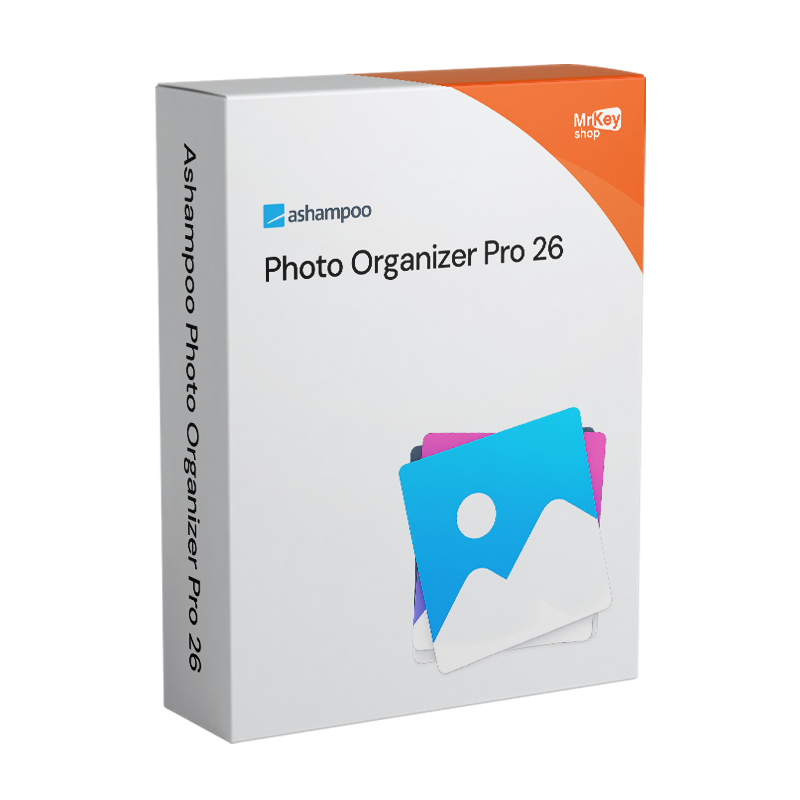
Purchasing a licence for Ashampoo Photo Organizer Pro 26 is the choice for anyone managing extensive photo collections – thousands of shots accumulated over time from smartphones, cameras, SD cards, cloud backups and various devices – and who needs a tool dedicated to cataloguing, organising and selecting images, distinct from photo editors focused on visual enhancement. Version 26 introduces a folder tree view: photos are displayed exactly as they are organised in the operating system’s file system, with the familiar hierarchical folder structure that allows you to navigate instantly without having to learn a new organisational system. For those who already keep their archives in well-structured folders organised by year, event or project, this navigation method is intuitive and requires no migration or reorganisation of existing material. Photos are never moved or duplicated: they remain in their original locations on the disk and are displayed directly within the interface, with instant viewing without the need for prior import.
Version 26 introduces two significant new features for those managing archives spread across multiple sources. The first is WebDAV cloud integration: photos stored on Nextcloud, ownCloud, pCloud and other services compatible with the WebDAV protocol are now accessible directly within the programme’s interface, alongside local files and the existing integrations with Dropbox and OneDrive. The second is batch processing for tags and geolocations: you can apply tags or update the location of dozens of photos in a single operation, which is useful for assigning the same location to all the photos from a trip or adding keywords to an entire photo session. Automatic import from cameras, SD cards and USB sticks recognises files already present in the library and skips them, preventing duplicates. The quality detection engine automatically identifies the best shot in a series of similar photos, which is useful for selecting the file to keep without having to manually compare each image. Smart albums automatically organise photos by location, camera, keywords and rating without any manual intervention.
|
Feature |
Details |
|
Version |
Ashampoo Photo Organizer Pro 26 (26.1.8) |
|
Developer |
Ashampoo GmbH & Co. KG |
|
Licence type |
Perpetual, one-off purchase, no recurring fees |
|
Supported platforms |
Windows, macOS, Android |
|
Folder tree view |
Yes, classic hierarchical file system structure (new in v.26) |
|
WebDAV cloud integration |
Yes, Nextcloud, ownCloud, pCloud, plus Dropbox and OneDrive (new in v.26) |
|
Batch processing of tags and locations |
Yes, apply tags and locations to multiple photos simultaneously in a single operation (new in v.26) |
|
Automatic import with deduplication |
Yes, cameras, SD, USB, automatic detection and skipping of duplicates (improved in v.26) |
|
Smart albums |
Yes, automatic sorting by location, camera, keywords, rating |
|
Best shot selection |
Yes, automatic identification of the highest-quality photo in a series |
|
Duplicate detection |
Yes, identification and management of duplicate files in the archive |
|
Metadata management |
Yes, EXIF, IPTC, XMP sidecar, batch renaming with custom patterns |
|
Supported formats |
JPG, PNG, WebP, RAW (Canon CR2, Nikon NEF and others), lossless rotation |
|
Geotagging |
Yes, view location on a map, filter by location |
|
View |
Snapshot without import, files remain in their original locations |
Every licence sold on Mr Key Shop is genuine and guaranteed: buying Ashampoo Photo Organiser Pro 26 means receiving an original Ashampoo perpetual licence directly via email, with no physical delivery or waiting times. 100% digital: buy it, receive it by email, and activate it straight away. Payments are processed via a secure SSL connection using PayPal (including interest-free instalments over 3 payments), Stripe, Amazon Pay, Apple Pay, Google Pay, and credit and debit cards. For the main Windows machine on which Photo Organizer runs, the Windows 11 Pro licence ensures the most up-to-date and compatible platform. Those managing established workstations will find that the Windows 10 Pro product key a stable and fully supported platform. To store and synchronise your entire photo library to the cloud with 1 TB of storage, the subscription Microsoft 365 Personal includes OneDrive as one of the cloud destinations supported by Photo Organiser Pro 26. For office productivity on the same device, the suite Office 2024 Home & Business includes Word, Excel, PowerPoint and Outlook with a perpetual licence. To protect your browsing and cloud transfers over unsecured networks,CyberGhost VPN encrypts traffic across all devices. For managing PDFs of photography contracts and client documentation, Nitro PDF covers conversion, annotation and digital signatures. To back up your photo library before carrying out batch reorganisation operations, AOMEI Backupper Workstation provides snapshots and quick recovery. To record tutorials or demonstrations of the cataloguing workflow, AWZ Screen Recorder Pro captures the screen in high quality. For professional photographers who combine cataloguing with 3D modelling, the licence Autodesk 3ds Max Commercial is available from the same store with the same guarantees.
Once your purchase is complete, you’ll receive everything you need via email to start organising your photos straight away. Here’s what your licence includes:
Windows Operating Systems: Windows 11 - Windows 10 - Windows 8 - Windows 7
Microsoft Office packages: Office 2024 - Office 2021 - Office 2019 - Office 2016 - Office 2013 - Office 2010 - Office for MAC - Microsoft 365 - Office App - Visual Studio - Project - Access - Visio - Outlook - Word - Excel - PowerPoint
Antivirus: Kaspersky - ESET - McAfee - Avast -Bitdefender - Norton - AVG - Acronis - Surfshark- IObit - Watchdog - Panda - Server Antivirus
VPN: HMA VPN - NordVPN - Surfshark - Cyberghost
Microsoft Server: Server 2025 - Server 2022 - Server 2019 - Server 2016 - Server 2012 - Storage Server 2016 - Storage Server 2012 - Server CAL - RDS CAL Server - SQL Server
Utilities: PDF converters - Disk Cleanup - Data Management - Screen Recorder - Invoicing Software - Backup Software - Data Recovery - Disk Partitioning - Deployment - 3D Modeling - Remote Desktop - Editing -Video Converter - Virtualization - Graphics
CAD: Autodesk - ZWSOFT – Rhino 3D - Ashampoo
Bundle: Software for Creators - Software for Gamers - Software for the Family - Software for Smart Working - Software Bundle for SMEs & Startups - Software bundle for students
Take your business to the next level with a solid and recognized partner in the original software licensing industry. With Mr Key Shop, you get access to exclusive price lists for resellers, special terms, and free professional support for you and your customers.
What's more, with MrKeyWallet, you can get extra credits on every top-up and further increase your margins: the more you invest, the more you earn. A system designed for those who really want to scale up.
Join the MKreseller programnow and discover all the benefits reserved for partners.
|
Component |
Requirement |
|
Operating system (desktop) |
Windows 11 / 10 (x64), macOS |
|
Operating system (mobile) |
Android |
|
Installation |
Via the Ashampoo App (required for installation on Windows) |
|
System rights |
Full administrative rights required on Windows |
|
Internet connection |
Required for activation, periodic verification and access to cloud sources |


 €279.99
€299.99
€279.99
€299.99
 €79.99
€191.99
€79.99
€191.99
 €108.99
€249.99
€108.99
€249.99


 Chat with us
 Ita
Ita
 Eng
Eng
 Deu
Deu
 Esp
Esp
 Fra
Fra