


 Unfortunately your shopping cart is empty


 Returns
 Chat with Us
 About Us
 My Orders

 Twitter
 LinkedIn
 Meta
Meta



 £68.03
£129.18
£68.03
£129.18







|
Information Product key delivered via email. During peak periods, delivery may take up to 12 hours on weekdays and up to 24 hours at weekends. |
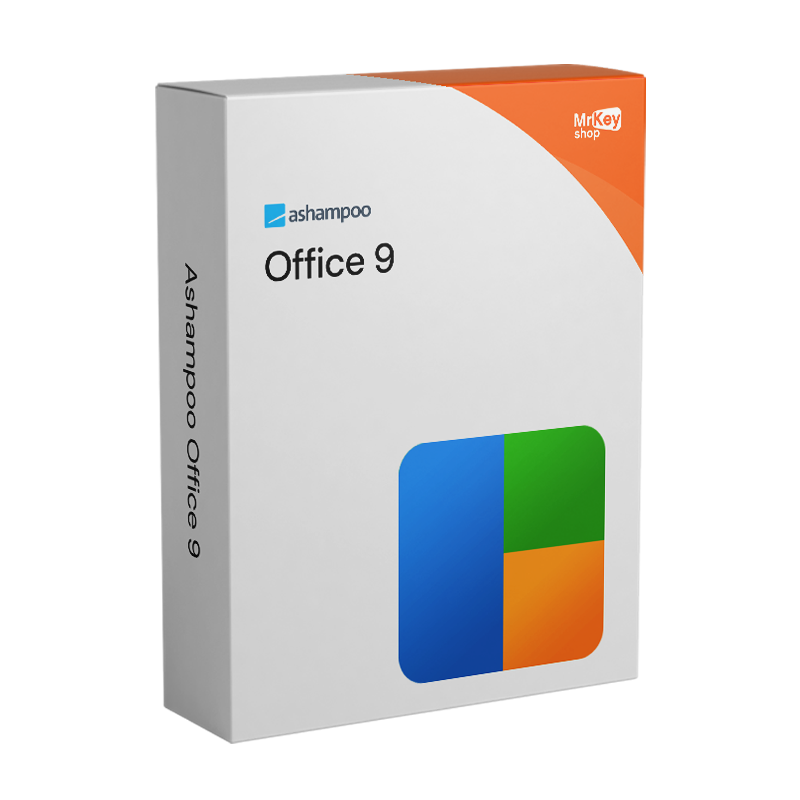
Purchasing a licence for Ashampoo Office 9 means choosing a comprehensive office suite that is compatible with Microsoft Office formats, without paying a monthly or annual subscription fee and without being tied to a cloud service. Compatibility with DOCX, XLSX and PPTX formats is one of the suite’s key strengths: documents created with Ashampoo Office 9 can be opened and edited in Microsoft Word, Excel and PowerPoint without any conversion issues, and vice versa. This two-way compatibility is essential for anyone who works or collaborates with colleagues, clients or organisations that use Microsoft Office: files are exchanged seamlessly, formatting is preserved, and presentations open correctly on any PC running PowerPoint. Version 9 has further enhanced this aspect with the introduction of dynamic slide transitions specifically designed for PowerPoint compatibility and an improved multilingual spell-checker that works consistently across all three modules of the suite.
One of the features that sets Ashampoo Office 9 apart from most free or online competitors is the choice to store files locally, on the user’s PC, without requiring a cloud account or an internet connection to work. Documents remain under the user’s direct control, with no reliance on third-party services to access or edit them. The interface offers two working modes: the modern Microsoft Office-style ribbon for those accustomed to that navigation logic, and the classic menu and toolbar interface for those who prefer the traditional layout; both provide full access to all the suite’s features. The home licence covers up to 5 PCs with a single activation key, making it the natural choice for families who want to equip every device with a complete office suite. For commercial use, however, the licence applies to a single installation per workstation.
|
Feature |
Details |
|
Version |
Ashampoo Office 9 |
|
Developer |
Ashampoo GmbH & Co. KG |
|
Licence type |
Perpetual, one-off purchase, no recurring fees |
|
Devices (home use) |
Up to 5 PCs with a single licence |
|
Devices (commercial use) |
1 PC per licence |
|
Supported systems |
Windows 11, 10 (x64) |
|
Word processing module |
Write, an alternative to Microsoft Word, native DOCX format |
|
Spreadsheet module |
Calculate, an alternative to Microsoft Excel, native XLSX format |
|
Presentation module |
Present, an alternative to Microsoft PowerPoint, native PPTX format |
|
Format compatibility |
DOCX, XLSX, PPTX, PDF, ePub, SQLite, dBase, WEBP and others |
|
Slide transitions |
Dynamic and compatible with PowerPoint (new in v.9) |
|
Spell check |
Enhanced multilingual support across all modules (new in v.9) |
|
Document comparison |
Yes, with synchronised scrolling in Write (new in v.9) |
|
Interface |
Modern Ribbon or classic menu bar, user’s choice |
|
Storage |
Local on the PC, no mandatory cloud storage |
Every licence sold on Mr Key Shop is genuine and guaranteed: buying Ashampoo Office 9 means receiving an original Ashampoo perpetual licence directly via email, with no physical delivery or waiting times. 100% digital: buy it, receive it by email, and activate it straight away on all your home devices. Payments are processed via a secure SSL connection using PayPal (including interest-free instalments in 3 payments), Stripe, Amazon Pay, Apple Pay, Google Pay, and credit and debit cards. For the Windows machine on which the suite runs, the Windows 11 Pro licence ensures the most up-to-date and compatible foundation. Those working on established systems will find that the Windows 10 Pro product key a stable platform that is fully supported by Ashampoo Office 9. For those who need full compatibility with the Microsoft 365 ecosystem, up-to-date apps, integrated OneDrive and Teams, the subscription Microsoft 365 Personal is the go-to solution. For those who prefer the perpetual version of the Microsoft suite, Office 2024 Home & Business the one-off licence version for Mac and PC. For managing PDF documents created by the suite, Nitro PDF covers conversion, annotation and digital signing. To protect your browsing on unsecured networks whilst working remotely,CyberGhost VPN encrypts traffic on all devices. For backing up your system and work documents,AOMEI Backupper Workstation provides snapshots and rapid recovery. To record tutorials or demonstrations of how to use the suite, AWZ Screen Recorder Pro captures the screen in high quality. For professionals who combine office productivity with design tools, the licence AutoCAD LT Commercial is available from the same store with the same guarantees.
Once your purchase is complete, you’ll receive everything you need via email to start working with the suite straight away. Here’s what your licence includes:
Take your business to the next level with a solid and recognized partner in the original software licensing industry. With Mr Key Shop, you get access to exclusive price lists for resellers, special terms, and free professional support for you and your customers.
What's more, with MrKeyWallet, you can get extra credits on every top-up and further increase your margins: the more you invest, the more you earn. A system designed for those who really want to scale up.
Join the MKreseller programnow and discover all the benefits reserved for partners.
|
Component |
Requirement |
|
Operating system |
Windows 11 / 10 (x64) |
|
System rights |
Full administrative rights required |
|
Internet connection |
Required for licence activation and periodic verification |
Once you have received the licence code by email from Mr Key Shop, download the Ashampoo Office 9 installation file directly from the official portal at ashampoo.com in the product’s download section, or via the direct link included in the confirmation email. The file includes all three modules of the suite – Write, Calculate and Present – in a single package. Ashampoo Office 9 is also available via the Microsoft Store for those who prefer this distribution channel.
Installation takes place via a guided wizard that completes the process in a few minutes without requiring any special technical configuration. Once complete, the three modules of the suite – Write, Calculate and Present – are available as separate applications in the Start menu. When you launch each module for the first time, you can choose between the modern ribbon interface and the classic menu interface: this choice can be changed at any time via the programme’s settings. An active internet connection and full administrative rights on the system are required for activation.
Activation is carried out by entering the licence code received via email on the registration screen upon first launch, or via your account on the ashampoo.com portal. Creating a free Ashampoo account allows you to store the code and retrieve it in the event of a reinstallation or when using a new device. The same licence can be activated on up to 5 PCs for home use: on each additional machine, simply enter the same activation code during the registration process. For commercial use, a separate licence is required for each workstation. The licence is verified online periodically whilst the software is in use.
|
Feature |
Ashampoo Office 9 |
Microsoft 365 |
|
Licence model |
Perpetual, one-off payment |
Annual or monthly subscription |
|
Home devices |
Up to 5 PCs with one licence |
Up to 5 or 6 devices (Family plan) |
|
MS Office format compatibility |
DOCX, XLSX, PPTX, full compatibility |
Native |
|
Cloud storage |
Local, no cloud required |
Integrated OneDrive, centralised cloud |
|
Additional apps |
Write, Calculate, Present |
Word, Excel, PowerPoint, Outlook, Teams, OneNote and more |
|
Updates |
Included with the purchased version |
Always up to date with the latest version |


 £68.03
£129.18
£68.03
£129.18
 £68.03
£107.65
£68.03
£107.65
 £76.64
£107.65
£76.64
£107.65


 Chat with us
 Ita
Ita
 Eng
Eng
 Deu
Deu
 Esp
Esp
 Fra
Fra