


 Unfortunately your shopping cart is empty


 Returns
 Chat with Us
 About Us
 My Orders

 Twitter
 LinkedIn
 Meta
Meta



 €78.99
€124.99
€78.99
€124.99

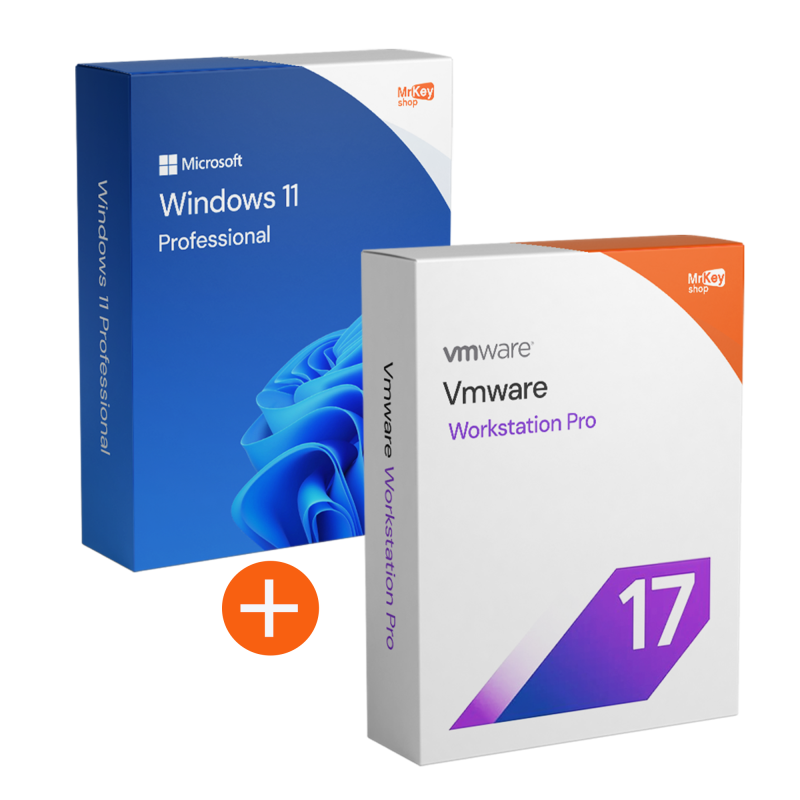





If you need a solid working environment but also the freedom to test, simulate or separate projects, this bundle is a practical choice: Windows 11 Pro gives you a modern, secure and stable foundation, while VMware Workstation Pro allows you to create virtual machines to work with multiple systems and configurations without impacting your main PC.
With a single purchase, you get a guided path: digital delivery via email, complete instructions, secure download links and free technical support in Italian and English. The goal is to get you started right away, without wasting any time.
We created the Windows 11 Pro + VMware Workstation Pro bundle because more and more users – especially those working remotely and in technical fields – need a PC that is not only productive, but also versatile. In practice, there is a recurring need to work in an orderly manner in different contexts: a main environment for daily activities and one (or more) separate environments for testing, training, demos, development or analysis. When everything happens on the same system without separation, the risk is always the same: overlapping configurations, software that interferes with each other, tests that leave “residues” and time wasted restoring stability.
With this bundle, we combine a solid foundation, Windows 11 Pro, with a tool designed to create controlled and isolated environments such as VMware Workstation Pro. It is the ideal combination for those who want to work with greater continuity: you can keep your main system clean and move ‘sensitive’ activities (testing, installations, configurations, labs) to VMs, reducing unexpected events and speeding up workflows. In short, we have created this bundle to turn virtualisation into a real advantage: less chaos, more control and a setup ready to grow with your projects.
We have selected this combination for those who want a “clean”, stable PC that is ready to handle different activities without confusion: daily work, training, testing, parallel projects or the need to separate environments (e.g. one system for main use and one for testing).
This bundle is suitable for technical roles (development, IT support, sysadmin, testing/QA) and also for those who want a practical approach: creating a dedicated environment for a course, demo or specific software, while keeping your everyday PC tidy and reliable.
The idea is to give you a complete setup: on the one hand, a professional operating system, and on the other, a reliable virtualisation tool to create separate, controlled environments. Here are the key points, clearly and concisely presented.
|
Software |
Key features |
|
Windows 11 Pro |
|
|
VMware Workstation Pro |
|
One of the crucial advantages of this bundle is the ability to overcome the hardware limitations of traditional virtualisation. With native support for vTPM (Virtual Trusted Platform Module) and UEFI secure boot, VMware Workstation Pro allows you to create and manage fully functional Windows 11 virtual machines within your Windows 11 Pro host. It is an indispensable tool for professionals who need to test system builds, registry configurations, or beta software in an isolated environment that faithfully replicates the security requirements of physical hardware, without compromising the stability of the main workstation. Maximum Flexibility with Snapshots, Clones, and 3D Graphics
Upgrading to the Pro version of VMware unlocks advanced productivity features not found in the basic versions. You can take Snapshots before each critical test: if an installation fails or malware compromises the VM, you can return to the previous state in a second. What's more, thanks to support for DirectX 11 and OpenGL 4.3, your virtual machines will enjoy hardware acceleration for 3D graphics, making the bundle ideal for testing CAD applications or rendering software. The Linked Clones feature will also allow you to quickly duplicate VMs, saving valuable SSD disk space.
A frequent technical concern is the conflict between different hypervisors. This bundle ensures perfect coexistence: VMware Workstation Pro is fully compatible with the Hyper-V platform in Windows 11 Pro. You can use your VMware virtual machines and native Windows features such as Windows Sandbox or Linux Subsystem (WSL2) simultaneously. This integration ensures a smooth workflow for developers who need multiple operating environments simultaneously, ensuring intelligent management of CPU and RAM resources without crashes or performance drops.
Purchasing the Windows 11 Pro + VMware Workstation Pro bundle from Mr Key Shop offers an immediate economic and tax advantage. Each order comes with a commercial invoice, allowing professionals and businesses to deduct the entire amount of the investment. As these are perpetual licences, you eliminate the recurring costs of cloud subscriptions, transforming your PC into a high-performance local test server with a single, one-off purchase.
|
Feature |
Windows 11 Pro + VMware Pro |
Operational Advantage |
|
Virtual TPM (vTPM) |
Supported and configurable. |
Native installation of Windows 11 guest. |
|
Snapshot Management |
Unlimited and branched. |
Instant recovery after failed tests or bugs. |
|
Network Editor |
Complex virtual LAN configuration. |
Simulation of network and server architectures. |
|
3D Graphics |
DirectX 11 / OpenGL 4.3 support. |
Smooth performance for graphics apps in VMs. |
|
Perpetual Licence |
No subscription fees. |
Definitive and deductible business asset. |
Purchasing from Mr Key Shop means relying on a solid and secure shopping experience: original and guaranteed licences, clear procedures and real assistance when you need it. This trust is backed by verified reviews and Trusted Shops protection (covering up to £2,500 per order), so you can shop with peace of mind, even when the software is for work or education.
Payments are protected by SSL encryption and you can choose from secure and flexible methods: PayPal (also in three instalments), Klarna, Amazon Pay, Apple Pay, Google Pay, Discover and credit/debit cards via Stripe. Every order is covered by our money-back guarantee policy and includes free technical support in Italian and English, before and after purchase.
After placing your order, you will receive everything via email with digital delivery: clear instructions, secure download instructions and activation guide. It is an eco-friendly solution that eliminates unnecessary shipping and packaging and allows you to get started right away. If you want to complete your setup with complementary tools, you can also consider HMA VPN for more secure browsing, AOMEI Backupper for reliable backups, EaseUS Partition Master for disk management and Nitro PDF 10 for faster document processing: always purchase with immediate delivery and support included.
Take your business to the next level with a solid and recognized partner in the original software licensing industry. With Mr Key Shop, you get access to exclusive price lists for resellers, special terms, and free professional support for you and your customers.
What's more, with MrKeyWallet, you can get extra credits on every top-up and further increase your margins: the more you invest, the more you earn. A system designed for those who really want to scale up.
Join the MKreseller programnow and discover all the benefits reserved for partners.
Windows 11 Pro
VMware Workstation Pro (host)
Practical note: to work smoothly with multiple VMs, a PC with plenty of RAM and an SSD is recommended.
After purchasing the Windows 11 Pro + VMware Workstation Pro bundle, you will receive an email with all the instructions you need to start the download immediately and securely. You will find reliable download links and a practical guide to downloading the correct versions, avoiding unofficial files or confusing procedures. If anything is unclear, free technical support is available in Italian and English.
The installation is guided and designed to get you started smoothly. First, install/update Windows 11 Pro by following the steps provided, and once installation is complete, move on to VMware Workstation Pro with a straightforward setup. The summary email contains clear and comprehensive instructions, so you know exactly what to do and in what order.
For Windows 11 Pro, you can enter the key during installation or later from Settings > System > Activation, selecting the option to change the product key and completing the procedure with an active Internet connection.
For VMware Workstation Pro, activation is carried out by following the instructions received: depending on the version and the method provided, you may enter the licence details from the app or complete the activation using the procedure indicated. In any case, you have step-by-step instructions and free support in Italian and English to complete everything correctly.
What do I receive when I purchase the bundle from Mr Key Shop?
You receive everything you need to get started clearly and securely: licence details where applicable, secure download links, comprehensive installation and activation instructions, and free technical support in Italian and English.
Can I use VMware Workstation Pro on Windows 11?
Yes, VMware Workstation Pro can be used on Windows 11 hosts. For a stable experience, it is recommended to use a compatible version and keep it up to date.
Can I create a Windows 11 virtual machine?
Yes. To install Windows 11 in a VM, it is often necessary to correctly configure settings such as UEFI/Secure Boot and virtual TPM, depending on the scenario. If you wish, support can help you avoid configuration errors.
Does virtualisation slow down your PC?
It depends on your PC's resources and how many resources you allocate to the VMs. For smooth operation, we recommend adequate RAM and SSD, as well as a balanced allocation of CPU and memory.
Can I reinstall the software in the future?
Generally yes, in case of reinstallation/formatting. The methods may depend on the conditions of the individual licences. Keep your order emails and instructions handy so you have everything at your fingertips.
Can I transfer files between my PC (Host) and the virtual machine (Guest)?
Absolutely. Using the included “VMware Tools”, you can easily drag and drop files, share folders and use a shared clipboard between Windows 11 Pro and your VMs.
Does VMware Workstation Pro support virtual machine encryption?
Yes, you can protect each individual VM with a 256-bit AES encryption password. Combined with Windows 11 Pro's BitLocker, your development projects and sensitive data will be secure at both the host and guest levels.
What is the advantage of the Pro version over the Player for a professional?
The Pro version included in the bundle unlocks Snapshots, Clones, complex virtual network creation (Virtual Network Editor) and the ability to connect to remote vSphere servers.
Can I transfer files between my PC (Host) and the virtual machine (Guest)?
Absolutely. Using the included ‘VMware Tools’, you can drag and drop files, share folders and use a shared clipboard between Windows 11 Pro and your VMs with ease.
Does VMware Workstation Pro support virtual machine encryption?
Yes, you can protect each individual VM with a 256-bit AES encryption password. Combined with Windows 11 Pro's BitLocker, your development projects and sensitive data will be secure at both the host and guest levels.
What is the real advantage of the Pro version over the Player?
The Pro version included in the bundle unlocks Snapshots, Clones, the creation of isolated virtual networks (Virtual Network Editor), VM encryption and the ability to connect to remote vSphere servers.


 €78.99
€124.99
€78.99
€124.99
 €279.99
€299.99
€279.99
€299.99
 €79.99
€191.99
€79.99
€191.99
 €109.99
€483.99
€109.99
€483.99


 Chat with us
 Ita
Ita
 Eng
Eng
 Deu
Deu
 Esp
Esp
 Fra
Fra