


 Unfortunately your shopping cart is empty


 Returns
 Chat with Us
 About Us
 My Orders

 Twitter
 LinkedIn
 Meta
Meta


 €88.99
€124.99
€88.99
€124.99

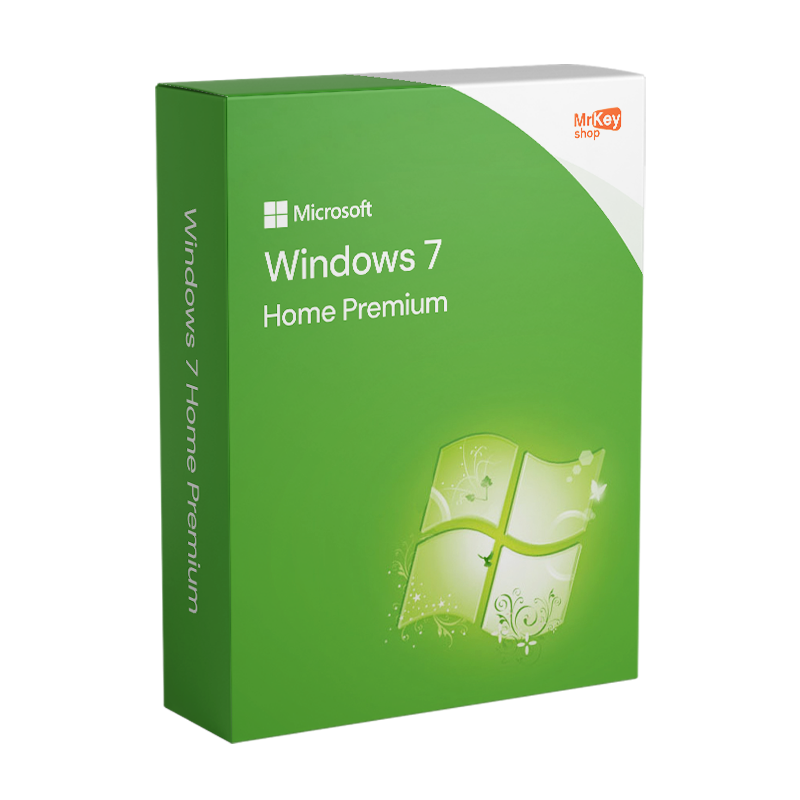






*IMPORTANT: It is no longer possible to upgrade from Windows 7 and Windows 8 to Windows 10. To install Windows 10, you must perform a clean installation.
*Your original licence at the right price
Windows 7 Home Premium is one of the most popular versions of the Microsoft operating system. With an authentic licence, users can enjoy a reliable and personalised computing experience, ideal for both home and work environments. Be amazed by the speed and fluidity of Windows 7. With this licence, your PC will start up and shut down faster, significantly improving resource management. This makes your working environment more pleasant and less stressful, ensuring that every moment of use is a positive experience.
Windows 7 Home & Premium 32/64 Bit is the ideal choice for transforming your PC into a true high-quality multimedia centre. Easy to install and even more intuitive to use, Windows 7 Home & Premium is the perfect solution for those seeking uncompromising reliability.
You will receive the product directly via email within a few seconds, thus avoiding the environmental impact of shipping physical goods.
*Windows 7 UPDATES
N/B* All updates and support for Windows 7 Home have been suspended by Microsoft since 14 January 2020. Therefore, it will be possible to purchase, install, and use the Operating System, but there will no longer be any support or updates from Microsoft.
For this reason, we also provide a link to download the Windows 7 Home Premium ISO.
Take your business to the next level with a solid and recognized partner in the original software licensing industry. With Mr Key Shop, you get access to exclusive price lists for resellers, special terms, and free professional support for you and your customers.
What's more, with MrKeyWallet, you can get extra credits on every top-up and further increase your margins: the more you invest, the more you earn. A system designed for those who really want to scale up.
Join the MKreseller programnow and discover all the benefits reserved for partners.
| Platform | Windows |
| Supported operating system | Windows 7 Service Pack 1, macOS Mojave, macOS High Sierra |
| Processor | Processor min. 1GHz for 32-bit or 64-bit |
| RAM | 1Gb for 32-Bit or 2Gb for 64-Bit |
| Hard drive | 16GB for 32-Bit operating systems or 20GB for 64-Bit operating systems |
| GPU | DirectX 9 or higher with WDDM 1.0 Driver |
If you want to download the Windows 7 Home Premium ISO and proceed with the installation, follow these steps for a correct and secure configuration of the operating system on your computer.
Download the Windows 7 Home Premium ISO
First, you need to obtain the Windows 7 Home Premium ISO file. When you purchase your Windows 7 Home Premium product key from Mr Key Shop, you will receive a secure link to download the ISO image of the operating system. Make sure you download the version that matches your licence key (32-bit or 64-bit).
Create installation media
After downloading the ISO, the next step is to create installation media. You can use a DVD or a USB stick. For USB, it is recommended to use tools such as Rufus or Microsoft's Windows USB/DVD Download Tool:
Configure the BIOS or UEFI
Before installing, ensure that your computer is set to boot from the DVD or USB. Restart your computer and enter the BIOS/UEFI by pressing the specific key during startup (usually F2, DEL, or ESC, depending on your PC manufacturer). In the boot settings, select the USB or DVD device as the first boot option.
Install Windows 7 Home Premium
Insert the DVD or connect the USB to your PC and restart it. Follow these steps:
After installation, proceed with the initial configuration of Windows 7. Set up a user name, password, and, if available, configure your Internet connection. Also, be sure to activate Windows 7 online to verify your licence.
Activating Windows 7 Home Premium is a crucial step to ensure that your operating system is fully functional and to receive support and updates from Microsoft. Here is a step-by-step guide on how to activate Windows 7 Home Premium using your Product Key. The Windows 7 Home Premium licence key usually consists of 25 alphanumeric characters, divided into five groups. You can find it in the software packaging, in your purchase confirmation email, or attached to your PC if Windows was pre-installed.
After installing Windows 7 Home Premium, you can access the activation panel in several ways:
In the ‘Windows Activation’ section, click on ‘Change product key’. In the window that appears, enter your Windows 7 Home Premium Product Key in the text field provided and click on ‘Next’. Follow the instructions on the screen to complete the activation process. Windows will connect to Microsoft's servers to verify the validity of your product key. If the key is valid and has not been used on more than the allowed number of devices, activation will be completed successfully. After activation, return to the ‘System’ page in the Control Panel. At the bottom of the window, you should see a message confirming that ‘Windows is activated’.
If you encounter errors during activation, try restarting your computer and repeating the process. Sometimes, a simple restart can resolve connection issues with the activation servers. If the problem persists, please contact our customer support.
1. What is Windows 7 Home & Premium?
Windows 7 Home & Premium is a version of the Microsoft operating system designed for home use and to ensure a smooth and intuitive experience, offering advanced features for managing multimedia content and creating home networks.
2. What are the main features of Windows 7 Home & Premium?
3. Can I use Windows 7 Home & Premium on a modern PC?
Yes, but Windows 7 was designed for older hardware. To use the system on a modern PC, you may need to download compatible drivers. In addition, some features may not be available on newer devices.
4. Can I upgrade Windows 7 Home & Premium to Windows 10?
Yes, you can upgrade to Windows 10 using a valid licence. Make sure your hardware meets the minimum requirements for Windows 10 to ensure an optimal experience.
5. Is support for Windows 7 still active?
No, official support for Windows 7 ended on 14 January 2020. This means that you will no longer receive security updates from Microsoft.
6. Can I use Windows 7 Home & Premium to play games or watch multimedia content?
Absolutely! With Windows Media Center, you can organise and play films, music and photos. For gaming, the system supports many titles, but always check the game's hardware requirements to ensure compatibility.
Need more information? Contact us for personalised assistance!


 €88.99
€124.99
€88.99
€124.99
 €108.99
€249.99
€108.99
€249.99
 €78.99
€149.99
€78.99
€149.99



 Chat with us
 Ita
Ita
 Eng
Eng
 Deu
Deu
 Esp
Esp
 Fra
Fra