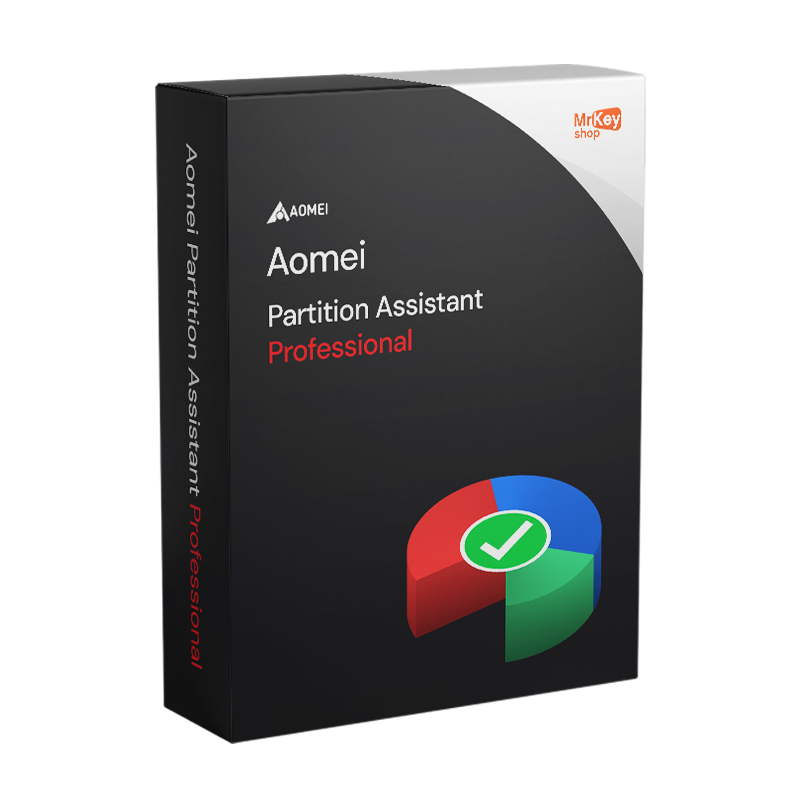
AOMEI Partition Assistant Professional

AOMEI Partition Assistant Professional

$25.57
$53.28
Save $27.71

Version


Sold by: YouSoftware
License: 2 PC / 1 YEAR
Languages: All Languages Included
check Our products are guaranteed up to €2,500
check

Genuine License

check

Secure Payments

check

24/7 Support

check

350K+ Happy Customers

check

Email delivery

check

Money-Back Guarantee

check

Microsoft Partner

check

Certified Licence

Other sellers on Mr Key Shop

Buy AOMEI Partition Assistant Professional at the best price from Mr Key Shop. We are official AOMEI resellers and only offer 100% genuine and guaranteed licenses. Pay via traceable methods, get your orders in real-time, with a full money-back warranty and free English-speaking Technical Support, available before and after your orders.

Mr Key Shop is an Official Aomei Reseller

Mr Key Shop is an Official Aomei Reseller

Important Note:

The lifetime license is not transferable to a new PC, as it is tied to the computer on which it is first activated.

Key features of AOMEI Partition Assistant Professional

  • Comprehensive partitioning functions: resize, move, extend, merge and split partitions without data loss.
  • Clone disks and partitions for backup and migration.
  • Migrate your operating system to SSD or HDD faster and easier without reinstalling Windows.
  • Convert between MBR and GPT, NTFS and FAT32 without formatting.
  • Create bootable media for partitioning operations independent of the operating system.
  • Restore deleted or lost partitions.
  • Support for Windows 11, 10, 8.1, 8 and 7, both 32-bit and 64-bit.
  • Intuitive interface suitable for both home and professional users.

AOMEI Partition Assistant Professional, a versatile solution for secure partition management

AOMEI Partition Assistant Professional is an excellent program designed for Windows PC users. You can safely manage your partitions with a full array of tools and utilities you can use to create, format, delete, merge, split, resize your partitions, and much more. All this comes with optimal data protection, with no loss. Wizards and conversion tools (NTFS/FAT32, MBR/GPT, and more) complete the suite, allowing you to manage your system at a more granular level, with the possibility to transfer your Windows OS from a HDD to an SSD, maintaining consistent uptime.

Furthermore, you’ll be able to check partition health status, run superficial tests, change labels, and restore lost partitions, all from a complete, yet user-friendly interface. Purchase AOMEI Partition Assistant Professional from Mr Key Shop now, save on the price list and get fully operational within a few minutes!

Download, install and activate AOMEI Partition Assistant Professional is a no-brainer with Mr Key Shop

Customer journey with Mr Key Shop is top-notch: download, install and activate AOMEI Partition Assistant Professional by following a fast and satisfying process, thanks to our digital delivery mechanisms that engage immediately after your purchase. With us, you’ll get all you need right in your inbox, attached to a single recap email containing your brand new, 100% genuine AOMEI Partition Assistant Professional license, official download links, step-by-step instructions, and your invoice. The best part? There will not be any waiting times or unnecessary steps.

We offer a professional and safe environment; with us, all transactions are exclusively carried out via reputable and reliable payment service providers like PayPal, Stripe, Amazon/Apple/Google Play, as well as credit/debit cards. Furthermore, our full money-back warranty and free English-speaking Technical Support cover all purchases. With us, you’ll get AOMEI Partition Assistant Professional within a few seconds, therefore, you’ll be able to manage your partitions in real-time very quickly!

AOMEI Partition Assistant Professional is 100% Windows 11-compatible

Just like all other AOMEI products, AOMEI Partition Assistant Professional is 100% compatible with Windows 11 as well. If you’re running the latest version of Microsoft OS (or you choose to upgrade to it later), your user experience will be consistently optimal. AOMEI products are highly professional, as well as user-friendly and easy to use, ideal both for private and professional users. Mr Key Shop is an official AOMEI reseller: we share the same trust in premium software, as shown by over 18 years of experience in the digital market, with more than 350k customers successfully served across the world. Our TrustPilot score is a further proof: we passed 2.000 positive review, with an average rating of Excellent (4.9 | 5 stars out of 5).

All this means huge benefits for you: first of all, you can rely on a 100% authorized and professional store. Plus, you can save up to 70% on the official price lists across our rich and complete catalog. For example, you can buy Windows 11 Professional at an unbeatable price (this is ideal if you wish to get the most out of AOMEI Partition Assistant Professional), or you can order Office 2021 Professional and receive it in real-time. The same applies to Office 2021 Home & Business for Mac; furthermore, we offer a wide range of the best antivirus and VPN brands in the market, as well as our business section, including Microsoft Windows Storage Server, Microsoft SQL Server 2019, and the best backup & recovery solutions (both for home and pro users).

Mr Key Shop is your go-to destination for the digital world. Here, you’ll find only 100% verified and genuine licenses, and remember: you can always rely on our Technical Support for recommendations on the best solutions according to your requirements and hardware resources, for free and in English!

Manage your partitions efficiently with AOMEI Partition Assistant Professional and help protect the environment

With AOMEI Partition Assistant Professional, you can manage your partitions while you protect data against accidental loss. Data protection is crucial and here at Mr Key Shop we chose to expand our software portfolio to help you work with confidence and peace of mind. We’re also passionate supporters of the environmental cause, for this reason, we’ve opted since day one to rely exclusively on digital distribution. Our products will never be physically shipped, therefore we can actually help reduce pollution and waste. This is also a big benefit for you, in terms of savings on shipping costs, as well as instant delivery with no downtime. Working hours and money are valuable assets, however, the environment is even more important for all of us. We’re a 100% eco-friendly company and, together, we can make a huge difference!

About AOMEI

As a company, AOMEI has a very clear mission of "Always Keep Global Data Safer". This goal is achieved with a range of software products professionally designed for backup & recovery operations, as well as disaster recovery and partition management, with all the features you can expect to better protect your data. With a culture focused on users and honesty, respect, and accountability, AOMEI chose Mr Key Shop as official partner because we share the same crucial values.

What’s included with each AOMEI Partition Assistant Professional order from Mr Key Shop?

Complete your secure checkout and get all you need in your inbox, so that you can immediately make the most out of AOMEI Partition Assistant Professional:

  • Your AOMEI Partition Assistant Professional license
  • Official download links
  • Clear and simple instructions on how to download, install, and activate your AOMEI Partition Assistant Professional software
  • Invoice
  • Free, English-speaking Technical Support

Are you a reseller? Join MKreseller

Take your business to the next level with a solid and recognized partner in the original software licensing industry. With Mr Key Shop, you get access to exclusive price lists for resellers, special terms, and free professional support for you and your customers.

What's more, with MrKeyWallet, you can get extra credits on every top-up and further increase your margins: the more you invest, the more you earn. A system designed for those who really want to scale up.

Join the MKreseller programnow and discover all the benefits reserved for partners.

System Requirements

Supported Operating Systems  Windows 11/10/8.1/8/7/Vista/ XP(32-bit/64-bit)

Downloading AOMEI Partition Assistant Professional is quick and easy

After purchase, you can download AOMEI Partition Assistant Professional directly from the official AOMEI website or via the link provided in the confirmation email from Mr Key Shop. The installation file (.exe) is compatible with all supported versions of Windows and comes in a full and secure version.​

Installing AOMEI Partition Assistant Professional: safe and fast with Mr Key Shop

Installation is simple and guided: launch the downloadable file, accept the licence agreement, select the destination folder and complete the process. Once finished, you will find the programme ready to use, with all the features available to manage partitions and disks in home and professional Windows environments. ​

How to activate AOMEI Partition Assistant Professional

When you open the software, you will be asked to enter the activation code provided by Mr Key Shop. Enter the key in the registration window and confirm: activation will be completed automatically by connecting to the AOMEI servers, unlocking all the features of the Professional version quickly and easily.​

1. What is AOMEI Partition Assistant Professional?

AOMEI Partition Assistant Professional is advanced software for managing disk partitions on Windows. It allows you to create, resize, move, merge, split and clone partitions easily and safely.

2. What are the main features of AOMEI Partition Assistant Professional?

  • Resize and move partitions without data loss.
  • Clone disks and partitions for backup or migration.
  • Convert disk formats between GPT and MBR.
  • Create bootable media for partition management without booting the operating system.
  • Optimise SSDs with alignment and operating system migration functions.
  • Recover lost or damaged partitions.

3. Can I use the software on multiple computers?

The Professional licence is valid for a single computer. For use on multiple devices, you need to purchase a business or technician licence.

4. Is AOMEI Partition Assistant Professional safe to use?

Yes, the software is designed to preserve data during partitioning operations. We recommend backing up important data before making any changes to your disk. 5. How can I migrate my operating system to a new SSD or HDD? AOMEI Partition Assistant Professional offers a dedicated feature for migrating your operating system. Simply select the option from the menu, follow the guided instructions, and choose your destination disk.

6. Is it possible to merge two partitions without losing data?

Yes, the software allows you to merge two adjacent partitions without risking data loss. This operation is useful for optimising disk space.

7. Can I convert a dynamic disk to a basic disk?

Yes, AOMEI Partition Assistant Professional includes a tool to convert a dynamic disc to a basic disc without losing data.

8. What is the difference between the free and Professional versions?

The free version offers basic features such as resizing and creating partitions, while the Professional version includes advanced tools such as operating system migration, partition recovery, and GPT to MBR conversion.

9. How can I update AOMEI Partition Assistant Professional to the latest version?

To update the software:

  1. Open AOMEI Partition Assistant Professional on your computer.
  2. Go to the ? (Help) menu and select Check for Updates.
  3. If available, download and install the latest version by following the instructions.

10. Can I move installed programmes to another partition or drive?

Yes, the software includes a feature called App Mover that allows you to move applications from one partition to another or to a different drive without reinstalling them.

11. Can I create a bootable partition on a USB?

Yes, AOMEI Partition Assistant Professional allows you to create a bootable USB drive to manage partitions even when the operating system won't start. This feature is available in the Create Bootable Media menu.

12. What should I do if the disc is not detected by the software?

If the disc is not detected:

  1. Check that the disc is properly connected to the computer.
  2. Check that the disc is visible in Windows Disk Management.
  3. Ensure you have the latest drivers for your hard drive.

If the problem persists, contact technical support.

13. Is the software compatible with large disks (>2TB)?

Yes, AOMEI Partition Assistant Professional supports large disks, including those over 2TB, thanks to its compatibility with GPT and NTFS formats.

14. What file system types are supported?

The software supports the following file systems:

  • NTFS
  • FAT32
  • FAT16
  • EXT2/EXT3/EXT4
  • exFAT

15. Is it possible to convert FAT32 to NTFS without data loss?

Yes, with AOMEI Partition Assistant Professional, you can convert a FAT32 file system to NTFS (and vice versa) without losing data.

16. Can I securely delete data from a partition?

Yes, the software offers an option to securely erase data from a disc or partition, making it impossible to recover.

17. How can I repair a damaged or faulty disc?

AOMEI Partition Assistant Professional has tools for:

  • Check for disk errors.
  • Repair bad sectors.
  • Optimise disk performance.

You can access these options by right-clicking on the affected partition and selecting Check Partition.

18. Are there any limitations in the Professional version?

The Professional version is feature-rich, but for large-scale business needs, you may want to consider other editions such as AOMEI Partition Assistant Server or Technician.

thumbs-up
Free Support
Email & Live Chat
smile
350K+
Happy customers
zap
Lightning-fast
Shipping in a few seconds
lock
100%
SSL Secure Payments
sun
18+
Years of success
thumbs-up
Free Support
Email & Live Chat
smile
350K+
Happy Customers
lock
100%
SSL Secure Payments
zap
Lightning-fast
Few seconds shipping
sun
18+
Years of Success
Loading...