


 Unfortunately your shopping cart is empty


 Returns
 Chat with Us
 About Us
 My Orders

 Twitter
 LinkedIn
 Meta
Meta



 $298.41
$319.73
$298.41
$319.73







|
Important: Kaspersky has discontinued support for macOS Catalina 10.15 in its latest versions. If you are still using this system version, we recommend upgrading your system. |
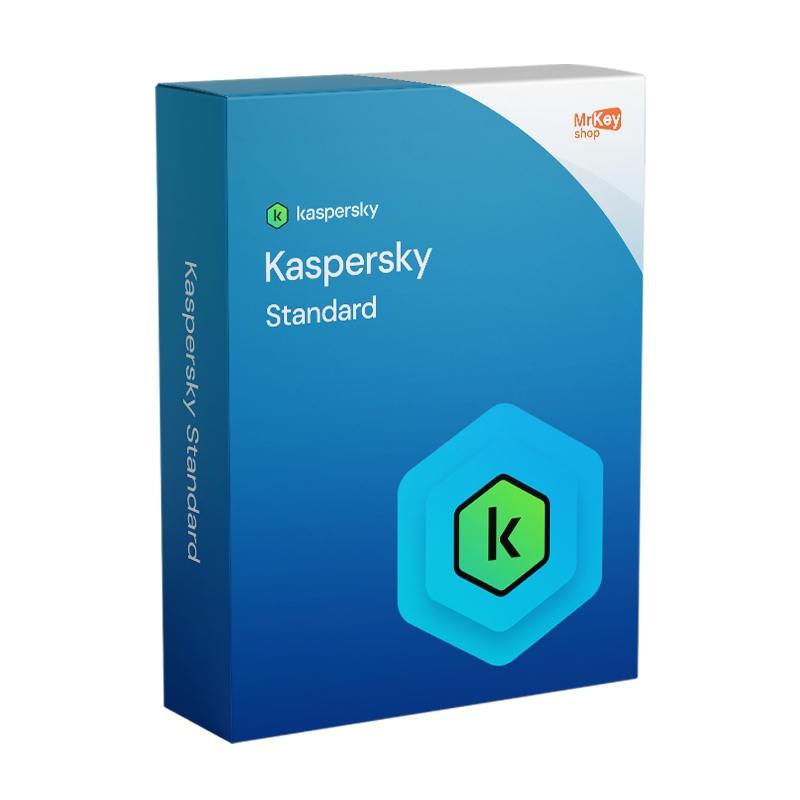
Purchasing a Kaspersky Standard license is the ideal choice for those looking for an effective and functional antivirus capable of adapting to the most sophisticated cyber threats. This package offers complete multi-device protection for Windows, macOS, Android and iOS, acting as an impenetrable shield thanks to real-time antivirus and an enhanced anti-phishing system. In addition to a bidirectional firewall and online payment protection (Safe Money), Kaspersky Standard includes performance optimization tools that remove unnecessary files and speed up device startup. Your privacy is guaranteed by features that block tracking attempts and unauthorized webcam access, ensuring high security without compromising system resources.
Activation is the essential step that transforms simple software into a dynamic and constantly updated shield.
Activating the Product Key connects your device to the Kaspersky Security Network.
Kaspersky Standard is not just an antivirus but a device management suite. Activation unlocks premium features such as:
|
Feature |
Activated Software |
Inactive/Expired Software |
|
Virus Signature Updates |
✅ Automatic and Immediate |
❌ Blocked |
|
Online Payment Protection |
✅ Active and Protected |
❌ Disabled |
|
Performance Optimization |
✅ Complete |
❌ Limited |
|
Italian Technical Support |
✅ Included |
❌ Not available |
This suite represents the evolution of cybersecurity, combining proactive protection and system maintenance tools into a single lightweight and high-performance package.
The Kaspersky scanning engine operates on multiple levels to ensure the device is protected not only from known threats but also from emerging dangers.
|
Feature |
Technical Description |
User Benefit |
|
RT Antivirus |
Constant heuristic and behavioral scanning. |
Blocks ransomware and spyware before execution. |
|
Anti-Phishing |
Link analysis in emails, SMS and social media. |
Prevents identity theft on counterfeit websites. |
|
Initial Clean-up |
Removal of malware present before installation. |
Cleans the system from latent infections. |
This section is dedicated to shielding private digital life and financial transactions, critical sectors for personal security.
|
Feature |
Mechanism of Action |
Security Goal |
|
Safe Money |
Opening of a protected and encrypted browser. |
Prevent interception of banking data. |
|
Hardware Privacy |
Alerts for webcam and microphone access. |
Block spying through PC sensors. |
|
Anti-Stalkerware |
Scanning for hidden monitoring apps. |
Protect location and private messages. |
Kaspersky Standard breaks the myth of the “heavy” antivirus by integrating tools that actively improve operating system responsiveness.
|
Tool |
Operation |
Performance Impact |
|
Disk Cleaner |
Identification of duplicate and unused files. |
Disk space recovery and greater I/O speed. |
|
Startup Manager |
Optimization of the boot sequence. |
Drastic reduction in startup time. |
|
Gaming Mode |
Suspension of notifications and updates. |
Maximum CPU/GPU power for gaming and work. |
It is important to make a technical distinction between the protection included in this subscription and the advanced monitoring features for minors.
The Kaspersky Standard subscription is designed to offer elite defense against malware and privacy threats. However, regarding Parental Control, it is necessary to distinguish between integrated functions and additional modules:
|
Feature |
Available in Kaspersky Standard |
Description |
|
Web Content Filter |
✅ |
Blocks websites with adult content, violence or gambling. |
|
Anti-Phishing Protection |
✅ |
Prevents minors from falling for online scams or fake sites. |
|
Screen Time Management |
❌ |
Requires Kaspersky Safe Kids or Premium version. |
|
GPS Location |
❌ |
Requires Kaspersky Safe Kids or Premium version. |
|
Webcam Protection |
✅ |
Prevents strangers from spying on children through the camera. |
To achieve truly comprehensive protection in today’s IT landscape, adopting Kaspersky Standard represents the ideal starting point, but the security of a modern workstation is built through the integration of specialized tools. For professionals using high-load software such as Autodesk AutoCAD or Revit, the lightweight nature of Kaspersky Standard is the perfect complement, as it does not interfere with rendering or design processes. Daily productivity on suites such as Office 2024 Professional Plus benefits enormously from an optimized system: the combined use of CCleaner Professional and the cleanup tools integrated in Kaspersky ensures that the device always remains fast. In the creative field, the security of projects created with Luminar Neo or Canva Pro must be secured with a solid backup strategy, possible thanks to a EaseUS Todo Backup Home license. For document workflow management, the versatility of Nitro 10 PDF integrates perfectly with Kaspersky’s payment protection, making every transaction and file transfer secure. In the Mr Key Shop catalog, you can save up to 70% on a wide selection of products, don’t miss Windows 11 Pro Product Key, Office 2021 Professional, NordVPN or Windows Server. Discover all the savings opportunities with Mr Key Shop.
Mr Key Shop allows you to access Kaspersky’s elite protection with savings of up to 70% compared to official list prices.
Unlike many international marketplaces, Mr Key Shop offers excellent customer support:
We are a digital-first company. By choosing Mr Key Shop, you directly contribute to protecting the environment:
Take your business to the next level with a solid and recognized partner in the original software licensing industry. With Mr Key Shop, you get access to exclusive price lists for resellers, special terms, and free professional support for you and your customers.
What's more, with MrKeyWallet, you can get extra credits on every top-up and further increase your margins: the more you invest, the more you earn. A system designed for those who really want to scale up.
Join the MKreseller programnow and discover all the benefits reserved for partners.
Supported Operating Systems:
| Windows | Windows 11, Windows 10, Windows 8.1, Windows 8, Windows 7 SP1+ |
| Mac | macOS 11 - 14 |
| Android | Android 8 - 14 |
| iOS | iOS 15 - 17 |
Hardware Requirements for Windows:
| Processor | 1GHz or higher |
| RAM | 1GB for 32-bit systems, 2GB for 64-bit systems |
| Hard Disk Space | 1.5GB free space |
Hardware Requirements for Mac:
| Processor | Intel Core 2 Duo, Core i3, Core i5, Core i7, or Apple M1 |
| RAM | 2GB |
| Hard Disk Space | 2.6GB free space |
Supported Operating Android:
| Disk Space | 150MB free space |
| Minimum Screen Resolution | 320x480 |
Supported Operating iOS:
| Supported Devices | iPhone, iPad, and iPod Touch with iOS 15 - 17 |
| Internet Connection | Required for product activation, updates, and access to some features |
Additional Notes:
| Supported Browsers | Kaspersky Standard supports the latest versions of common web browsers |
| My Kaspersky Account | Recommended for easy management of your licenses and devices |
With Mr Key Shop, you can download Kaspersky Standard right away. No unnecessary waiting: once you complete your order, you receive everything you need via email. You'll get a step-by-step guide designed to help you proceed independently, along with secure download links and, of course, the activation code for your antivirus.
You'll be able to download Kaspersky Standard from the official website or the iOS and Android app stores, depending on the device you want to protect. You will need a My Kaspersky account, but fear not! Creating one is free and super easy, if you don't already have one!
Installing Kaspersky Standard is quick and easy, thanks to the attached instructions. But remember, if you have any doubts, questions or problems, just contact our technical support, always at your disposal for free and in English! Just double-click the installer on PC and Mac and follow the on-screen instructions, or download the Kaspersky app from the Apple and Android stores, depending on your device. In the case of mobile apps, all you have to do is wait for the installation to complete.
Kaspersky Standard activation also happens in real time: your 100% genuine and guaranteed license code is waiting for you in the same order summary email.
To proceed:
Your subscription will be active immediately and you can protect yourself from viruses and other malware without further delay! This is the advantage of Mr Key Shop!
1. How can I reinstall and activate Kaspersky Standard after formatting the device? After formatting your device, you can reinstall Kaspersky Standard by downloading the software from the official Kaspersky website. During installation, enter your license key to reactivate the software. Make sure you have linked the application to your My Kaspersky account before formatting to simplify the reactivation process.
2. How can I cancel my Kaspersky Standard subscription? To cancel your subscription, log in to your My Kaspersky account, go to the Subscriptions section, select the subscription you want to cancel and click on "Manage subscription" and then on "Cancel subscription". Your protection will continue until the expiration of the current subscription.
3. What should I do if I forget the password of my Kaspersky account? If you forget the password of your Kaspersky account, you can reset it by following the password recovery instructions available on the Kaspersky website. This process includes downloading a password reset tool and starting the computer in safe mode to complete the procedure.
4. What happens to my Kaspersky Standard license if I replace or format the device? If you format your device or replace it with another one, you can reinstall and reactivate the Kaspersky Standard license without any problems. Just make sure you have a copy of the license key, download the software from the official Kaspersky website, enter the key during installation and, if necessary, log in to your Kaspersky account to easily manage your licenses. In case of problems, Mr Key Shop technical support is available to assist you.
5. What is the difference between Kaspersky Standard and previous versions (such as Anti-Virus or Internet Security)? Kaspersky Standard is the new simplified solution that combines the best of previous versions into a single package. It includes not only elite antivirus protection, but also device optimization tools (disk cleanup, startup app management) and privacy functions that were previously distributed across several different products.
6. Can I install the license on different devices (Windows, Mac, Android)? Yes. Kaspersky Standard is a multi-device solution. Depending on the package purchased on Mr Key Shop, you can simultaneously protect your Windows PC, your MacBook and your Android/iOS smartphone or tablet, managing everything from a single central account.
7. Does the antivirus slow down the computer during gaming or heavy work? Absolutely not. Kaspersky Standard includes Game and Work Mode, which detects when you are in full screen or using heavy software (such as AutoCAD or Office packages). In this mode, the antivirus suspends scheduled scans and notifications to dedicate all CPU power to your main activity.
8. Will I receive assistance if I have problems with activation? Yes, this is one of the strengths of Mr Key Shop. We offer free technical support in Italian and English. If you encounter difficulties configuring the firewall or activating the Product Key on your device, our team of experts will guide you step by step.


 $298.41
$319.73
$298.41
$319.73
 $94.85
$133.21
$94.85
$133.21


 Chat with us
 Ita
Ita
 Eng
Eng
 Deu
Deu
 Esp
Esp
 Fra
Fra