


 Lamentablemente, su carrito de compras está vacío.


 Devuelve
 Chatea con Nosotros
 Quiénes Somos
 Mis Pedidos

 Twitter
 LinkedIn
 Meta
Meta


 117,23 $
515,84 $
117,23 $
515,84 $

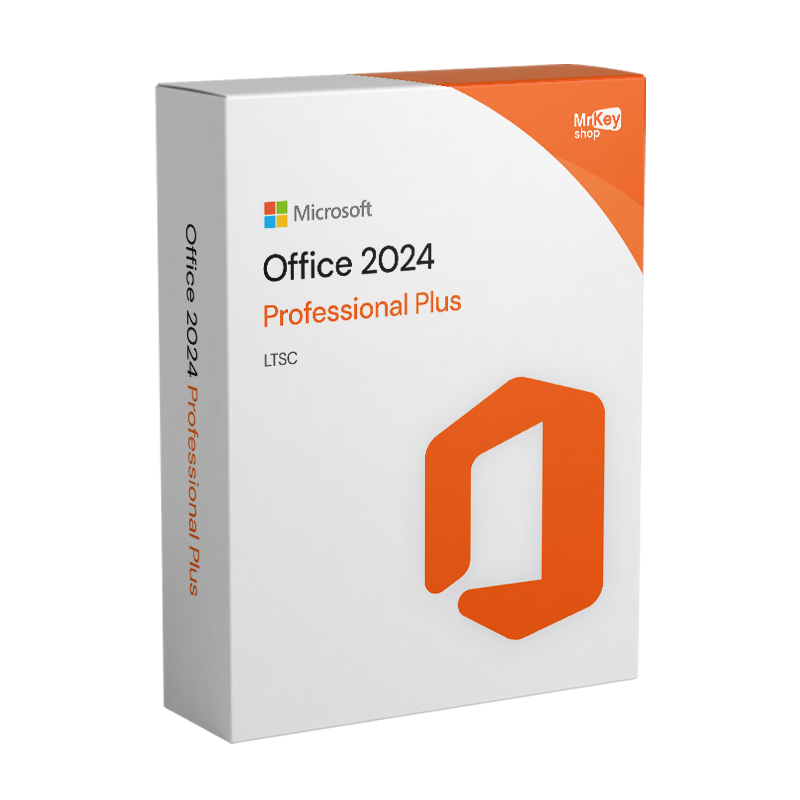








La licencia de Microsoft Office 2024 Professional Plus representa una evolución estratégica y funcional del clásico paquete Office. Esta suite representa el equilibrio perfecto para quienes desean la potencia de la innovación de Microsoft sin la obligación de la cuota mensual de Microsoft 365. Este paquete está diseñado específicamente para entornos empresariales donde la estabilidad, la seguridad y la compatibilidad son fundamentales.
La activación de una licencia original de Office 2024 Professional Plus no es solo una cuestión de “legalidad”, sino una auténtica decisión estratégica para la continuidad de tu negocio.
Usar una suite no activada o “crackeada” te expone a enormes riesgos que una licencia Retail de Mr Key Shop elimina de raíz.
En 2026, los documentos de Office (especialmente Excel y Word) suelen ser objetivo de macros maliciosas y ransomware.
Sin activación, Office 2024 entra en modo “solo visualización”. Al activarlo, desbloqueas:
Muchos eligen activar la versión 2024 Professional Plus para salir de la “trampa de la suscripción”.
|
Funcionalidad |
Office 2024 no activado |
Office 2024 activado (Mr Key Shop) |
|
Edición de documentos |
❌ Solo lectura |
✅ Funcionalidad completa |
|
Actualizaciones de seguridad |
❌ Bloqueadas |
✅ Automáticas y constantes |
|
Soporte técnico |
❌ Ninguno |
✅ Incluido (Mr Key Shop) |
|
Uso comercial (NIF/IVA) |
⚠️ Ilegal |
✅ 100 % legal y facturable |
|
Integración Cloud/Teams |
❌ Limitada |
✅ Total |
Con el paquete Office 2024 Professional Plus obtienes un conjunto completo de herramientas diseñadas para satisfacer todas las necesidades de un entorno de trabajo moderno:
|
Aplicación / Herramienta |
Funciones principales |
Novedades respecto a las versiones anteriores |
|
Word 2024 |
Procesamiento de texto, corrección ortográfica, formato avanzado |
Escritura asistida por IA, sugerencias de estilo, resumen automático |
|
Excel 2024 |
Hojas de cálculo, fórmulas, análisis de datos, gráficos |
Análisis predictivo, Power Query actualizado, soporte de IA |
|
PowerPoint 2024 |
Creación de presentaciones, animaciones, transiciones |
Diseñador con IA para diseños automáticos, colaboración en tiempo real |
|
Outlook 2024 |
Gestión de correo electrónico, calendario, tareas, contactos |
Priorización inteligente del correo, sugerencias de respuesta con IA |
|
Access 2024 |
Creación y gestión de bases de datos relacionales |
Mejor gestión de tablas e interfaces más modernas |
|
OneNote |
Notas digitales, sincronización en la nube, notas de voz y texto |
Mayor compatibilidad con dispositivos móviles y diseño mejorado |
|
Microsoft Teams |
Comunicación y colaboración en tiempo real, chat, videoconferencias |
Integrado de forma nativa en la suite |
|
Seguridad avanzada |
Protección de documentos, cifrado, gestión de permisos |
Soporte para Azure Information Protection, copias de seguridad automáticas |
Además, la suite incluye funciones como el versionado automático (para recuperar versiones anteriores de un documento), comentarios inteligentes (contextuales y asignables) y herramientas de coautoría que indican quién está trabajando en qué.
Esta es la versión más completa que Microsoft ha ofrecido jamás en una sola licencia, con herramientas pensadas para responder a las necesidades de empresas, oficinas públicas, despachos profesionales y universidades.
Office 2024 Professional Plus también ofrece funciones que no están presentes en las versiones Home & Student o en las ediciones para usuarios individuales. Entre ellas:
Gracias a estas características, Office 2024 Professional Plus se posiciona como la elección ideal para quienes buscan eficiencia, rapidez y seguridad en el trabajo diario.
La nueva licencia de Microsoft Office 2024 Professional Plus trae consigo no solo actualizaciones de software, sino también importantes cambios en cuanto a funcionalidades, distribución y flexibilidad de uso. La siguiente tabla reúne todas las novedades clave introducidas por Office 2024 Pro Plus con respecto a las versiones anteriores.
|
Novedad |
Descripción |
Beneficio para el usuario |
|
Interfaz Fluent Design mejorada |
Gráficos renovados con iconos más legibles, espacios optimizados, modo oscuro mejorado |
Experiencia de uso moderna, menos fatiga visual, mayor productividad |
|
Compatibilidad completa con 64 bits |
Optimización exclusiva para arquitectura de 64 bits |
Mejor rendimiento y estabilidad, ideal para archivos de gran tamaño |
|
Integración nativa con Microsoft Teams |
Microsoft Teams incluido en la suite |
Comunicación fluida y colaboraciones instantáneas sin software adicional |
|
Colaboración en tiempo real mejorada |
Coautoría simultánea, uso compartido de archivos mejorado, comentarios asignables |
Trabaja en proyectos compartidos sin confusión ni duplicaciones |
|
Acceso simplificado a OneDrive y SharePoint |
Sincronización automática y guardado avanzado en la nube |
Archivos siempre seguros y accesibles desde cualquier lugar |
|
Excel potenciado para los datos |
Nuevas funciones de previsión, IA para el análisis, mejoras en Power Query |
Análisis más rápido, visualización clara de las tendencias |
|
Word con sugerencias inteligentes |
Correcciones automáticas de estilo, resúmenes de documentos, mejoras gramaticales avanzadas |
Escritura más eficaz, profesional y rápida |
|
PowerPoint con Diseñador IA |
Sugerencias automáticas de diseños, imágenes, colores y transiciones |
Presentaciones más atractivas en menos tiempo |
|
Outlook con prioridades inteligentes |
Correos ordenados por importancia, recordatorios inteligentes, sincronización con Teams y calendario |
Gestión del correo más eficiente |
|
Licencia flexible |
Disponible en versión LTSC, licencia de por vida |
Adecuada para todas las necesidades, incluidas empresas y uso multidispositivo |
|
Mejoras de seguridad |
Integración con Microsoft Defender, protección avanzada de documentos, MFA |
Mayor protección contra accesos no autorizados y pérdida de datos |
|
Optimizado para Windows 11 |
Compatibilidad garantizada y rendimiento en sistemas operativos modernos |
Mayor velocidad, menos fallos, integración perfecta con el entorno Windows |
Para aprovechar al máximo la potencia de la nueva suite de Microsoft, es fundamental trabajar en un entorno fluido, seguro y bien organizado. El primer paso estratégico es la instalación en un sistema operativo moderno: activando una Windows 11 Pro product key, desbloquearás las funciones avanzadas de multitarea y seguridad que permiten a Office 2024 ofrecer el máximo rendimiento.
Sin embargo, la productividad profesional no puede prescindir de la protección de los datos. Para los profesionales independientes, recomendamos integrar Bitdefender Total Security, la barrera definitiva contra el malware que podría comprometer tus documentos de Excel o Word. Si, en cambio, gestionas una infraestructura compleja, la solución ideal es Bitdefender GravityZone para empresas, que ofrece control centralizado y una defensa impenetrable para todos los endpoints de tu red.
Para quienes trabajan en movilidad o gestionan información confidencial en canales públicos, el uso de una VPN para PC es un requisito esencial para cifrar la conexión y proteger el acceso a los archivos en la nube de Office. Por último, para una gestión impecable del hardware y para optimizar el espacio en disco destinado a grandes bases de datos de Access, AOMEI Partition Assistant Professional representa la herramienta técnica indispensable para particionar y mantener tus unidades con total seguridad.
Con el lanzamiento de Microsoft Office 2024 Professional Plus, muchos usuarios se preguntan si merece la pena actualizar desde la versión anterior. Aunque Office 2021 Pro Plus sigue siendo una suite sólida y fiable, la nueva versión 2024 introduce importantes mejoras en términos de diseño, rendimiento, inteligencia artificial y colaboración en tiempo real. La siguiente tabla compara de forma clara todas las principales diferencias entre Office 2024 Pro Plus y Office 2021 Pro Plus, ayudándote a elegir la solución más adecuada para tus necesidades profesionales o empresariales.
|
Característica |
Office 2024 Pro Plus |
Office 2021 Pro Plus |
|
Fecha de lanzamiento |
2024 |
2021 |
|
Tipo de licencia |
Perpetua (pago único) |
Perpetua (pago único) |
|
Apps incluidas |
Word, Excel, PowerPoint, Outlook, Access, Teams |
Word, Excel, PowerPoint, Outlook, Access, Publisher |
|
Interfaz de usuario |
Fluent Design mejorado con temas dinámicos |
Interfaz clásica actualizada |
|
Actualizaciones de seguridad |
Sí (hasta 2029 para LTSC) |
Sí (hasta aproximadamente 2026) |
|
Compatibilidad con la nube |
Integración mejorada con OneDrive y SharePoint |
Compatibilidad básica con OneDrive |
|
Colaboración en tiempo real |
Mejorada, gracias a la integración de Teams e IA |
Limitada |
|
Rendimiento |
Optimizado para CPU modernas y arquitectura híbrida |
Buen rendimiento, menos optimizado para hardware nuevo |
|
Disponibilidad ISO |
Sí – Office 2024 Pro Plus ISO Download 64-bit |
Sí – ISO disponible para 32/64-bit |
|
Público objetivo |
Empresas modernas, profesionales, quienes desean IA y herramientas actualizadas |
Usuarios tradicionales, oficinas estáticas |
|
Versión LTSC disponible |
Microsoft Office 2024 LTSC Pro Plus |
Office 2021 LTSC |
La elección entre Office 2024 Professional Plus y Microsoft 365 depende en gran medida de tu modelo de uso y del tipo de actividad que realices. Ambos tienen puntos fuertes y posibles desventajas, pero están pensados para necesidades diferentes.
|
Características |
Office 2024 Pro Plus |
Microsoft 365 |
|
Tipo de licencia |
Pago único |
Suscripción mensual/anual |
|
Actualizaciones |
Solo seguridad |
Completas y continuas |
|
Nube y almacenamiento |
Opcional |
Incluidos (1 TB OneDrive) |
|
Colaboración en tiempo real |
Limitada |
Amplia |
|
Precio a largo plazo |
Más económico |
Costes recurrentes |
|
Compatibilidad con PC |
1 dispositivo |
Multiplataforma |
|
Ventaja |
Detalle técnico |
|
Ahorro garantizado |
Precios competitivos gracias a la recuperación legal de licencias Retail. |
|
Soporte gratuito |
Soporte técnico especializado en italiano e inglés para la instalación. |
|
Seguridad total |
Solo archivos ISO seguros: cero malware, cero riesgos. |
|
Ecosostenibilidad |
Empresa 100 % Green: cero embalajes, cero transporte físico. |
|
Garantía Trusted Shops |
Tus compras están garantizadas y aseguradas hasta 2500 € |
Gracias a nuestra entrega digital instantánea, recibirás un correo electrónico que contiene:
Sistemas operativos Windows: Windows 11 - Windows 10 - Windows 8 - Windows 7
Paquetes de Microsoft Office: Office 2024 - Office 2021 - Office 2019 - Office 2016 - Office 2013 - Office 2010 - Office para MAC - Microsoft 365 - Aplicación Office - Visual Studio - Project - Access - Visio - Outlook - Word - Excel - PowerPoint
Antivirus: Kaspersky - ESET - McAfee - Avast -Bitdefender - Norton - AVG -
- Acronis - Surfshark- IObit - Watchdog - Panda –Antivirus para Server
VPN: HMA VPN - NordVPN - Cyberghost - Surfshark
Servidor Microsoft: Server 2025 - Server 2022 - Server 2019 - Server 2016 - Server 2012 - Storage Server 2016 - Storage Server 2012 - CAL de servidor - Servidor RDS CAL - SQL Server
Utilidades: Convertidores de PDF - Limpieza del disco - Gestión de datos - Grabador de pantalla - Software de facturación - Software de copia de seguridad - Recuperación de datos - Partición de discos - Implementación - Modelado 3D - Escritorio remoto - Edición -Convertidor de vídeo - Virtualización - Gráficos - Cifrado - Streaming - Software de conversión - Programas para desinstalar
CAD: Autodesk - Zwsoft - Rhino - Ashampoo
Paquete: Software para creadores - Software para jugadores - Software para la familia - Software para el trabajo inteligente - Paquete de software para pymes y startups - Paquete de software para estudiantes
Lleva tu negocio al siguiente nivel con un socio sólido y reconocido en el sector de las licencias de software originales. Con Mr Key Shop, tendrás acceso a listas de precios exclusivas para distribuidores, condiciones reservadas y asistencia profesional gratuita para ti y tus clientes.
Además, con MrKeyWallet puedes obtener créditos extra con cada recarga y aumentar aún más tus márgenes: cuanto más inviertas, más ganarás. Un sistema pensado para aquellos que realmente quieren crecer.
Únete ahora al programa para distribuidores MKreseller y descubre todas las ventajas reservadas a los socios.
| Sistema operativo: | Windows 11, Windows 10 (versión 21H2 o posterior) |
| Procesador: | CPU de doble núcleo a 1,6 GHz o superior (recomendado: procesador de cuatro núcleos o superior) |
| RAM: | Al menos 4 GB de RAM para sistemas de 64 bits (se recomiendan 8 GB para un rendimiento óptimo) |
| Espacio en disco: | 4 GB como mínimo de espacio libre en disco para la instalación (recomendado: SSD con 10 GB de espacio libre) |
| Resolución de pantalla: | 1280 x 768 píxeles (recomendado: resolución Full HD 1920 x 1080 o superior) |
Gracias a Mr Key Shop, puedes descargar Office 2024 Professional Plus sin esperas. Inmediatamente después de la compra, recibirás todo lo necesario para descargar Office 2024 Professional Plus en tiempo real. Con Mr Key Shop, todos los productos son auténticos y están garantizados, con procedimientos de configuración oficiales y legítimos, ¡sin sorpresas desagradables!
Con el archivo descargado desde tu cuenta de Microsoft, podrás instalar Office 2024 Professional Plus sin pasos adicionales. Haz doble clic en el instalador y sigue el procedimiento. En cualquier caso, en el correo electrónico de resumen del pedido encontrarás instrucciones claras y precisas sobre cómo proceder. Y recuerda, si tienes problemas, preguntas, dudas o incluso consejos para futuras compras, nuestro servicio técnico está siempre a tu disposición de forma gratuita y en italiano.
Es una licencia perpetua. La compras una sola vez y puedes usarla para siempre, sin tener que pagar una suscripción.
La licencia básica es válida para un solo ordenador. Para más dispositivos o usuarios, se necesitan licencias adicionales o planes por volumen.
Desinstala la suite del dispositivo antiguo y, a continuación, vuelve a instalarla y actívala con la misma clave en el nuevo. Pueden aplicarse algunas restricciones.
No, Office 2024 Professional Plus solo está disponible para Windows. Los usuarios de Mac pueden utilizar Office Hogar y Empresas o Microsoft 365.
Sí, todas las aplicaciones principales funcionan perfectamente incluso sin conexión a Internet, salvo las funciones en la nube, como las copias de seguridad y la coautoría.
El paquete Office 2024 Professional Plus incluye todo el software esencial y avanzado para la productividad empresarial:
El nuevo paquete Microsoft Office 2024 Professional Plus se lanzó oficialmente en la segunda mitad de 2024.
«Pro Plus» significa Professional Plus, y es la versión más completa de la suite Office. Incluye herramientas profesionales que no están presentes en las ediciones estándar o Home & Business, como Access, Publisher, Teams integrado y funciones empresariales avanzadas.
Office 2024 Pro Plus está pensado para profesionales, empresas, universidades y administraciones públicas.
La versión más reciente es Microsoft Office 2024 Professional Plus.
La principal diferencia radica en los programas incluidos y en el público al que va dirigido:
Si buscas una solución completa y moderna, te recomendamos que compres Microsoft Office 2024 Professional Plus.
Sí. Las licencias que ofrece Mr Key Shop son de tipo Retail. Esto significa que la clave no está vinculada de forma inamovible al hardware. Si compras un ordenador nuevo, solo tendrás que desinstalar Office del dispositivo antiguo y activarlo en el nuevo utilizando la misma clave de producto.
No. La conexión a Internet solo es necesaria para la descarga inicial y para la activación de la licencia. Una vez activada, la suite Professional Plus funciona al 100 % sin conexión, lo que te permite trabajar con documentos, hojas de cálculo y bases de datos estés donde estés.
Sí, pero para evitar conflictos de software y garantizar el máximo rendimiento, recomendamos encarecidamente desinstalar cualquier versión anterior de Office (como Office 2016 o 2019) antes de proceder a la instalación de la versión 2024.


 117,23 $
515,84 $
117,23 $
515,84 $
 84,19 $
159,86 $
84,19 $
159,86 $
 298,41 $
319,73 $
298,41 $
319,73 $
 85,25 $
204,62 $
85,25 $
204,62 $
 84,19 $
133,21 $
84,19 $
133,21 $

 Chatea con nosotros
 Ita
Ita
 Eng
Eng
 Deu
Deu
 Esp
Esp
 Fra
Fra