


 Unfortunately your shopping cart is empty


 FAQs
FAQs
 Returns
 Chat with Us
 About Us

 Twitter
 LinkedIn
 Meta
Meta
 Copy Link


 $95.91
$106.57
$95.91
$106.57





|
Information Product key delivered via email. During peak periods, delivery may take up to 12 hours on weekdays and up to 24 hours at weekends. |
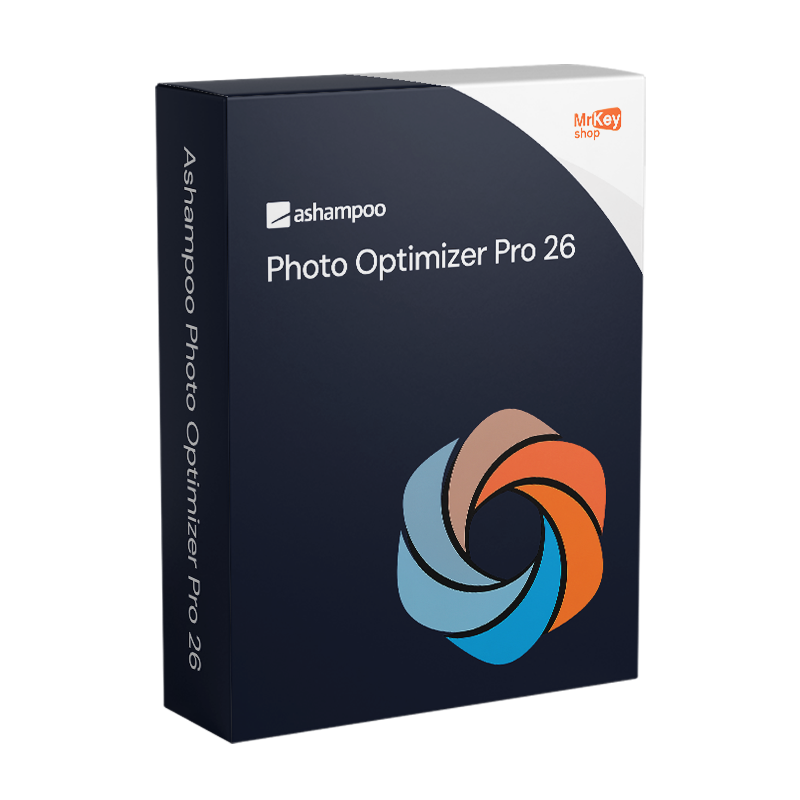
Purchasing a licence for Ashampoo Photo Optimizer Pro 26 is the choice for those who want to improve their photos quickly without having to master a complex photo editor. Version 26, released in 2026, introduces one of the features most requested by users of the suite: image compression for JPG, WebP and PNG with an interactive live preview. The compression tool displays both the original and the compressed image simultaneously, with the expected file size updated in real time as you adjust the quality slider: you can find the perfect balance between visual quality and file size before saving, with no surprises. This feature is particularly useful for those who share photos online, manage web galleries or store large collections on devices with limited storage space. At the heart of the programme remains the automatic optimisation algorithm: when a photo is loaded, the software analyses it for issues with exposure, colour temperature, sharpness, blemishes and contrast, and applies the optimal corrections with a single click, transforming mediocre shots into vibrant, well-balanced images.
Version 26 significantly expands the LUT (Look-Up Table) filter library, with 27 new additions across 9 categories: Halloween, Christmas, Autumn, Summer, Vintage, Contrast, HighKey, LowKey and FX, featuring 3 new looks for each category. LUT filters simultaneously adjust tone, saturation, brightness and contrast with a single click, allowing you to apply seasonal atmospheres or creative styles without adjusting individual parameters. RAW support has been expanded to cover a wider range of digital camera models. The interface has been redesigned with a more modern and clean look whilst retaining the familiar workflow. For those working with large photo libraries, batch processing processes entire folders of photos in a single operation, applying the same optimisations to every shot. Manual tools round off the software’s features: perspective correction for shots of buildings, horizon straightening, cropping, rotation, resizing, adding text, frames, artistic effects, adaptive softening, sharpening, noise reduction and watermarks.
|
Feature |
Details |
|
Version |
Ashampoo Photo Optimizer Pro 26 (26.0.4) |
|
Developer |
Ashampoo GmbH & Co. KG |
|
Licence type |
Perpetual, one-off purchase, no recurring fees |
|
Supported systems |
Windows 11, 10 (x64) |
|
Automatic optimisation |
Yes, one-click analysis and correction of exposure, colour, sharpness and contrast |
|
Image compression |
JPG, WebP, PNG with live preview and real-time file size control (new in v.26) |
|
LUT filters |
27 new looks across 9 categories: Halloween, Christmas, Autumn, Summer, Vintage, Contrast, High Key, Low Key, FX (new in v.26) |
|
RAW support |
Expanded in v.26, with greater coverage of digital camera models |
|
Batch processing |
Yes, optimisation of entire photo folders in a single operation |
|
Perspective correction |
Yes, for buildings and subjects with angular distortions |
|
Horizon straightening |
Yes, automatic correction of horizon tilt |
|
Frames and artistic effects |
New frames added in v.26, wave, whirlwind, implosion and explosion effects |
|
Interface |
Redesigned in v.26, modern look with unchanged workflow |
The simplicity of the software is reflected in the simplicity of purchasing from Mr Key Shop: every original Ashampoo perpetual licence is delivered via email with no physical delivery or waiting time. Buy it, receive it by email, and activate it straight away. Payments are processed via a secure SSL connection using PayPal (including interest-free instalments in 3 payments), Stripe, Amazon Pay, Apple Pay, Google Pay, and credit and debit cards. For the Windows machine on which Photo Optimizer runs, the Windows 11 Pro licence ensures the most up-to-date and compatible foundation. Those working on established systems will find the Windows 10 Pro product key a stable and fully supported platform. To store and share optimised photos using cloud storage, the subscription Microsoft 365 Personal includes 1 TB of OneDrive to synchronise your libraries across all your devices. For office productivity on the same computer, the suite Office 2024 Home & Business includes Word, Excel and PowerPoint with a perpetual licence. To ensure secure browsing whilst sharing photos online, NordVPN encrypts traffic across all devices. For managing PDFs of photography contracts and client releases,Swifdoo PDF covers conversion and annotation. For backing up your photo library before batch optimisation operations,AOMEI Backupper Workstation provides snapshots and rapid recovery. To record tutorials or demonstrations of the optimisation workflow, AWZ Screen Recorder Pro captures the screen in high quality. For creative photographers who combine photo optimisation with 3D modelling and rendering, the licence Autodesk 3ds Max Commercial is available from the same store with the same guarantees.
Once your purchase is complete, you’ll receive everything you need via email to start optimising your photos straight away. Here’s what your licence includes:
Windows Operating Systems: Windows 11 - Windows 10 - Windows 8 - Windows 7
Microsoft Office packages: Office 2024 - Office 2021 - Office 2019 - Office 2016 - Office 2013 - Office 2010 - Office for MAC - Microsoft 365 - Office App - Visual Studio - Project - Access - Visio - Outlook - Word - Excel - PowerPoint
Antivirus: Kaspersky - ESET - McAfee - Avast -Bitdefender - Norton - AVG - Acronis - Surfshark- IObit - Watchdog - Panda - Server Antivirus
VPN: HMA VPN - NordVPN - Surfshark - Cyberghost
Microsoft Server: Server 2025 - Server 2022 - Server 2019 - Server 2016 - Server 2012 - Storage Server 2016 - Storage Server 2012 - Server CAL - RDS CAL Server - SQL Server
Utilities: PDF converters - Disk Cleanup - Data Management - Screen Recorder - Invoicing Software - Backup Software - Data Recovery - Disk Partitioning - Deployment - 3D Modeling - Remote Desktop - Editing -Video Converter - Virtualization - Graphics
CAD: Autodesk - ZWSOFT – Rhino 3D - Ashampoo
Bundle: Software for Creators - Software for Gamers - Software for the Family - Software for Smart Working - Software Bundle for SMEs & Startups - Software bundle for students
Take your business to the next level with a solid and recognized partner in the original software licensing industry. With Mr Key Shop, you get access to exclusive price lists for resellers, special terms, and free professional support for you and your customers.
What's more, with MrKeyWallet, you can get extra credits on every top-up and further increase your margins: the more you invest, the more you earn. A system designed for those who really want to scale up.
Join the MKreseller programnow and discover all the benefits reserved for partners.
|
Component |
Requirement |
|
Operating system |
Windows 11 / 10 (x64) |
|
System rights |
Full administrative rights required |
|
Disk space |
Approximately 270 MB for full installation |
|
Internet connection |
Required for activation and periodic licence verification |
Once you have received the licence code by email from Mr Key Shop, download the Ashampoo Photo Optimizer Pro 26 installation file directly from the official portal at ashampoo.com in the product’s download section, or via the direct link included in the confirmation email. The installation file is approximately 270 MB in size and includes all components of the suite: the automatic optimiser, manual tools, LUT library and compression module. The software is also available via the Microsoft Store.
Installation is carried out via a guided wizard that completes the process in just a few minutes without requiring any special technical configuration. Once complete, the programme is immediately ready to use with its newly redesigned interface. On first launch, Photo Optimizer Pro 26 opens directly to the main screen with the image upload button clearly visible: you can drag and drop photos or folders directly into the interface to start automatic batch optimisation. An active internet connection and full administrative rights on the system are required for activation.
Activation is carried out by entering the licence code received via email on the registration screen upon first launch, or via your account on the ashampoo.com portal. Creating a free Ashampoo account allows you to store the code and retrieve it in the event of a reinstallation or a change of device. The licence is periodically verified online whilst using the software.


 $95.91
$106.57
$95.91
$106.57
 $117.23
$515.84
$117.23
$515.84
 $223.81
$266.44
$223.81
$266.44
 $84.19
$159.86
$84.19
$159.86


 Chat with us
 Ita
Ita
 Eng
Eng
 Deu
Deu
 Esp
Esp
 Fra
Fra