


 Lamentablemente, su carrito de compras está vacío.


 Devuelve
 Chatea con Nosotros
 Quiénes Somos
 Mis Pedidos

 Twitter
 LinkedIn
 Meta
Meta


 68,03 £
129,18 £
68,03 £
129,18 £

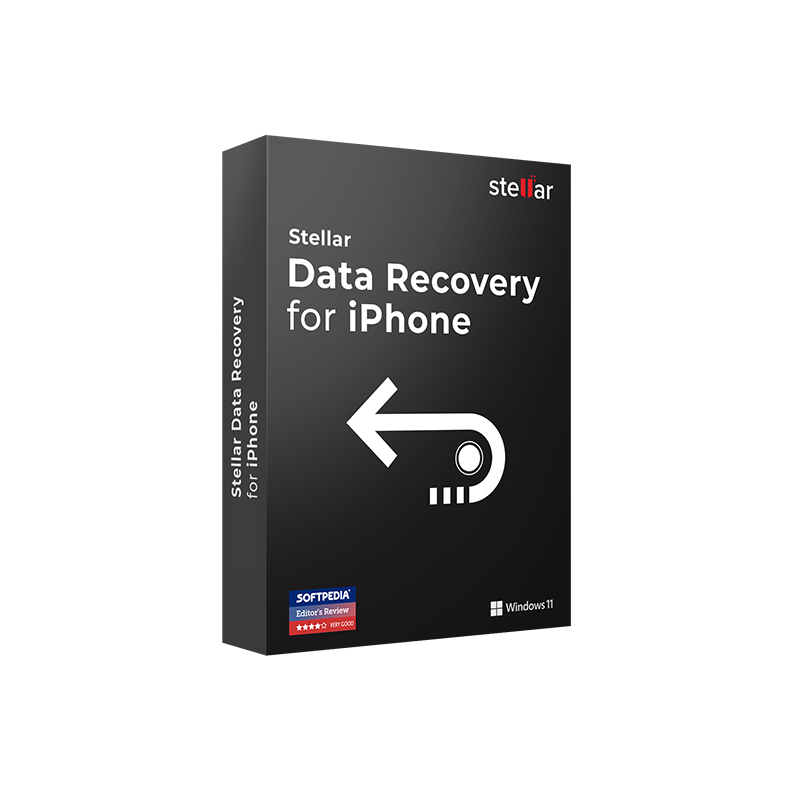







| Información sobre la entrega
La product key de Stellar Data Recovery for iPhone Standard for Windows se enviará por correo electrónico en un plazo de 6/12 horas desde la compra, con instrucciones completas para la descarga y activación. |
Junto con una licencia Stellar Data Recovery for iPhone Standard, el tiempo es fundamental si quieres recuperar fotos de tu iPhone.
Un toque accidental en el botón de eliminar, un restablecimiento de fábrica realizado antes de crear una copia de seguridad o una actualización de iOS fallida que dejó el dispositivo inaccesible. Estas situaciones ocurren cada día en millones de iPhones y iPads y, en la mayoría de los casos, los datos no se han perdido realmente. Cuando un archivo se elimina de iOS, el espacio que ocupaba se marca como disponible, pero el contenido permanece físicamente presente hasta que se sobrescribe con nuevos datos. Cuanto antes actúes, mayores serán las posibilidades de recuperación.
Stellar Data Recovery for iPhone Standard for Windows es la herramienta que conecta tu PC Windows a tu iPhone o iPad para iniciar la recuperación desde tres fuentes diferentes: directamente desde el dispositivo iOS mediante USB, desde una copia de seguridad de iTunes almacenada en tu PC o desde una copia de seguridad de iCloud. Recupera fotos, vídeos, mensajes de texto, iMessage, contactos, historial de llamadas, calendarios, notas, marcadores de Safari, notas de voz, datos de WhatsApp, Viber, WeChat, Kik, Line y Tango, incluidos los archivos adjuntos. Es compatible con todos los modelos de iPhone y iPad con iOS 12 y versiones posteriores, incluidos los dispositivos más recientes con iOS 18.
|
Área |
Características |
|
Recuperación desde dispositivo |
Escaneo directo de iPhone o iPad conectado por USB, recupera datos eliminados incluso sin copia de seguridad |
|
Recuperación desde iTunes |
Recuperación desde archivos de copia de seguridad de iTunes almacenados en el PC, incluidas copias cifradas con contraseña |
|
Recuperación desde iCloud |
Recuperación selectiva desde copia de seguridad de iCloud, acceso mediante credenciales de Apple ID sin descargar toda la copia |
|
Datos recuperables |
Fotos y vídeos (Camera Roll, Photo Stream), SMS/MMS/iMessage con adjuntos, contactos, registros de llamadas, calendarios, notas y adjuntos, marcadores de Safari, notas de voz, recordatorios |
|
Apps de mensajería |
WhatsApp y adjuntos, Viber, WeChat, Line, Kik, Tango |
|
Deep Scan |
Escaneo avanzado basado en firmas de archivo para recuperar datos no encontrados por el escaneo rápido |
|
Vista previa antes de la recuperación |
Visualización de todos los archivos recuperables antes de guardarlos, selección de elementos específicos para restaurar |
|
Copias de seguridad cifradas |
Acceso a copias de seguridad de iTunes protegidas con contraseña sin perder el cifrado |
|
Dispositivos compatibles |
Todos los modelos de iPhone y iPad, iPhone 16/15/14/13/12/11/XS/XR/X y anteriores; iPad Pro, iPad Air, iPad mini |
|
iOS compatible |
iOS 12 y versiones posteriores, incluido iOS 18 |
Comprar en Mr Key Shop significa obtener una licencia Stellar original, activable a través de los canales oficiales, con soporte técnico gratuito en italiano desde la compra hasta la activación. La product key se entrega por correo electrónico en un plazo de 6/12 horas con instrucciones completas. Puedes pagar de forma segura con PayPal, también en 3 cuotas sin intereses, Stripe, Amazon Pay, Apple Pay, Google Pay y tarjetas de crédito/débito, todo protegido con cifrado SSL. La certificación Trusted Shops garantiza protección de compra hasta 2.500 €, y la valoración “Excelente” en Trustpilot está confirmada por clientes verificados en toda Europa.
El PC Windows utilizado para la recuperación de datos del iPhone debe funcionar sobre una plataforma sólida y actualizada: la licencia Windows 11 Pro aporta optimizaciones de seguridad y funciones de gestión de dispositivos que mejoran la conectividad USB con iPhone y iPad. Para sistemas que aún ejecutan Windows 10, la product key Windows 10 Pro garantiza una plataforma estable y duradera, totalmente compatible con iTunes y Stellar Data Recovery for iPhone. Para productividad, la licencia Office 2024 Home & Business incluye Word, Excel, PowerPoint y Outlook para gestionar documentos junto con los flujos de recuperación. Para almacenar en la nube fotos y archivos recuperados, la suscripción Microsoft 365 Personal ofrece apps de Office actualizadas y 1 TB de OneDrive. La privacidad de los datos personales recuperados —mensajes, fotos, contactos— está protegida con CyberGhost VPN durante las transferencias en redes no seguras. Para gestionar documentos PDF, Swifdoo PDF proporciona edición y conversión ligeras. Para grabar tutoriales o flujos de trabajo de recuperación, AWZ Screen Recorder Pro ofrece grabación de pantalla nativa en Windows. Los profesionales técnicos que trabajan con CAD junto a la recuperación de datos pueden confiar en Autodesk AutoCAD LT Commercial para diseño 2D, protegiendo los archivos de proyecto con el mismo cuidado que los datos del iPhone. Sin envíos, sin esperas: licencia entregada en tu inbox, lista para activar.
Sistemas operativos Windows: Windows 11 - Windows 10 - Windows 8 - Windows 7
Paquetes de Microsoft Office: Office 2024 - Office 2021 - Office 2019 - Office 2016 - Office 2013 - Office 2010 - Office para MAC - Microsoft 365 - Aplicación Office - Visual Studio - Project - Access - Visio - Outlook - Word - Excel - PowerPoint
Antivirus: Kaspersky - ESET - McAfee - Avast -Bitdefender - Norton - AVG -
- Acronis - Surfshark- IObit - Watchdog - Panda –Antivirus para Server
VPN: HMA VPN - NordVPN - Cyberghost - Surfshark
Servidor Microsoft: Server 2025 - Server 2022 - Server 2019 - Server 2016 - Server 2012 - Storage Server 2016 - Storage Server 2012 - CAL de servidor - Servidor RDS CAL - SQL Server
Utilidades: Convertidores de PDF - Limpieza del disco - Gestión de datos - Grabador de pantalla - Software de facturación - Software de copia de seguridad - Recuperación de datos - Partición de discos - Implementación - Modelado 3D - Escritorio remoto - Edición -Convertidor de vídeo - Virtualización - Gráficos - Cifrado - Streaming - Software de conversión - Programas para desinstalar
CAD: Autodesk - Zwsoft - Rhino - Ashampoo
Paquete: Software para creadores - Software para jugadores - Software para la familia - Software para el trabajo inteligente - Paquete de software para pymes y startups - Paquete de software para estudiantes
Lleva tu negocio al siguiente nivel con un socio sólido y reconocido en el sector de las licencias de software originales. Con Mr Key Shop, tendrás acceso a listas de precios exclusivas para distribuidores, condiciones reservadas y asistencia profesional gratuita para ti y tus clientes.
Además, con MrKeyWallet puedes obtener créditos extra con cada recarga y aumentar aún más tus márgenes: cuanto más inviertas, más ganarás. Un sistema pensado para aquellos que realmente quieren crecer.
Únete ahora al programa para distribuidores MKreseller y descubre todas las ventajas reservadas a los socios.
|
Requisito |
Especificaciones |
|
Sistema operativo |
Windows 11, 10, 8.1, 8, 7 |
|
Procesador |
Compatible con Intel (x86, x64) |
|
RAM |
2 GB mínimo (4 GB recomendados) |
|
Espacio en disco |
Espacio adecuado para la instalación y para los archivos recuperados |
|
Software requerido |
iTunes (actualizado a la última versión), necesario para la conexión USB con iPhone y iPad |
|
Dispositivos iOS |
Todos los modelos de iPhone (hasta iPhone 16) y iPad, Pro, Air, mini |
|
iOS compatibles |
iOS 12 y versiones posteriores, incluido iOS 18 |
|
Conexión a Internet |
Necesaria para activación, actualizaciones y recuperación desde iCloud |
|
Cable USB |
Cable Lightning o USB-C original de Apple recomendado para una conexión fiable con el dispositivo |
|
Notas |
No utilices el dispositivo iOS durante el proceso de recuperación para evitar la sobrescritura de datos. iTunes debe estar instalado antes de iniciar el software |
Stellar Data Recovery for iPhone Standard for Windows está disponible para descarga directa desde stellarinfo.com. El software requiere Windows 7, 8, 8.1, 10 o 11 y iTunes instalado en el PC, necesario para la conexión USB con iPhone y iPad. Compatible con todos los modelos de iPhone y iPad con iOS 12 y versiones posteriores, incluido iOS 18. Antes de iniciar la recuperación se recomienda evitar usar el dispositivo iOS para no sobrescribir los datos a recuperar.
Para instalar Stellar Data Recovery for iPhone Standard for Windows:
La interfaz principal presenta las tres opciones de recuperación, desde dispositivo, desde iTunes, desde iCloud, accesibles desde la pantalla inicial.
Para activar Stellar Data Recovery for iPhone Standard for Windows:
Con la licencia activa, la recuperación y el guardado de todos los datos están disponibles sin limitaciones, desde dispositivo, iTunes e iCloud, incluidos backups cifrados y datos de aplicaciones de mensajería. Conserva el product key: será necesario en caso de reinstalación en un nuevo PC.
Stellar Data Recovery for iPhone Standard for Windows es un software para la recuperación de datos eliminados o perdidos de iPhone y iPad, gestionado desde un PC con Windows. Recupera fotos, vídeos, mensajes, contactos, historial de llamadas, notas, datos de WhatsApp y otros tipos de contenido desde tres fuentes: directamente desde el dispositivo iOS conectado por USB, desde la copia de seguridad de iTunes en el PC y desde la copia de seguridad de iCloud. Es compatible con todos los modelos de iPhone y iPad con iOS 12 y versiones posteriores.
Sí. iTunes debe estar instalado y actualizado en el PC con Windows para permitir la conexión USB con iPhone y iPad. Para la recuperación desde copias de seguridad de iTunes o iCloud, iTunes no tiene que estar necesariamente activo durante el proceso, pero debe estar instalado.
Sí. La versión Standard recupera mensajes de WhatsApp y sus archivos adjuntos, junto con mensajes de Viber, WeChat, Line, Kik y Tango, desde el dispositivo iOS directamente o desde copias de seguridad de iTunes e iCloud.
Sí. Stellar Data Recovery for iPhone Standard admite la recuperación desde copias de seguridad de iTunes protegidas con contraseña; introduciendo la contraseña del backup, el software accede al contenido cifrado y recupera los datos seleccionados.
|
Funcionalidad |
Standard |
Professional |
Toolkit |
|
Recuperación desde dispositivo, iTunes, iCloud |
✅ |
✅ |
✅ |
|
Recuperación de fotos, vídeos, mensajes, contactos |
✅ |
✅ |
✅ |
|
Recuperación de datos de WhatsApp y apps de chat |
✅ |
✅ |
✅ |
|
Copias de seguridad de iTunes cifradas |
✅ |
✅ |
✅ |
|
Deep Scan |
✅ |
✅ |
✅ |
|
Reparación del sistema iOS |
❌ |
✅ |
✅ |
|
Borrado permanente de datos del iPhone |
❌ |
❌ |
✅ |
|
Eliminación del ID de Apple |
❌ |
❌ |
✅ |
Sí. El software es compatible con todos los modelos de iPhone, desde los más antiguos hasta el iPhone 16, y con todos los modelos de iPad Pro, iPad Air e iPad mini con iOS 12 y versiones posteriores, incluido iOS 18.
Si el dispositivo iOS presenta problemas de sistema, pantalla negra, bucle de reinicio o se queda bloqueado en el logo de Apple impidiendo la conexión al PC, considera la versión Professional que incluye el módulo de reparación del sistema iOS. Si necesitas borrar definitivamente los datos antes de vender o ceder el iPhone, considera la versión Toolkit.
|
Criterio |
Stellar Data Recovery for iPhone |
Dr.Fone (Wondershare) |
iMobie PhoneRescue |
|
Recuperación desde dispositivo, iTunes, iCloud |
✅ |
✅ |
✅ |
|
Copias de seguridad de iTunes cifradas |
✅ |
✅ |
✅ |
|
WhatsApp y apps de chat |
✅ |
✅ |
✅ |
|
Deep Scan |
✅ |
✅ |
✅ |
|
Vista previa antes de la recuperación |
✅ |
✅ |
✅ |
|
Reparación iOS (Standard) |
❌ |
✅ |
✅ |
|
Interfaz en italiano |
✅ |
Parcial |
Parcial |
|
Todos los modelos de iPhone e iOS 18 |
✅ |
✅ |
✅ |


 68,03 £
129,18 £
68,03 £
129,18 £
 111,95 £
416,83 £
111,95 £
416,83 £


 Chatea con nosotros
 Ita
Ita
 Eng
Eng
 Deu
Deu
 Esp
Esp
 Fra
Fra