


 Unfortunately your shopping cart is empty


 Returns
 Chat with Us
 About Us
 My Orders

 Twitter
 LinkedIn
 Meta
Meta



 $84.19
$133.21
$84.19
$133.21






|
Information Product key delivered via email. During peak periods, delivery may take up to 12 hours on weekdays and up to 24 hours at weekends. |
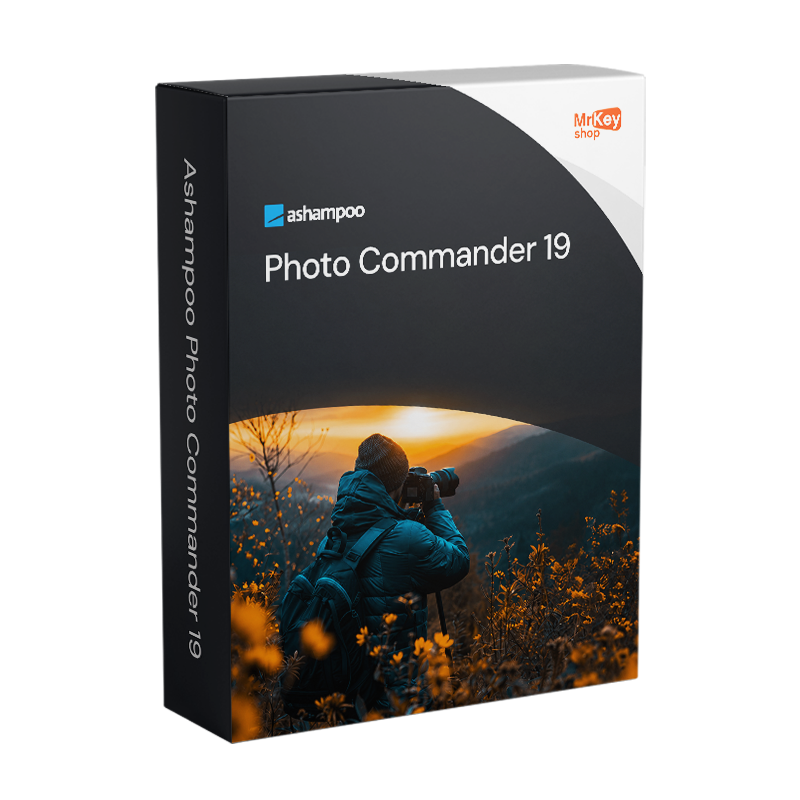
Purchasing a licence for Ashampoo Photo Commander 19 gives you access to one of the most comprehensive photo suites available for Windows: over 200 features to manage your entire photo library, from importing to organising, from editing to presenting, without having to install separate programmes for each task. Released on 7 October 2025, version 19 places a specific emphasis on security and the protection of photo data: the programme’s database, backups and registry entries are now automatically encrypted without any configuration required by the user. Optional screenshot protection prevents unauthorised captures by third-party software, a direct response to the Microsoft Recall feature in Windows 11, which continuously records the PC screen. Automatic autosave and the new crash reporter improve operational stability and simplify the recovery of work in the event of unexpected interruptions. Automatic detection of connected devices – such as USB sticks, external hard drives and portable SSDs – allows you to import photos and videos with minimal effort as soon as the device is connected.
The library management capabilities of Photo Commander 19 include the new ‘Where?’/ When? view, which counts the number of files for each date or geographical location – useful for quickly navigating large archives without having to open every folder – alongside duplicate detection using fingerprint technology, search by name, EXIF/IPTC metadata and comments, and support for geotags, which allows you to view the location of your shots on a map. On the editing front, the programme incorporates tools for automatic colour correction, noise reduction, red-eye removal, repair of faded and scratched photos, tilt-shift effects, panorama, HDR and batch processing for entire archives. Creative features include creating slideshows with transitions up to 4K, collages, greeting cards, calendars and photo frames. Version 19 adds full support for WEBP animations, RAW files from many digital cameras and optimised video codecs. Direct burning to CDs and DVDs for archiving collections on physical media rounds off a software package that truly covers every photographic need in a single installation.
|
Feature |
Details |
|
Version |
Ashampoo Photo Commander 19 (19.0.5, released October 2025) |
|
Developer |
Ashampoo GmbH & Co. KG |
|
Licence type |
Perpetual, one-off purchase, no recurring fees |
|
Supported systems |
Windows 11, 10 (x64) |
|
Total features |
Over 200 photo features in a single programme |
|
Automatic encryption |
Yes, automatically encrypted databases, backups and registry entries (new in v.19) |
|
Screenshot protection |
Yes, optional, to prevent unauthorised capture by third-party software (new in v.19) |
|
Autosave and crash reporter |
Yes, automatic saving and work recovery in the event of interruptions (new in v.19) |
|
External drive detection |
Automatic, USB, external hard drives and portable SSDs (new in v.19) |
|
Where?/When? |
Yes, quick navigation by date and location with file count (new in v.19) |
|
Supported formats |
Animated WEBP, RAW (many digital cameras), optimised video codecs (new in v.19) |
|
Duplicate detection |
Yes, fingerprint technology, improved in v.19 |
|
Photo editing |
Automatic correction, noise reduction, red-eye removal, panorama, HDR, tilt-shift |
|
Presentations and creativity |
Slideshows up to 4K, collages, calendars, cards, photo frames |
|
Batch processing |
Yes, conversion and optimisation of entire archives in just a few clicks |
Every licence distributed via Mr Key Shop is genuine and guaranteed: buying Ashampoo Photo Commander 19 means receiving an original Ashampoo perpetual licence directly via email, with no physical delivery or waiting times. Buy it, receive it by email, and activate it straight away. Payments are processed via a secure SSL connection using PayPal (including interest-free instalments in 3 payments), Stripe, Amazon Pay, Apple Pay, Google Pay, and credit and debit cards. For the Windows machine on which Photo Commander runs, the Windows 11 Pro licence ensures the most up-to-date and compatible foundation. Those working on established systems will find that the Windows 10 Pro product key a stable platform that is fully supported by Photo Commander 19. To store and share photo libraries using integrated cloud storage, the subscription Microsoft 365 Personal includes 1 TB of OneDrive to synchronise photos across all your devices. For office productivity on the same computer, the suite Office 2024 Home & Business includes Word, Excel, PowerPoint and Outlook with a perpetual licence. To protect your browsing on unsecured networks whilst sharing photos online,CyberGhost VPN encrypts traffic across all devices. For managing PDFs of contracts, photo releases and client documentation,Swifdoo PDF covers conversion and annotation. For a full backup of your photo library before batch editing, AOMEI Backupper Workstation ensures snapshots and rapid recovery. To record tutorials or demonstrations of your photography workflow, AWZ Screen Recorder Pro captures the screen in high quality. For professional photographers who combine photography with 3D modelling and rendering, the licence Autodesk 3ds Max Commercial is available from the same store with the same guarantees.
Once your purchase is complete, you’ll receive everything you need via email to start managing your photos straight away. Here’s what your licence includes:
Take your business to the next level with a solid and recognized partner in the original software licensing industry. With Mr Key Shop, you get access to exclusive price lists for resellers, special terms, and free professional support for you and your customers.
What's more, with MrKeyWallet, you can get extra credits on every top-up and further increase your margins: the more you invest, the more you earn. A system designed for those who really want to scale up.
Join the MKreseller programnow and discover all the benefits reserved for partners.
|
Component |
Requirement |
|
Operating system |
Windows 11 / 10 (x64) |
|
System rights |
Full administrative rights required |
|
Internet connection |
Required for licence activation and periodic verification |
Once you have received the licence code by email from Mr Key Shop, download the Ashampoo Photo Commander 19 installation file directly from the official portal at ashampoo.com in the product’s download section, or via the direct link included in the confirmation email. The software is also available via the Microsoft Store. The installation file includes all components of the suite – management, editing, creative modules and presentation – in a single package. Before proceeding, ensure you have full administrative rights on the system.
Installation takes place via a guided wizard that completes the process in a few minutes. Once complete, Photo Commander 19 launches and prompts you to set up your photo library: you can specify the folders containing your existing photos so that they are indexed and made available for browsing and searching. The new automatic device detection feature is activated immediately: when you connect a USB stick or an external hard drive, the software automatically offers to import its contents. An active internet connection is required for activation.
Activation is carried out by entering the licence code received via email on the registration screen upon first launch, or via your account on the ashampoo.com portal. Creating a free Ashampoo account allows you to store all the codes you have purchased over time: should you need to reinstall your system or switch devices, the code remains accessible via your personal account without the risk of loss. The licence is periodically verified online whilst you are using the software.






 Chat with us
 Ita
Ita
 Eng
Eng
 Deu
Deu
 Esp
Esp
 Fra
Fra