


 Unfortunately your shopping cart is empty


 Returns
 Chat with Us
 About Us
 My Orders

 Twitter
 LinkedIn
 Meta
Meta



 $84.19
$133.21
$84.19
$133.21

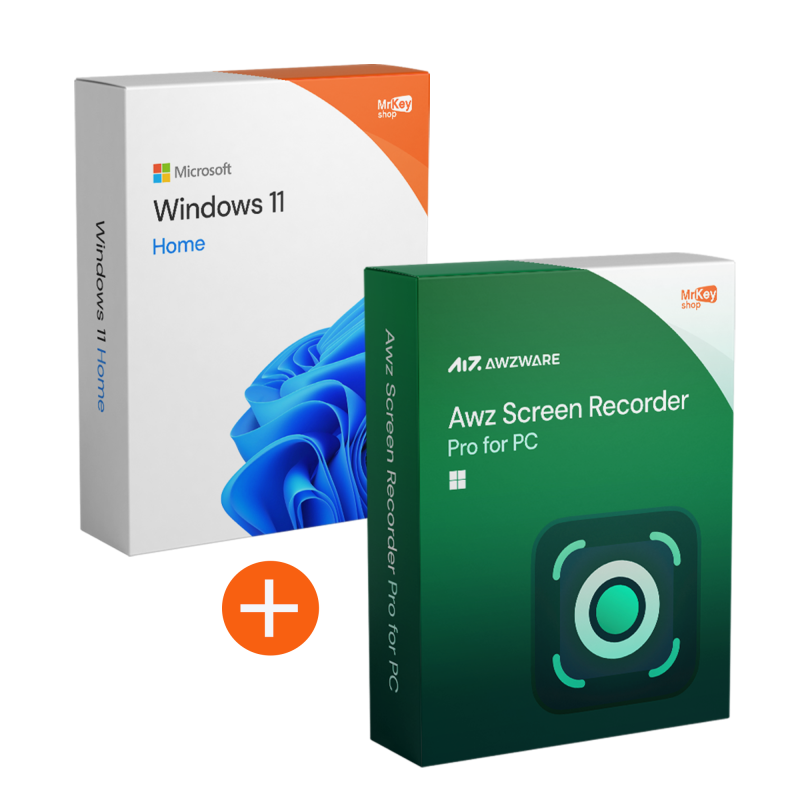





By purchasing the Windows 11 Pro + AWZ Screen Recorder Pro bundle, you will make your smart working even more efficient.
When working remotely, it is often not enough to ‘do well’: you also need to explain, document and transfer skills. Whether it's onboarding, internal procedures, supporting a colleague or a demo for a customer, a well-recorded video reduces endless messages and repetitive calls. This bundle is designed to transform operational communication into something simpler and faster.
On the one hand, you have Windows 11 Pro, a modern and reliable foundation for working with continuity; on the other, AWZ Screen Recorder Pro, a practical tool for creating tutorials, walkthroughs and visual reports. At Mr Key Shop, you can purchase original and guaranteed licences, with digital delivery via email, secure download links, complete instructions and free technical support in Italian and English.
We created the Windows 11 Pro + AWZ Screen Recorder Pro bundle to address a typical need in smart working: making communication clearer and more repeatable, without turning every question into a meeting. In many teams, time is wasted on repetitive explanations: ‘Where do I click?’, ‘How do I set this procedure?’, ‘Can you show me an example?’
With this combination, you get a reliable professional foundation and a practical tool for creating content that lasts: mini tutorials, walkthroughs, training and visual reports. The benefits are tangible: fewer misunderstandings, less back-and-forth in chat, fewer calls ‘just to clarify’, more productivity and faster deliveries.
This bundle is designed for those who work remotely and want tools that increase real productivity, especially when it comes to explaining and sharing processes. It is particularly useful for managers and team leads who need to align activities and procedures, for HR and training professionals who create onboarding materials, and for those who manage demos and support and want to show steps clearly.
It is also a valid solution for freelancers and creators who record tutorials, course content, presentations or demonstration videos, maintaining a stable and orderly setup on their main PC.
The idea is simple: a PC ready to work and a tool for recording and sharing procedures, training and demonstrations. Below are the key points, clearly organised.
|
Software |
Key features |
|
Windows 11 Pro |
|
|
AWZ Screen Recorder Pro |
|
One of the less obvious but fundamental technical advantages of this bundle is the seamless integration between the Windows 11 Pro kernel and the AWZ Screen Recorder Pro capture engine. The software is designed to take advantage of your video card's hardware acceleration (GPU Encoding). This means that, unlike free tools that overload the CPU and cause slowdowns, AWZ delegates the rendering load to the graphics card. You can record heavy software, complex presentations or workflows in 4K while keeping your PC responsive and smooth, with no impact on operating performance.
The move to Windows 11 Pro, combined with the power of AWZ, enables a culture of asynchronous communication. Instead of filling your schedule with 30-minute calls for simple clarifications, you can record a 2-minute video report commenting on the data on screen. With real-time annotation features, you can highlight Excel cells, lines of code or graphic details as you speak. This approach drastically reduces ‘meeting burnout,’ allowing your team to consult instructions when they are most productive and creating an archive of expertise that is always available.
Security is at the heart of Windows 11 Pro. By using AWZ Screen Recorder Pro in this environment, you benefit from BitLocker protection for your recordings saved to disk. If you record demos with sensitive data or passwords, the stability of the operating system ensures that temporary recording files are not exposed to vulnerabilities, allowing you to manage the privacy of your content with enterprise-grade encryption tools.
Purchasing this bundle from Mr Key Shop is not only an efficient choice, but also a tax advantage. Each order comes with a regular invoice, which is essential for the deductibility of business costs or professionals with a VAT number. Furthermore, as these are perpetual (lifetime) licences, the software becomes an asset owned by your company, freeing you from monthly subscription service fees. The combination also ensures full regulatory compliance for data protection, thanks to the BitLocker encryption systems included in Windows 11 Pro that secure your sensitive records.
|
Traditional Activity |
Bundle Solution |
Estimated Savings |
|
Alignment Meeting |
Asynchronous video tutorial recorded in 2 minutes. |
-70% less time wasted on calls. |
|
Onboarding New Colleagues |
Reusable walkthrough of company tools. |
Scalable and consistent training. |
|
Technical Support/Bug Reports |
Video recording of the problem ‘in action’. |
50% faster ticket resolution. |
|
Demos for Customers |
Smooth, personalised video presentation. |
Greater impact and zero live errors. |
Buying from Mr Key Shop means choosing a reliable retailer and a secure shopping experience. You can count on Trusted Shops protection (coverage up to £2,500 per order) and verified reviews that confirm the quality of service and support: an advantage when you want to install and activate without any problems.
Payments are protected by SSL encryption and you can choose from secure and flexible methods: PayPal (also in 3 instalments), Klarna, Amazon Pay, Apple Pay, Google Pay, Discover and credit/debit cards via Stripe. Every order is covered by our money-back guarantee policy and includes free technical support in Italian and English, before and after purchase.
After placing your order, you will receive everything via email with digital delivery: clear instructions, secure download instructions and activation guide. It is an eco-friendly solution that eliminates unnecessary shipping and packaging and allows you to get started right away.
If you want to complete your setup with complementary tools available on Mr Key Shop, you can also consider Bitdefender Total Security for complete device protection, CCleaner Premium to optimise PC performance and clean-up, EaseUS Data Recovery Wizard for data recovery and AOMEI Partition Assistant for managing partitions and storage in a more organised way: always purchase with immediate delivery and support included.
Take your business to the next level with a solid and recognized partner in the original software licensing industry. With Mr Key Shop, you get access to exclusive price lists for resellers, special terms, and free professional support for you and your customers.
What's more, with MrKeyWallet, you can get extra credits on every top-up and further increase your margins: the more you invest, the more you earn. A system designed for those who really want to scale up.
Join the MKreseller programnow and discover all the benefits reserved for partners.
Windows 11 Pro
AWZ Screen Recorder Pro (practical tips for recording well)
After purchasing the Windows 11 Pro + AWZ Screen Recorder Pro bundle, you will receive instructions by email on how to download both software programmes securely. You will find reliable download links and clear information to obtain the correct versions, reducing the risk of errors or unofficial sources.
What the delivery email contains
The installation is guided: first configure Windows 11 Pro as the basis for your PC and then install AWZ Screen Recorder Pro following the procedure indicated in the instructions. You will find clear and comprehensive steps, so you can get the setup up and running without any false starts and with a straightforward process.
For Windows 11 Pro, you can enter the key during installation or later from Settings > System > Activation, selecting the option to change the product key and completing the procedure with an active Internet connection.
For AWZ Screen Recorder Pro, activation is carried out by following the instructions received: depending on the method provided, you may enter the licence details directly in the app or in the user panel indicated by the manufacturer. If you have any doubts or encounter any errors, the free technical support in Italian and English will guide you step by step.
What do I receive when I purchase the bundle from Mr Key Shop?
You will receive original licences (where applicable), secure download links and complete instructions for downloading, installing and activating the software via email. Free technical support in Italian and English is included, which is useful in case of doubts or errors during the procedure.
How can I record only one window, avoiding notifications and distractions?
Select the ‘window’ (or “area”) mode and activate ‘Do Not Disturb’ in Windows before starting. Close any open emails and chats and remove sensitive items from your desktop to get a clean video. Can I record system audio and microphone together? Yes. In the audio settings, choose whether to capture system audio, microphone, or both. Do a quick test to check the volumes and selected sources.
Audio and video are not synchronised: how do I fix this?
Reduce the load during recording (close heavy apps), save to SSD and try lowering the frame rate or quality. If you are using an external microphone, check that it is set as the default device and repeat a test for a few seconds.
How can I reduce file size while maintaining good quality?
For tutorials and internal procedures, a lower resolution and balanced frame rate are often sufficient. Avoid maximum quality if the video needs to be shared quickly in chat or on company drives.
What is the difference between resolution and frame rate in recording?
Resolution defines sharpness (how ‘big’ the image is), frame rate defines fluidity (how many frames per second). For tutorials with on-screen steps, clarity is often more important than maximum smoothness.
Why do I see a black screen in some recordings?
This may be due to graphics settings, permissions, or protected content that does not allow capture. Try recording a specific window, update your graphics drivers, and verify that the app you are recording does not have capture restrictions.
Can I use this bundle for remote training and onboarding?
Yes. It's a typical scenario: you record procedures and workflows and share them with new colleagues or your team, reducing repetitive calls and misunderstandings.
If the activation of AWZ Screen Recorder Pro is unsuccessful, what can I do?
Check that you are following the procedure indicated in the instructions and that the data you have entered is correct. If the error persists, contact technical support: we will help you complete the activation quickly.
Does AWZ Screen Recorder Pro support 4K recording on Windows 11?
Yes, if your monitor and video card support it, the software can capture video in 4K resolution, ensuring absolute clarity for professional demos and high-impact visual presentations.
Can I record meetings on Teams or Zoom without others knowing?
Technically yes, but we always recommend informing participants. AWZ captures system audio and video independently of the call platform, ensuring a perfect backup of every important meeting.
Are the licences perpetual or do they require annual renewal?
Both licences included in the bundle (Windows 11 Pro and AWZ Screen Recorder Pro) are perpetual. You pay once and can use the software without time limits and without monthly fees.
Does AWZ Screen Recorder Pro allow me to record even if I use two monitors?
Absolutely. The software supports multi-monitor configurations typical of Windows 11 Pro workstations. You can choose to record an entire monitor, a specific window, or a selected area on any connected screen.
Can I protect recorded videos with a password?
In addition to the software options, Windows 11 Pro allows you to save your exports in folders protected by BitLocker encryption, ensuring that only authorised personnel can view confidential company content.
What happens if I upgrade my PC hardware?
As these are genuine retail licences, you can transfer your Windows 11 Pro and AWZ licence to new hardware by following the deactivation/reactivation procedure, protecting your purchase over time.
Use cases in smart working
What can I record and how do I share it?
|
Method |
What you record |
Audio |
When it's useful |
Typical sharing |
|
Full screen |
Full desktop |
System audio and/or microphone |
Full training and demos, long streams |
Drive, LMS, internal channels |
|
Window |
Only one specific application |
Microphone (explanation) + app audio if necessary |
Clean procedures, fewer distractions |
Company chats, tickets, knowledge base |
|
Selected area |
A portion of the screen |
Microphone and/or system |
Focus on detail, privacy and reducing distractions |
Support, quick guides, micro-tutorials |
Checklist before recording
Best practices for effective tutorials
A useful tutorial is one that saves time for the viewer. To achieve a professional result without complicating your life:
Privacy and good security practices
When recording your screen, protecting your data and accounts is essential. Before you start recording, close any emails and chats containing sensitive information, disable notifications, and consider using ‘window’ or ‘area’ mode to prevent unnecessary elements from appearing. If you are working on documents with personal data, choose to screen or omit sensitive fields during recording.
Quick troubleshooting
|
Problem |
Quick solution |
|
No audio or audio too low |
Check the selected audio source (microphone/system) and do a 10-second test before the final video. |
|
Microphone not detected |
Check microphone permissions in Windows and select the correct device in the recorder settings. |
|
Huge file |
Reduce resolution/frame rate or set a more balanced quality for internal tutorials and quick sharing. |
|
Lag during recording |
Close heavy applications, save to SSD, and use ‘window’ or ‘area’ recording to reduce the load. |
|
Notifications or sensitive data appear in the video |
Enable ‘Do Not Disturb’, close email/chat and prefer “window” or ‘area’ recording for cleaner output. |






 Chat with us
 Ita
Ita
 Eng
Eng
 Deu
Deu
 Esp
Esp
 Fra
Fra