


 Lamentablemente, su carrito de compras está vacío.


 Devuelve
 Chatea con Nosotros
 Quiénes Somos
 Mis Pedidos

 Twitter
 LinkedIn
 Meta
Meta


 78,99 €
149,99 €
78,99 €
149,99 €

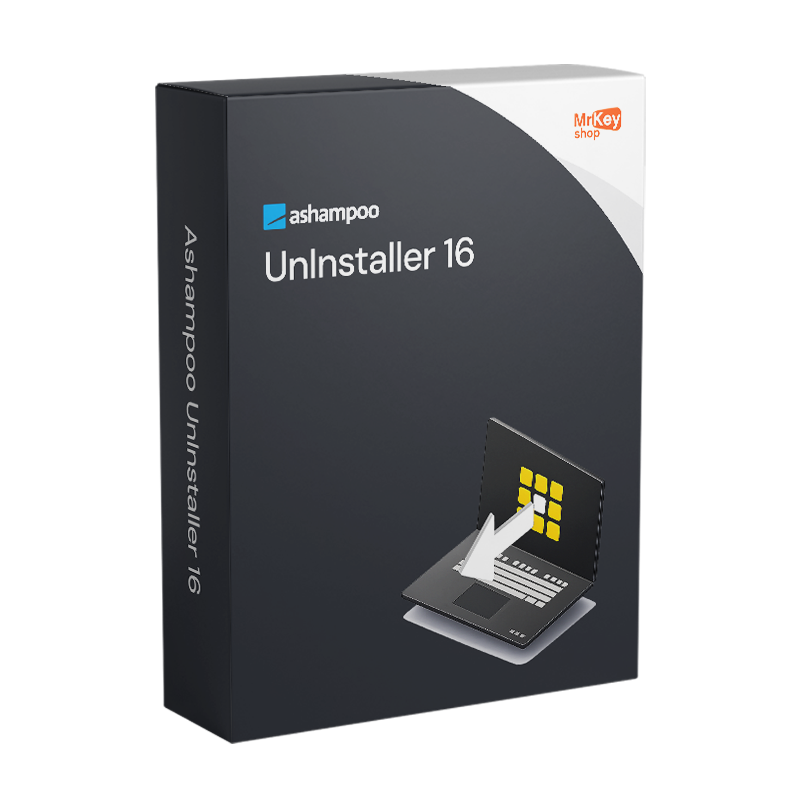








|
Información Entrega de la clave de producto por correo electrónico. En momentos de mayor afluencia, la entrega puede tardar hasta 12 horas en días laborables y hasta 24 horas durante el fin de semana. |
Adquirir la licencia de Ashampoo UnInstaller 16 significa adoptar un enfoque para la desinstalación de software que supera con creces las capacidades del Panel de control de Windows. La herramienta nativa de Windows solo ejecuta el comando de desinstalación proporcionado por el desarrollador del programa, lo que casi siempre deja archivos en las carpetas temporales, entradas huérfanas del Registro, servicios, tareas programadas, controladores y otros componentes dispersos por el sistema de archivos. Ashampoo UnInstaller 16, lanzado el 5 de agosto de 2025, aborda este problema desde varios frentes con hasta 5 niveles de eliminación que se pueden aplicar de forma secuencial para garantizar una eliminación completa incluso del software más resistente. El seguimiento automático de las instalaciones es la base del sistema: desde el momento en que se inicia la instalación de un programa, UnInstaller 16 registra cada modificación realizada en el sistema —archivos, carpetas, entradas del Registro, servicios, controladores, tareas programadas— y crea un registro detallado que permite revertir completamente la instalación en cualquier momento posterior, incluso en el caso de instalaciones complejas con componentes anidados.
La versión 16 introduce el análisis forense como novedad destacada: incluso los programas ya instalados antes de la adopción de UnInstaller 16, y para los que, por lo tanto, no existe un registro de seguimiento, pueden analizarse de forma retroactiva para crear un registro de desinstalación que guíe la eliminación completa. Esta función elimina la principal limitación de los desinstaladores basados en el seguimiento, que hasta las versiones anteriores no podían ofrecer la misma precisión para las instalaciones preexistentes. El Registry Optimizer 2, completamente rediseñado en la versión 16, limpia el Registro de Windows a una velocidad significativamente superior a la de la versión anterior, con el Modo Super Seguro que permite una limpieza extremadamente cautelosa en sistemas sensibles donde el riesgo de eliminar entradas necesarias debe minimizarse al máximo. El Crash Analyzer analiza los informes de fallos a nivel del sistema para identificar las causas. El modo de suspensión libera los recursos del sistema tan pronto como UnInstaller deja de estar en uso activo. Los registros de instalación se pueden exportar en formato HTML, CSV y TXT para su documentación y elaboración de informes.
|
Característica |
Detalles |
|
Versión |
Ashampoo UnInstaller 16 (16.00.02, lanzamiento en agosto de 2025) |
|
Desarrollador |
Ashampoo GmbH & Co. KG |
|
Tipo de licencia |
Perpetua, compra única, sin cuotas periódicas |
|
Sistemas compatibles |
Windows 11, 10 (x64) |
|
Niveles de eliminación |
Hasta 5, aplicables de forma secuencial para una eliminación completa |
|
Supervisión de instalaciones |
Automática desde el inicio hasta el final: archivos, registro, servicios, controladores, tareas programadas |
|
Análisis forense |
Sí, creación retroactiva de registros para programas ya instalados (novedad de la v.16) |
|
Registry Optimizer 2 |
Rediseñado en la v.16, limpieza del registro ultrarrápida (novedad v.16) |
|
Modo «Super Seguro» |
Sí, limpieza del Registro extremadamente cautelosa para sistemas sensibles (novedad en la v.16) |
|
Crash Analyzer |
Sí, análisis de informes de fallos a nivel del sistema (novedad de la v.16) |
|
Velocidad de los módulos de limpieza |
Hasta un 50 % más rápido y eficiente que la versión anterior (novedad v.16) |
|
Modo de suspensión |
Sí, liberación automática de recursos cuando no se está utilizando activamente (novedad v.16) |
|
Exportación de registros de instalación |
HTML, CSV, TXT (novedad v.16) |
|
Instantánea del sistema |
Sí, comparación de estados del sistema para identificar diferencias en el registro y los archivos |
|
Desinstalación múltiple |
Sí, varios programas a la vez o mediante arrastrar y soltar |
En Mr Key Shop todas las licencias son auténticas y están garantizadas: comprar Ashampoo UnInstaller 16 significa recibir una licencia perpetua original de Ashampoo directamente por correo electrónico, sin envíos físicos ni esperas. 100 % digital: compras, recibes por correo electrónico y activas al instante. Los pagos se gestionan a través de un circuito seguro SSL con PayPal, incluso en 3 plazos sin intereses, Stripe, Amazon Pay, Apple Pay, Google Pay y tarjetas de crédito y débito. Un desinstalador profesional funciona en sinergia con el sistema operativo: la licencia de Windows 11 Pro garantiza la base más actualizada sobre la que UnInstaller 16 funciona de manera óptima. Quienes mantienen sistemas consolidados encontrarán en clave de producto de Windows 10 Pro una plataforma estable y con soporte completo. Para la productividad en la oficina en el mismo equipo, que UnInstaller mantiene limpio, Office 2024 Home & Business incluye Word, Excel, PowerPoint y Outlook con licencia perpetua. Quienes prefieran aplicaciones siempre actualizadas con almacenamiento en la nube encontrarán en la suscripción Microsoft 365 Personal el complemento ideal. Para proteger la navegación en redes no seguras,CyberGhost VPN cifra el tráfico en todos los dispositivos. Para la gestión de documentos PDF relacionados con la documentación informática y los registros del sistema,Swifdoo PDF cubre la conversión y la anotación. Para realizar una copia de seguridad completa del sistema antes de llevar a cabo operaciones de limpieza profunda del registro, AOMEI Backupper Workstation garantiza instantáneas y una restauración rápida. Para grabar sesiones de demostración del proceso de desinstalación, AWZ Screen Recorder Pro captura la pantalla en alta calidad. Para los profesionales de TI que gestionan estaciones de trabajo CAD, la licencia AutoCAD Commercial está disponible en la misma tienda con las mismas garantías.
Una vez completada la compra, recibirás por correo electrónico todo lo necesario para empezar a desinstalar programas sin dejar rastros de inmediato. Esto es lo que incluye tu licencia:
Sistemas operativos Windows: Windows 11 - Windows 10 - Windows 8 - Windows 7
Paquetes de Microsoft Office: Office 2024 - Office 2021 - Office 2019 - Office 2016 - Office 2013 - Office 2010 - Office para MAC - Microsoft 365 - Aplicación Office - Visual Studio - Project - Access - Visio - Outlook - Word - Excel - PowerPoint
Antivirus: Kaspersky - ESET - McAfee - Avast -Bitdefender - Norton - AVG -
- Acronis - Surfshark- IObit - Watchdog - Panda –Antivirus para Server
VPN: HMA VPN - NordVPN - Cyberghost - Surfshark
Servidor Microsoft: Server 2025 - Server 2022 - Server 2019 - Server 2016 - Server 2012 - Storage Server 2016 - Storage Server 2012 - CAL de servidor - Servidor RDS CAL - SQL Server
Utilidades: Convertidores de PDF - Limpieza del disco - Gestión de datos - Grabador de pantalla - Software de facturación - Software de copia de seguridad - Recuperación de datos - Partición de discos - Implementación - Modelado 3D - Escritorio remoto - Edición -Convertidor de vídeo - Virtualización - Gráficos - Cifrado - Streaming - Software de conversión - Programas para desinstalar
CAD: Autodesk - Zwsoft - Rhino - Ashampoo
Paquete: Software para creadores - Software para jugadores - Software para la familia - Software para el trabajo inteligente - Paquete de software para pymes y startups - Paquete de software para estudiantes
Lleva tu negocio al siguiente nivel con un socio sólido y reconocido en el sector de las licencias de software originales. Con Mr Key Shop, tendrás acceso a listas de precios exclusivas para distribuidores, condiciones reservadas y asistencia profesional gratuita para ti y tus clientes.
Además, con MrKeyWallet puedes obtener créditos extra con cada recarga y aumentar aún más tus márgenes: cuanto más inviertas, más ganarás. Un sistema pensado para aquellos que realmente quieren crecer.
Únete ahora al programa para distribuidores MKreseller y descubre todas las ventajas reservadas a los socios.
Componente |
Requisito |
|
Sistema operativo |
Windows 11 / 10 (x64) |
|
Espacio en disco |
Aproximadamente 47 MB para la instalación |
|
Privilegios del sistema |
Se requieren derechos administrativos completos |
|
Conexión a Internet |
Se requiere para la activación y la verificación periódica de la licencia |
Una vez que hayas recibido el código de licencia por correo electrónico de Mr Key Shop, descarga el archivo de instalación de Ashampoo UnInstaller 16 directamente desde el portal oficial en ashampoo.com, en la sección de descargas del producto, o a través del enlace directo incluido en el correo electrónico de confirmación. El archivo de instalación tiene un tamaño aproximado de 47 MB e incluye todos los módulos de la suite. El software también está disponible a través de Microsoft Store. Antes de continuar, comprueba que dispones de derechos de administrador completos en el sistema: son obligatorios para el funcionamiento del software.
La instalación se realiza mediante un asistente que completa el proceso en pocos minutos. Una vez finalizada, el seguimiento de las instalaciones se activa de inmediato: a partir de ese momento, cualquier programa nuevo que se instale en el sistema se registra de forma exhaustiva y podrá eliminarse sin dejar rastros en cualquier momento posterior. En el caso de los programas que ya estaban en el sistema antes de instalar UnInstaller 16, la nueva función de análisis forense permite crear retroactivamente un registro de desinstalación. Se recomienda realizar un primer análisis del Registro con Registry Optimizer 2 inmediatamente después de la instalación para evaluar el estado actual del sistema.
La activación se realiza introduciendo el código de licencia recibido por correo electrónico en la pantalla de registro al iniciar el programa por primera vez, o bien a través de tu cuenta en el portal ashampoo.com. Crear una cuenta gratuita de Ashampoo te permite guardar el código y recuperarlo en caso de reinstalación o cambio de dispositivo. La licencia se verifica periódicamente en línea durante el uso del software.


 78,99 €
149,99 €
78,99 €
149,99 €
 78,99 €
124,99 €
78,99 €
124,99 €
 78,99 €
124,99 €
78,99 €
124,99 €

 Chatea con nosotros
 Ita
Ita
 Eng
Eng
 Deu
Deu
 Esp
Esp
 Fra
Fra