


 Lamentablemente, su carrito de compras está vacío.


 Devuelve
 Chatea con Nosotros
 Quiénes Somos
 Mis Pedidos

 Twitter
 LinkedIn
 Meta
Meta


 117,23 $
515,84 $
117,23 $
515,84 $










Comprar la licencia de EaseUS Data Recovery Wizard Bootable Media for Mac resuelve un problema específico y crítico: el Mac ya no arranca. Un bucle infinito durante el arranque, un bloqueo en la pantalla de carga, un fallo del sistema tras una actualización de macOS que ha salido mal, un fallo repentino del disco del sistema, corrupción del volumen APFS… Situaciones en las que los datos siguen estando físicamente en el disco, pero son inaccesibles porque macOS no consigue arrancar. La versión estándar de EaseUS Data Recovery Wizard for Mac requiere que macOS esté en funcionamiento para ejecutarse: si el sistema no arranca, el software no puede iniciarse. Bootable Media for Mac resuelve esta limitación creando una memoria USB con un entorno de recuperación basado en macOS Recovery, un sistema autónomo y ligero que arranca el Mac independientemente del estado de macOS en el disco interno. Una vez iniciado desde la memoria USB, el software de recuperación de EaseUS se ejecuta desde el entorno externo, escanea el disco interno, localiza los archivos perdidos y los recupera sin necesidad de reinstalar macOS. La particularidad técnica más significativa se refiere a los Mac con chip de seguridad Apple T2 y Apple Silicon: estos chips cifran el contenido del disco, lo que hace imposible la recuperación de datos con los métodos tradicionales. EaseUS Data Recovery Wizard Bootable Media for Mac es una de las primeras herramientas en haber desarrollado soluciones específicas para gestionar este cifrado por hardware y recuperar archivos accesibles incluso en estos modelos, incluidos todos los MacBook Air, MacBook Pro, iMac y Mac mini con chips M1/M2/M3/M4.
La ventaja del modo de arranque va más allá de la simple accesibilidad en caso de fallo del sistema. Cuando se intenta recuperar archivos del disco del sistema —el volumen interno donde reside macOS—, la Protección de Integridad del Sistema de Apple puede impedir que el software acceda a determinadas áreas del disco protegidas por el sistema operativo. Iniciar la recuperación desde una memoria USB externa elimina esta limitación: el software opera en un sistema independiente que puede acceder a todo el contenido del disco interno sin las restricciones de la SIP. Este modo también es más seguro: ningún proceso de macOS escribe en la unidad durante el análisis, lo que elimina por completo el riesgo de sobrescribir los archivos que se están intentando recuperar. Los sistemas de archivos compatibles incluyen APFS, el formato nativo de todos los Mac modernos, además de HFS+, HFS, FAT/FAT32 y exFAT para unidades externas. Se admiten todos los principales casos de pérdida de datos: borrado accidental, formateo, fallos del sistema operativo, particiones perdidas o dañadas, actualizaciones fallidas de macOS y fallos de hardware. Los formatos de archivo recuperables superan los 1000 tipos: fotos RAW y JPEG, vídeos MOV y MP4, documentos, audio, archivos comprimidos y correos electrónicos.
|
Característica |
Detalles |
|
Producto |
EaseUS Data Recovery Wizard Bootable Media for Mac |
|
Desarrollador |
EaseUS Software Co., Ltd. |
|
Tipo de licencia |
Suscripción |
|
Sistemas compatibles |
macOS 15 Sequoia / 14 Sonoma / 13 Ventura / 12 Monterey y hasta macOS 10.15 Catalina |
|
Macs compatibles |
1 dispositivo por licencia |
|
Soporte de arranque |
Memoria USB, entorno de recuperación basado en macOS Recovery |
|
Compatible con el chip T2/Apple Silicon |
Sí, recuperación en Mac con cifrado por hardware T2 y M1/M2/M3/M4 |
|
Recuperación sin iniciar macOS |
Sí, funciona en Macs con fallos, bucles de arranque, pantalla bloqueada y SIP activada |
|
Omite la Protección de Integridad del Sistema |
Sí, acceso completo al disco del sistema desde un entorno externo |
|
Modo de solo lectura |
Sí, no se escribe en la unidad que se va a recuperar durante el escaneo |
|
Sistemas de archivos compatibles |
APFS, HFS+, HFS, FAT/FAT32, exFAT |
|
Escaneo rápido y profundo |
Sí, rápido para eliminaciones recientes, profundo sector por sector |
|
Vista previa previa a la recuperación |
Sí, comprobación de los archivos encontrados antes de la recuperación |
|
Formatos de archivo |
Más de 1000: fotos RAW/JPEG, vídeos MOV/MP4, documentos, audio, archivos comprimidos, correos electrónicos |
|
Dispositivos compatibles |
Disco interno de Mac, SSD, discos duros externos, memorias USB, tarjetas SD, cámaras |
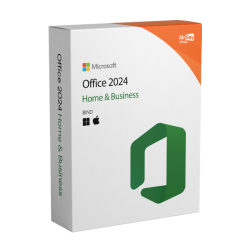
En Mr Key Shop todas las licencias son auténticas y están garantizadas: comprar EaseUS Data Recovery Wizard Bootable Media for Mac significa recibir una clave de producto original directamente por correo electrónico, sin envíos físicos ni esperas. La memoria USB de emergencia debe prepararse antes de que se produzca la emergencia: no se puede crear el soporte de arranque en un Mac que ya no arranca. Los pagos se gestionan a través de un circuito seguro SSL con PayPal, incluso en 3 plazos sin intereses, Stripe, Amazon Pay, Apple Pay, Google Pay y tarjetas de crédito y débito. Para el Mac en el que se crea la memoria USB o desde el que se gestiona la recuperación, la suite Office 2024 Home & Business, disponible también para Mac, incluye Word, Excel, PowerPoint y Outlook con licencia perpetua. Quienes prefieran aplicaciones actualizadas con almacenamiento en la nube encontrarán en la suscripción Microsoft 365 Personal el complemento con OneDrive integrado, útil para guardar los archivos recuperados en la nube. Para la copia de seguridad preventiva del Mac, el complemento natural de Bootable Media, Time Machine, es la herramienta nativa y gratuita de Apple, mientras que para estaciones de trabajo Windows en entornos mixtos, AOMEI Backupper Workstation garantiza instantáneas y una restauración rápida. Para proteger la navegación en redes no seguras,CyberGhost VPN cifra el tráfico en todos los dispositivos. Para la gestión de archivos PDF de documentación técnica,Swifdoo PDF para Mac permite la conversión y la anotación en Windows. Para los profesionales creativos que trabajan con Mac y gestionan amplios archivos fotográficos, AWZ Screen Recorder Pro captura la pantalla en alta calidad en Windows. Todas las compras en Mr Key Shop son 100 % digitales: sin envíos, sin embalaje, solo activación por correo electrónico.
Sistemas operativos Windows: Windows 11 - Windows 10 - Windows 8 - Windows 7
Paquetes de Microsoft Office: Office 2024 - Office 2021 - Office 2019 - Office 2016 - Office 2013 - Office 2010 - Office para MAC - Microsoft 365 - Aplicación Office - Visual Studio - Project - Access - Visio - Outlook - Word - Excel - PowerPoint
Antivirus: Kaspersky - ESET - McAfee - Avast -Bitdefender - Norton - AVG -
- Acronis - Surfshark- IObit - Watchdog - Panda –Antivirus para Server
VPN: HMA VPN - NordVPN - Cyberghost - Surfshark
Servidor Microsoft: Server 2025 - Server 2022 - Server 2019 - Server 2016 - Server 2012 - Storage Server 2016 - Storage Server 2012 - CAL de servidor - Servidor RDS CAL - SQL Server
Utilidades: Convertidores de PDF - Limpieza del disco - Gestión de datos - Grabador de pantalla - Software de facturación - Software de copia de seguridad - Recuperación de datos - Partición de discos - Implementación - Modelado 3D - Escritorio remoto - Edición -Convertidor de vídeo - Virtualización - Gráficos - Cifrado - Streaming - Software de conversión - Programas para desinstalar
CAD: Autodesk - Zwsoft - Rhino - Ashampoo
Paquete: Software para creadores - Software para jugadores - Software para la familia - Software para el trabajo inteligente - Paquete de software para pymes y startups - Paquete de software para estudiantes
Lleva tu negocio al siguiente nivel con un socio sólido y reconocido en el sector de las licencias de software originales. Con Mr Key Shop, tendrás acceso a listas de precios exclusivas para distribuidores, condiciones reservadas y asistencia profesional gratuita para ti y tus clientes.
Además, con MrKeyWallet puedes obtener créditos extra con cada recarga y aumentar aún más tus márgenes: cuanto más inviertas, más ganarás. Un sistema pensado para aquellos que realmente quieren crecer.
Únete ahora al programa para distribuidores MKreseller y descubre todas las ventajas reservadas a los socios.
|
Componente |
Requisito |
|
Mac para crear el soporte |
macOS 15 / 14 / 13 / 12 / 11 / 10.15 en funcionamiento para crear la memoria USB de arranque |
|
Mac de recuperación |
Cualquier Mac Intel o Apple Silicon con capacidad de arranque desde USB |
|
Se requiere una memoria USB |
Mínimo 2 GB, dedicada al soporte de arranque (el contenido se borrará) |
|
Sistemas de archivos compatibles |
APFS, HFS+, HFS, FAT/FAT32, exFAT |
|
Conexión a Internet |
Se requiere para la activación y para descargar el entorno de recuperación |
|
Nota importante |
Crea la memoria USB de arranque con antelación en un Mac que funcione, no esperes a que surja una emergencia |
Una vez que hayas recibido el código de licencia por correo electrónico de Mr Key Shop, descarga EaseUS Data Recovery Wizard para Mac desde el portal oficial en easeus.com en un Mac que funcione, no en el Mac del que quieras recuperar los datos. El software requiere un sistema macOS operativo para crear la memoria USB de emergencia: si no dispones de un segundo Mac, puedes utilizar el de un amigo o compañero de trabajo para preparar el soporte de arranque. Antes de continuar, consigue una memoria USB vacía de al menos 2 GB para dedicarla a la creación del soporte.
Instala EaseUS Data Recovery Wizard for Mac en el Mac que funcione e introduce el código de licencia para activar todas las funciones. En la pantalla principal, selecciona la función de creación del soporte de arranque, inserta la memoria USB y sigue las instrucciones del asistente: el software descarga y configura automáticamente el entorno de recuperación de macOS en el soporte. Una vez creada, la memoria USB estará lista para arrancar cualquier Mac con procesador Intel o Apple Silicon en caso de emergencia. Guárdala en un lugar seguro y accesible. En el caso de los Mac con chip T2 o Apple Silicon, puede que sea necesario desactivar temporalmente algunos ajustes de seguridad en el panel de configuración de seguridad del firmware: las instrucciones específicas para cada modelo están disponibles en la documentación de EaseUS.
La activación se realiza introduciendo el código de licencia recibido por correo electrónico en la pantalla de registro del software durante la instalación en el Mac que funciona correctamente. El código desbloquea la recuperación ilimitada en el entorno de recuperación creado en la memoria USB. En caso de emergencia, inserta la memoria USB en el Mac que no arranca, mantén pulsada la tecla Opción (Alt) al arrancar, o el botón de encendido en Apple Silicon, selecciona el volumen de EaseUS de la lista de discos de arranque e inicia la recuperación. Selecciona el disco interno del Mac como origen, inicia el escaneo, localiza los archivos mediante la vista previa previa a la recuperación y guárdalos en una unidad externa independiente.


 117,23 $
515,84 $
117,23 $
515,84 $
 84,19 $
159,86 $
84,19 $
159,86 $
 298,41 $
319,73 $
298,41 $
319,73 $
 85,25 $
204,62 $
85,25 $
204,62 $
 84,19 $
133,21 $
84,19 $
133,21 $

 Chatea con nosotros
 Ita
Ita
 Eng
Eng
 Deu
Deu
 Esp
Esp
 Fra
Fra