


 Lamentablemente, su carrito de compras está vacío.


 Devuelve
 Chatea con Nosotros
 Quiénes Somos
 Mis Pedidos

 Twitter
 LinkedIn
 Meta
Meta


 117,23 $
515,84 $
117,23 $
515,84 $









|
Información sobre la entrega La clave de producto de Stellar Converter for OLM Standard se enviará por correo electrónico en un plazo de 6 a 12 horas tras la compra, junto con las instrucciones completas para la descarga y la activación. |
Con una licencia de Stellar Converter for OLM Standard, podrás usar Outlook incluso cuando cambies de una plataforma a otra.
Outlook para Mac y Outlook para Windows parecen iguales a simple vista, pero utilizan formatos de archivo completamente diferentes. Outlook para Mac guarda todo el buzón de correo en un archivo OLM —correos electrónicos, contactos, calendarios, tareas, notas, archivos adjuntos— un formato propietario que Outlook para Windows no puede abrir. No existe una función nativa en Microsoft Outlook ni una herramienta oficial para convertir un archivo OLM a PST: quien cambia de plataforma se encuentra con años de archivos de correo electrónico inaccesibles en el nuevo PC con Windows.
Stellar Converter for OLM Standard es la herramienta que cubre esta carencia. Una vez instalada en el PC con Windows de destino, lee el archivo OLM exportado desde Outlook para Mac y lo convierte en un archivo PST importable a Outlook para Windows, o bien en formato EML o MSG para un acceso inmediato sin necesidad de importación. Recupera todos los elementos del buzón: correos electrónicos con archivos adjuntos, contactos, calendarios, tareas, notas y diarios, manteniendo intacta la estructura de carpetas y la jerarquía original. No hay límites de tamaño para el archivo OLM: el software gestiona archivos de cualquier tamaño, incluidas copias de seguridad de años de correspondencia. Admite archivos OLM creados con Outlook para Mac 2011, 2016, 2019 y 2021, y genera archivos PST compatibles con Outlook para Windows 2007, 2010, 2013, 2016, 2019, 2021 y Microsoft 365. Para quienes también necesiten la exportación directa a Office 365 o formatos adicionales como PDF, HTML y RTF, Stellar Converter for OLM también está disponible en la versión Technician.
|
Área |
Funcionalidades |
|
Conversión de OLM a PST |
Conversión completa de archivos OLM de Outlook para Mac a PST importables a Outlook para Windows, estructura y jerarquía de carpetas conservadas al 100 % |
|
Formatos de exportación |
PST, EML, MSG, acceso directo a los elementos del buzón en Windows |
|
Elementos recuperados |
Correos electrónicos y archivos adjuntos, contactos, calendarios, tareas, notas, diarios |
|
Sin límite de tamaño |
Gestión de archivos OLM de cualquier tamaño, incluidos archivos de varios años |
|
Guardado flexible de PST |
Opción de crear un nuevo archivo PST o añadir los datos a un PST existente en Windows Outlook |
|
División automática de PST |
División automática del archivo PST generado si supera el límite de tamaño seguro, prevención de la corrupción del PST por exceso de tamaño |
|
Vista previa previa a la conversión |
Visualización en tres paneles del buzón OLM con vista previa de correos electrónicos, contactos y calendarios antes de la conversión, selección de carpetas o elementos individuales |
|
Filtros avanzados |
Inclusión o exclusión de elementos por intervalo de fechas o dirección de correo electrónico del remitente |
|
Detección automática de OLM |
Función «Buscar» para la localización automática de archivos OLM en el PC o en unidades externas |
|
Registro de conversión |
Generación de un informe de registro completo del proceso de conversión, que se puede analizar y guardar para su posterior verificación |
|
Versiones de Outlook para Mac |
Outlook para Mac 2011, 2016, 2019, 2021 |
|
Versiones de Outlook para Windows |
Outlook 2007, 2010, 2013, 2016, 2019, 2021, Microsoft 365 (32 y 64 bits) |
Elegir Mr Key Shop significa recibir una licencia original de Stellar con asistencia técnica gratuita en italiano y entrega inmediata, sin envíos, sin esperas, sin costes ocultos. La clave de producto de Stellar Converter for OLM Standard se envía por correo electrónico en un plazo de 6 a 12 horas tras el pedido, junto con las instrucciones completas. Pago seguro mediante cifrado SSL con PayPal, pagadero en 3 plazos sin intereses, Stripe, Amazon Pay, Apple Pay, Google Pay y tarjetas de crédito y débito. La certificación Trusted Shops con protección de compra de hasta 2.500 euros y la valoración «Excelente» en Trustpilot confirman la fiabilidad del servicio por parte de clientes verificados en toda Europa.
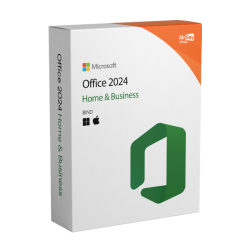
El archivo PST generado por Stellar Converter for OLM Standard debe importarse a Outlook para Windows; vale la pena disponer de la versión más actualizada y estable. La licencia de Windows 11 Pro es la plataforma ideal para quienes completan la transición de Mac a PC, con optimizaciones de seguridad y funcionalidades empresariales que protegen los archivos de datos de Outlook desde el día de la instalación. Para los equipos con Windows 10 ya en funcionamiento, la clave de producto de Windows 10 Pro garantiza una plataforma duradera y consolidada, compatible con todas las versiones de Outlook que importan el PST convertido. La licencia de Office 2024 Home & Business incluye Outlook 2024, el cliente de correo de Windows en el que importar el PST generado por la conversión, junto con Word, Excel y PowerPoint para completar la migración desde la suite de Mac. Para quienes ya utilizan Microsoft 365 en varios dispositivos, la suscripción a Microsoft 365 Personal añade 1 TB de OneDrive donde almacenar el archivo PST convertido y acceder a él desde cualquier dispositivo. La privacidad de los datos de correo electrónico durante la transferencia del archivo OLM del Mac al PC con Windows está protegida por NordVPN, cifrando el tráfico en redes no seguras durante la copia de archivos confidenciales a través de la red local o la nube. Para la gestión de documentos en PDF en el nuevo PC con Windows, contratos, facturas, correspondencia exportada,Swifdoo PDF ofrece conversión, anotación y firma digital. Quienes documentan el proceso de migración o crean guías operativas encontrarán en AWZ Screen Recorder Pro la herramienta para la grabación de pantalla en Windows. Los profesionales técnicos que combinan el cambio de plataforma con el diseño CAD encontrarán en Autodesk AutoCAD LT Commercial la herramienta para el dibujo técnico en 2D en Windows, con los archivos de proyecto y la correspondencia profesional accesibles en el nuevo sistema.
Sistemas operativos Windows: Windows 11 - Windows 10 - Windows 8 - Windows 7
Paquetes de Microsoft Office: Office 2024 - Office 2021 - Office 2019 - Office 2016 - Office 2013 - Office 2010 - Office para MAC - Microsoft 365 - Aplicación Office - Visual Studio - Project - Access - Visio - Outlook - Word - Excel - PowerPoint
Antivirus: Kaspersky - ESET - McAfee - Avast -Bitdefender - Norton - AVG -
- Acronis - Surfshark- IObit - Watchdog - Panda –Antivirus para Server
VPN: HMA VPN - NordVPN - Cyberghost - Surfshark
Servidor Microsoft: Server 2025 - Server 2022 - Server 2019 - Server 2016 - Server 2012 - Storage Server 2016 - Storage Server 2012 - CAL de servidor - Servidor RDS CAL - SQL Server
Utilidades: Convertidores de PDF - Limpieza del disco - Gestión de datos - Grabador de pantalla - Software de facturación - Software de copia de seguridad - Recuperación de datos - Partición de discos - Implementación - Modelado 3D - Escritorio remoto - Edición -Convertidor de vídeo - Virtualización - Gráficos - Cifrado - Streaming - Software de conversión - Programas para desinstalar
CAD: Autodesk - Zwsoft - Rhino - Ashampoo
Paquete: Software para creadores - Software para jugadores - Software para la familia - Software para el trabajo inteligente - Paquete de software para pymes y startups - Paquete de software para estudiantes
Lleva tu negocio al siguiente nivel con un socio sólido y reconocido en el sector de las licencias de software originales. Con Mr Key Shop, tendrás acceso a listas de precios exclusivas para distribuidores, condiciones reservadas y asistencia profesional gratuita para ti y tus clientes.
Además, con MrKeyWallet puedes obtener créditos extra con cada recarga y aumentar aún más tus márgenes: cuanto más inviertas, más ganarás. Un sistema pensado para aquellos que realmente quieren crecer.
Únete ahora al programa para distribuidores MKreseller y descubre todas las ventajas reservadas a los socios.
|
Requisitos |
Especificaciones |
|
Sistema operativo |
Windows 11, 10, 8.1, 8, 7 (32 y 64 bits) |
|
Procesador |
Compatible con Intel (x86, x64) |
|
RAM |
4 GB como mínimo (se recomiendan 8 GB para archivos OLM de gran tamaño) |
|
Espacio en disco |
Espacio suficiente para la instalación y para los archivos PST generados |
|
Microsoft Outlook para Windows |
Outlook 2007, 2010, 2013, 2016, 2019, 2021, Microsoft 365 (32 y 64 bits), necesario para guardar en formato PST |
|
Compatible con Outlook para Mac |
Outlook para Mac 2011, 2016, 2019, 2021 (fuente del archivo OLM) |
|
Conexión a Internet |
Necesaria para la activación y las actualizaciones |
|
Notas |
El software se instala en un PC con Windows, no en un Mac. El archivo OLM debe copiarse en el PC antes de la conversión. Para archivos OLM de gran tamaño, se recomienda disponer de al menos 8 GB de RAM |
Stellar Converter for OLM Standard está disponible para su descarga directa desde stellarinfo.com. El software se instala en el PC con Windows de destino, no en el Mac. Compatible con Windows 7, 8, 8.1, 10 y 11. Para guardar el archivo PST es necesario tener instalado en el sistema Microsoft Outlook para Windows, desde la versión 2007 hasta Outlook 2021 y Microsoft 365. El archivo OLM que se va a convertir se puede copiar del Mac al PC a través de la red local, USB o almacenamiento en la nube antes de iniciar la conversión.
Para instalar Stellar Converter for OLM Standard en Windows:
Para activar Stellar Converter for OLM Standard:
Con la licencia activada, la conversión y el guardado en PST, EML y MSG están disponibles sin limitaciones, con división automática del PST, filtros avanzados y guardado del registro de conversión. Guarde la clave de producto: la necesitará en caso de reinstalación o cambio de ubicación.
Stellar Converter for OLM Standard es una herramienta para convertir archivos OLM de Outlook para Mac a PST, EML y MSG en Windows. Permite acceder al buzón de Outlook para Mac en un PC con Windows, conservando la estructura de carpetas y todos los elementos del buzón (correos electrónicos, archivos adjuntos, contactos, calendarios, tareas y notas), sin límites de tamaño en el archivo OLM. Es compatible con Outlook para Mac 2011-2021, Outlook para Windows 2007-2021 y Microsoft 365.
OLM (Outlook for Mac Archive) es el formato propietario con el que Outlook para Mac guarda el buzón de correo de forma local. Es un formato específico de macOS: Outlook para Windows no lo reconoce ni puede importarlo directamente. Microsoft no proporciona herramientas nativas para la conversión de OLM a PST, por lo que se necesita un software específico como Stellar Converter for OLM.
En el PC con Windows de destino. Stellar Converter for OLM Standard es una aplicación de Windows que lee el archivo OLM, el cual debe copiarse del Mac al PC antes de iniciar la conversión, ya sea mediante USB, red local o almacenamiento en la nube.
En Outlook para Mac: Archivo → Exportar → elija los elementos que desea exportar → seleccione el formato OLM → guarde el archivo. A continuación, el archivo OLM resultante debe copiarse al PC con Windows donde esté instalado Stellar Converter for OLM Standard.
|
Funcionalidades |
Standard |
Technician |
|
Conversión de OLM a PST, EML, MSG |
✅ |
✅ |
|
Todos los elementos del buzón |
✅ |
✅ |
|
Sin límite de tamaño OLM |
✅ |
✅ |
|
División automática de PST |
✅ |
✅ |
|
Filtros por fecha y remitente |
✅ |
✅ |
|
Registro de conversión |
✅ |
✅ |
|
Exportación a PDF, HTML, RTF |
❌ |
✅ |
|
Exportación directa a Office 365 |
❌ |
✅ |
|
Exportación a un perfil de Outlook existente |
❌ |
✅ |
Sí. Stellar Converter for OLM Standard permite elegir entre crear un nuevo archivo PST o añadir los datos convertidos a un PST ya existente y abierto en Outlook, lo cual resulta útil para quienes desean integrar el buzón OLM en un archivo de Outlook ya estructurado.
Sí. No hay límites de tamaño para el archivo OLM; el software gestiona archivos de cualquier tamaño. Para evitar la corrupción del PST generado, la función de división automática divide el archivo PST en archivos más pequeños si supera el umbral de tamaño óptimo.
Si necesitas exportar el buzón directamente a Office 365 sin crear un PST intermedio, o guardar los elementos en PDF, HTML o RTF, considera la versión Technician. Si necesitas convertir varios archivos OLM por lotes o gestionar migraciones corporativas, la versión Technician ofrece las funcionalidades adecuadas.
|
Criterio |
Stellar Converter for OLM |
Kernel OLM to PST |
SysTools OLM to PST |
|
Conversión de OLM a PST |
✅ |
✅ |
✅ |
|
Todos los elementos del buzón |
✅ |
✅ |
✅ |
|
Sin límite de tamaño OLM |
✅ |
✅ |
✅ |
|
División automática de PST |
✅ |
Parcial |
❌ |
|
Filtros de fecha y remitente |
✅ |
✅ |
Parcial |
|
Vista previa en tres paneles |
✅ |
✅ |
✅ |
|
Registro de conversión |
✅ |
Parcial |
❌ |
|
Interfaz en italiano |
✅ |
Parcial |
❌ |


 117,23 $
515,84 $
117,23 $
515,84 $
 84,19 $
159,86 $
84,19 $
159,86 $
 298,41 $
319,73 $
298,41 $
319,73 $
 85,25 $
204,62 $
85,25 $
204,62 $
 84,19 $
133,21 $
84,19 $
133,21 $

 Chatea con nosotros
 Ita
Ita
 Eng
Eng
 Deu
Deu
 Esp
Esp
 Fra
Fra