


 Unfortunately your shopping cart is empty


 FAQs
FAQs
 Returns
 Chat with Us
 About Us

 Twitter
 LinkedIn
 Meta
Meta
 Copy Link


 $84.19
$133.21
$84.19
$133.21





|
Information Product key delivered via email. During peak periods, delivery may take up to 12 hours on weekdays and up to 24 hours at weekends. |
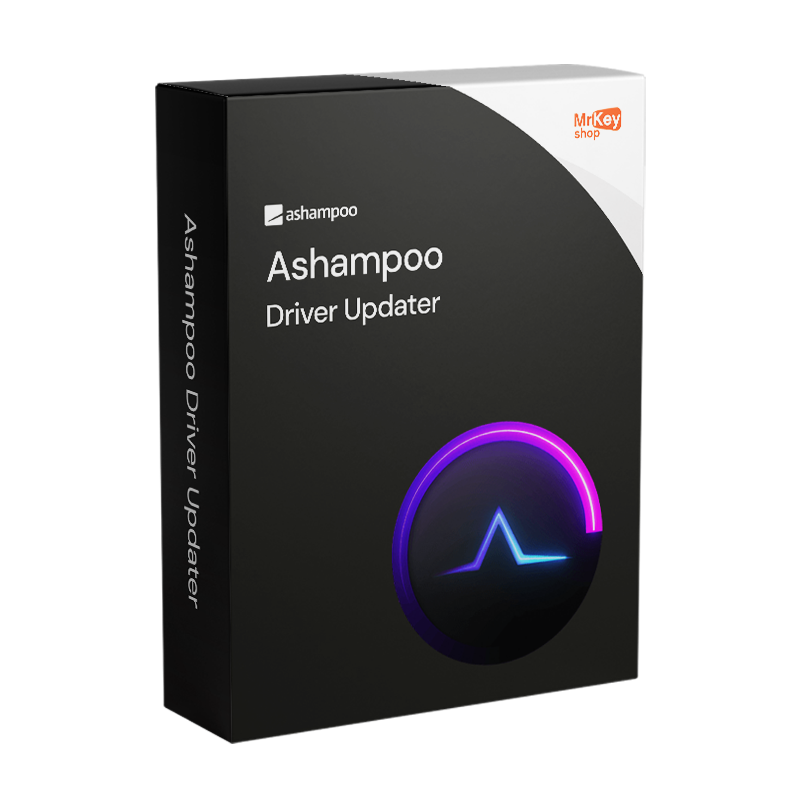
Purchasing a licence for Ashampoo Driver Updater means solving one of the most insidious problems affecting Windows PCs: out-of-date, missing or faulty drivers that cause instability, hardware malfunctions and performance losses that are often difficult to diagnose. When your Wi-Fi disconnects for no reason, the sound is crackly, a printer stops responding or graphics performance drops inexplicably, the cause is almost always an out-of-date driver, or a generic Windows driver that doesn’t fully utilise the capabilities of your installed hardware. Ashampoo Driver Updater automatically detects all system components, identifies obsolete or missing drivers and suggests available updates via a colour-coded interface: green icons for up-to-date drivers, yellow for updates available for less than 365 days, and red for drivers that haven’t been updated for over a year. Updates can be carried out with a single click for the selected driver, or in bulk for all pending drivers. The programme is compatible with Windows 11 and has been specifically optimised to handle transitions from Windows 10 to Windows 11, where the operating system’s generic drivers may not fully utilise the hardware’s capabilities.
The security of the update process is guaranteed by the integrated backup system: before installing any new driver, Ashampoo Driver Updater automatically saves the current version, allowing you to revert to the previous version with a single click in the event of compatibility issues – a real risk with certain graphics or network drivers that can cause instability on specific configurations. Every installation is logged in detail with a complete version history, tracking which drivers have been updated, when, and from which version to which version. The database of over 400,000 drivers for more than 150,000 devices, continuously updated by Ashampoo, covers components from virtually all hardware manufacturers, from NVIDIA and AMD graphics cards to lesser-known peripherals, ensuring that even older or niche hardware can find the correct driver. The automatic scan scheduler allows you to set up regular checks without having to open the programme manually, with notifications integrated into the Windows system to alert you when updates are available.
|
Feature |
Details |
|
Product |
Ashampoo Driver Updater |
|
Developer |
Ashampoo GmbH & Co. KG |
|
Licence type |
Subscription |
|
Supported systems |
Windows 11, 10, 8.1, 8, 7 (32-bit and 64-bit) |
|
Database of drivers |
Over 400,000 drivers for more than 150,000 hardware devices |
|
Colour-coding system |
Yes, green (up to date), yellow (<365 days), red (>365 days since last update) |
|
Update |
Single driver or all at once with a single click |
|
Automatic backup |
Yes, previous version saved before each update |
|
Restore previous version |
Yes, quick rollback in the event of post-update incompatibility |
|
Installation history |
Yes, detailed log of all updates with versions and dates |
|
Scheduled scans |
Yes, configurable frequency with integrated Windows notifications |
|
System notifications |
Yes, integration with Windows Action Centre |
|
Permissions required |
Full administrative rights required |
The authenticity guarantee on every licence distributed by Mr Key Shop means you’ll receive an original Ashampoo product key via email, with no physical delivery or waiting times. Buy, receive and activate straight away. Payments are processed via a secure SSL connection using PayPal (including interest-free instalments in 3 payments), Stripe, Amazon Pay, Apple Pay, Google Pay, and credit and debit cards. Up-to-date drivers work in synergy with the operating system: the Windows 11 Pro licence is the foundation on which Ashampoo Driver Updater can perform at its best, with up-to-date drivers that fully utilise the features of the latest Microsoft operating system. For those still using previous-generation systems, the Windows 10 Pro product key ensures a stable platform that is fully compatible with the software. For optimised office productivity on the same workstation, the suite Office 2024 Professional Plus includes Word, Excel, PowerPoint and Outlook with a perpetual licence. For those who prefer Office apps that are always up to date with cloud storage, the subscription Microsoft 365 Personal the natural complement. To protect your browsing on unsecured networks, NordVPN encrypts traffic across all devices. To clean the system of software residue before proceeding with driver updates, CCleaner Professional keeps your PC in top condition. For a full system backup before critical updates, AOMEI Backupper Workstation ensures snapshots and rapid recovery. For managing PDFs of technical documentation and hardware manuals, Swifdoo PDF covers conversion and annotation. For technical professionals managing CAD workstations, the licence AutoCAD Commercial is available from the same store with the same guarantees.
Once your purchase is complete, you’ll receive everything you need via email to start updating your PC’s drivers straight away. Here’s what your licence includes:
Windows Operating Systems: Windows 11 - Windows 10 - Windows 8 - Windows 7
Microsoft Office packages: Office 2024 - Office 2021 - Office 2019 - Office 2016 - Office 2013 - Office 2010 - Office for MAC - Microsoft 365 - Office App - Visual Studio - Project - Access - Visio - Outlook - Word - Excel - PowerPoint
Antivirus: Kaspersky - ESET - McAfee - Avast -Bitdefender - Norton - AVG - Acronis - Surfshark- IObit - Watchdog - Panda - Server Antivirus
VPN: HMA VPN - NordVPN - Surfshark - Cyberghost
Microsoft Server: Server 2025 - Server 2022 - Server 2019 - Server 2016 - Server 2012 - Storage Server 2016 - Storage Server 2012 - Server CAL - RDS CAL Server - SQL Server
Utilities: PDF converters - Disk Cleanup - Data Management - Screen Recorder - Invoicing Software - Backup Software - Data Recovery - Disk Partitioning - Deployment - 3D Modeling - Remote Desktop - Editing -Video Converter - Virtualization - Graphics
CAD: Autodesk - ZWSOFT – Rhino 3D - Ashampoo
Bundle: Software for Creators - Software for Gamers - Software for the Family - Software for Smart Working - Software Bundle for SMEs & Startups - Software bundle for students
Take your business to the next level with a solid and recognized partner in the original software licensing industry. With Mr Key Shop, you get access to exclusive price lists for resellers, special terms, and free professional support for you and your customers.
What's more, with MrKeyWallet, you can get extra credits on every top-up and further increase your margins: the more you invest, the more you earn. A system designed for those who really want to scale up.
Join the MKreseller programnow and discover all the benefits reserved for partners.
|
Component |
Requirement |
|
Operating system |
Windows 11 / 10 / 8.1 / 8 / 7 (32-bit and 64-bit) |
|
System rights |
Full administrative rights required |
|
Internet connection |
Required for activation, driver database scanning and updates |
Once you have received the licence code by email from Mr Key Shop, download the Ashampoo Driver Updater installation file directly from the official portal at ashampoo.com in the product’s download section, or via the direct link included in the confirmation email. The installation file is compact, less than 100 MB, and does not require any special additional components to run on Windows. Before proceeding, check that you have full administrative rights on the system: these are essential for the software to function.
Installation takes place via a guided wizard that completes the process in a few minutes. Once finished, the programme launches and automatically performs an initial system scan to detect all installed hardware components and identify any outdated or missing drivers. It is advisable to run this initial full scan before proceeding with any updates, to gain a complete overview of the status of the drivers on your system. For subsequent updates, you can configure scheduled scans that run automatically in the background.
Activation is carried out by entering the licence code received via email on the registration screen when Ashampoo Driver Updater is launched for the first time, or via your account on the ashampoo.com portal. Creating a free Ashampoo account allows you to store all the codes you have purchased over time: should you need to reinstall your system – one of the scenarios in which a driver updater is most useful – the code remains accessible via your personal account area without the risk of it being lost. The licence is verified online periodically whilst you are using the software.


 $116.16
$266.44
$116.16
$266.44
 $94.85
$133.21
$94.85
$133.21
 $95.91
$106.57
$95.91
$106.57
 $126.82
$266.44
$126.82
$266.44

 Chat with us
 Ita
Ita
 Eng
Eng
 Deu
Deu
 Esp
Esp
 Fra
Fra