


 Unfortunately your shopping cart is empty


 FAQs
FAQs
 Returns
 Chat with Us
 About Us

 Twitter
 LinkedIn
 Meta
Meta
 Copy Link



 $116.16
$191.83
$116.16
$191.83





|
Information Product key delivered via email. During peak periods, delivery may take up to 12 hours on weekdays and up to 24 hours at weekends. |
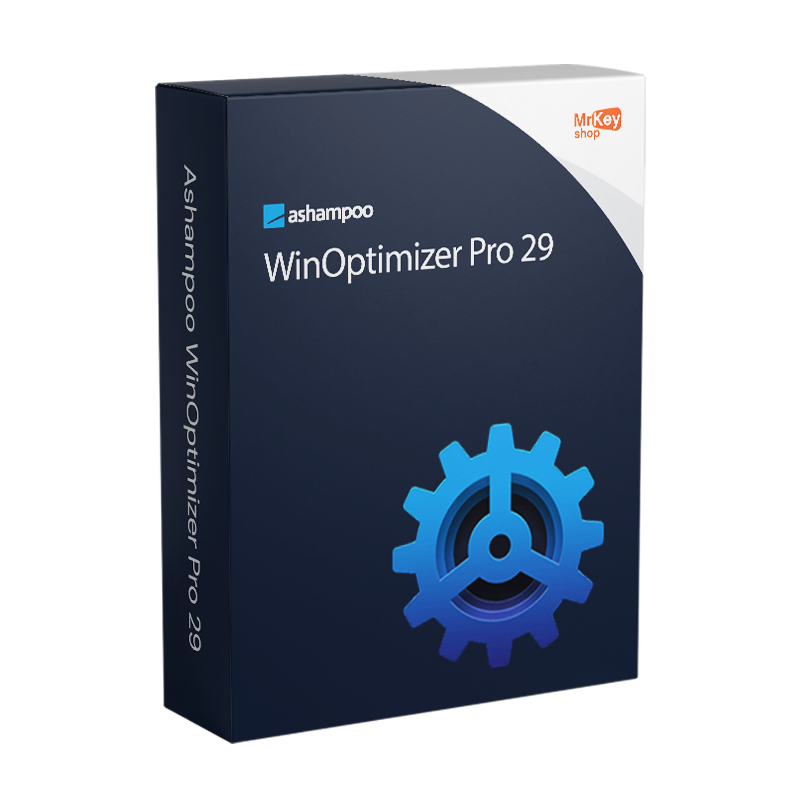
Purchasing a licence for Ashampoo WinOptimizer Pro 29 means getting the most advanced version of Ashampoo’s optimisation suite, which, with this edition, introduces one of the features most requested by users: the integrated Software Updater, which identifies available updates for applications installed on your system and allows you to update them selectively directly from the WinOptimizer interface, without having to manually check individual developers’ websites.
Alongside the Software Updater, the Advanced Features pane on the main homepage offers direct access to new cleaning areas that were previously only accessible by navigating through the modules: usage data, Windows optimisation files and other specific areas can now be accessed with a single click from the main screen. The number of system settings that can be optimised by the suite has almost doubled compared to version 28, with new suggestions regarding unnecessary services that help you customise Windows in an even more targeted way. The modules Privacy Manager 2 and Tweaking 2 have been technically revamped and expanded with new options covering areas of privacy and system customisation that were previously inaccessible.
The WinOptimizer Pro 29 suite covers the entire maintenance cycle of a Windows PC with over 30 specialised modules. One-click optimisation combines Drive Cleaner, Internet Cleaner and Registry Optimizer to remove unnecessary files, browsing history and invalid registry entries in a single operation. Auto-Clean automatically performs cleaning in the background at programmable intervals, without requiring the programme to be opened. Live-Tuner assigns customisable start-up priorities to applications, with ‘high’ priority for the most frequently used programmes, speeding up response times. The Game Booster disables unnecessary services and processes during gaming sessions, freeing up resources for smoother graphics, and automatically restarts them when the session ends. The System Analysis module provides detailed hardware information with multi-core support, including access to the Windows licence key. Light and dark themes adapt to Windows system settings. The suite is compatible with Windows 11 24H2 and Windows 10.
|
Feature |
Details |
|
Version |
Ashampoo WinOptimizer Pro 29 (29.0.2) |
|
Developer |
Ashampoo GmbH & Co. KG |
|
Licence type |
Perpetual, one-off purchase, no recurring fees |
|
Supported systems |
Windows 11 (incl. 24H2), 10, 8.1 (32 and 64-bit) |
|
Software Updater |
Yes, update installed applications directly from the interface (new in v.29) |
|
Advanced Features pane |
Quick access to new cleaning areas from the homepage (new in v.29) |
|
Optimisable settings |
Almost doubled compared to v.28 with new service suggestions (new in v.29) |
|
Privacy Manager 2 |
Technically revamped with new privacy options (new in v.29) |
|
Tweaking 2 |
Revamped with new system customisation options (new in v.29) |
|
One Click Optimizer |
Drive Cleaner + Internet Cleaner + Registry Optimizer in a single operation |
|
Auto-Clean |
Automatic background cleaning at programmable intervals |
|
Live-Tuner |
Customisable start-up priorities for individual applications |
|
Game Booster |
Disables unnecessary services whilst gaming with automatic restoration |
|
Total modules |
Over 30 modules for cleaning, performance, privacy and system management |
|
Interface |
Light and dark themes with automatic adaptation to Windows |
Every licence distributed by Mr Key Shop is genuine and guaranteed: buying Ashampoo WinOptimizer Pro 29 means receiving an original Ashampoo perpetual licence directly via email, with no physical delivery or waiting times. No logistics involved; up and running in minutes. Payments are processed via a secure SSL connection using PayPal (including interest-free instalments over 3 payments), Stripe, Amazon Pay, Apple Pay, Google Pay, and credit and debit cards. For the Windows machine on which WinOptimizer runs, the Windows 11 Pro licence guarantees the most up-to-date and compatible platform, including support for Windows 11 24H2 introduced in version 29. Those maintaining established systems will find that the Windows 10 Pro product key a stable foundation that is fully supported by the suite. For optimised office productivity on the same workstation, the Office 2024 Professional Plus covers Word, Excel, PowerPoint and Outlook with a perpetual licence. Those who prefer apps that are always up to date with cloud storage will find the subscription Microsoft 365 Personal the natural choice. To protect your browsing on unsecured networks, NordVPN encrypts traffic on all devices. For managing PDFs containing technical documentation and system reports, Nitro PDF covers conversion, annotation and digital signing. For a full system backup prior to in-depth optimisation operations, AOMEI Backupper Workstation ensures snapshots and rapid recovery. To record tutorials or demonstration sessions on optimisation, AWZ Screen Recorder Pro captures the screen in high quality. For technical professionals managing CAD workstations, the licence AutoCAD LT Commercial is available from the same shop with the same guarantees.
Once your purchase is complete, you’ll receive everything you need via email to start optimising your Windows straight away. Here’s what your licence includes:
Windows Operating Systems: Windows 11 - Windows 10 - Windows 8 - Windows 7
Microsoft Office packages: Office 2024 - Office 2021 - Office 2019 - Office 2016 - Office 2013 - Office 2010 - Office for MAC - Microsoft 365 - Office App - Visual Studio - Project - Access - Visio - Outlook - Word - Excel - PowerPoint
Antivirus: Kaspersky - ESET - McAfee - Avast -Bitdefender - Norton - AVG - Acronis - Surfshark- IObit - Watchdog - Panda - Server Antivirus
VPN: HMA VPN - NordVPN - Surfshark - Cyberghost
Microsoft Server: Server 2025 - Server 2022 - Server 2019 - Server 2016 - Server 2012 - Storage Server 2016 - Storage Server 2012 - Server CAL - RDS CAL Server - SQL Server
Utilities: PDF converters - Disk Cleanup - Data Management - Screen Recorder - Invoicing Software - Backup Software - Data Recovery - Disk Partitioning - Deployment - 3D Modeling - Remote Desktop - Editing -Video Converter - Virtualization - Graphics
CAD: Autodesk - ZWSOFT – Rhino 3D - Ashampoo
Bundle: Software for Creators - Software for Gamers - Software for the Family - Software for Smart Working - Software Bundle for SMEs & Startups - Software bundle for students
Take your business to the next level with a solid and recognized partner in the original software licensing industry. With Mr Key Shop, you get access to exclusive price lists for resellers, special terms, and free professional support for you and your customers.
What's more, with MrKeyWallet, you can get extra credits on every top-up and further increase your margins: the more you invest, the more you earn. A system designed for those who really want to scale up.
Join the MKreseller programnow and discover all the benefits reserved for partners.
|
Component |
Requirement |
|
Operating system |
Windows 11 (including 24H2) / 10 / 8.1 (32-bit and 64-bit) |
|
Disk space |
Approximately 100 MB for installation |
|
Screen resolution |
Minimum 1280 × 768 |
|
System rights |
Full administrative rights required |
|
Internet connection |
Required for licence activation and periodic verification |
Once you have received the licence code by email from Mr Key Shop, download the Ashampoo WinOptimizer Pro 29 installation file directly from the official portal at ashampoo.com in the product’s download section, or via the direct link included in the confirmation email. The installation file is approximately 40 MB in size and includes all the modules in the suite. Before proceeding, ensure you have full administrative rights on the system: these are required for WinOptimizer to function. An internet connection is required for initial activation and for periodic licence verification.
Installation takes place via a guided wizard that completes the process in a few minutes. Once finished, WinOptimizer Pro 29 opens on the main dashboard with the ‘Advanced Features’ pane already visible on the homepage. On first launch, it is advisable to run an initial system scan using the One Click Optimizer to assess the current state of your PC, configure Auto-Clean preferences for scheduled automatic maintenance, and check the Live-Tuner settings to optimise the priorities of your most frequently used applications. For gamers, Game Booster can be set up straight away for a smoother gaming experience.
Activation is carried out by entering the licence code received via email on the registration screen upon first launch, or via your account on the ashampoo.com portal. Creating a free Ashampoo account allows you to store the code and retrieve it in the event of a reinstallation or a change of device. The licence is verified online at regular intervals whilst the software is in use.


 $116.16
$191.83
$116.16
$191.83
 $84.19
$133.21
$84.19
$133.21




 Chat with us
 Ita
Ita
 Eng
Eng
 Deu
Deu
 Esp
Esp
 Fra
Fra